
Site Kit is a one-stop solution for WordPress users to use everything Google has to offer to make…

About Minify HTML
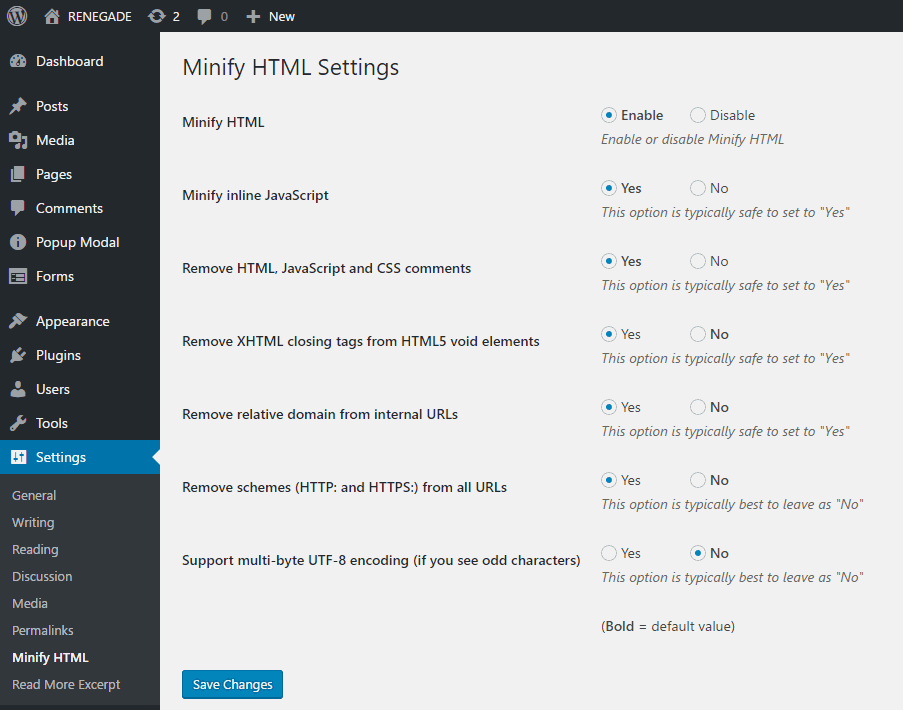
Minify HTML is a plugin that cleans up and minifies the HTML markup of your website, making it look more professional and improving download time. It also offers optional minification for JavaScript and internal CSS, and has settings to remove comments, unnecessary closing tags, and relative schemes and domains from links. Try it out for free on a demo site.Screenshots
Frequently asked questions
What does the Minify HTML plugin do?
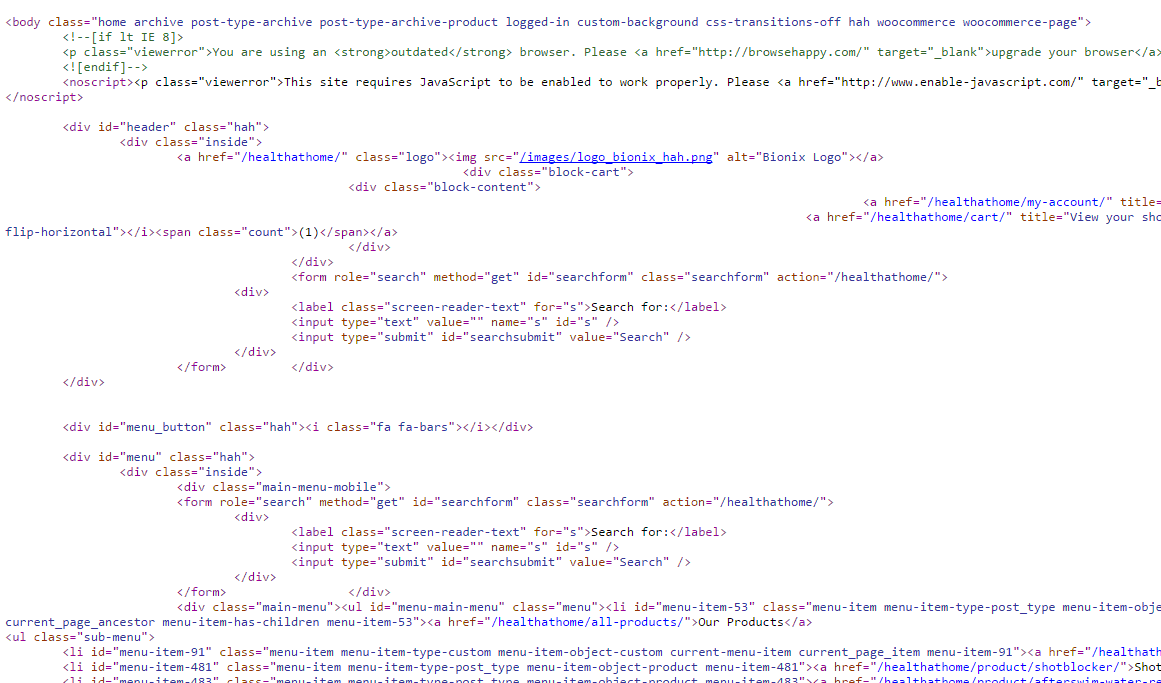
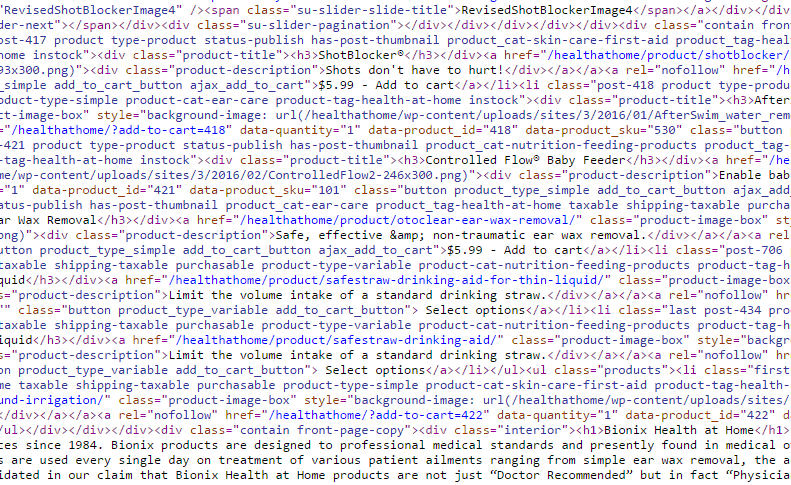
The Minify HTML plugin cleans up sloppy looking markup and minifies, which also speeds up download time.
How can Minify HTML make my website's markup look professional?
Minify HTML removes unnecessary elements and formats the markup to look clean and professional.
Does Minify HTML have options for advanced settings?
Yes, Minify HTML has additional options for advanced settings for more customization.
Does Minify HTML offer minification for JavaScript and internal CSS?
Yes, Minify HTML provides optional specialized minification for JavaScript and internal CSS.
What are some of the settings options offered by Minify HTML?
Minify HTML allows users to remove HTML, CSS, and JavaScript comments, remove unneeded XHTML closing tags, and remove unneeded relative schemes and domains from links.
Changelog
v2.1.12 – 01/15/2025
- Fixed deprecated warnings with PHP 8.1.0+.
v2.1.11 – 12/06/2024
- Resolve issue unique to an over-zealous “bug” bounty with too much time on their hands.
v2.1.10 – 11/27/2024
- Resolve issue with block editor converting to classic block and possible edge-case issues with preg_replace() function.
v2.1.9 – 9/20/2023
- Resolve line break issues with inline javascript comments.
v2.1.8 – 2/25/2023
- Nonce added to prevent CSRF vulnerability.
v2.1.7 – 2/25/2023
- Nonce check removed, doesn’t seem to work.
v2.1.6 – 2/25/2023
- Last try at nonce, doesn’t seem to work sometimes.
v2.1.5 – 2/25/2023
- Now using a unique to plugin value for nonce for better security.
v2.1.4 – 2/25/2023
- After some back and forth, I believe this implements CSRF protection correctly.
v2.1.3 – 2/25/2023
- Resolved form POST issue.
v2.1.2 – 2/25/2023
- Nonce verification for CSRF protection.
v2.1.1 – 2/24/2023
- Added nonce for CSRF protection, verified working with WordPress v6.2
v2.02 – 1/3/2022
- Added link to dummy site for testing, verified working with WordPress v5.8.2
v2.00 – 2/1/2021
- Updated contact email address, verified working with WordPress v5.6
v1.99 – 05/21/2018
- Compatiblity with WordPress thru 4.9.6
- Text changes
v1.98 – 03/15/2017
- Forces the multi-byte UTF-8 encoding option to default to OFF
- Added support for WP-CLI (command line interface for WordPress) http://wp-cli.org/.
v1.97 – 03/06/2017
- Added option to support multi-byte UTF-8 encoding if your foreign language website introduces odd characters.
v1.96 – 03/02/2017
- Removed multi-byte non-English encoded content support because it caused problems with many English sites. Will make this an option instead in a future release.
v1.95 – 03/02/2017
- Correctly deals with multi-byte UTF-8 encoded content (typically non-English language websites).
v1.94 – 01/03/2017
- Added option to not minify JavaScript.
v1.93 – 12/28/2016
- Removed extra blank lines after v1.92 modification.
v1.92 – 12/27/2016
- Corrected rare problem with inline JavaScript line comments.
v1.91 – 6/29/2016
- Fixed a problem with errors in the log and the “Remove schemes” switch not quite working correctly.
v1.9 – 5/10/2016
- Broke up option to remove relative schemes and domains into two options.
- Cleaned up settings page, gives option suggestions.
v1.8 – 5/10/2016
- New Minify HTML Settings menu item in the admin console.
- Option to deactivate Minify HTML without
- Option to remove HTML, JavaScript and CSS comments.
- Option to remove XHTML closing tags from HTML5 void elements.
- Option to remove relative schemes and domains from links.
v1.7 – 4/21/2016
- Now removes CSS and JavaScript comments.
- Fixed issue with minification of internal CSS media queries.
- Fixed issue with Google AMP reporting problems with the style boilerplate.
- No longer minifies XML files (which Minify HTML was never designed to do).
v1.6 – 3/1/2016
- Removes HTML comments to further reduce file size (doesn’t remove MSIE conditional comments).
v1.5 – 2/23/2016
- No longer minifies the admin dashboard.
- Some additional JavaScript minification.
v1.4 – 2/23/2016
- Fixed bug that could cause ‘M1N1FY-ST4RT’ to output to website.
v1.3 – 2/22/2016
- Added compatibility for PHP 7.0.0
v1.2 – 2/22/2016
- Compatible with older versions of PHP.
- More effective at cleaning up tabs, JavaScript, and internal CSS.
- Cleaned up source code and made a few performance tweaks.
v1.1 – 2/19/2016
- Also minifies internal CSS.
v1.0 – 2/18/2016
- Initial release.

