

Enables the previous "classic" editor and the old-style Edit Post screen with TinyMCE, Meta Boxes, etc. Supports all…

About User Profile Picture
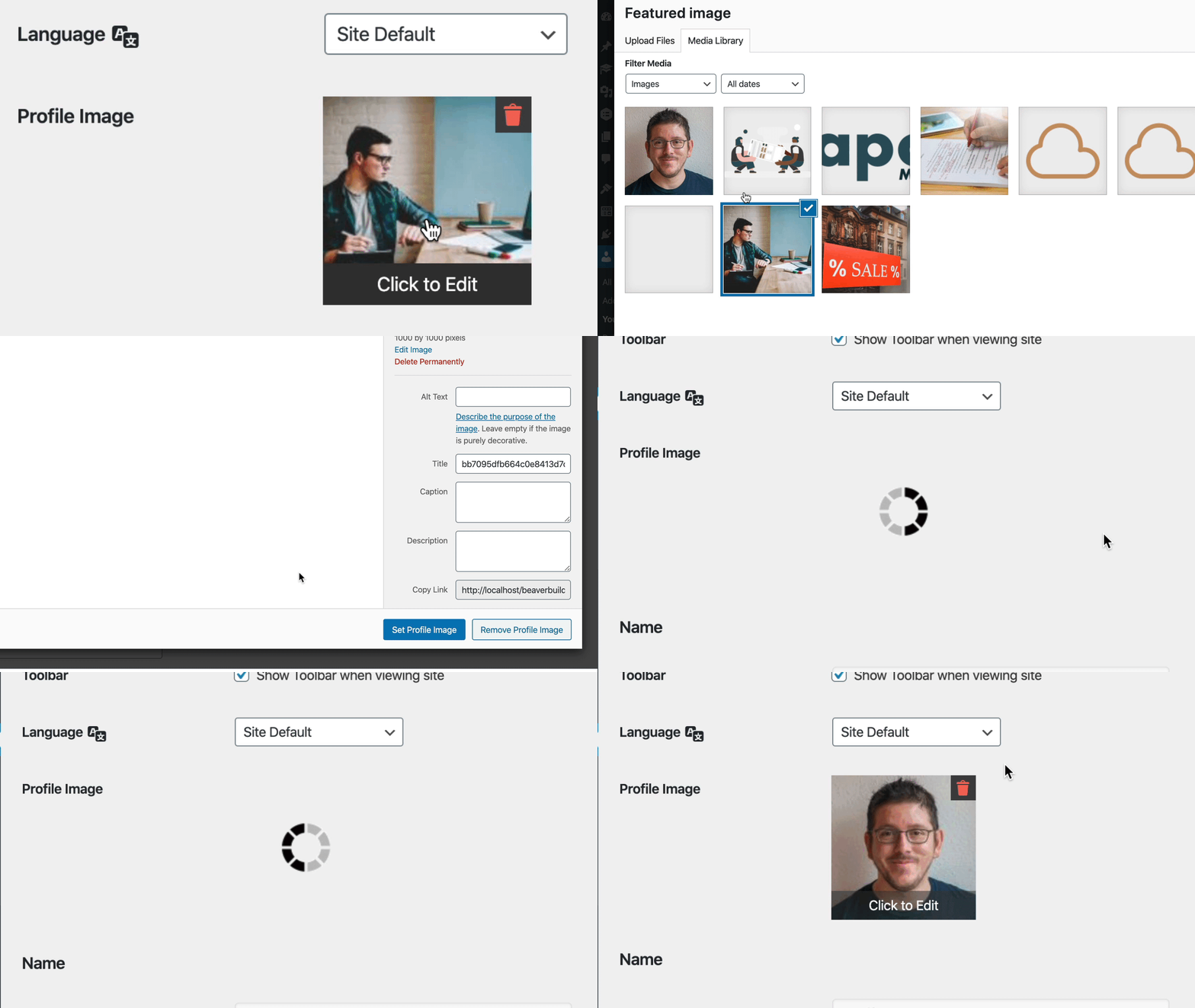
The User Profile Picture plugin is no longer being actively developed, but it will still work as is. It is recommended to migrate to the Profile Builder plugin, which has integrated the functionality of User Profile Picture and will continue to be maintained. The plugin allows users to set or remove a custom profile image using the standard WordPress media upload tool, and additional features such as the ability to upload images for different user roles are available.Screenshots


Frequently asked questions
What is the User Profile Picture plugin?
The User Profile Picture plugin allows you to set or remove a custom profile image (avatar) for a user using the standard WordPress media upload tool.
Is this plugin actively maintained?
No, User Profile Picture is no longer under active development. Its functionality has been integrated into the Profile Builder plugin, which is actively maintained.
Who can upload profile pictures using this plugin?
Users typically need an author role or greater to upload images. The Profile Builder plugin can be used to allow other roles, such as subscribers, to upload images.
Does the plugin provide a way to display the profile picture?
Yes, a template tag is supplied for outputting the profile picture to a theme. There is also an option to override a user's default avatar.
Changelog
2.6.3
- Released 2024-07-18
- Migrated functionality to Profile Builder plugin where it will be actively maintained. You can keep the current plugin as is or migrate to Profile Builder to receive future updates.
2.6.2
- Released 2024-06-20
- Security improvements
2.6.1
- Released 2023-09-28
- Fixed php warning.
2.6.0
- Released 2021-06-25
- Fixed a security flaw where a user can change others profile picture.
2.5.0
- Released 2021-02-18
- Medium level (6.5) security fix. Please update as soon as possible.
- Cleaned up REST user data so only pertitent information is returned to prevent user data leakage to roles with the upload_files capability.
2.4.0
- Released 2020-11-17
- Fixing REST issues.
- Cleaning up dist scripts.
- General code cleanup.
2.3.11
- Released 2020-02-29
- Added option to disable image sizes.
2.3.10
- Released 2019-12-29
- Added new hook for add-on capability.
2.3.9
- Released 2019-12-06
- Removing adverts for User Profile Picture Enhanced.
2.3.8
- Released 2019-10-30
- Removing top-level navigation.
2.3.7
- Released 2019-10-23
- Fixing options not being saved properly.
2.3.6
- Released 2019-10-09
- Updating compatibility with WordPress 5.3
- Fixing JavaScript error in WordPress 5.3
2.3.5
- Released 2019-09-17
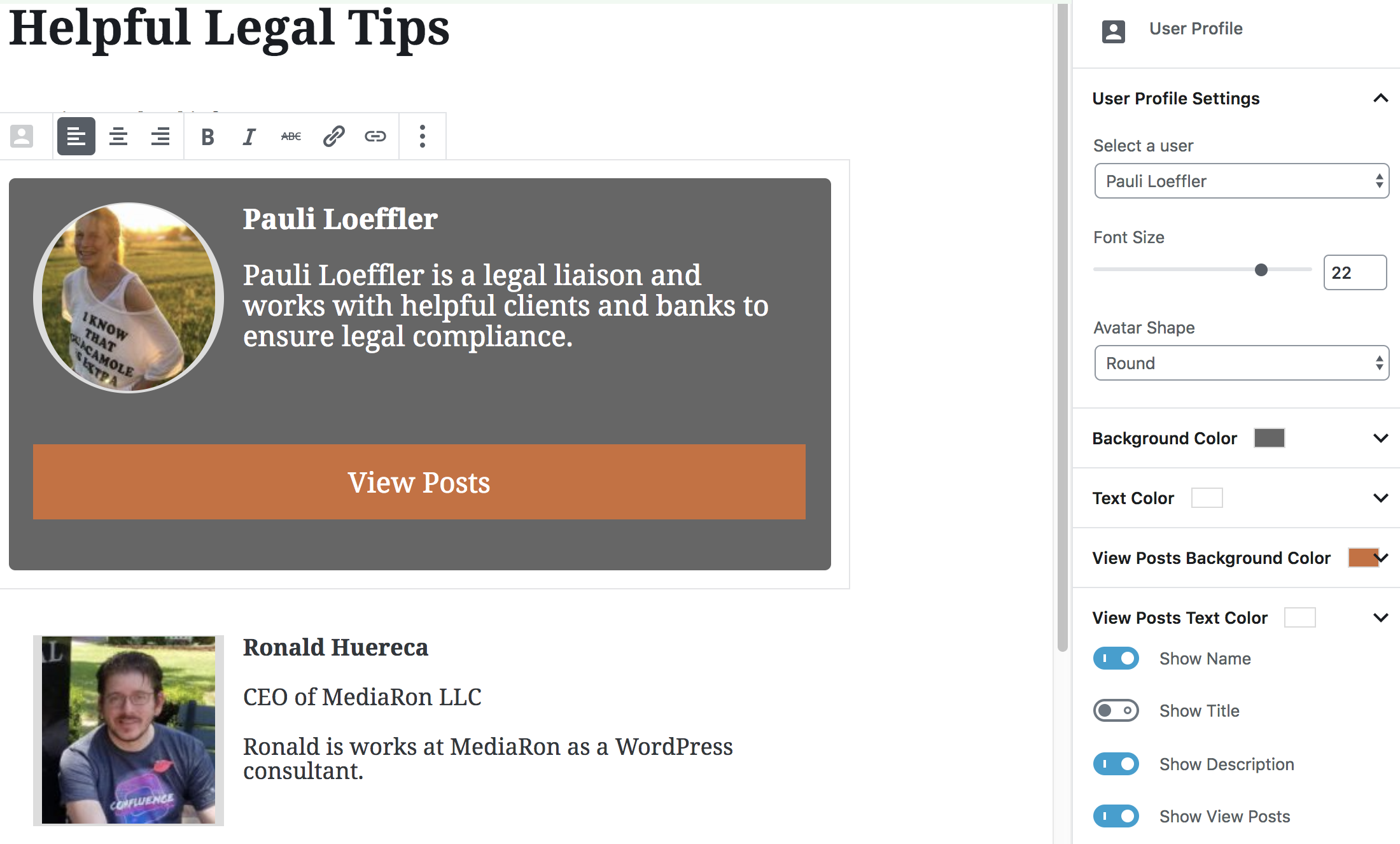
- Added option in Gutenberg block to customize the View Posts and View Website text.
2.3.2
- Released 2019-07-14
- Adding more filters for third-party plugin integration.
2.3.0
- Released 2019-07-06
- Gutenberg blocks are now in the User Profile Picture category.
- New filters for add-on extensibility
- Added Options page so you can disable the Gutenberg blocks if you so desire.
- Bug fix: Adding user display name to post title when User Profile Picture creates the user page.
2.2.8
- Released 2019-06-11
- New REST API endpoint for changing profile pictures.
2.2.7
- Released 2019-06-11
- Fixing permissions in REST API
2.2.6
- Released 2019-06-10
- Fixing permissions in REST API
2.2.5
- Released 2019-06-02
- Code cleanup.
- Leaner Gutenberg JavaScript.
- Gutenberg improvements.
- Security improvements.
2.2.0
- Released 2019-05-12
- Added template tags for displaying an author box
2.1.3
- Released 2019-02-16
- Added filter to get users in Gutenberg besides author
2.1.2
- Released 2019-01-26
- Resolving PHP notice for dirname
2.1.1
- Released 2018-12-20
- Adding white posts theme to the tabbed view block
- Fixing clearing for the tabbed view block
2.1.0
- Released 2018-12-19
- Old block deprecated, but still supported
- New block added with more control over appearance and includes themes.
2.0.2
- Released 2018-11-20
- Gutenberg fixes with alignment (center, right) on the front end.
- Gutenberg fixes with the toggle boxes defaulting back to nothing.
2.0.1
- Released 2018-11-20
- Fixing PHP 5.2 incompatibility
- Fixing Gutenberg block when there is no profile picture present on the front-end
- Updating translations file
2.0.0
- Released 2018-11-19
- Added Gutenberg block for easy outputting to posts
- Tested with WordPress 5.0
1.5.5
- Released 2018-08-19
- Enhancement: Loading image now shows between states for better UX
- Enhancement: Plugin attempts to override the default WordPress avatar in the User Profile page
- Enhancement: Plugin attempts to override the admin bar avatars if the users match
- Enhancement: Added Click to Edit bar to make it more obvious what to do with the profile picture
- Refactor: Plugin now uses wp_send_json instead of json_encode for more compatibility
1.5.1
- Released 2018-07-12
- Fixed a condition where a featured image was shown for the author instead of a blank gravatar
1.5.0
- Released 2018-07-11
- Support for AMP avatar has been added
- Two REST API endpoints have been added to facilitate better programatic avatar selection
1.4.3
- Released 2016-09-24
- Bug fix: Post featured image is being shown as user’s profile picture when no avatar is selected.
1.4.1
- Released 2016-08-30 (Props @Monter)
- Fix select states in image modal
1.4.0
- Released 2016-08-29 (props kelderic)
- Bug fix: CSS Fixes to the trashcan icon and image placeholders
- Bug fix: Modal window was set to the wrong settings
- Enhancement: Avatar override is now the default option
1.3.1
- Released 2016-04-02
- Fixing thumbnail calls that could potential be inadvertently filtered and cause the profile picture to provide an erroneous callback. Props @Monter.
1.3.0
- Released 2016-03-28
- Adding REST API endpoint
1.2.7
- Updated 2015-08-20 for WP 4.3 compatibility
- Released 2015-06-10
- Bug fix: warning message saying missing argument for avatar_override
1.2.5
- Released 2015-06-06
- Bug fix: get_avatar override now accepts custom classes.
- Added
mpp_avatar_classesfilter to get_avatar override to allow global class overrides/additions.
1.2.3
- Released 2015-05-20
- Revised post type initialization to make sure post type is completely hidden.
- Refactored function mt_profile_img to use a different API call so that output isn’t inadvertently filtered.
- Added new filter, mpp_thumbnail_html, to filter output.
1.2.2
- Released 2015-04-16
- Added compatibility to Advanced Custom Fields.
- Added increased capabilities check to Ajax calls.
- Ensuring WordPress 4.2 compatibility.
1.2.1
- Released 2015-03-03
- Fixed internationalization errors.
- Added Spanish translation.
1.2.0
- Released 2014-12-07
- Reducing clutter in the interface. Removed text option to upload. Added default image if no profile image is available. Added option to remove the profile image.
- Fixed internationalization bug in the JavaScript.
1.1.0
- Released 2014-11-11
- Added the ability to remove profile images (aside from deleting the image).
- Added better internationalization capabilities.
- Added compatibility with Theme My Login.
1.0.23
- Released 2014-10-20
- Added a new filter to allow the “Override Avatar” interface to be hidden (and turned on my default).
1.0.22
- Released 2014-09-02
- Added minor update to additional user meta for easier querying (props Solinx)
1.0.21
- Released 2013-09-09
- Fixed avatar override on options discussion page.
1.0.20
- Released 2013-05-13
- Added a filter for turning on “Override Avatar” by default.
1.0.19
- Added support for 2.0.x version of Post Thumbnail Editor
1.0.18
- Added basic multisite support
1.0.16
- Fixed a bug where only the profile image interface was showing for only authors and not editors and administrators.
1.0.15
- Built-in support for Post Thumbnail Editor
- Better integration with the new WP 3.5 media uploader
- Various bug fixes.
1.0.10
- Usability enhancements.
- Stripping out useless code.
- Updating documentation
1.0.9
- Adding support for the new 3.5 media uploader.
1.0.3
- Bug fix: Avatar classes in the comment section
1.0.2
- Bug fix: Error being shown in comment section
1.0.1
- Bug fix: Not able to “uncheck” Override Avatar.
- Bug fix: Deleting profile image and not reverting to normal avatar.
1.0.0
- Initial release.
