

Advanced Custom Fields (ACF) helps you easily customize WordPress with powerful, professional and intuitive fields. Proudly powering over…
About Media Sync
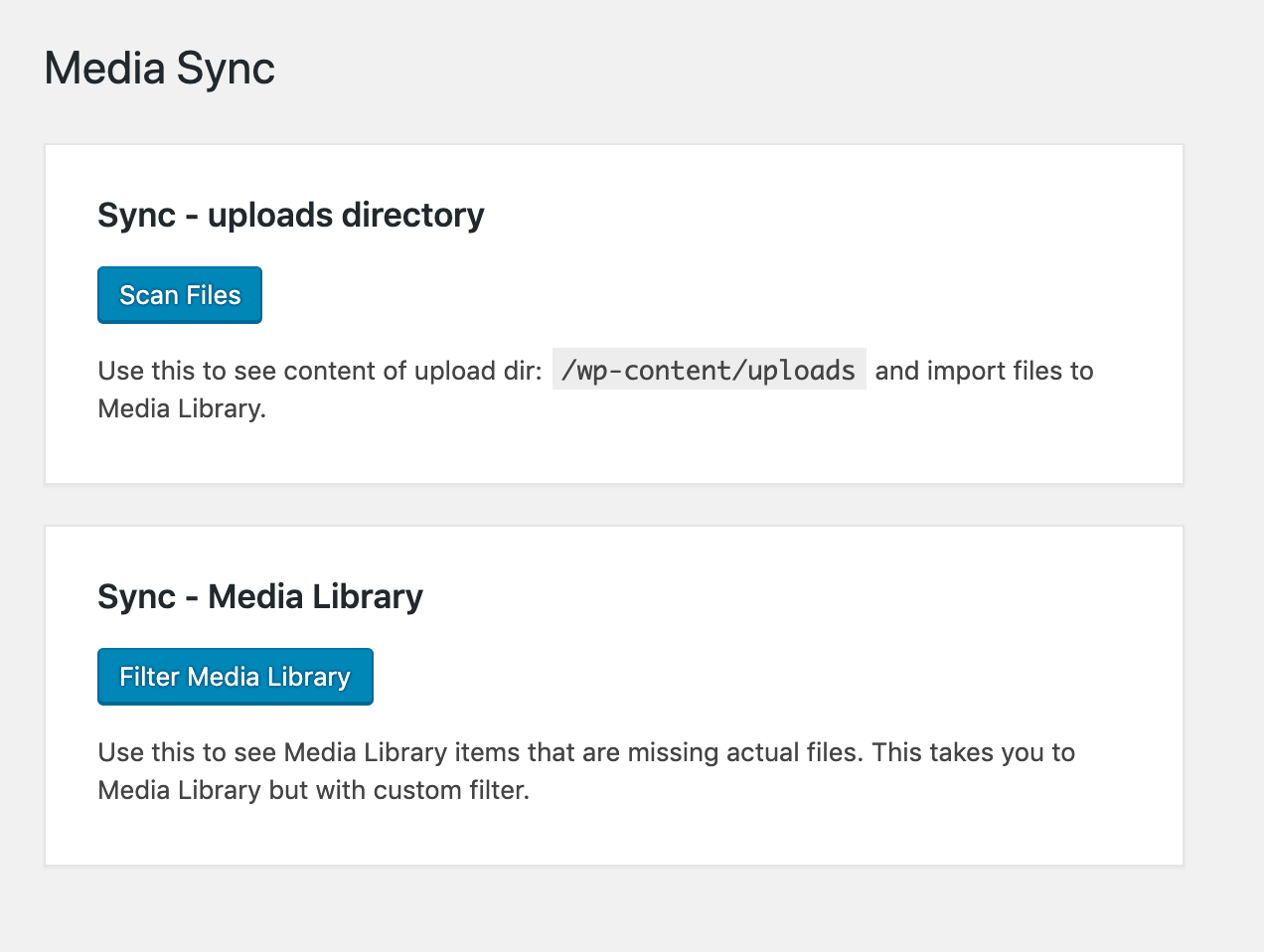
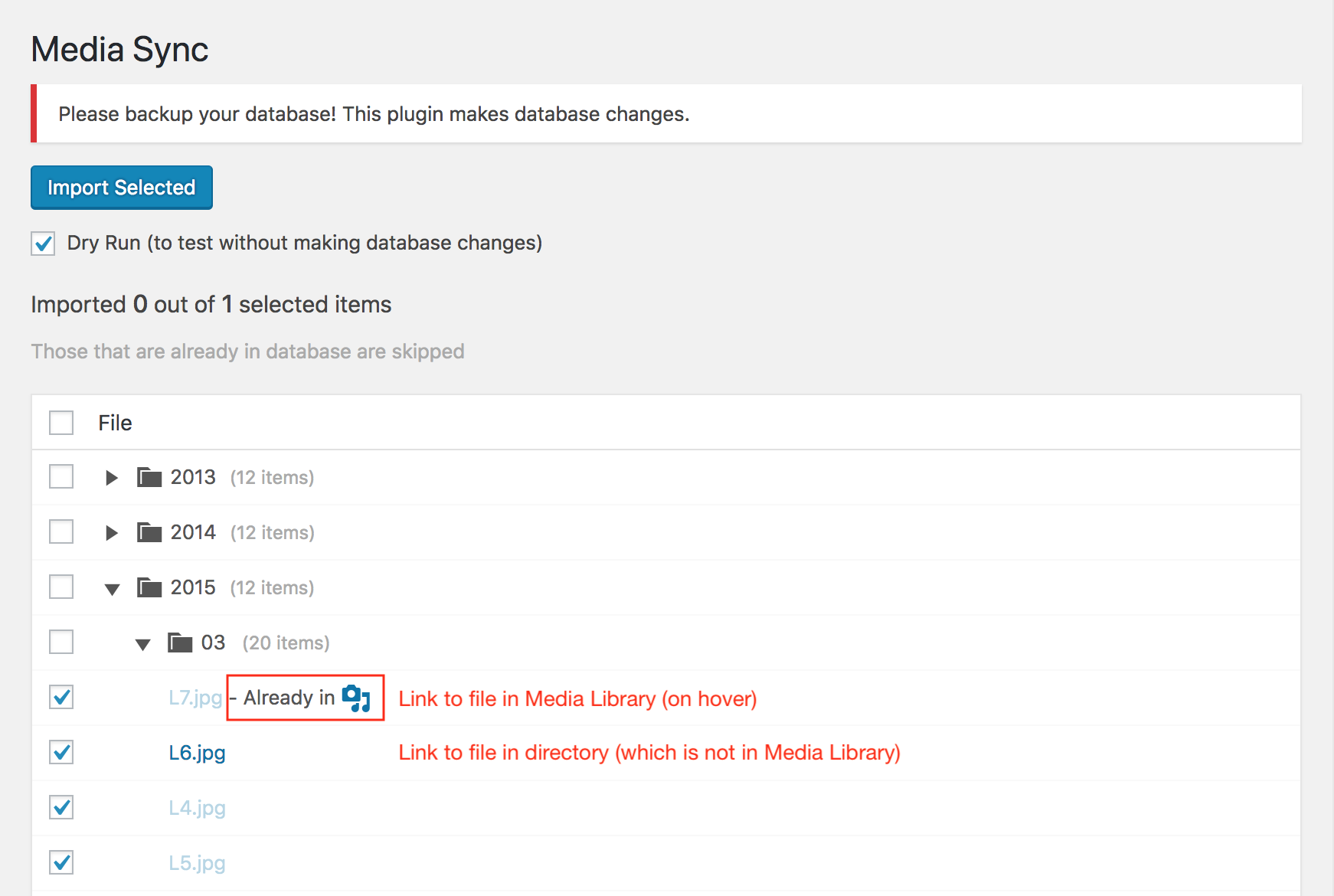
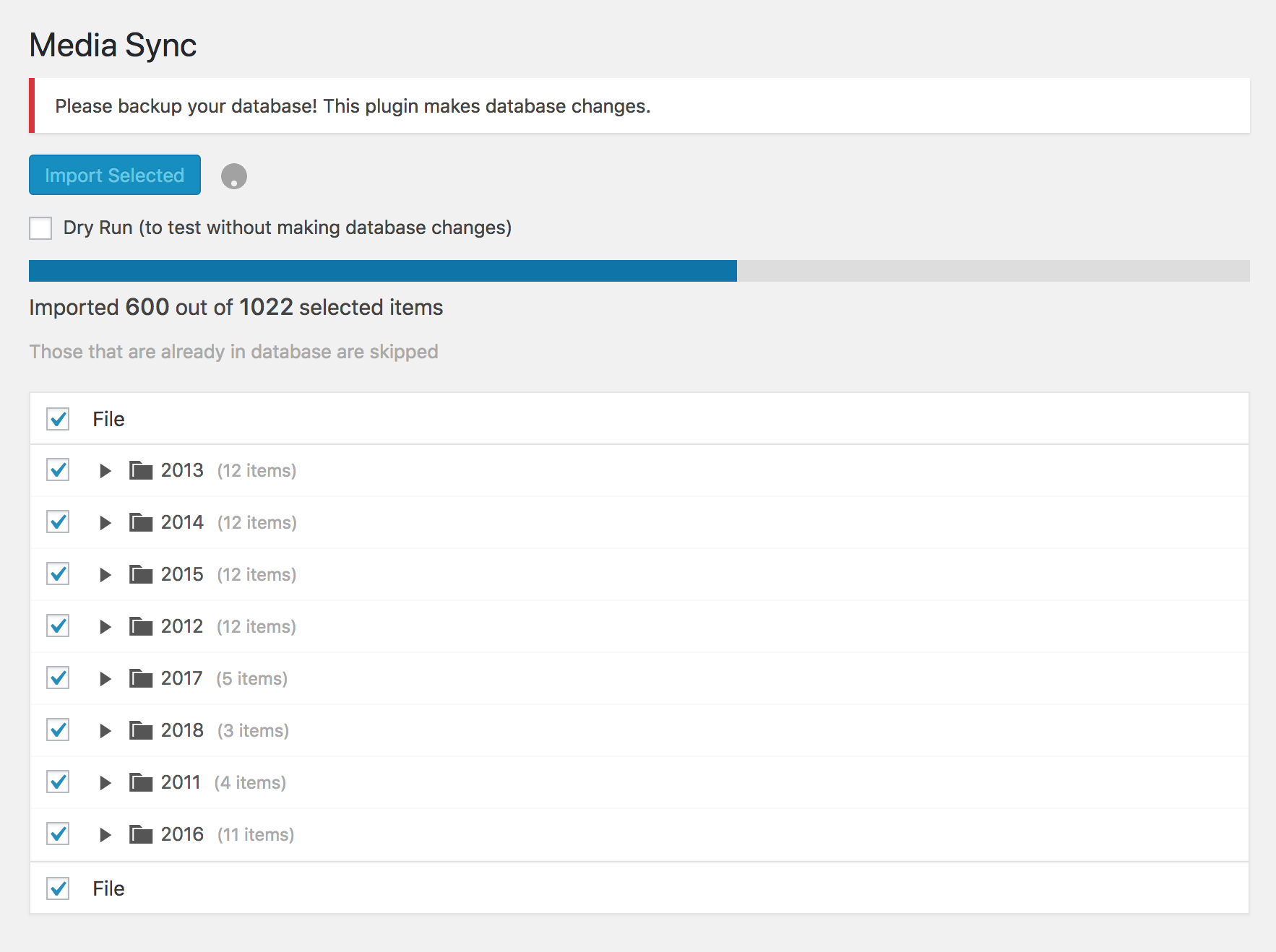
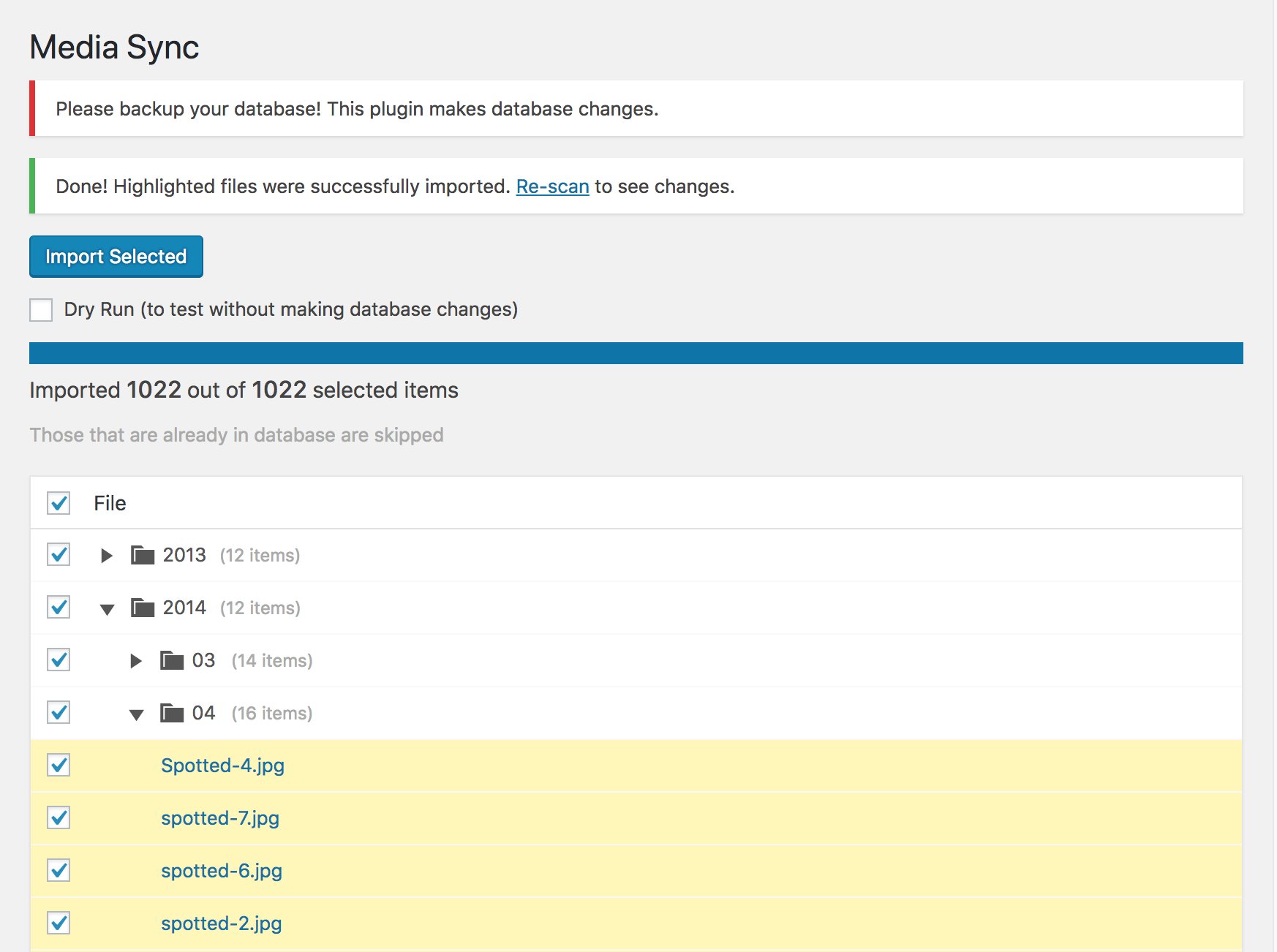
This plugin allows you to scan all the files in the "uploads" directory and determine which ones are in the Media Library. You can then select the files you want to import into the database and make them available in the Media Library. You can also use FTP to upload files to the "uploads" directory and bring them into the Media Library. Please note that this plugin makes database changes and may not work in all cases, so it's important to test it with one file first before importing all files.Screenshots
Frequently asked questions
How can I import files to the Media Library?
You can scan all files in the 'uploads' directory and select files to import to the database.
Can I upload files using FTP?
Yes, you can upload files to the 'uploads' directory and bring them into the Media Library.
Are there any disclaimers for using this plugin?
Yes, please read the disclaimers before adding a support topic.
What precautions should I take when importing files?
It is recommended to import only one file first to see if it works.
Is there a limitation on the number of files that can be imported?
This plugin is focused on scanning, selecting, and importing all files at once. It may not be suitable for handling large amounts of files.
Changelog
1.4.7
- Replace loading of external script for purchasing Pro version with simple external link
- Tested for WordPress 6.7
1.4.6
- Minor maintenance adjustment to prepare promo banner for upcoming redesign
- Tested for WordPress 6.6.1
1.4.5
- Fix DOM IDs when scanning directories or files with special non-latin characters
- Bring back promo banner without remote fetch
1.4.4
- Decode
post_titleandguidin attachment data - Tested for WordPress 6.5.5
1.4.3
- Disable fetching promo banner from remote origin in hopes of resolving 404 errors
- Load plugin only on admin pages
- Tested for WordPress 6.5.4
- Get proper error message from
wp_insert_attachmentfunction
1.4.2
- Fix enabling or disabling debugging option
- Fix various issues with paths on Windows servers
- Remove “Scan directory” option to simplify plugin maintenance and compatibility with Windows servers
- Tested for WordPress 6.5.3
1.4.1
- Fix deprecated warnings with PHP 8.1
- Increase required versions to WordPress 5.3 and PHP 7.1
1.4.0
- Add correct plugin version when loading assets and updated readme.txt.
1.3.3
- Fix detecting files that already in database when “Scan directory” option is used. Issue started in previous version (1.3.2).
1.3.2
- Fix handling file names with even rarer special characters that might have resulted in duplicate imports.
1.3.1
- Ignore optimized .webp versions of original images (e.g. .jpg.webp) and retina thumbnails (e.g. -100×[email protected]) by default. It’s still possible to customize it with
media_sync_filter_is_scan_object_ignoredhook.
1.3.0
- New option to set custom Batch Size. This might help with errors due to server limits (e.g. max_execution_time).
1.2.9
- Fix selecting multiple files without clicking on checkbox (e.g. shift-select).
- Minor code cleanup.
- Update supported WordPress version to 6.2.
1.2.8
- Create a custom
_mscrecord inwp_postmetatable to be able to differentiate files imported using this plugin. Could be useful to clean up the database later on.
1.2.7
- Extend plugin access to “Editor” and “Author” roles.
1.2.6
- If debugging is turned on, AJAX requests for import are now
htmlwhich is rendered directly in UI.
1.2.5
- New filter hook (
media_sync_filter_before_update_metadata) which can be used to customize how metadata is updated or to run additional actions after file import.
1.2.4
- Handle files with quotes (apostrophes) or other special characters in the file name.
- Continue importing other selected files if there was an error with some of the files.
- Show errors in UI instead of alert.
1.2.3
- Better error handling and fallback when finding mime type
1.2.2
- Fix meta data errors caused by invalid mime types
1.2.1
- Much better error handling while importing
1.2.0
- Optimized directory scanning to use less memory
- New option to turn on debugging for this plugin
- Changed parameters passed to
media_sync_filter_is_scan_object_ignoredhook function - Now requires PHP 5.5
1.1.8
- Fix handling big (“-scaled.jpg”) images introduced in WordPress 5.3. These files will now be skipped and won’t be imported multiple times.
- Add handy “Re-scan” button.
1.1.7
- Fix issues when importing files containing special characters
1.1.6
- Slight improvements with error handling in JavaScript
1.1.5
- Always convert backslashes (
) to forward slashes (/) to fix various issues when using Windows Server.
1.1.4
- Important backslash (
) vs forward slash (/) fix for use on Windows Server.
1.1.3
- New option to set “Scan directory” in settings which will allow checking only certain sub directory.
- New hook function
media_sync_filter_is_scan_object_ignoredwhich can be used to overwrite which files are ignored by default or to just skip additional files.
1.1.2
- Fix Smart File Time on Windows server
1.1.1
- Reduce the maximum number of items to import per batch from 20 to 10.
So batch sizes are now: 1 (importing 1 to 10 items); 5 (importing 11 to 100 items) or 10 (importing more than 100 items)
1.1.0
- [IMPORTANT] Date of imported Media Library items now defaults to the current date.
But there are options to choose before importing and also a possibility to overwrite that using the custom hook. - New options page with the option to disable and hide “Dry Run”.
- Fix Media Library filter that was showing all items when the filter didn’t find any result.
1.0.4
- Reduce the number of items to import per batch
1.0.3
- Support multisite network by changing required access capability from
update_pluginstoimport
1.0.2
- Another fix for get_current_screen error
1.0.1
- Fix get_current_screen error
1.0.0
- New option to clean up Media Library from items that are missing actual files (using custom Media Library filter)
- New filter when scanning uploads directory which can help to show only files missing from Media Library
0.1.6
- Fix PHP short array syntax
- Update required PHP version to 5.4
0.1.5
- Date of imported Media Library item is now set based on file modification timestamp
0.1.4
- Add plugin localization
- Add Serbian translation
0.1.3
- Various improvements and fixes
0.1.2
- Fix sorting of directories and files
- Minor wording changes and code cleanup
0.1.1
- Fix error on activation
0.1.0
- Initial plugin features

