
Improve your WordPress SEO: Write better content and have a fully optimized WordPress site using the Yoast SEO…
About HT Slider For Elementor
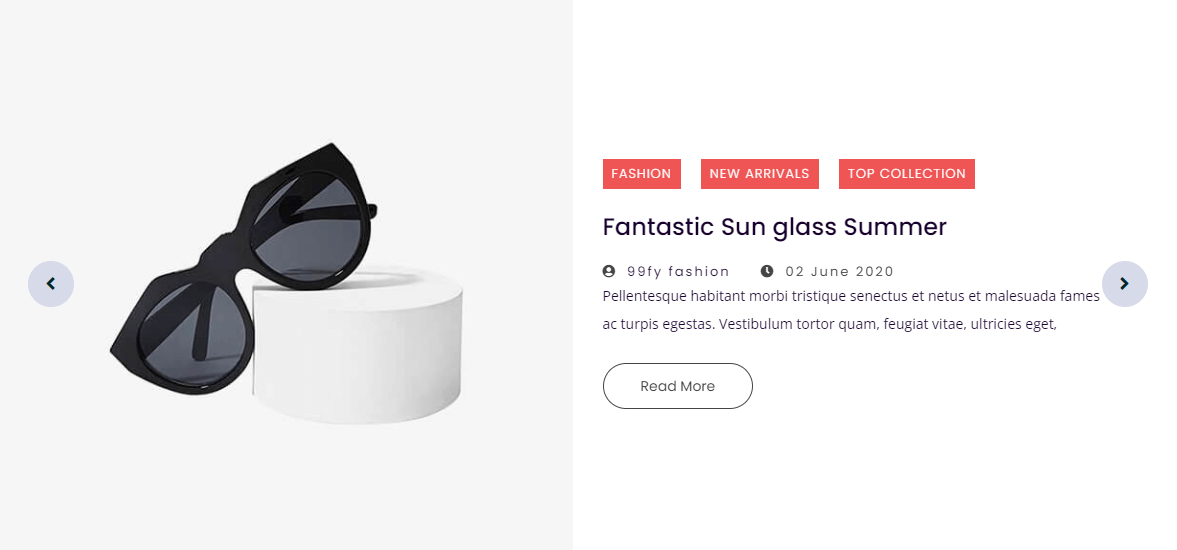
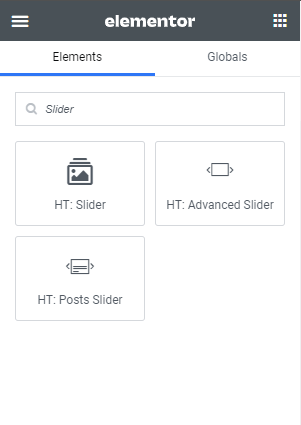
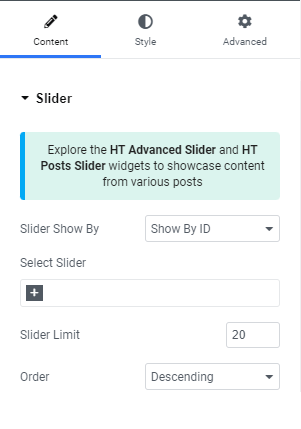
HT Slider For Elementor is a WordPress plugin that allows you to easily create and customize sliders using the Elementor page builder. You can create various types of sliders, including image sliders, video sliders, post sliders, and product carousels. The plugin also offers custom styling options and allows you to showcase content from any custom post type, including WooCommerce products.Screenshots




Frequently asked questions
What is HT Slider For Elementor?
HT Slider For Elementor is a WordPress slider builder plugin for the well-liked Elementor page builder that empowers you to effortlessly create and customize sliders using a drag-and-drop interface within the Elementor.
What are the features of HT Slider For Elementor?
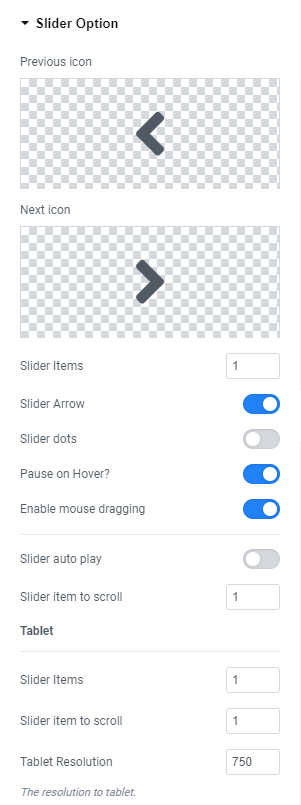
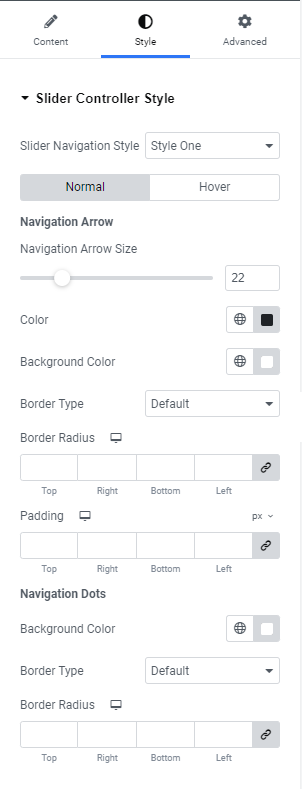
The features of HT Slider For Elementor include: Create Slides using Elementors Drag n Drop Addons, Custom Styling Options, Show by id and category wise, Display Posts Slide by post category, author, and excluding specific posts, Mobile and Tablet display options, Slider Navigation and paginations custom design options, Slider Navigation on/off Option, Navigation position (Default, Right Center, Bottom Left), Slider Pagination on/off Option, Pagination position (Bottom Center, Bottom Left, Bottom Right, Right Center, Left Center, and Custom with Offset X and Y ), Slider Autoplay on/off Option.
What are the pro features of HT Slider For Elementor?
The pro features of HT Slider For Elementor include: Support any custom post type's content with WooCommerce products as slide, Post Slides layout( One - Five), Slide Custom content option, Slide Layout(Style One and Style Two), Individual Slide Style option for custom content slide, Slide Effect, Vertical Slide Mode, Variable Width, Arrow Icon Type(Icon, Image, Text), Arrow Custom Position.
Are there any pre-made slide templates available?
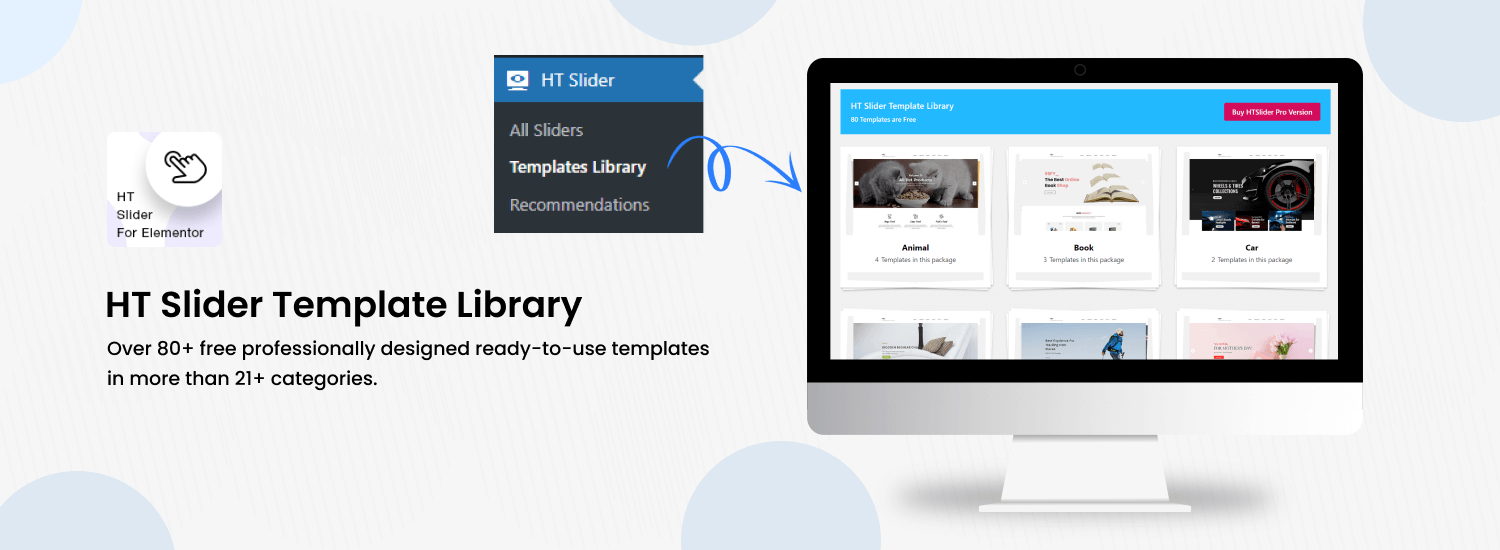
Yes, there are numerous pre-made slide templates available for HT Slider For Elementor. Some examples include: Animal Slider One, Animal Slider Two, Animal Slider Three, Animal Slider Four, Book Slider One, Book Slider Two, Book Slider Three, Car & Motors Slider One, Car & Motors Slider Two, Cosmetic Slider One, Cosmetic Slider Two, Fashion Slider One, Fashion Slider Two, Fashion Slider Three, Fashion Slider Four, Fashion Slider Five.
Who is HT Slider For Elementor suitable for?
HT Slider For Elementor is suitable for website owners, developers, content creators, designers, and beginners who are looking to enhance their Elementor-powered websites with visually appealing and interactive sliders.
Changelog
Version: 1.6.4 – Date: 2025-03-02
- Added: Option to add box shadow in the HT Slider Widget.
- Improved: Navigation arrow and dots styles in a separate section of the HT Slider Widget.
- Fixed: SVG icon color issue in the HT Slider Widget.
Version: 1.6.3 – Date: 2025-02-09
- Fixed: Slide content gap not working in the Elementor Container flex layout.
Version: 1.6.2 – Date: 2025-01-30
- Fixed: Slide content animation not working in the Elementor Container grid layout.
- Fixed: A few minor issues.
- Tested: Compatibility with the latest version of Elementor.
Version: 1.6.1 – Date: 2025-01-06
- Added: Loading Progress Bar for HT Advanced Slider Widget
- Fixed: A few minor issues.
- Tested: Compatibility with the latest version of Elementor.
Version: 1.6.0 – Date: 2024-11-25
- Added: HT Scroll Navigation Slider Widgets.
- Fixed: A few minor issues.
- Tested: Compatibility with the latest version of Elementor.
- Tested: Compatibility with the latest version of WordPress.
Version: 1.5.8 – Date: 2024-10-29
- Added: Option to enable/disable the preloader in HT Slider Widgets.
- Added: Option to set a minimum height for the slider area during the initial load in HT Advanced and HT Post Slider Widgets.
- Fixed: Initial loading issue in HT Advanced and HT Post Slider Widgets.
- Fixed: SVG icons not loading.
- Fixed: A few minor issues.
- Tested: Compatibility with the latest version of Elementor.
Version: 1.5.7 – Date: 2024-08-26
- Added: Option to adjust the Slider column gap in all HT Slider Widgets
- Fixed: Issue with adding Center Padding in the HT Advanced Slider and HT Posts Slider Widgets
- Fixed: A few minor issues
- Tested: Compatibility with the latest version of Elementor
Version: 1.5.6 – Date: 2024-07-30
- Added: Option to hide Empty Thumbnail Post in HT Posts Slider Widget
- Added: Option to choose between post content or post excerpt for the slide description in the HT Posts Slider Widget
- Fixed: Issue with adding custom link attributes in the HT Advanced Slider Widget
- Fixed: A few minor issues
- Tested: Compatibility with the latest version of WordPress
- Tested: Compatibility with the latest version of Elementor
Version: 1.5.5 – Date: 2024-06-25
- Fixed: RTL issue in HT Slider Widget.
Version: 1.5.4 – Date: 2024-05-02
- Added: Gutenberg block editor support in slide template
- Added: Shortcode for Gutenberg block page ([htslider])
- Tested: Compatibility with the latest version of Elementor
Version: 1.5.3 – Date: 2024-04-03
- Fixed: Escaping issues have been resolved in multiple areas.
Version: 1.5.2 – Date: 2024-02-29
- Added: Content Box Styles option in HT Advanced Slider Widget
- Fixed: A few minor issues
- Tested: Compatibility with the latest version of Elementor
Version: 1.5.1 – Date: 2023-08-29
- Added: Title, Sub Title and Content Color options in HT Advanced Slider Widget
- Fixed: Elementor Deprecated issues
- Fixed: A few minor issues
Version: 1.5.0 – Date: 2023-08-14
- Added: Advanced Slider widget
- Added: Posts Slider widget
- Fixed: A few minor issues
- Tested: Compatibility with the latest version of WordPress
- Tested: Compatibility with the latest version of Elementor
Version: 1.4.2 – Date: 2023-07-13
- Fixed: Slider overlapping issue during page load.
Version: 1.4.1 – Date: 2023-07-06
- Fixed: Template Library Image Loading Issue.
- Fixed: Template Library Import JSON Issue.
- Fixed: Recommendations Plugin Menu Tab Issue.
Version: 1.4.0 – Date: 2023-02-11
- Added: Nonce verification for recommended plugins & template library import.
- Improved: Coding standards in some areas
Version: 1.3.9 – Date: 2022-11-03
- Capability with the latest WordPress version
Version: 1.3.8 – Date: 2022-09-13
- Added: Recommendation Submenu
Version: 1.3.7 – Date: 2022-08-13
- Compatibility with Elementor Latest Version
Version: 1.3.6 – Date: 2022-08-02
- Admin panel menu category problem solve.
- Fixed Yoast SEO plugin conflict issue.
- Minor CSS issue fixed.
Version: 1.3.5 – Date: 2022-07-13
- Compatibility with Elementor Latest Version
- Fixed register_widget_type and widgets_registered deprecated issue.
Version: 1.3.4 – Date: 2022-06-06
- Capability with the latest WordPress version
- Minor Issue Fixed
Version: 1.3.3 – Date: 2022-04-09
- Capability with the latest WordPress version
- Arrow Button Overlapping Problem Solve
Version: 1.3.2 – Date: 2022-03-31
- Capability with latest WordPress version
- Update Template Library Demo Link
- Update Template Library Demo API Content
- Update README Text Demo Link
Version: 1.3.1 – Date: 2022-02-06
- Capability with latest WordPress version
Version: 1.3.0 – Date: 2021-11-20
- Added : enable mouse draggable option
- Capability with latest WordPress version
Version: 1.2.9 – Date: 2021-10-10
- Solved: Minor issue
- Capability with latest WordPress version
Version: 1.2.8 – Date: 2021-07-27
- Added : Slider ordering option
- Capability with latest WordPress version
Version: 1.2.5 – Date: 2021-03-13
- Solved: jQuery issue
Version: 1.2.3 – Date: 2021-03-13
- Capability with latest WordPress version
Version: 1.0.8 – Date: 2020-08-13
- Capability with latest WordPress version
Version: 1.0.8 – Date: 2020-03-30
- Added: arrow Icon option
Version: 1.0.7 – Date: 2020-02-16
- Solved: Style issue
Version: 1.0.5 – Date: 2020-01-14
- Improved:80 template file
Version: 1.0.4 – Date: 2020-01-04
- Added:80 template

