

Improve your WordPress SEO: Write better content and have a fully optimized WordPress site using the Yoast SEO…
About Fast & Effective Popups & Lead-Generation for WordPress – HollerBox
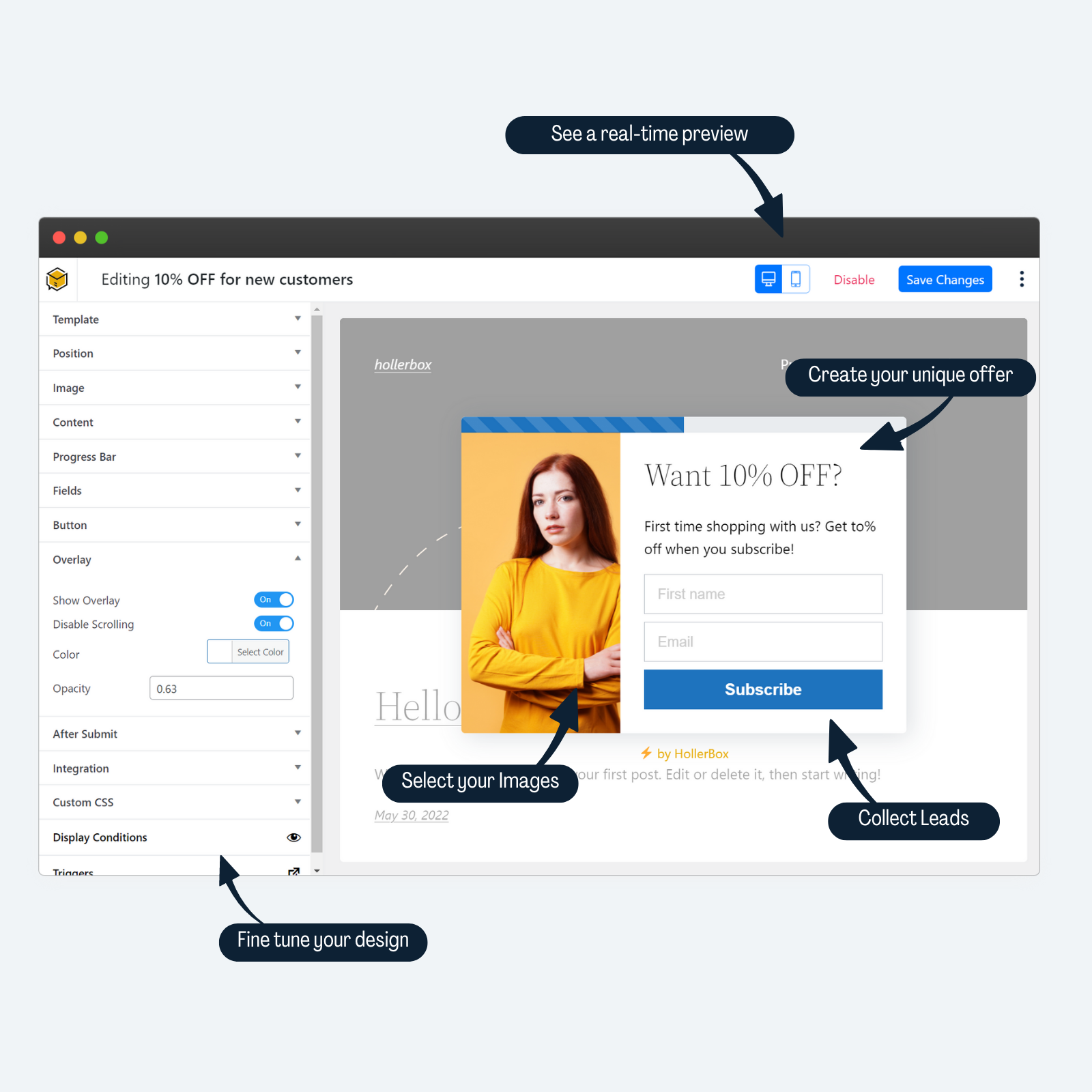
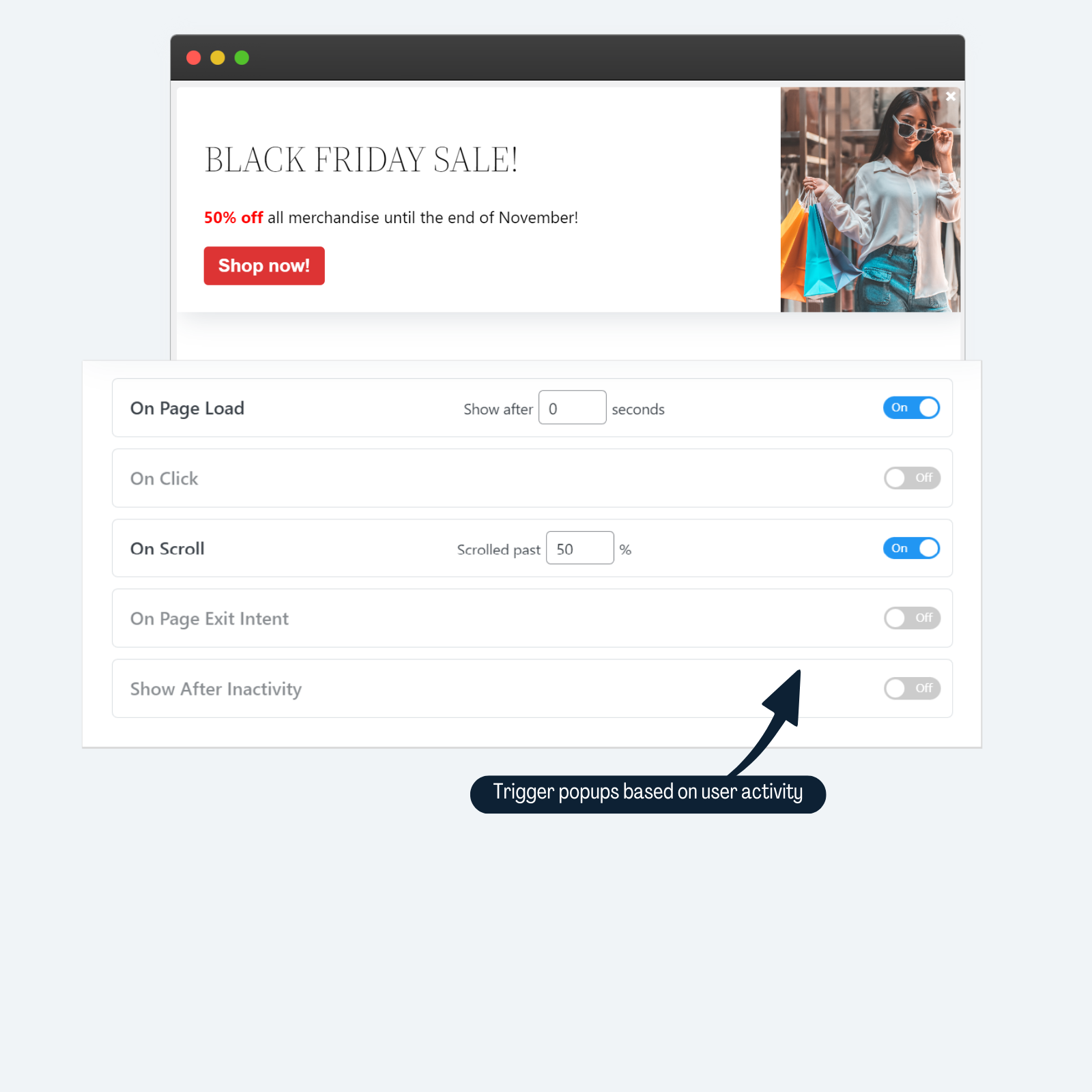
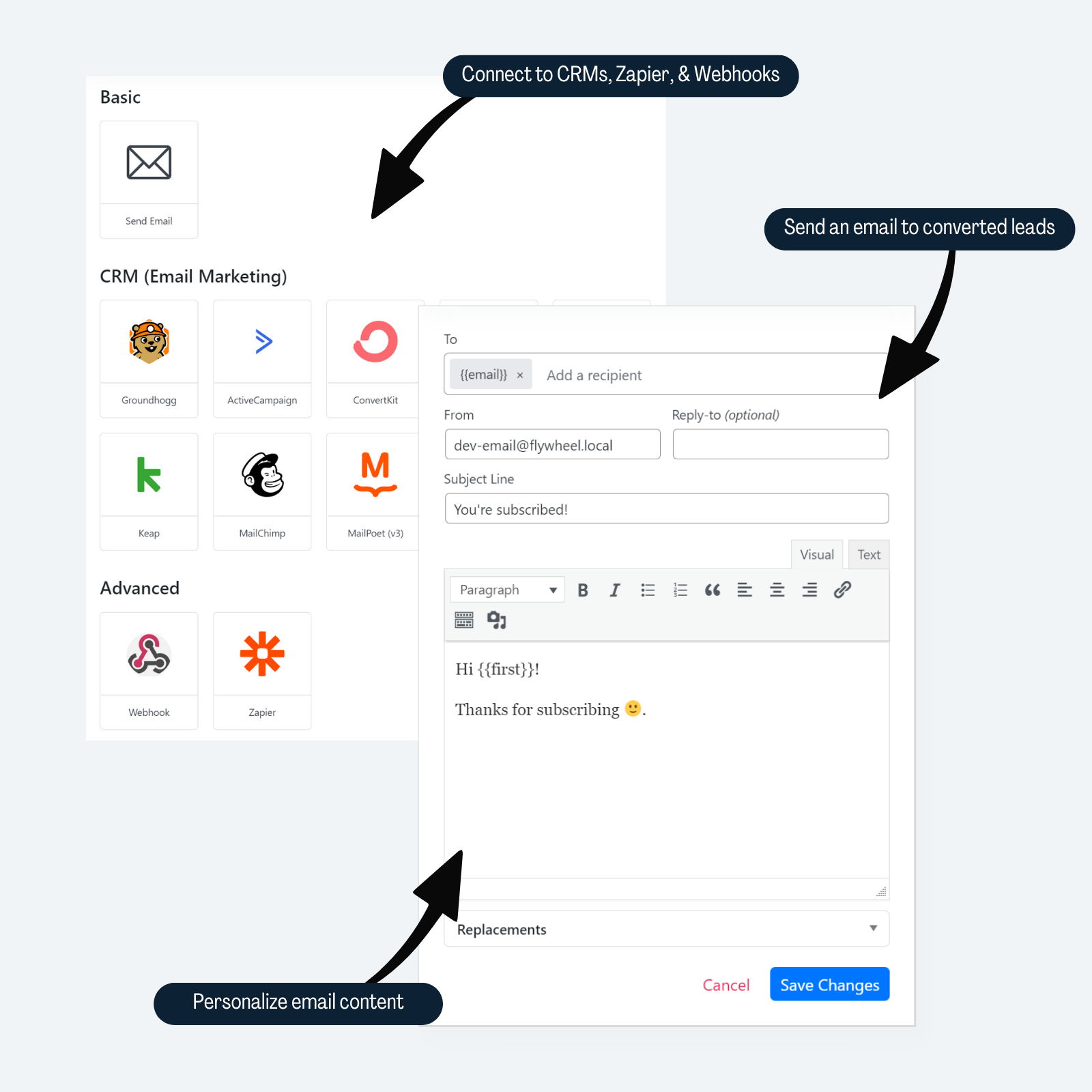
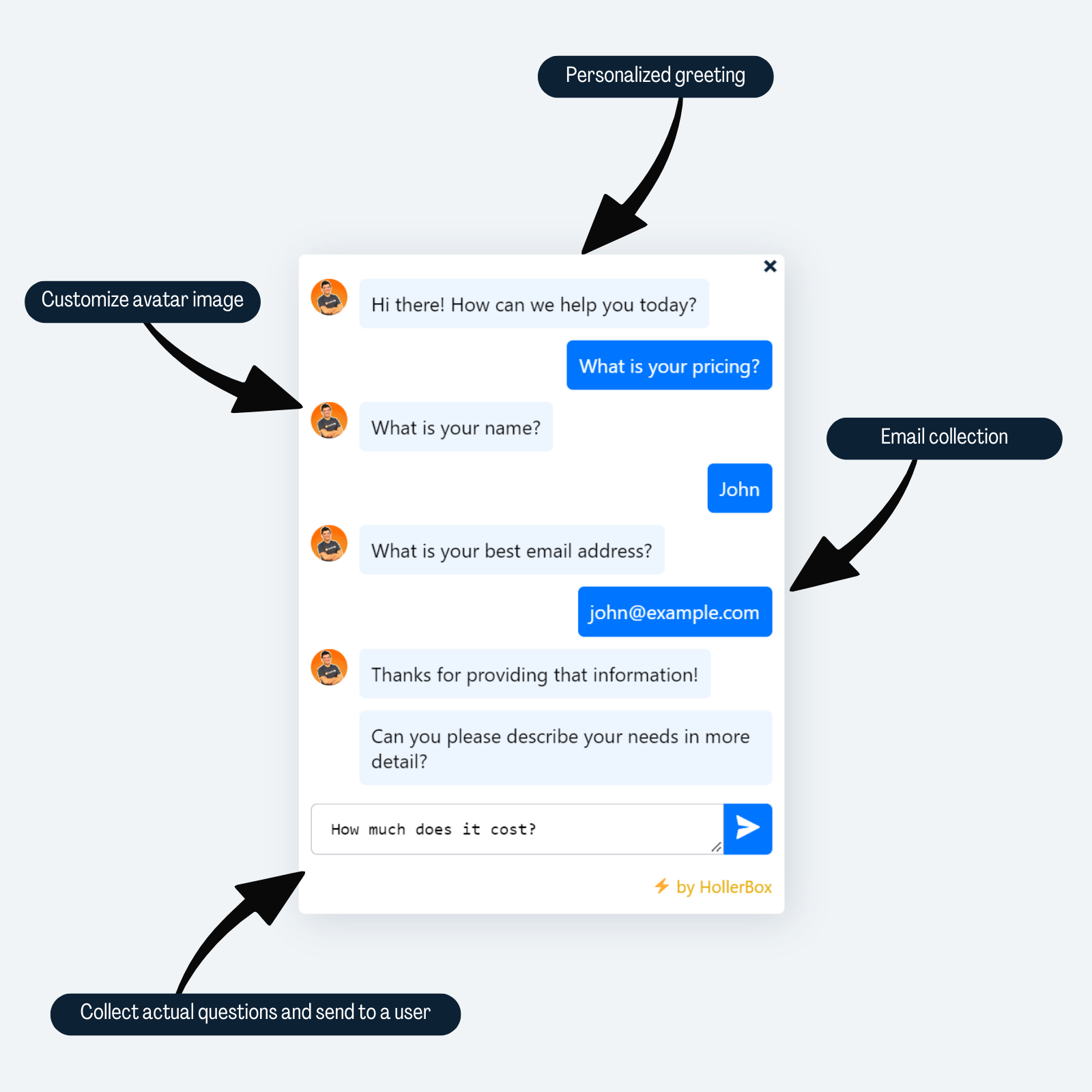
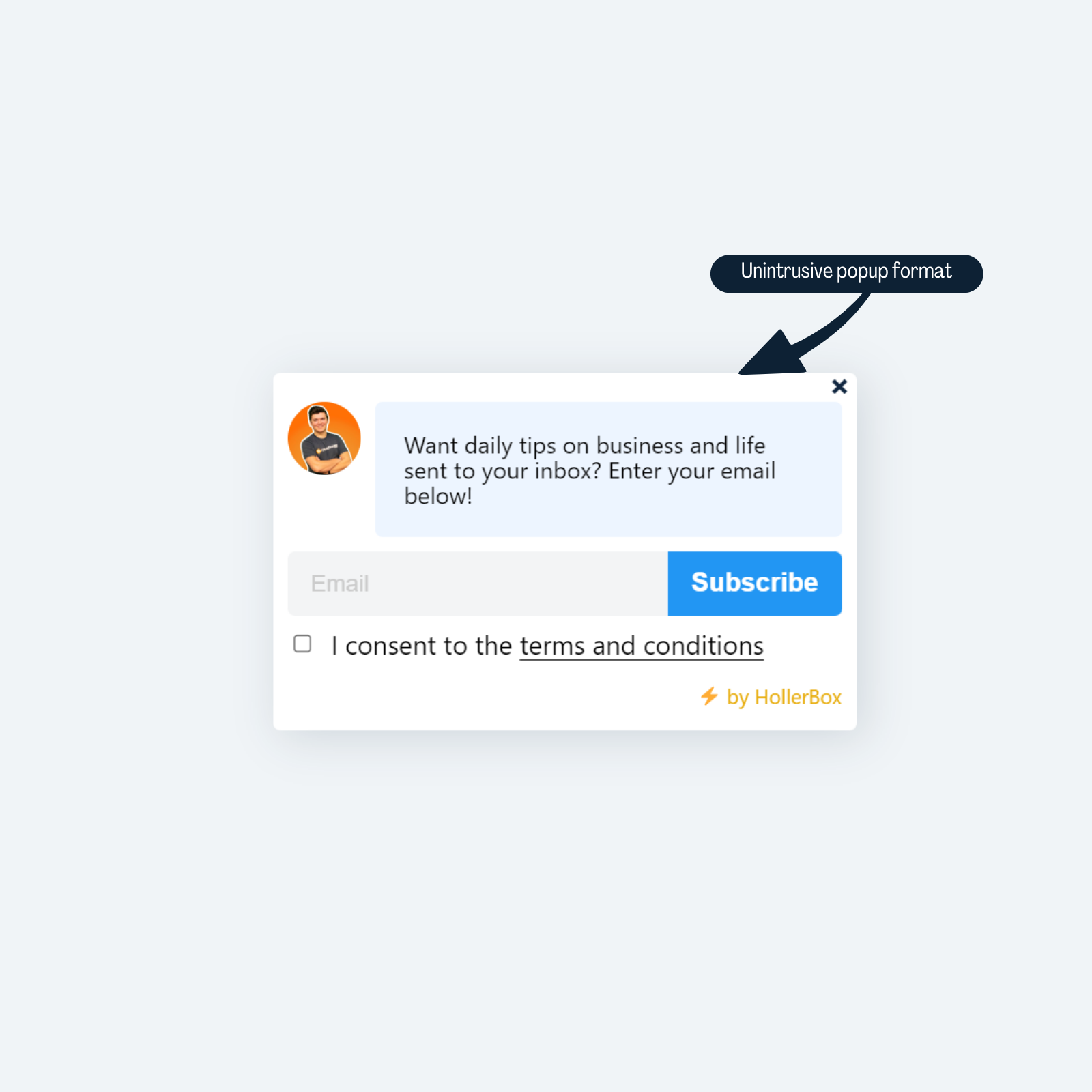
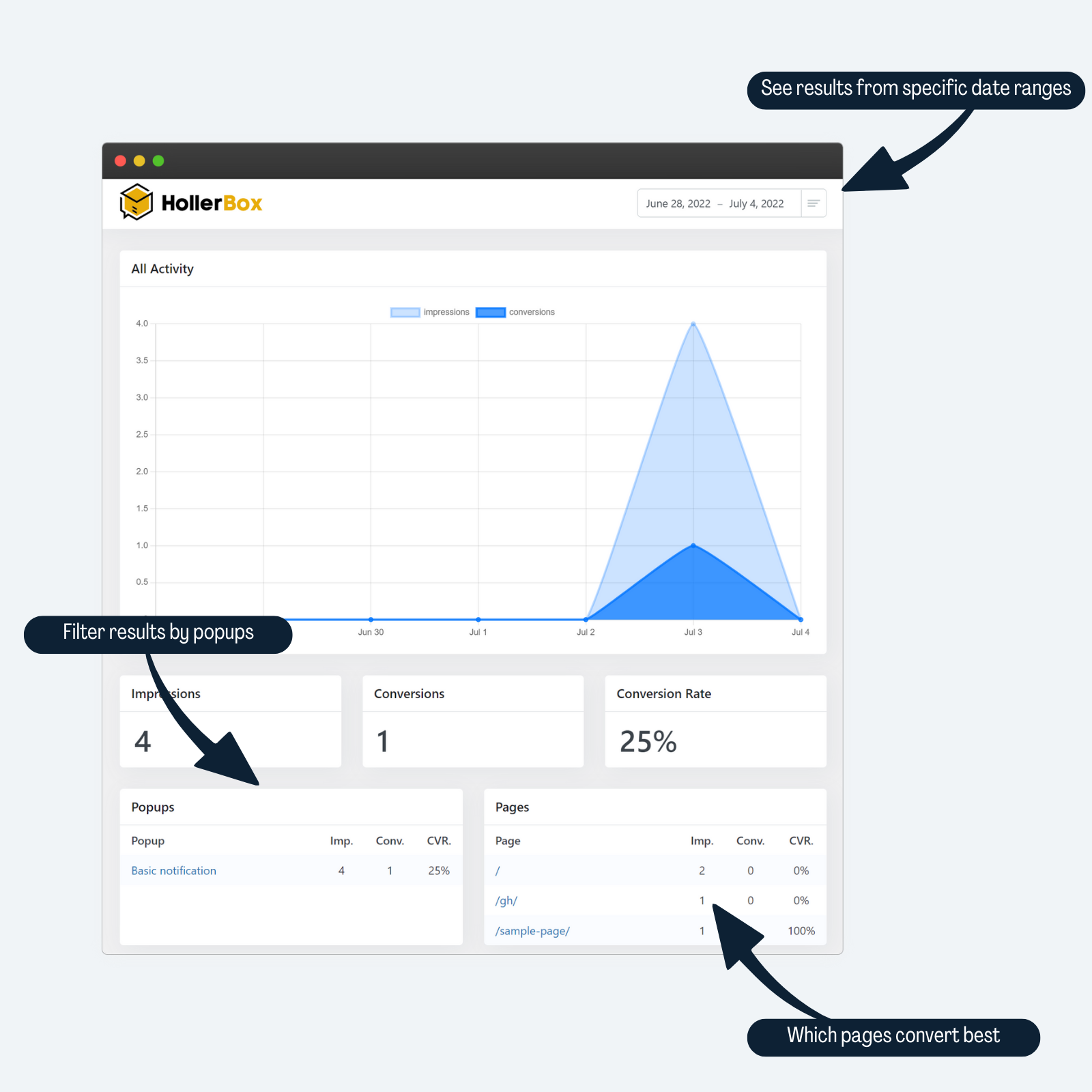
HollerBox Popups & Lead-Generation for WordPress is a tool that helps businesses generate more leads and sales through easy-to-implement popups. It offers a visual popup builder, integrations with CRMs, robust visibility controls, trigger options, analytics and reporting, and GDPR compliance. With HollerBox, there are no limits on the number of popups, impressions, or leads, and the pricing doesn't increase as your business grows.Screenshots



Changelog
2.3.8 (2024-11-18)
- FIXED Conflict with Yoast SEO Premium.
2.3.7 (2024-05-13)
- TWEAKED When the notification popups are closed they remain in the closed state on subsequent pages.
- TWEAKED Replacements will now also work in the email subject line and not just the content.
2.3.6 (2024-05-02)
- FIXED Groundhogg display conditions not showing if the Groundhogg admin bar widget was hidden.
2.3.5 (2023-12-19)
- IMPROVED The efficiency of stats tracking
- TWEAKED Element default action (like links) is prevented when using the on click trigger
- TWEAKED Spinner works in other buttons
- TWEAKED Stats table is created during plugin activation
- FIXED DB creation errors in MariaDB 10+
2.3.4.1 (2023-10-10)
- FIXED Custom form HTML fields not submitting after sending to server first.
2.3.4 (2023-10-04)
- IMPROVED Custom form code works more effectively now.
2.3.3.1 (2023-09-08)
- FIXED Redirect on YES click not working
2.3.3 (2023-08-23)
- FIXED Escape placeholder attributes in form inputs.
2.3.2 (2023-08-08)
- ADDED Pagination to report tables.
2.3.1 (2023-08-07)
- ADDED Close button to the modal to select a template when adding a new popup.
- FIXED PHP Notice in Holler_Lead class when no last name was given.
2.3 (2023-08-04)
- ADDED Pro Design Library. Popups with content and designs ready for importing.
- ADDED Search and filtering to popup template library.
- ADDED New settings for…
- Popup Content Width
- Popup Background Color
- Overlay image (from Pro version)
- ADDED Conversion content tracking to reporting.
- IMPROVED Exit intent works for mobile devices.
- IMPROVED Conditional settings for basic controls in the editor.
2.2.4 (2023-07-06)
- ADDED Duplicate popup function.
- ADDED Feature to import/export popups.
- FIXED Can’t add new popups because of a JavaScript error.
2.2.3 (2023-07-05)
- ADDED Support for the
menu_orderattribute so that popups that appear on the same page can be prioritized. - ADDED Size and icon options for the close button.
- TWEAKED Notification popups will block other notifications popups if they are in the same position.
- FIXED PHP Warning in the admin table
2.2.2 (2023-07-04)
- ADDED New display condition: Show after X potential popup views.
- A potential popup view is counted as when the popup would normally be triggered.
- ADDED New display condition: Show after X content views.
- A content view is a page where the popup would show, rather than any page.
- ADDED Content Width setting.
- TWEAKED Image Width and Content Width now have slider controls.
2.2.1 (2023-06-30)
- HOT FIX Popup with form template not showing custom button text.
2.2 (2023-06-29)
- ADDED Setting to disable the ability to close a popup until a conversion event (button click/form fill).
- ADDED Setting to hide popup images on mobile screens.
- TWEAKED When a user is logged in, closed and converted popups will be stored in the user meta, as well as the cookie, thereby increasing visibility accuracy.
2.1.7 (2023-06-21)
- FIXED Font color changes in the content editor not saving.
2.1.6 (2023-06-20)
- ADDED New Groundhogg Hide display condition.
- FIXED The target box for the notification template was the width of whole screen on mobile in its closed state.
2.1.5 (2023-05-10)
- FIXED Script debug not working in editor area
- FIXED Some display conditions not editable until after they are enabled and saved
2.1.4 (2023-05-02)
- FIXED Low-risk vulnerability. Thanks to WPScan for disclosing safely.
2.1.3 (2023-04-11)
- FIXED Name and email placeholders swapped.
2.1.2 (2023-04-05)
- TWEAKED Added
locationto composite primary key in stats the table.
2.1.1 (2023-03-20)
- ADDED Tracking cookie lifetime setting.
2.1 (2023-03-20)
- ADDED Phone field support in some templates.
- ADDED Make name field options in some templates.
2.0.15 (2022-11-25)
- FIXED Body class hook removed need for additional arguments.
- FIXED Added primary key to reporting table.
2.0.14 (2022-08-30)
- FIXED CSS conflict preventing toggle switches from showing.
2.0.13 (2022-08-20)
- ADDED new setting to force a delay between popups that are triggered at the same time.
- ADDED Basic support for custom html form code.
- TWEAKED Controls can be collapsed.
- TWEAKED Polyfill popup JS methods to avoid excessive console warnings when script debug enabled.
- FIXED TinyMCE not always updating content when changes are made.
2.0.12 (2022-08-20)
- FIXED Cookie consent settings not saving
2.0.11 (2022-08-20)
- TWEAKED If avatar image url is empty, do not show the image avatar in the notification.
- FIXED On click trigger once/multiple setting not showing correct state.
- FIXED templates showing off-center after last update
2.0.10 (2022-08-20)
- FIXED Page scrolled to bottom of when popup opens and is focused.
2.0.9 (2022-08-17)
- ADDED Escape key support for closing focused popups.
- TWEAKED After 2 seconds clicking on a popup overlay will close the popup.
- FIXED Significantly better support for shortcode content like forms.
- FIXED Zapier integration not registered in backend.
2.0.8 (2022-08-16)
- TWEAKED Z-index is now set at the popup root element
- TWEAKED Changed fake chat closed icon to chat bubble instead of notification bell
- TWEAKED Chat popups and notification popups are now non-blocking, meaning if open they will not prevent other popups from opening.
2.0.7 (2022-08-15)
- ADDED developer hook during popup
__constructmethod
2.0.6 (2022-08-12)
- ADDED Integration failure notice for admins when testing popups
- ADDED Missing integrations prompt when publishing a popup
- FIXED Integration & After Submit settings missing from some templates
2.0.5 (2022-07-26)
- FIXED Groundhogg display filters not working
2.0.4 (2022-07-21)
- FIXED Missing replacement code for chat message
- FIXED Chat message not being added to Groundhogg custom field
hollerbox_chat_message - FIXED Chat message not being sent with Webhook or Zapier
2.0.3 (2022-07-14)
- FIXED Popups not showing after cookie consent was agreed to
2.0.2 (2022-07-12)
- TWEAKED Changed overlay class to use ::after for better compat with HollerBox – pro
- TWEAKED prevent popup animations when a form is submitted and the success message is shown
- TWEAKED If script debug is enabled, log errors to console.
- TWEAKED Added the HollerBox icon to the menu
2.0.1 (2022-07-11)
- ADDED Script debug feature to enable using non-minified scripts
- TWEAKED Use minified JS files for better performance
- FIXED Enabling cookie consent also enabled GDPR consent and vice versa
2.0 (2022-07-11)
- Complete overhaul post acquisition by Groundhogg Inc.
- Click here for full release notes.
1.5.8
- Syntax update for PHP 8
1.5.6
- Fix for multiple boxes on one page
- Fix for Elementor and WPBakery showing page content in box
1.5.6
- Fix broken icons
- Fix for Elementor
1.5.5
- fix display on page not working
- fix for close and other icons not displaying (theme conflicts)
- fix conditional asset loading (stop loading assets on all pages, only load them when needed)
- fix for papge builder in popup content area (added the_content filter)
1.5.4
- Support for display on post in Pro version
- Fix for display on category archive pages
1.5.3
- Fix device detection with caching enabled
1.5.2
- Fix blurry text
- Fix issue with special characters in page titles
1.5.1
- Fix err msg
- Bump tested up to
1.5.0
- Allow name field in popout
- Translate email error string
- Fix top banner showing on all pages
- Update deprecated jQuery load function
1.4.2
- Update for WP 4.9.8
1.4.1
- Don’t add scripts/styles to page unless there is an active box
- Move type settings before editor
1.4.0
- Fix display in Internet Explorer
- Support multiple popups and time ago settings with FOMO add-on
1.3.0
- Feature: redirect to url after email submission (Pro only)
- Feature: Drip integration (requires Drip plugin)
- Feature: Active Campaign integration (thanks WP E-Signature team!)
- Change: new boxes automatically default to “hide after user interacts”
- hwp_email_msg filter for “send to email” setting
1.2.0
- Hide popup after user hides by default
- Support for url redirect after submission (Pro)
- Bug fixes
1.2.0
- Feature: Preview boxes before publishing by clicking “Preview”
- Feature: Choose devices setting: mobile, desktop, or both
- FOMO popup updates and new integrations
- Bug fixes
1.1.1
- Fix for holler banner
1.1.0
- Major compatibility improvement: box content is now displayed with PHP to make it easier to display forms and other shortcodes.
- Ninja Forms compatibility
- Exit-intent is now included in the free version! Look under advanced settings.
- New progress bar popup template and custom template
- Support for Pro footer bar
- New screenshots
1.0.1
- Fix for banner display
1.0.0
This is a major update, everything is backwards compatible but you may need to re-save some settings if you make any changes to your Holler Boxes.
- Lightbox popups with templates!
- Holler Box types: notification box, popup, FOMO, chat, and more
- CPT UI settings updates
- Support for Pro features: name field, content upgrades, fomo updates
- Bug fixes and tweaks
0.9.1
- Holler Box Types: support for new popup and FOMO types
- Loading spinner while email is submitting
- Fix bug with multiple boxes on same page
0.9.0
- CPT settings design updates
- MailChimp single opt-in setting
- Support for MailChimp groups in Holler Box Pro
- Conversion rate admin column
- Bug fixes
0.8.2
- Fix input margin CSS
- Fix conversion tracking bug
- Settings page updates
0.8.1
- Fix for FontAwesome conflicts
- PHP docs cleanup props @thefrosty
- Escape some values props @jacobarriola
0.8.0
- Fix settings page permissions error
- Hide first for mobile
- Updates for Pro
0.7.0
- MailPoet 3 Integration
- Translation updates
0.6.0
- Change display logic for better future compatibility
- Add auto-complete to certain pages field
- Add more hooks and filters
- Compatibility with Pro features like banner, exit detection, link activation, taxonomy and post type filters, and more
0.5.1
- Fix possible conflict with Fontello
0.5.0
- BREAKING CHANGE: If using MailChimp, please visit Holler Box => Settings and add a MailChimp API key. Next, visit your Holler Box and change your MailChimp list URL to your list ID, then save.
0.4.1
- Fix MailChimp url trailing slash
- Email title setting
- Various fixes
0.4
- Initial release

