

Improve your WordPress SEO: Write better content and have a fully optimized WordPress site using the Yoast SEO…

About Folders – Unlimited Folders to Organize Media Library Folder, Pages, Posts, File Manager
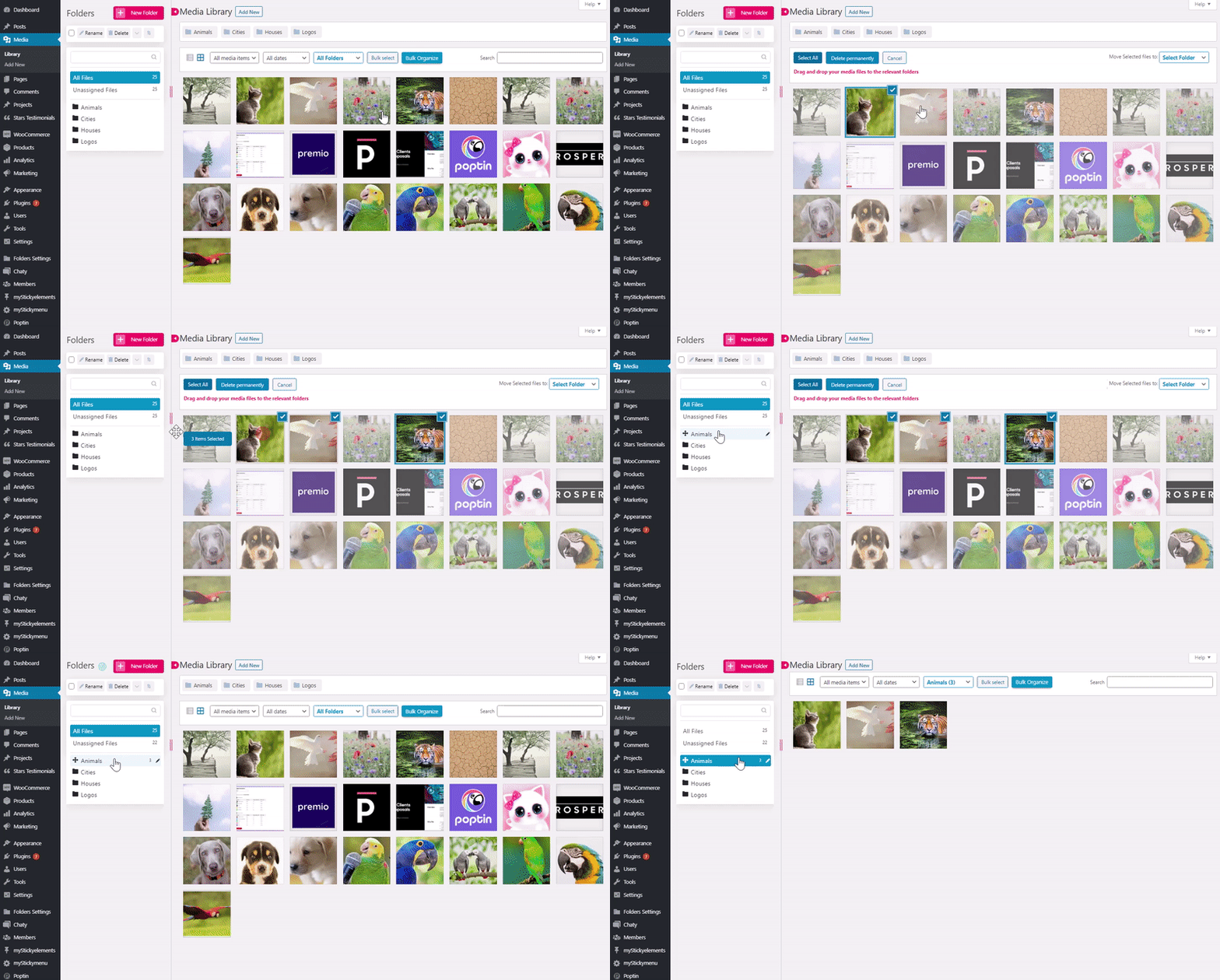
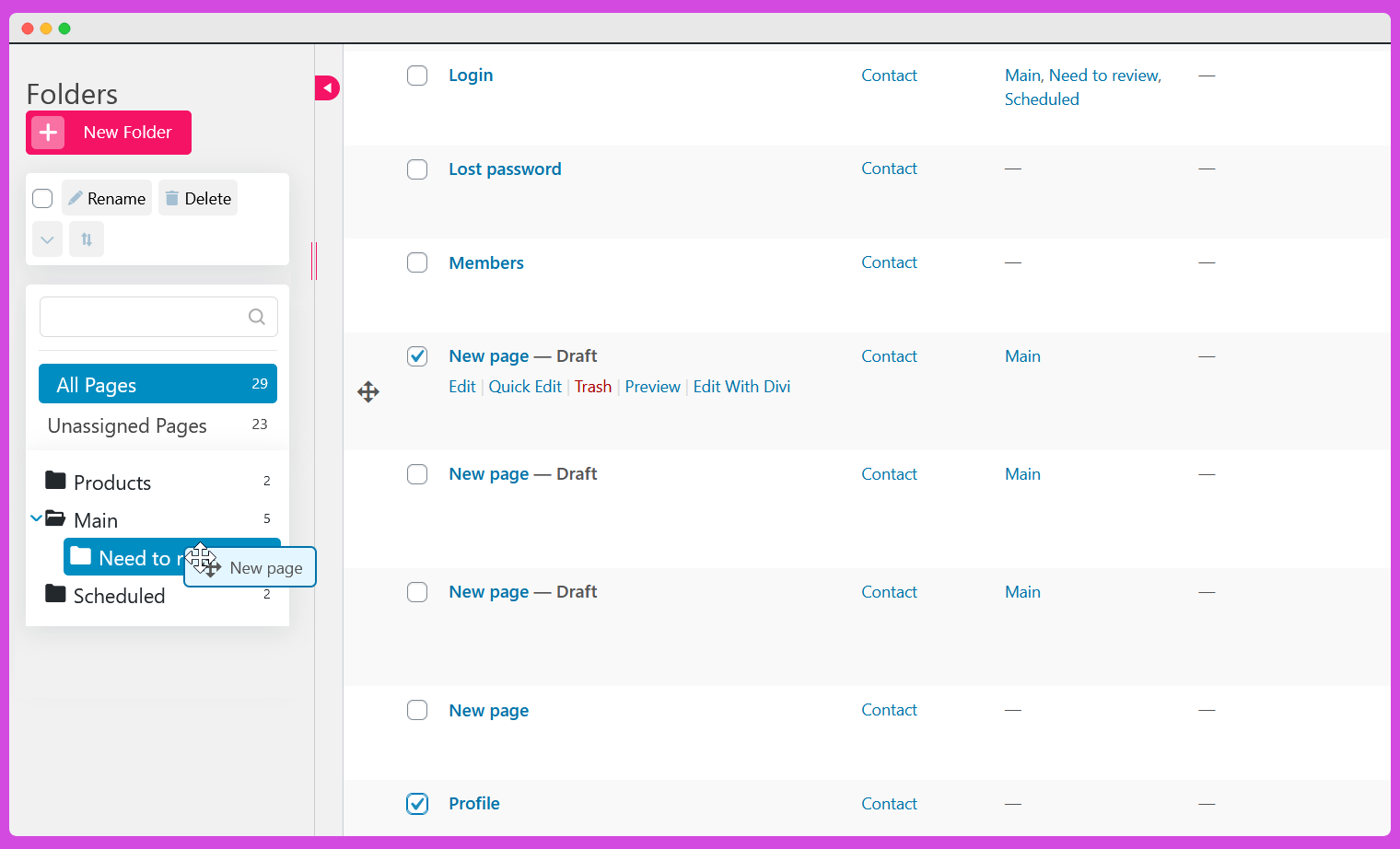
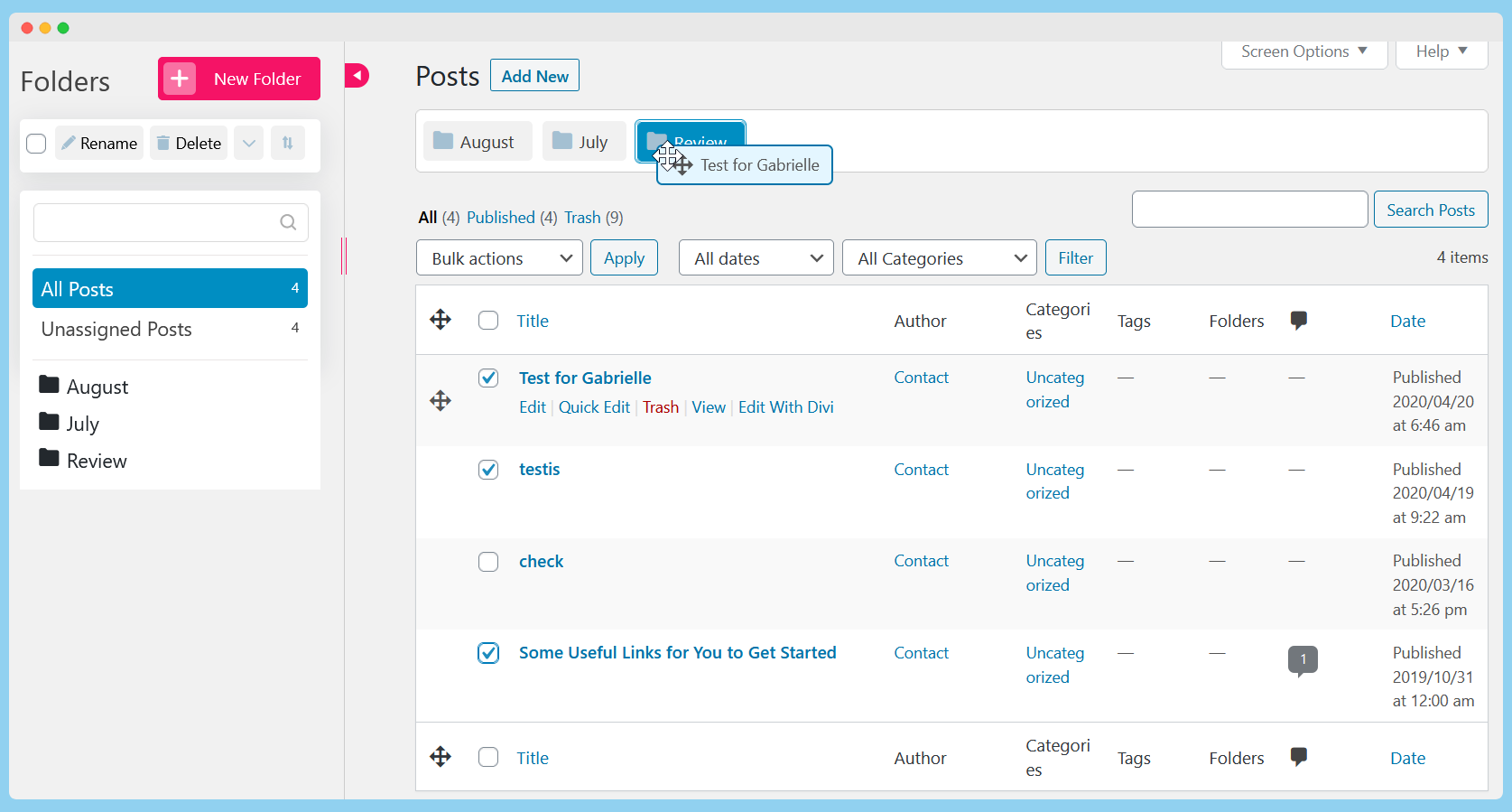
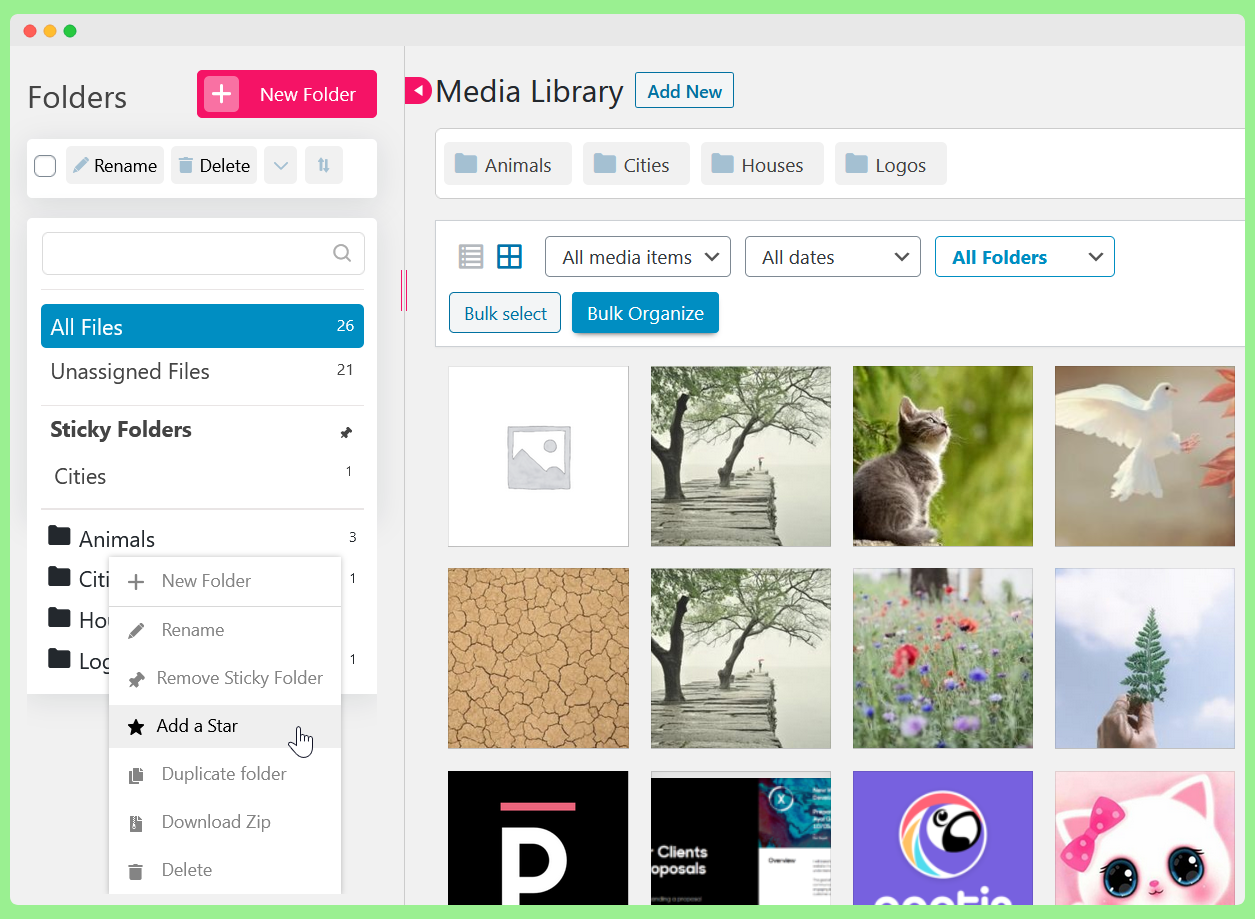
Folders is a WordPress plugin that allows users to organize their Pages, Posts, and Media files into folders. With the free version, users can create unlimited folders and easily drag and drop items into directories. The Pro version offers additional features such as unlimited sub-folders, dynamic folders, media replace, bulk organizing, and more.Screenshots


Frequently asked questions
What is the Folders WordPress plugin?
Folders is a WordPress plugin that allows users to organize their Pages, Posts, and Media files into folders. It enables easy drag and drop of items and modification of the folder hierarchy.
What types of content can I organize with the Folders plugin?
You can organize all of your media files including photos, videos, and music, as well as main website pages and blog posts. It also supports organizing media library files in multiple folders.
Does adding content to a folder change its URL?
No, adding a page, post, or image into a folder will not change its URL. The plugin creates virtual folders, not actual folders on your server or WordPress installation.
Can I replace media files using this plugin?
Yes, the plugin includes a media replace feature. When you replace media, the change will be reflected throughout your website on all pages and posts.
How can web developers and bloggers benefit from this plugin?
Web developers can keep client website pages in order and mark important folders. Bloggers can manage their content by organizing photos and content by topics, categories, or dates.
Changelog
3.0.6
Folders loading bug fixed
3.0.5
Notifications – Stay informed with notifications whenever an action occurs on Folders — whether a new file is uploaded by a team member, a post is deleted, or any other change is made (Pro)
SVG file type support (Pro)
Export Folders structure
Dynamic folders based on file size
Option to change the file size limit (Pro feature)
Smush plugin bug fixed
Media library drag and drop to folders bug fixed
Divi bug fixed
3.0.4
SVG validation bug fixed
3.0.3
Brisk editor conflict fixed
Media Library categories bug fixed
3.0.2
File upload bugs fixed (author and above roles access issues)
Duplicated trash warning messages and the layout looks cut off bug fixed
When uploading files to a selected folder while creating a new folder and uploading to this new folder at the same time, the files intended for the first folder are uploaded in the new folder bug fixed
Issue with the Replace Media feature when using Safe SVG fixed
Default media folder is not working when editing via Elementor bug fixed
Divi page builder bug fixed
Issue with WooCommerce quick edit functionality fixed
The order of the media is reversed when uploaded to folders bug fixed
Move to Folder dropdown option for Bulk actions – plugin section bug fixed
3.0.1
WordPress 6.5 compatibility
3.0
Folders icon colors – you can change the color of your folder icons. You can change it for specific folders, or all folders. You can use it to mark folders that require special attention, etc.
Improved folders drag and drop functionality
Added WordPress Multisite support
Added support for LMS “All courses categories” (Pro feature)
Fixed Polylang bug
Speed and infrastructure improvements were implemented
CatFolders import was added
File upload to folder bug fixed
2.9.8
Thrive Themes bug fixed
2.9.7
Changed shortcut for creating a new folder (Gutenberg conflict resolved)
2.9.6
Folders default color set bug fixed
2.9.5
Bug fixed
2.9.4
Infrastructure improvements – Folders works faster now ?
Added Folders support for Plugins in the Pro version
WooCommerce product support for Dynamic Folders
Added support for LMS LearnPress plugin in the Pro version
Bugs fixed
2.9.3
Security fix
2.9.2
MailPoet bug fixed
2.9.1
Media library files url bug fixed
Notification background bug fixed
2.9
Folders user access management – advanced folders access management for your team with roles that restrict their access to view and edit your website’s folders (Pro feature)
New folders will be added to the top of the folders list
We’ve improved folders compatibility with the WPML plugin and MailPoet
Fixed a notice for PHP 8.0
BuddyBoss items count bug fixed
WebP Express bug fixed
Media replace works fine with SVG and WebP files now
2.8.9
Flow changes
2.8.8
Minor bug fixed
2.8.7
WordPress 6.1 Folders compatibility adjustments
2.8.6
- We’ve added a horizontal scroll to the folders view
- Importing folders works better and faster now, the same goes for uploading folders and media library scan for used files (Pro)
- Published/Drafts view works for specific folders too
- Fixed some bugs
2.8.5
WPML Folders bug fixed
2.8.4
Infrastructure improvements
2.8.3
Texts changed
2.8.2
Keyboard shortcuts bugs fixed.
2.8.1
Bugs fixed
2.8
We’ve keyboard shortcuts and added the option to clean unused media library files in the Pro version. We’ve also fixed some bugs ?
2.7.5
Bugs fixed
2.7.4
Divi bug fixed
2.7.3
Performance improvements
2.7.2
Replace media bugs fixed
2.7.1
WordPress 5.8 compatibility
2.7
UI & performance improvements. We’ve also fixed some bugs
2.6.9
Undo your last action and fixed some bugs and plugin conflicts
2.6.8
Unlimited folders are now available in the free version ?
We’ve also added an option to purge all plugin data on removal + fixed some bugs
2.6.7
List view folders bulk actions bug fixed
2.6.6
Bugs fixed
2.6.5
Import folders from HappyFiles (Happy Files) and Mediamatic + fixed some bugs
2.6.4
iPad bugs fixed
2.6.3
Replace media feature, import option (FileBird, Enhanced Media Library, Wicked Folders, Real Media Library, and WP Media Folder), create multiple folders at once (comma separated), option to hide Folders settings from the main menu, bug fixed
2.6.2
WordPress 5.6 compatibility + Visual composer overlapping bug fixed
2.6.1
Various bugs fixed
2.6
Gallery related bugs and items-counter issues were fixed
2.5.9
We’ve significantly improved the drag and drop experience (and we’ve also fixed some bugs)
2.5.8
Folders settings checkbox bug fix and some other minor bugs were fixed
2.5.7
Quick edit and search folder fix
2.5.6
CSS bug fixed
2.5.5
Various bugs were fixed after our last major release
2.5.4
Divi bug fixed
2.5.3
New and better design! We’ve added a search field, the minimum size of the Folders area is much smaller now, we’ve added Folders to the add media view, added a duplicate option, and many other cool features and bug fixes.
2.5.2
WP 5.5
2.5.1
Sort your folders based on name and creation date. We’ve also added some usability improvements, fixed some WPML and Polylang issue, and fixed some bugs
2.5
When you use a media library folder in pages and posts, your choice will be stored for next uses. We’ve also fixed some RTL UI issues. You can also remove the upper folders if you want. We’ve added an option to bulk move files in the media library in list mode (not using drag and drop).
2.4.9
The Add new page of the media library is not connected to Folders
2.4.8
Update issue fixed
2.4.7
Pages folders and posts folders count fix
2.4.6
Added support for non-public custom posts
2.4.5
Width issue for posts, pages, and custom posts + onboarding for new users
2.4.4
From now on when you clone/edit/publish pages, posts, and custom posts in a specific folder, you’ll stay in that folder
2.4.3
Small bugs fixed including folder filtering bugs (trash, draft etc), WooCommerce products duplicate bug, quick edit in folders, Media Library Assistant compatibility, and more
2.4.2
Added a progress bar when you upload files to the media library folders. You can now track how many files were uploaded in real-time. We’ve also fixed a default folders bug.
2.4.1
PHP 7.3 fix
2.4
Move elements (media library, posts, pages, custom posts) to folders by selecting the element and selecting the relevant folder from our dropdown. Also added some UI improvements ?
2.3.9
Fixed long folders names bug
2.3.8
Polylang media library fix
2.3.7
Translation support change
2.3.6
Added translation support
2.3.5
Folder order when adding a media library file to posts/pages fix, and infrastructure improvements
2.3.4
Thrive Themes Architect bug fixed
2.3.3
You can bulk delete folders now. You can also create a new folder from the upload screen in the media library. We’ve also fixed some bugs like Polylang compatibility bug, folders order bug, default folder bug, and other minor bugs.
2.3.2
You can customize the folders look and feel now: change colors, font, and size of folders. We’ve also added some features to improve the easy-of-use like Enter key to create a new folder and more.
2.3.1
We’ve added an indication for succesful actions (like moving elements into a folder, changing folders names etc)
2.3
Select a default folder for your media library, pages, posts, and custom posts. We’ve also added a knowledge base with all FAQs.
2.2.9
Better media library to folders bulk drag and drop in list mode
2.2.8
Folder organization dropdown bug
2.2.7
Better folder drag and drop
2.2.6
Bug fixes
2.2.5
Folders is much faster and smoother now. We’ve also fixed a media library resolution bug for Mac+Safari
2.2.4
Class variable folder fixes
2.2.3
Javascript functionality conflict
2.2.2
- Replaced sweetalert to avoid conflicts with other plugins
2.2.1
- Folders settings type bug fixed
2.2
- Fixed collapsed menu state bug
2.1.9
- Screen resolution bug fixed
2.1.8
- Upgrade fix
2.1.7
- Better drag and drop, SportPress support
2.1.6
- Now you can drag and drop single media library files without clicking on the “Organize” button. We’ve also fixed a WooCommerce products page bug, Safari issue and some other media library issues
2.1.5
- You don’t need to hit the “Organize” button each time you drag media files now, once you click on it you get into “Organize mode” until you click on the “Cancel” button + when you upload new media files you can select the folder in advance + fixed the hidden div thanks @nubess
2.1.4
- Move one media file/post/page/custom post to more than one folder + quick edit bug fix ?
2.1.3
- You can now minimize the folders section if you need that extra space ?
2.1.2
- Now you can see all the unassinged media folder files, pages, posts and custom posts
2.1.1
- Some exciting updates including: select relevant folders when you add media, keep your media library toolbar sticky when you organize you media, we support custom posts now, security fixes, bug fixes and more!
2.0.5
- Upgrade page change
2.0.4
Fixed the collision with Enhanced Media Library plugin
2.0.3
Fixed php warnings for php higher version than 5.4
2.0.2
PHP 7.2 bug fix
2.0.1
- Brand New UI, Drag and Drop option, organize within the pages, posts and media library
1.3.7
- Fixed bugs
1.3.6
- Fixed error notice on admin columns.
1.3.5
- Added icon.
- Fixed minor bugs.
- Changed admin side content.
1.3.4
- Fixed error notice on admin columns.
- Fixed item count.
1.3.3
- Fixed error notice on columns.
1.3.2
- Fixed issue with HTTPS not working with bulk editing media files.
1.3.1
- Fixed issue with WordPress 4.4.
1.3.0
- Added bulk media folder assignment. This should now work on WordPress installations that are within a sub-directory as well as those that are not.
1.2.17
- Fixed undefined offset notices.
(Thanks to Jon Chapman @ cedargroup.uk.com for bringing this to our attention)
1.2.15
- Removed a var_dump.
1.2.14
- Fixed bug where folders filter was not working on pages.
1.2.13
- Changed folder icon to better suit wordpress dashboard theme.
1.2.12
- Fixed term count in media folders.
1.2.11
- Added limited support for Bulk media editing. (Full support coming soon, some users may experience issues with the bulk editor for the time being).
1.2.10
- Removed function init causing AJAX errors with wordpress. (To be fixed in a later version).
1.2.9
- Reduced permissions to editor.
1.2.7
- Fixed issue with post type names showing as underscores rather than spaces in folder names.
1.2.6
- Fixed bug with filters breaking if no folders are setup.
1.2.5
- Text based changes.
1.2.4
- Fixed folders not displaying in columns for posts/custom post types.
- Fixed menus not displaying correctly for some users.
1.2.3
- Minor changes to options page.
1.2.2
- Added clean-up on un-install.
1.2.1
- Fixed bug with Media folders not being editable.
1.2.0
- Added support for media (attachments).
1.1.0
- Added support for custom post types.
1.0
- Folders Plugin Released.

