

Site Kit is a one-stop solution for WordPress users to use everything Google has to offer to make…

About Float menu – awesome floating side menu
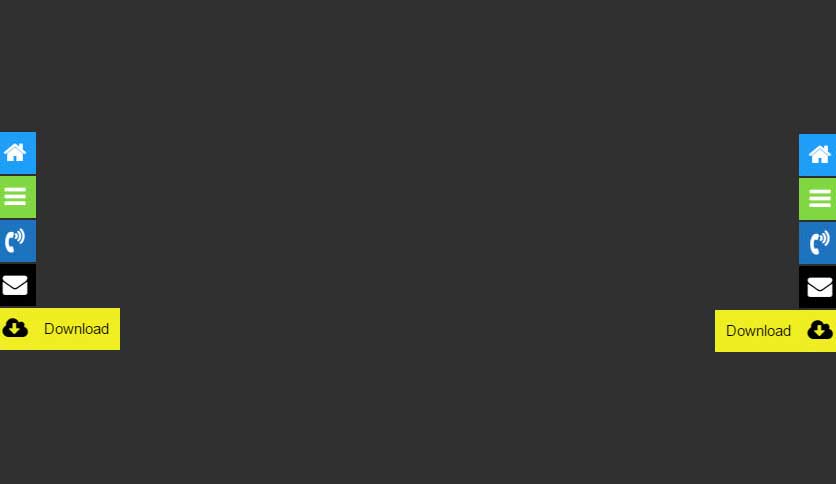
Float Menu is a free WordPress plugin that allows you to create and customize a floating menu on your website. The menu moves along with the scrolling of the page and is always visible to the user. There is also a Pro version available with additional features such as creating unlimited menus, adding submenu items, and customizing the menu display for different languages.Screenshots
Frequently asked questions
What is Float Menu?
Float Menu is a free WordPress plugin to create and place a unique floating menu on your website. The menu moves along with the scrolling of the page and always remains in visibility.
What are the main features of Float Menu?
The main features of Float Menu include creating unlimited menus, 2 positions to display the panel (left or right), adding and customizing labels of the buttons, editing indents between menu items, using square shape buttons, more than 1600+ Font Awesome 5 icons, selecting colors for each icon, inserting any links, opening links in new windows, and setting the background color for the button.
What can Float Menu be used for?
Float Menu can be used for site navigation, main menu, contact block, additional menu, user profile navigation, and other purposes.
What are the features of the Pro version of Float Menu?
The Pro version of Float Menu offers features like creating unlimited menus, adding submenu items, creating a search menu item, creating items with function page translate, aligning the menu layout vertically, changing the form of button display, adding animation effects to display labels, setting detailed adjustment of submenu elements, adding animation options to display the submenu, setting the position of elements, connecting and editing built-in modal window, using custom image, connecting built-in user menu, displaying elements according to ID or class, editing the title and content of the built-in pop-up block, displaying various forms, counters, calculators, social buttons, and more via the modal window, changing the display of the menu depending on user status and role, setting panel output limits for oversized and small screens, customizing menu display for sites with different languages, and more.
Where can I find support for Float Menu?
You can search for answers and ask your questions at the support center of Float Menu.
Changelog
7.0.1
- Fixed: custom icon size
7.0
- Added: Сategories for FontAwesome icons
- Added: Introduced Icon Text option
- Added: Added an option to duplicate menu items
- Upgraded: FontAwesome to version 6.7.1
- Changed: Updated Icon Picker with improved functionality
- Changed: Rewritten script from jQuery to Vanilla JS for better performance
- Removed: Velocity.js to optimize script size
- Fixed: minor bugs and improved overall stability
6.1.4
- Fixed: updated database
6.1.3
- Fixed: Nonce verification logic for improved security.
6.1.2
- Fixed: structure of columns for creating a database table
6.1.1
Fixed: minor bug with save the link
6.1
- Added: Attribute ‘aria-label’
- Fixed: save link
6.0.6
- Updated: FontAwesome Icon.
6.0.5
- Fixed: main icon in the admin menu.
- Fixed: minor bugs
- Update: translate file
6.0.4
- Fixed: re-write the function ‘Mobile Rules’
6.0.3
- Updated: FontAwesome Icon to version 6.6
6.0.2
- Improved: plugin interface
6.0.1
- Fixed: minor bug
6.0
- Added: Option ‘Menu Size’ for control Icon and Label size
- Added: Item Type: Login, Logout, Lost Password, Register
- Added: Ability to change menu status and mode from the list of all menus.
- Added: The ability to change the menu status and mode for several selected menus from the list.
- Changed: We think that it will be more convenient for you to use and create floating menus.
5.1.1
- Fixed: dynamic property for PHP 8.2
5.1
- Updated: FontAwesome to version 6.4.2
5.0.3
- Fixed: sanitize saving Link
5.0.2
- Fixed: minor bugs in page-list
5.0.1
- Fixed: minor bugs
5.0
- Added: hover colors for menu items
- Added: support emoji in item label
- Improved: styles and scripts
4.3.2
- Fixed: insert the special link
4.3.1
- Fixed: security update
4.3
- Added: added the ability to add a shortcode to pages
4.2
- Added: function ‘Export/Import’
4.1.1
- Fixed: Attribute ‘ID’ for menu item
4.1
- Added: option ‘Attribute: rel’ to link
- Fixed: options ‘Test Mode’ and ‘Activated’
4.0
- Added: option ‘Activate/Deactivate’
- Added: option ‘Test mode’
- Changed: admin style
3.5.3
- Fixed: minor bugs
3.5.2
- Fixed: minor bugs
3.5.1
- Fixed: conflict with old font awesome icons library
3.5
- Updated: FontAwesome icons to version 5.15.3
- Fixed: minor bugs
3.4
- Fixed: link with URL which contains #
- Updated: Font Awesome Icons to version 5.14
3.3.1
- Fixed: FontAwesome conflict with old version
3.3
- Changed: ajax update
- Fixed: minor bugs
- Fixed: FontAwesome conflict with old version
- Optimized: code for cache plugin
3.2.2
- Fixed: Conflict with old version of the icon font
3.2.1
- Fixed: minor bug with translate
3.2
- Updated: Font Awesome Icon to version 5.11.2
3.1
- Added: mobile rules
3.0.1
- Fixed: minifying the scripts
3.0
- Added: option for disabling FontAwesome 5 from front-end
- Added: custom atributtes CLASS and ID to the menu item
- Updated: Font Awesome to version 5.6
- Changed: admin style
- Fixed: minor bugs
2.2
- Fixed: color picker alpha for WordPress 4.9
2.1.1
- Fixed: Main Class
- Fixed: Updating
- Fixed: Support page
2.1
- Fixed: minor bugs
- Added: Support page
- Added: Discount page
2.0
- Added: function hiding menu on mobile
- Changed: admin style
1.2.1
- Fixed: admin style
- Fixed: toogle and sortible of menu items
1.2
- Fixed: minor bug
1.1
- Added: sort function;
- Fixed: minor bug
1.0.1
- Fixed: font icon
1.0
- Initial release

