

Enables the previous "classic" editor and the old-style Edit Post screen with TinyMCE, Meta Boxes, etc. Supports all…

About Flexible Table Block
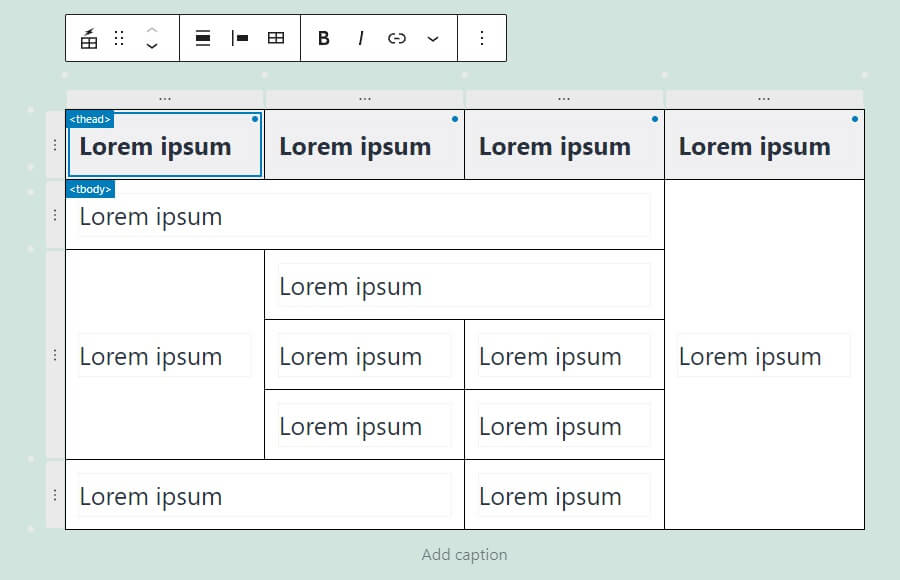
This tool allows you to merge or split cells in a table, and customize the styling for each element. It also has an advanced user interface for easy selection and manipulation of cells, and supports responsive design for both desktop and mobile devices.Screenshots

Frequently asked questions
How do I merge or split cells?
You can merge or split cells from multiple selected cells.
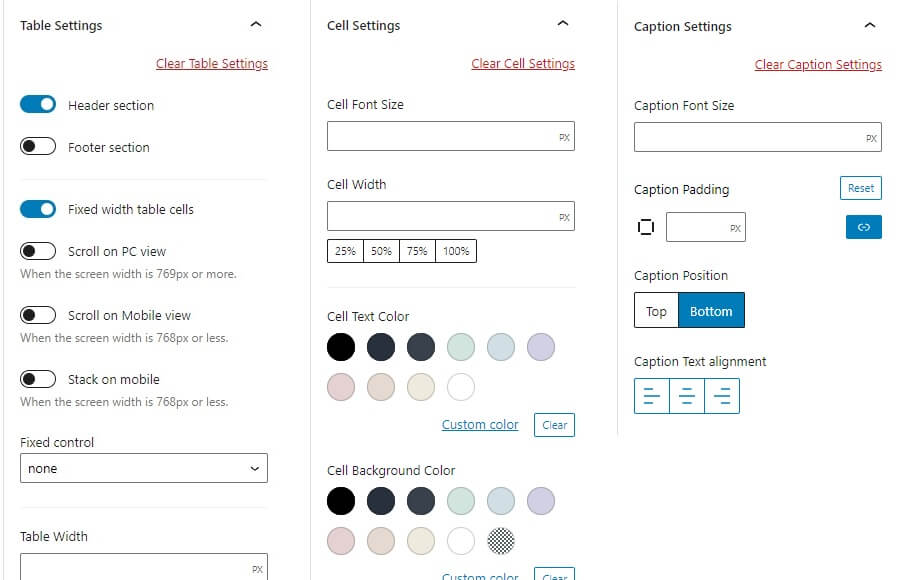
Can I set different styles for each table element?
You can set various styles for each tag of table, cell, and caption individually.
Is there an easy way to select multiple cells or add/delete rows and columns?
You can easily select a batch of cells in a section, or select, add, or delete rows and columns with the buttons.
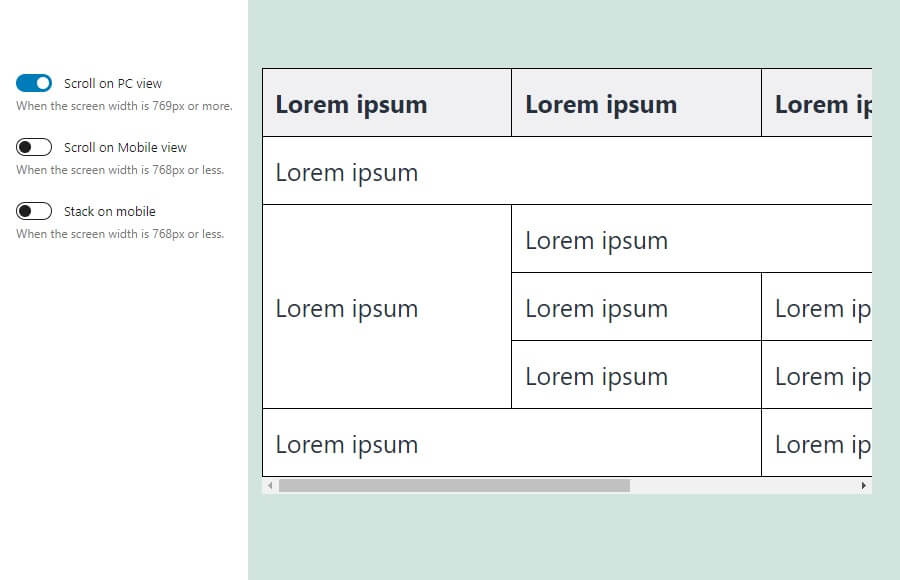
Does the table support responsive design?
You can set the table to scroll horizontally on both Desktop and mobile, and arrange cells vertically on mobile. The breakpoints for switching between Desktop and mobile can be changed freely.
Changelog
3.4.0
- Tested to WordPress 6.7
- Drop support for WordPress 6.4
- Add: Caption toolbar button
- Enhancement: Update icons
- Enhancement: Improve accessibility
- Enhancement: Improve hint text
- Enhancement: Add box-sizing
3.3.0
- Tested to WordPress 6.6
- Drop support for WordPress 6.3
- Enhancement: Support content only mode
- Enhancement: Update API version from 2 to 3
3.2.0
- Tested to WordPress 6.5
- Drop support for WordPress 6.2
- Enhancement: Polish block sidebar UI
- Enhancement: Polish UI in Global Setting modal
3.1.0
- Tested to WordPress 6.4
- Drop support for WordPress 6.1
- Enhancement: Use Snackbar component instead of window.alert
- Fix: Some block styles are not carried over when transforming the block
3.0.1
- Fix: Keyboard controls don’t work within the link control popover
- Fix: Tab key focus doesn’t work when cell text contains footnote links
- Enhancement: Release cell selection when the block is unselected
3.0.0
- Tested to WordPress 6.3
- Fix: Missing top border in the block sidebar
- Fix: Some grammatical errors
- Fix: Incorrect pixel value in description about breakpoint
- Fix: Popovers in Global Settings modal are not showing in the Site Editor
- Fix: Cursor style when mousing over RichText in the cell
- Clean: Remove link to wiki page in help modal
- Drop support for WordPress 5.9, 6.0
- Drop support for PHP7.3
2.9.1
- Enhancement: Adjust tab width in global setting modal
2.9.0
- Tested to WordPress 6.2
- Enhancement: Redesign global setting modal
- Enhancement: Keep rowspan and colspan attributes when converting to and from the core table block
- Enhancement: Apply stripe colors to tbody only
- Enhancement: Polish style for WordPress 6.2
- Fix: Link color is not applied
2.8.0
- Tested to WordPress 6.1
- Drop support for WordPress 5.8
- Enhancement: Polish block sidebar UI
- Enhancement: Polish UI in Global Setting modal
- Doc: Use code tags in some text
- Fix: Don’t apply typography support styles to the placeholder
- Fix: register_block_type path
2.7.3
- Add: Loading status to global settings button
- Clean: Use code tags for text in the options section
- Fix: Overflow of input field in placeholder
- Fix: Block toolbar doesn’t appear in HTML edit mode
2.7.2
- Change: Style to break lines in cells
2.7.1
- Change: Don’t update cell tag when cell settings are cleared
- Fix: Certain operations break the block
2.7.0
- Add: id, headers, scope attribute controls to cell settings
- Fix: Browser warning error
- Fix: Not transformed to core table block correctly
2.6.2
- Fix: Scrolli table doesn’t show edges
- Add: Help text about scroll table
- Add: Style to break lines in cells
2.6.1
- Tested to WordPress 6.0
- Fix: Clearing the table settings and then saving the post breaks the block
- Fix: Adjust indicator style
2.6.0
- Add: Margin support
- Fix: Cell CSS class is not cleared when cell settings are cleared
- Fix: Output of incorrect inline CSS
2.5.3
- Fix: Cell CSS class is reset
2.5.2
- Update: Block preview
- Fix: Error when installing from block directory
2.5.0
- Add: Option to move cells with the tab key
- Fix: Cell content is not updated under certain conditions
2.4.0
- Tested to WordPress 5.9
- Add: Block supports (link color, text-transform, font-style, font-weight, letter-spacing)
- Fix: Zero values are not saved correctly in global settings
- Fix: Changes to global settings are not reflected in iframe editor instances
2.3.1
- Fix: Table justify icon does not appear
- Fix: Incorrect indigator direction
2.3.0
- Enhancement: Support for individual values in cell padding of global settings
- Fix: Unable to deselect selected cells by clicking with the Ctrl key
- Fix: Cell width is not set to 100% when ‘Stack on mobile’ is enabled
- Fix: Accessibility support for controls
2.2.0
- Add: Option to merge content when merging cells
2.1.2
- Fix: Global settings options are not saved
2.1.1
- Fix: Adjust indicator style
- Fix: Cell Line Height setting is not cleared
2.1.0
- Add: Cell line-height control
2.0.9
- Doc: Add translate context
2.0.8
- Fix: Accessibility support for controls, fix typo
2.0.7
- Fix: Missing text translation
- Fix: Button text layout in popover is broken
- Fix: Text in JavaScript is not translated
2.0.6
- Fix: typo
2.0.5
- Fix: deploy action
2.0.4
- Fix: deploy action
2.0.3
- Fix: deploy action
2.0.2
- Fix: deploy action
2.0.1
- Doc: add LICENSE
- Clean: add deploy action
- Clean: refactoring: edit.js to edit.tsx
2.0.0
- Initial release
