

Improve your WordPress SEO: Write better content and have a fully optimized WordPress site using the Yoast SEO…

About File Manager Pro – Filester
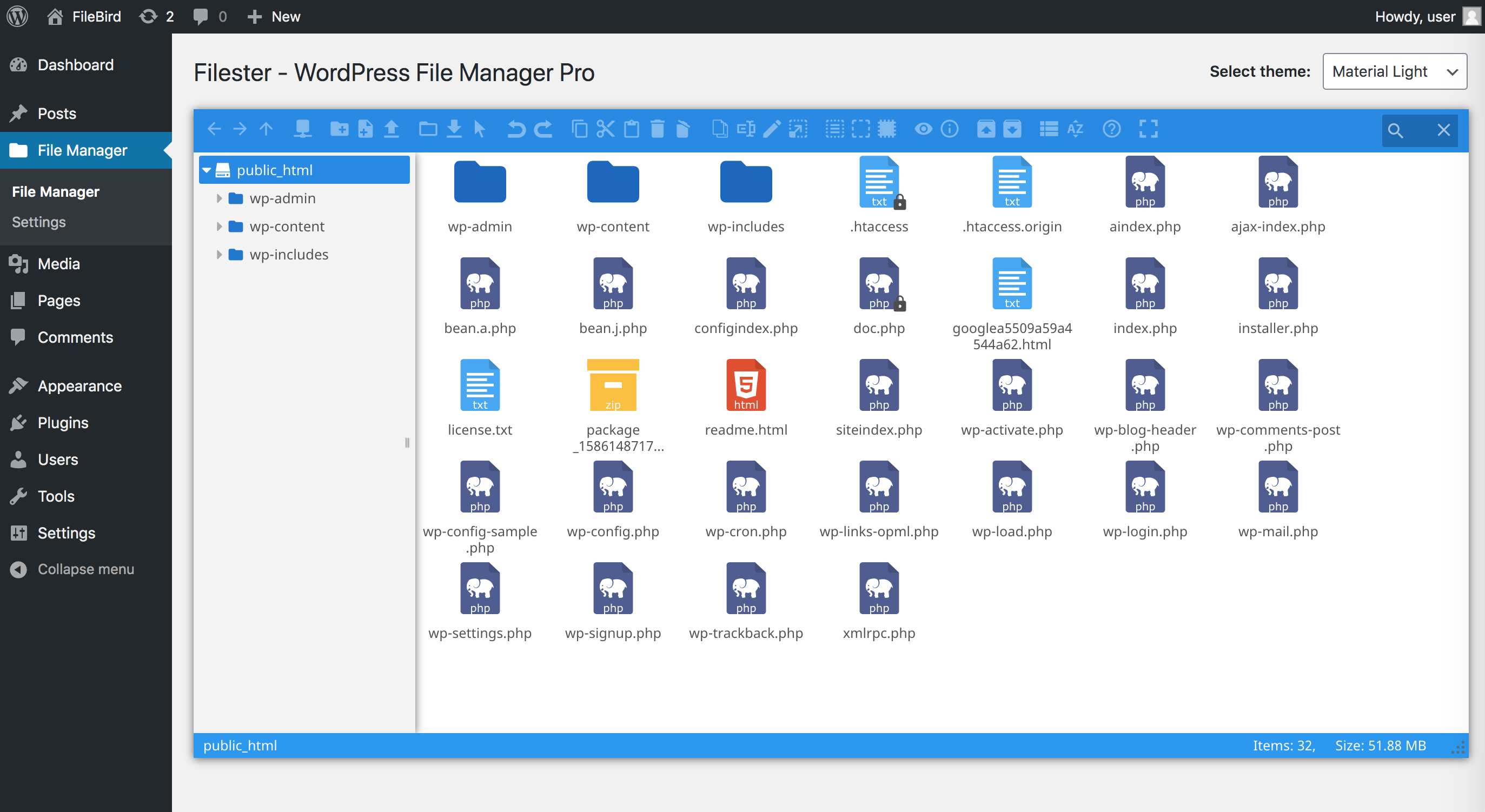
Filester is a free WP File Manager Pro plugin that allows you to easily manage WordPress configuration files and media library folders. It includes premium features like drag and drop functionality, a smart context menu, and built-in code editors. Plus, it has fixed the vulnerability that caused millions of WordPress websites to be attacked in September 2020.Screenshots
Frequently asked questions
What is Filester?
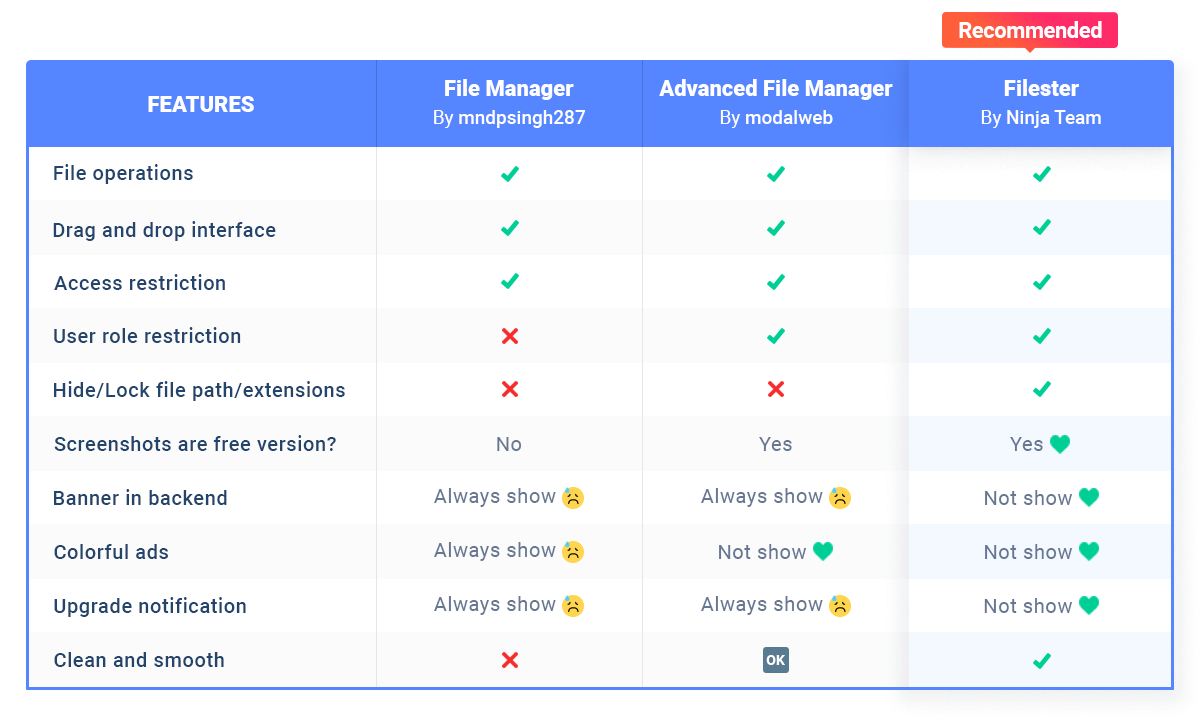
Filester is a WP File Manager Pro plugin but you can download and use it completely for free. It comes with all the premium features of other WordPress advanced file manager plugins out there.
What can you do with Filester?
With Filester - File Manager Pro, you can copy, paste, create an archive, download, upload, edit, delete, preview, duplicate, and get info of the WordPress configuration and directory files without FTP access.
Is Filester safe to use?
Yes, Filester comes with the vulnerability fixed and poses no risk to you.
What are the features of Filester?
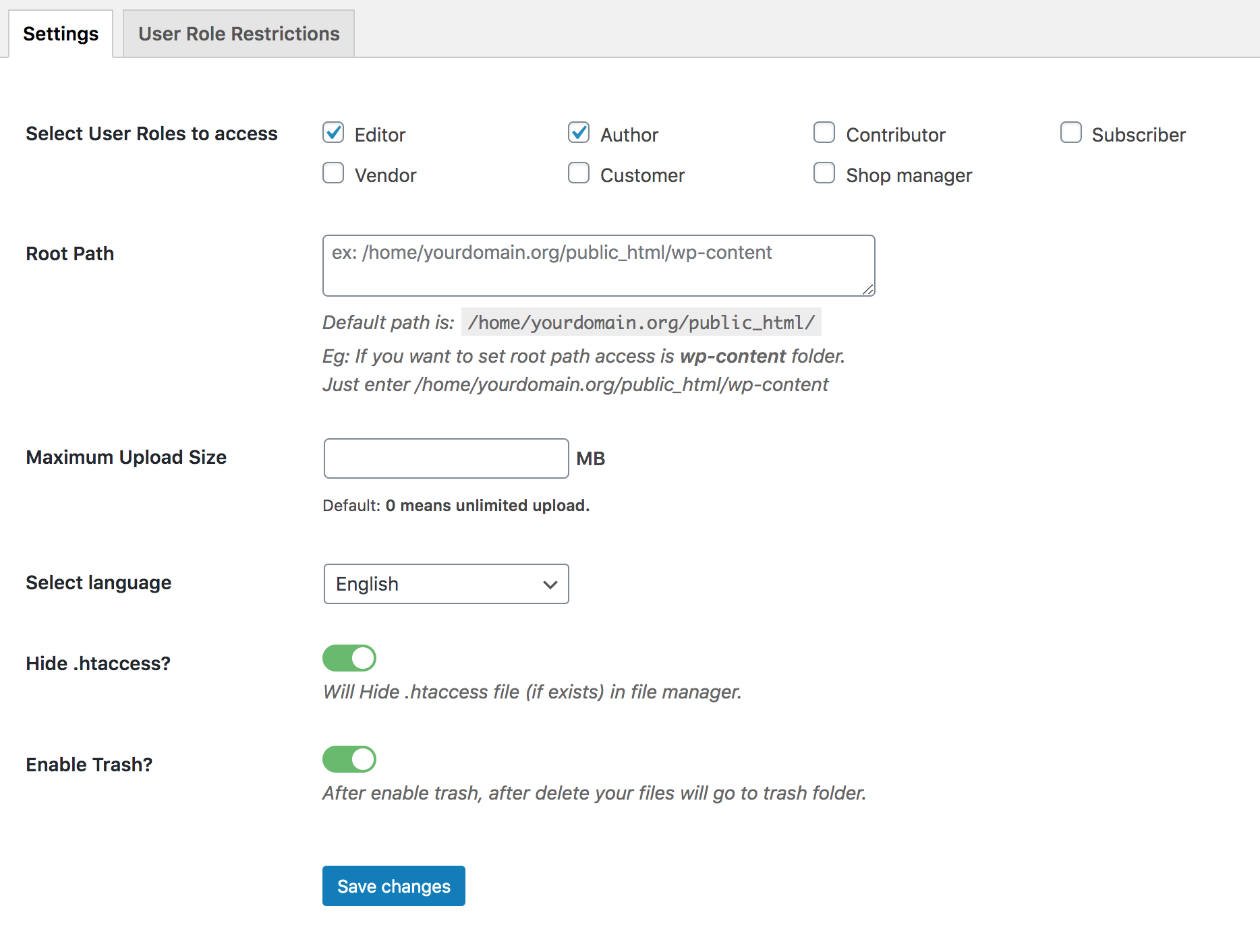
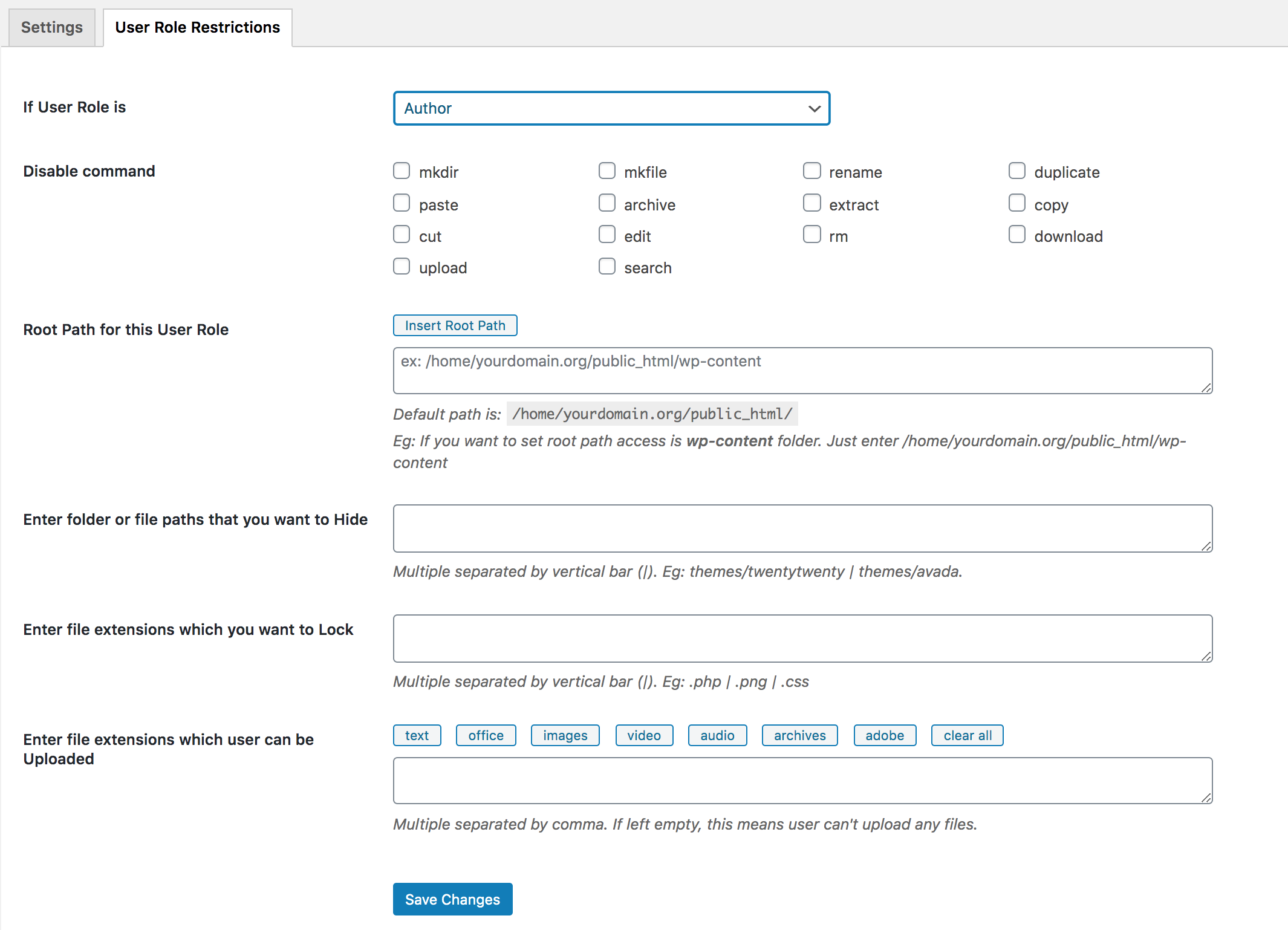
Filester has features such as drag & drop interface, smart context menu, manage files and folders, built-in advanced code editor, flexible configuration, create/extract archives, great UI/UX design, user authority settings, edit media files, multiple languages supported, and RTL supported.
How does Filester work?
Filester plugin helps you easily manage WordPress files so that you don’t have to access directories via FTP or cPanel. It creates a new menu File Manager in your WordPress dashboard where you can view and manage all server files, configuration files, and media files on your current WordPress website.
Changelog
1.8.7
Dec 17, 2024 – Version 1.8.7
– Fixed: Security (CVE ID: CVE-2024-8066)
1.8.6
Nov 25, 2024 – Version 1.8.6
– Fixed: Security
1.8.5
Nov 12, 2024 – Version 1.8.5
– Fixed: Security
1.8.4
Aug 7, 2024 – Version 1.8.4
– Fixed: Plugin missing .js / 403 error query
1.8.3
Aug 1, 2024 – Version 1.8.3
– Fixed: Unauthorized modification of data due to a missing capability check
1.8.2
Dec 18, 2023 – Version 1.8.2
– Updated: Elfinder library version 2.1.62
1.8.1
Sep 12, 2023 – Version 1.8.1
– Fixed: Security for multisite
1.8
Sep 8, 2023 – Version 1.8
– Fixed: Security issue
1.7.6
Jun 27, 2022 – Version 1.7.6
– Added: Recommend plugins
1.7.5
Jun 20, 2022 – Version 1.7.5
– Added: Recommend plugins
1.7.4
Dec 02, 2021 – Version 1.7.4
– Fixed: conflict with plugin Nested Pages
1.7.3
Jul 08, 2021 – Version 1.7.3
– Fixed: User Role Restrictions
– Fixed: Image notification
1.7.2
Mar 25, 2021 – Version 1.7.2
– Fixed: Small bug – Sorry you guys about that. And thanks for reporting.
1.7.1
Mar 25, 2021 – Version 1.7.1
– Fixed: Small bug
1.7
Mar 25, 2021 – Version 1.7
– Improved: UI
– Fixed: Small bug
1.6
Mar 15, 2021 – Version 1.6.1
– Fixed: Small bug
1.6
Feb 3, 2021 – Version 1.6
– Added: Mime type logic for user roles
– Added: URL field
– Fixed: Images and pdf preview
– Fixed: Some small bugs
1.5.2
Jan 11, 2021 – Version 1.5.2
– Added: Add mime type for upload .xlsb and .xlsm files
– Fixed: Work with WP old version
– Fixed: Upload CSV file
1.5.1
Dec 17, 2020 – Version 1.5.1
– Updated: jQuery UI latest version
1.5
Dec 10, 2020 – Version 1.5
* Updated: ElFinder latest version
* Improved: Compatible with WordPress 5.6
1.4.1
Aug 7, 2020 – Version 1.4.1
* Fixed: Can not display in menu WordPress multisite
* Fixed: Windows 10 theme not working in Linux server
1.4
Jul 2, 2020 – Version 1.4
* Improved: Double click to open or preview file
* Fixed: Some small bugs
1.3
Jun 24, 2020 – Version 1.3
* Improved: Style for icon
* Fixed: Select languages
* Fixed: Private CSS/JS
* Fixed: Some small bugs
1.2
Jun 16, 2020 – Version 1.2
* Fixed: Trash issue
* Fixed: Some small bugs
1.1
May 29, 2020 – Version 1.1
* Fixed: Some small bugs
* Improved: UI
1.0
May 8, 2020 – Version 1.0
* Version 1.0 Initial Release

