

Improve your WordPress SEO: Write better content and have a fully optimized WordPress site using the Yoast SEO…

About Feeds for YouTube (YouTube video, channel, and gallery plugin)
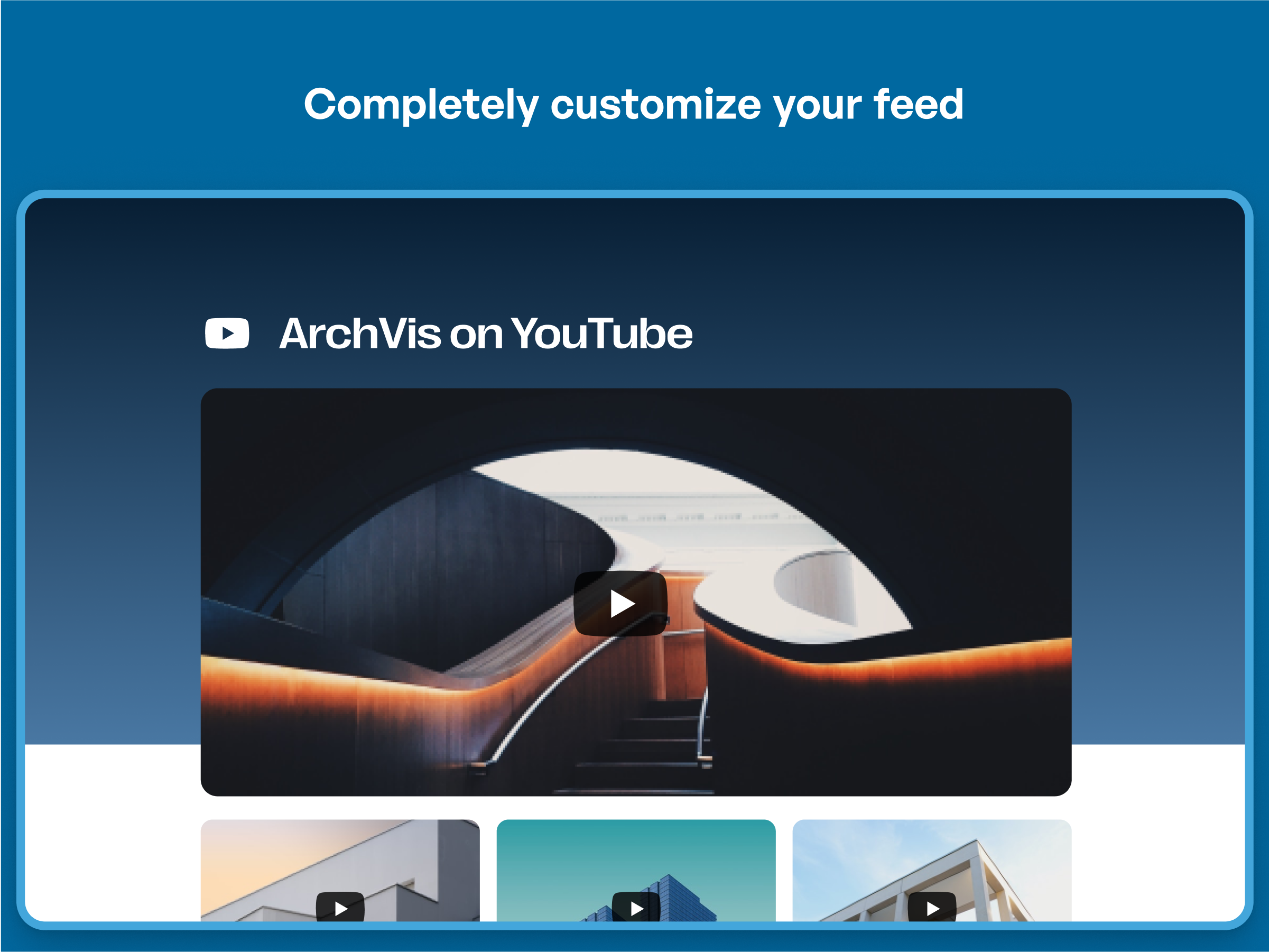
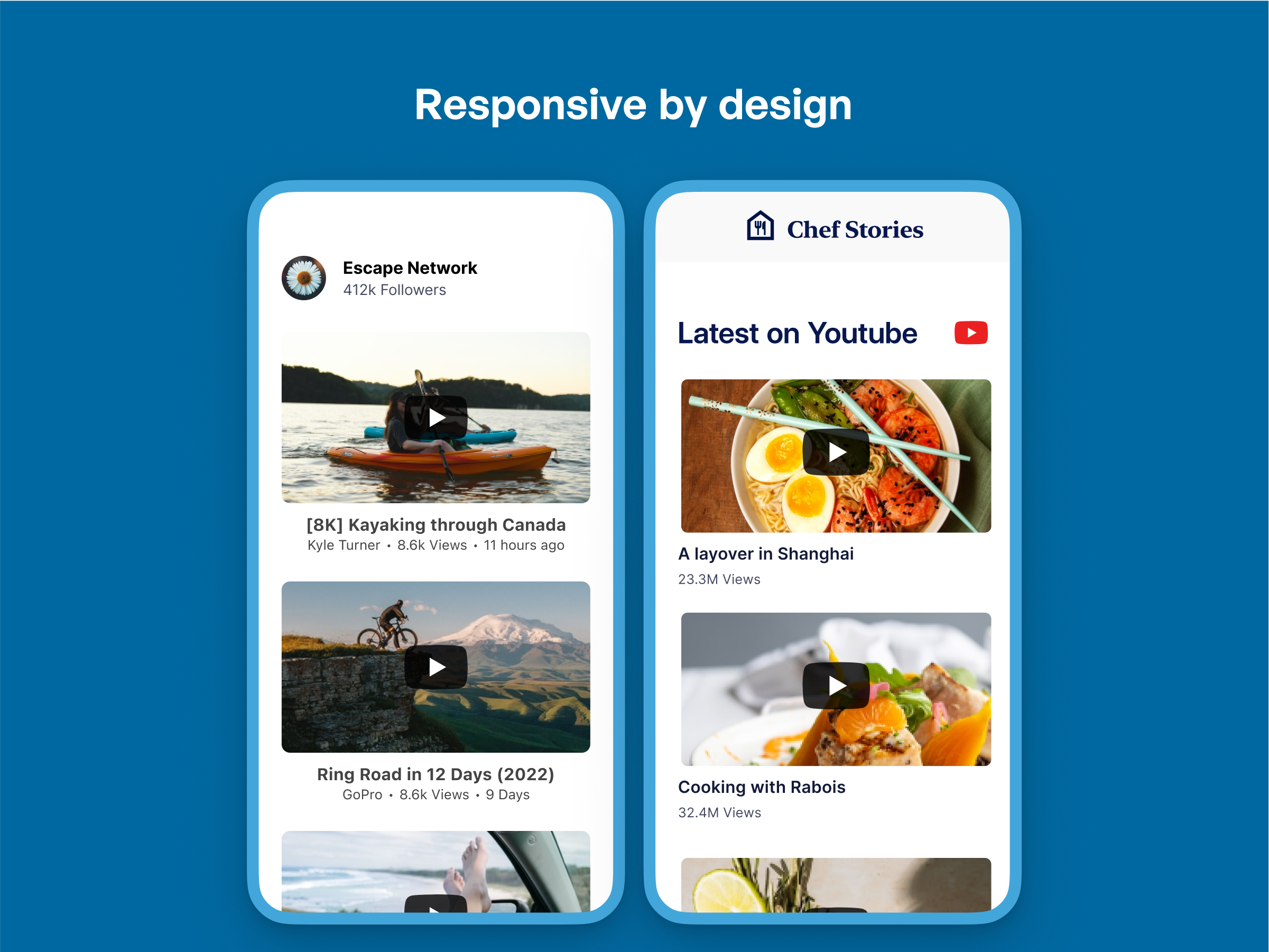
The Feeds for YouTube plugin allows you to display customizable YouTube channel feeds on your website. It is completely customizable, responsive, and optimized for fast loading. It also offers multiple layouts, multiple feeds, and the ability to infinitely load more videos.Screenshots


Frequently asked questions
What are the features of the YouTube Feed?
The YouTube Feed is completely customizable, responsive and mobile optimized. It has multiple layouts and feeds from different YouTube channels can be displayed on multiple pages or widgets. The feed loads lightning fast and has the option to infinitely load more videos. It also includes a built-in easy to use YouTube Feed Widget and can be fully internationalized and translated into any language.
What are the benefits of using the YouTube Feed plugin?
Using the YouTube Feed plugin can increase social engagement between you and your subscribers. It saves time by generating dynamic, search engine crawlable content on your website. It can help you get more subscribers by displaying your videos directly on your site. The plugin allows you to display your channel content in a way that matches your website's style. It is regularly updated with new features, bug-fixes and API changes. The support provided is quick, effective, and always happy to help.
How can I get support for the YouTube Feed plugin?
If you need support for the YouTube Feed plugin, you can open a ticket on the support forum on WordPress.org or directly on the plugin's website. The customer support provided is quick, effective, and courteous.
What additional features are available in the Pro version of the YouTube Feed plugin?
The Pro version of the YouTube Feed plugin includes additional features such as displaying YouTube videos from your favorites list, integrating the YouTube Live API to show live streaming videos, displaying a YouTube gallery in a carousel slider, allowing filtering of videos using keywords, having a fully functional search endpoint, combining multiple feeds into one, customizable actions when a video completes, and downloading video data into a custom post type.
How do I use the 'Feeds for YouTube' plugin?
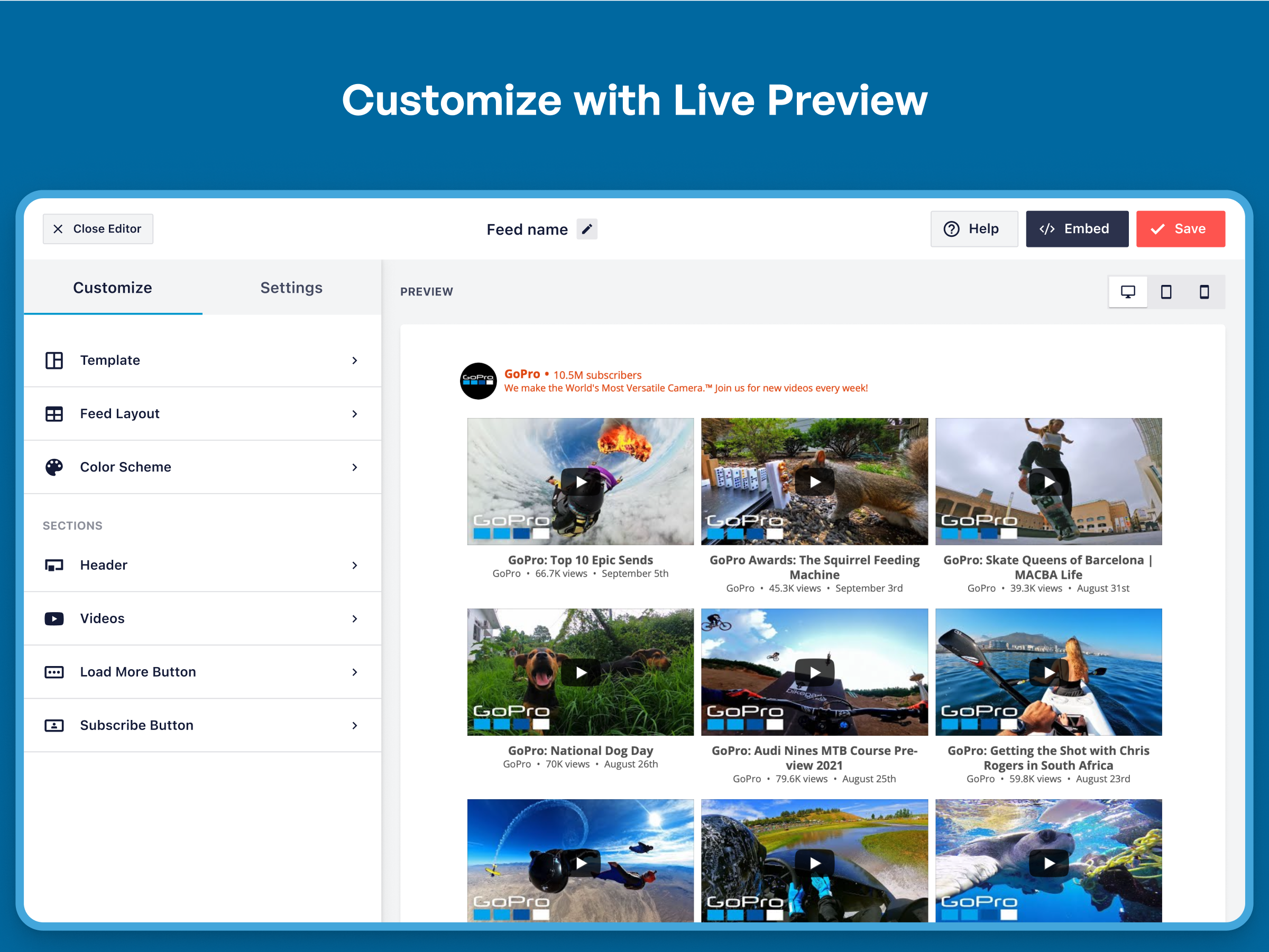
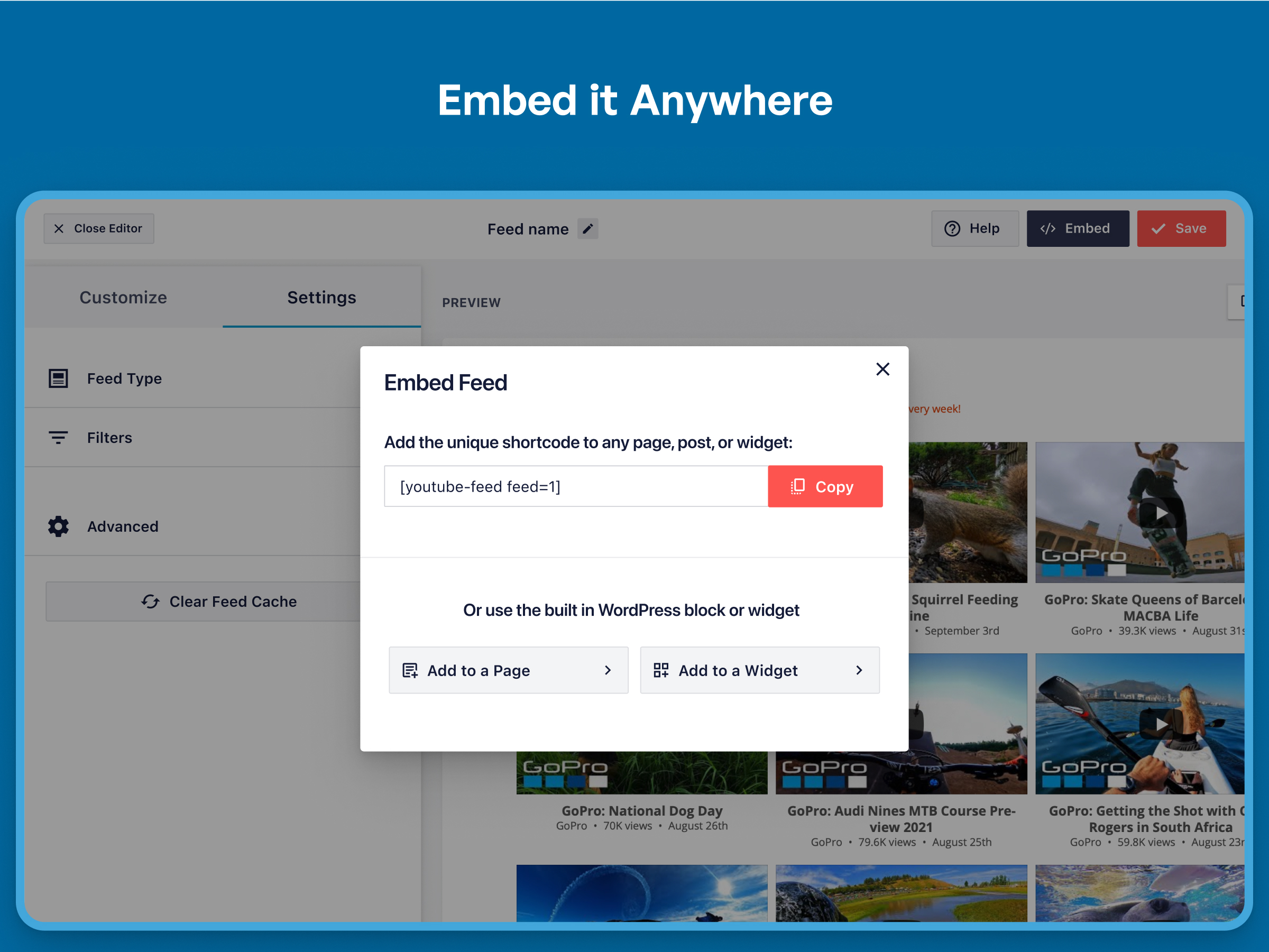
To use the 'Feeds for YouTube' plugin, follow the simple steps after clicking 'Add New'. Connect an account or add an API key, build your feed with the customizer, and then copy and paste the '[youtube-feed feed=1]' shortcode onto any page, post, or widget where you want your feed to be displayed.
Changelog
2.3.1
- Fix: Fixed an issue with our GDPR features and the wrong videos being linked to.
2.3
- New – Added an onboarding wizard to make setting up your first feed even easier!
- Tweak – Added easy installers for our latest Smash Balloon Products. Try ClickSocial, Reviews Feed, and TikTok Feeds today!
- Fix – PHP warning related to _load_textdomain_just_in_time are now resolved
- Fix – Fixed an issue making it difficult for users to close the lightbox in some situations
- Fix – Improved compatibility with the latest versions of Divi and Elementor. Use our related integrations to easily add your feeds to your site!
2.2.4
- Tweak: Added support for our new Feed Analytics product. Get insights as to how your feeds are being used by site visitors.
2.2.3
- Fix: Plugin hardening.
- Tweak: Improved translation support for multiple languages.
- Tweak: Added support for Borlabs 3.0 and our GDPR features.
2.2.2
- Fix: Plugin hardening.
- Fix: Fixed missing CSS file that would affect Elementor users.
2.2.1
- Fix: Fixed an issue with the feed type selection that was causing confusion.
2.1.4
- Fix: Plugin hardening.
2.1.3
- Fix: Fixed an issue causing the next update schedule time found on the settings page to be inaccurate.
2.1.2
- Fix: Plugin hardening.
- Fix: Removed unused files in the “templates” folder.
- Fix: Fixed a deprecation notice in PHP 8.1+ “strpos(): Passing null to parameter #1 ($haystack) of type string is deprecated”
- Fix: Custom text that included single quotes would show with slashes on the front-end of the feed.
2.1
- New: Create a new feed using a YouTube handle instead of needing the channel ID.
- Fix: Emoji in video descriptions would break our backup feed system when an older version of MySQL was in use.
- Fix: Fixed PHP deprecation warning “Passing null to parameter” for PHP 8.2+
2.0.7
- Fix: Fixed a broken link in the admin area.
- Fix: Removed a CSS property causing a 404 error in some circumstances.
2.0.6
- Tweak: Connecting your YouTube account will now take you to connect.smashballoon.com first to improve the reliability of this process.
- Fix: Fixed a separate rare PHP error “Uncaught Error: Class ‘SmashballoonCustomizerContainer’ not found”.
2.0.5
- Fix: Fixed a conflict with the All in One SEO plugin causing menu tabs to not work properly.
- Fix: Fixed rare PHP error “Uncaught Error: Class ‘SmashballoonCustomizerContainer’ not found”.
2.0.4
- Fix: Fixed a compatibility issue with the Complianz Cookie Consent plugin integration.
- Fix: Clicking the link to the page that explains creating custom templates would not work.
2.0.3
- Fix: Removed DotEnv code that was causing a conflict in some rare circumstances.
- Fix: When using two or more feeds on one page and the “AJAX theme loading fix” setting, an empty lightbox related element would display at the bottom of the page.
2.0.2
- Fix: Fixed a conflict with the All in One SEO plugin causing menu tabs to not work properly.
2.0.1
- Tweak: Improved the user experience to avoid confusion over connecting an account when creating a new feed.
- Fix: Fixed deprecation warnings when using PHP 8.0+.
- Fix: Added any API key saved in settings to the system info for easy support debugging.
- Fix: Activating the Pro version would trigger an error if the free version of YouTube Feeds was also active.
2.0
- Important: Minimum supported WordPress version has been raised from 3.5 to 4.1.
- New: Our biggest update ever! We’ve completely redesigned the plugin settings from head to toe to make it easier to create, manage, and customize your YouTube feeds.
- New: All your feeds are now displayed in one place on the “All Feeds” page. This shows a list of any existing (legacy) feeds and any new ones that you create.
- New: Easily edit individual feed settings for new feeds instead of cumbersome shortcode options.
- New: It’s now much easier to create feeds. Just click “Add New”, select your feed type, connect your account, and you’re done!
- New: Brand new feed customizer. We’ve completely redesigned feed customization from the ground up, reorganizing the settings to make them easier to find.
- New: Live Feed Preview. You can now see changes you make to your feeds in real time, right in the settings page. Easily preview them on desktop, tablet, and mobile sizes.
- New: Color Scheme option. It’s now easier than ever to change colors across your feed without needing to adjust individual color settings. Just set a color scheme to effortlessly change colors across your entire feed.
- New: You can now change the number of columns in your feed across desktop and mobile.
- New: Easily import and export feed settings to make it simple to move feeds across sites.
- New: Added a new custom text header option, so you can now add custom text to the header for your feed.
1.4.5
- Fix: The play button was still visible in the lightbox during video playback after a user had granted GDPR cookie consent.
- Fix: SSL is now always verified when making API requests to YouTube’s API.
- Fix: After enabling background caching, the plugin was not showing when the feed would be updated next.
1.4.4
- New: Added a shortcode setting “allowcookies” that, when set to “true”, will allow YouTube cookies needed for custom end screens configured on youtube.com.
- Tweak: Changed menu name from “Feeds for YouTube” to “YouTube Feed”.
- Tweak: An alert bubble is added to the Feeds for YouTube menu item when there are new notifications available.
- Fix: Custom JavaScript setting would not allow HTML to be saved.
- Fix: Fixed two PHP errors that would occur when posts were being stored using the “page” storing method.
- Fix: A timestamp was added to errors in the error log to help determine when they occurred.
1.4.3
- Fix: Fixed a compatibility issue with the Complianz GDPR plugin.
- Fix: Incorrect description of the ‘check for new posts’ setting in the admin area.
- Fix: The feed finder tool was displaying duplicated results of some feeds.
1.4.2
- Tested with WordPress 5.8 update.
- Tweak: Added “play” icon to main player for the gallery layout.
- Fix: Fixed an issue with GDPR Cookie Consent by Web Toffee integration.
- Fix: Setting the height and width of a feed using a shortcode would not work without including the unit of measure.
1.4.1
- Fix: Fixed several issues with GDPR Cookie Consent by Web Toffee integration.
1.4
- New: The locations of the YouTube feeds on your site will now be logged and listed on a single page for easier management. After this feature has been active for awhile, a “Feed Finder” link will appear next to the Feed Type setting on the plugin Settings page which allows you to see a list of all feeds on your site along with their locations.
- Fix: Pro version of the Web Toffee GDPR Cookie Consent plugin was not being detected.
- Fix: Updated jQuery methods for compatibility with WordPress 5.7.
1.3
- New: Integrations with popular GDPR cookie consent solutions added. Visit the YouTube Feed settings page, Customize tab, GDPR section for more information.
- Fix: Date that video was published would not always match what was shown on YouTube.com.
1.2.4
- Tweak: Minor update to item.php template to accommodate dynamic title attribute in lightbox.
- Tweak: Added support for improved notices on the plugin settings page.
- Fix: Connecting an account that didn’t have an associated YouTube channel would result in nothing happening. Now an empty channel is connected that can be used to create feeds.
- Fix: Iframe player now uses the video title as the iframe element title attribute.
1.2.3
- New: Added setting to use WordPress cron to clear feed caches on an interval. If your feeds are not updating automatically, try enabling the setting found on the “Customize” tab “Cron Clear Cache”.
- Tweak: Added notice explaining the account connection and what it can and can’t be used for when connecting an account.
- Tweak: Removed refresh token from being required for a manual connection.
- Fix: Improved performance of API requests for creating feeds.
1.2.2
- Tweak: More details are provided for API errors such as an API key not working after being created.
- Tweak: If an API key has not been entered, an account reconnection is required if trying to display videos from a previously unused channel and more than an hour has passed since the last account connection.
- Tweak: Play icon changed to YouTube logo to comply with their terms of service.
- Fix: Prevented a Fatal PHP error caused by retrieving YouTube videos without using an API key and either entering a non-existing YouTube channel ID or having allow_url_fopen disabled on the server.
- Fix: Non-latin characters were displaying incorrectly in titles and descriptions when a feed was using backup data.
- Fix: Thumbnails were not resizing properly when the browser was resized.
1.2.1
- Tweak: Video thumbnails are cropped to a 9:16 aspect ratio to remove black bars at the top and bottom of the images.
- Tweak: Improved workarounds for video player issues caused by having iframes from other sources on the same page.
1.2
- New: Display video players in 9:16 ratio. To use 3:4 ratio go to: Feeds for YouTube > Customize > Video Experience.
- New: Added a “Feeds for YouTube” Gutenberg block to use in the block editor, allowing you to easily add a feed to posts and pages.
- Tweak: Hide admin notices from other plugins when using the Feeds for YouTube settings pages.
- Fix: Video player would sometimes not work when the iframe JS API was available earlier than the feeds were created.
1.1.1
- Tested with upcoming WordPress 5.4 update.
- New: Added setting for using custom templates for feed HTML.
- Tweak: Added CSS to help feeds work better with certain themes.
- Tweak: Used a higher resolution image file if optimum resolution was not available from the API.
- Fix: “include=” shortcode setting would cause play icon to never show.
- Fix: Fast response from player API would cause the players to load along with the page when not necessary.
- Fix: Background caching was not updating YouTube feed caches.
1.1
- New: Several improvements to the lightbox for grid feeds were made including a video index indicator, navigation arrows moved to the outside of the video, and a close button.
- New: Added YouTube play button icon that displays on top of video thumbnails. Disable this on the “Customize” tab.
- New: Added workaround for occasional issue caused by multiple elements of the page using the YouTube Player API.
- Tweak: Fixed typo in HTML element with the class “sby_thumbail_hover”. Now “sby_thumbnail_hover”.
- Tweak: Updated admin PHP code.
- Tweak: Updated JavaScript code.
- Tweak: Updated language files and several strings to use text domain “feeds-for-youtube” instead of “youtube-feed”.
1.0.3
- Tweak: Changed tooltip and notes regarding how to display a feed from a certain channel.
- Fix: YouTube iframe JavaScript file was being loaded with HTTP. Changed to HTTPS.
- Fix: Prevented error if allow_url_fopen set to false in php.ini by changing how YouTube RSS feeds are retrieved from YouTube.
- Fix: Unable to view YouTube account details if more than one account connected.
1.0.2
- New: Changed the method used to update feeds to reduce API requests.
- Tweak: More posts cached in the wp_posts table when an API request is made.
- Tweak: YouTube channel data cached to reduce API requests.
- Fix: Error when deactivating and reactivating the plugin with background caching enabled.
1.0.1
- Fix: Optimized API calls to YouTube to reduce requests.
- Fix: Minor bug fixes.
1.0
- Launched the Feeds for YouTube plugin!

