

Site Kit is a one-stop solution for WordPress users to use everything Google has to offer to make…
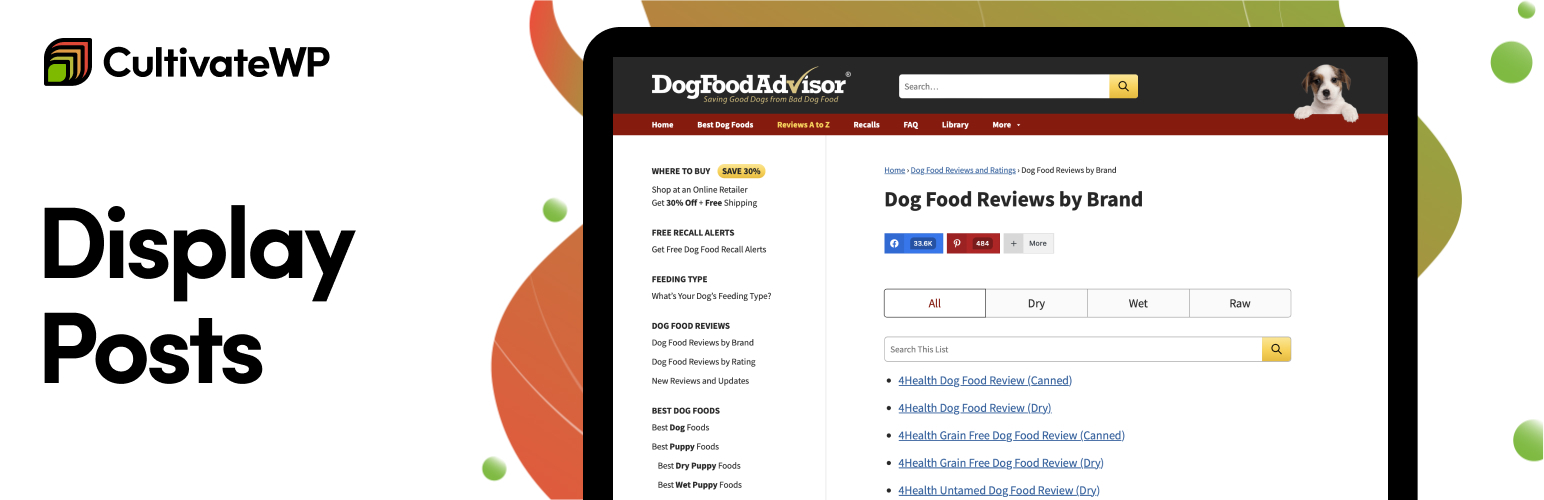
About Display Posts – Easy lists, grids, navigation, and more
Display Posts is a WordPress plugin that allows you to easily list and display content from your website. You can filter posts by category, display them as a grid, highlight popular posts, include thumbnails and excerpts, and sort the list in various ways. The plugin also offers tutorials and full documentation for customization, as well as extensions for additional functionality.Frequently asked questions
What is Display Posts?
Display Posts is a WordPress plugin that allows you to easily list content from all across your website using a simple shortcode. You can filter the results by category, author, and more.
How do I display posts from a specific category?
To display posts only from a certain category, use the category parameter in the shortcode, like this: [display-posts category="news"].
Can I include thumbnails and excerpts with my post listings?
Yes, you can include an image and summary by using the parameters include_excerpt="true" and image_size="thumbnail" in your shortcode. You can use any image size added by WordPress or your theme/other plugins.
How can I list popular posts?
You can list posts with the most comments by using [display-posts orderby="comment_count"]. The plugin also supports listing popular posts by social shares.
What sorting options are available?
By default, listings show the newest content first. However, you can sort by title, menu order, relevance, content type, metadata, and more.
Changelog
Version 3.0.3
* Bumped the “Tested To” number to WP 6.6
* Updated text of the plugin notice
Version 3.0.2
* Added pre_display_posts_shortcode_output filter before shortcode runs, used for transient caching, see #210
* Updated plugin to pass coding standards, see #214
* Removed survey admin notice, see #213
* Don’t display empty term list, see #208
Version 3.0.1
* Prevent empty empty parameters from being added to the query, see #207
Version 3.0.0
* Added author_id parameter, see #195
* Added has_password parameter
* Added s parameter for performing a site search, see #184
* Added date_format=”relative” format option (ex: 2 days ago), see #194
* Added post_parent__in and post_parent__not_in parameters, see #193
* Added excerpt_dash=”false” option to disable dash in excerpt, see #204
* Added additional parameters to the display_posts_shortcode_output filter
* Added additional parameters to the display_posts_shortcode_category_display filter, see #185
* $dps_listing loop now accessible globally, see #198
* $dps_listing loop now accessible in open/close filters
* Added .excerpt-more class to excerpt more text, see #205
* Now excerpt_more text is always appended to end of excerpt, see #197
* In parameters that support multiple terms, they can now be separated with a comma or comma-space, see #183
Version 2.9.0
* New parameter exclude for excluding specific post IDs, see #154
* New parameter category_id for specifying category by ID (note: only accepts a single ID), see #156
* New parameter include_date_modified for displaying the date the post was last updated, see #150
* Shortcode title now appears above the wrapper (ul/ol/div), fixing invalid markup, see #165
* Limit visibility to readable posts
Version 2.8.0
* Added include_link=”false” to remove link from post title and image, see #137
* Fixed category display when using multiple post types, see #143
* Fixed issue combining multiple taxonomies, see #131
Version 2.7.0
* Added support for Co-Authors Plus Addon.
* Added parameter to exclude children terms in tax queries, more information
* Added a filter to display the full version of manual excerpt, regardless of excerpt_length. more information
* Removed shortcodes from custom excerpts, more information
* Fixed private post visibility, more information
Version 2.6.2
* More improvements to excerpts, see #110
* Added content_class parameter
* Fix date query bug, see #108
* Fixed undefined variable notice if include_title=”false”
Version 2.6.1
* Fix issue with manually specified excerpts
Version 2.6
- Add support for author=”current”
- Add support for multiple wrapper classes
- Add support for excerpt_length parameter
- Add support for excerpt_more parameter
Version 2.5.1
- Fix an issue with manually specified excerpts
Version 2.5
- Add support for date queries
- Exclude child pages with post_parent=”0″
- Query by current taxonomy terms. Ex: [display-posts taxonomy=”category” tax_term=”current”]
- Display the post’s categories with [display-posts category_display=”true”]
- Many more fixes. See GitHub for a full list of changes.
Version 2.4
- Add ‘include_author’ parameter
- Add ‘exclude_current’ parameter for excluding the current post from the results
- If you display the full content of results, additional uses of the shortcode within those posts are now turned off
- Other minor improvements
Version 2.3
- Include the shortcode attributes on wrapper filter
- Add ‘no_posts_message’ parameter to specify content displayed if no posts found
- Add filters to the title and permalink
- Limit private posts to logged in users
- Add support for excluding sticky posts
- Add support for ordering by meta_key
Version 2.2
- Use original attributes for filters
- Add support for multiple taxonomy queries
- Add filter for post classes
- Add support for post content in the post loop
Version 2.1
- Add support for post status
- Add support for post author
- Add support for post offset
Version 2.0
- Explicitly declare arguments, props danielbachhuber
- Sanitize each shortcode attribute for security, props danielbachhuber
Version 1.9
- Add ‘date_format’ parameter, so you can customize how dates are displayed
- Added a class of .excerpt-dash so CSS can be used to remove the dash
- Cleaned up the codebase according to WordPress coding standards
Version 1.8
- Added
display_posts_shortcode_no_resultsfilter for displaying content if there’s no posts matching current query. - Add support for multiple post types. [display-posts post_type=”page, post”]
Version 1.7
- Added
idargument to specify specific post IDs - Added
display_posts_shortcode_argsfilter in case the arguments you want aren’t already included in the shortcode. See example: http://www.billerickson.net/code/display-posts-shortcode-exclude-posts/
Version 1.6
- Added
post_parentwhere you can specify a parent by ID, or you can saypost_parent=currentand it will use the current page’s ID. - Added
wrapperwhere you can decide if the posts are an unordered list, ordered list, or div’s - Added support for multiple taxonomy terms (comma separated) and taxonomy operator (IN, NOT IN, or AND).
Version 1.5
* For the sake of clarity I’m changing version numbers. No feature changes
Version 0.1.5
* Added a filter (display_posts_shortcode_output) so you can modify the output of individual posts however you like.
Version 0.1.4
- Added post_type, taxonomy, tax_term, and include_excerpt
- Added classes to each part of the listing (image, title, date, excerpt) to make it easier to change the look using CSS
Version 0.1.3
- Updated Readme
Version 0.1.2
- Added image_size option
Version 0.1.1
- Fix spacing issue in plugin
Version 0.1
- This is version 0.1. Everything’s new!

