

Enables the previous "classic" editor and the old-style Edit Post screen with TinyMCE, Meta Boxes, etc. Supports all…

About Custom Adobe Fonts (Typekit)
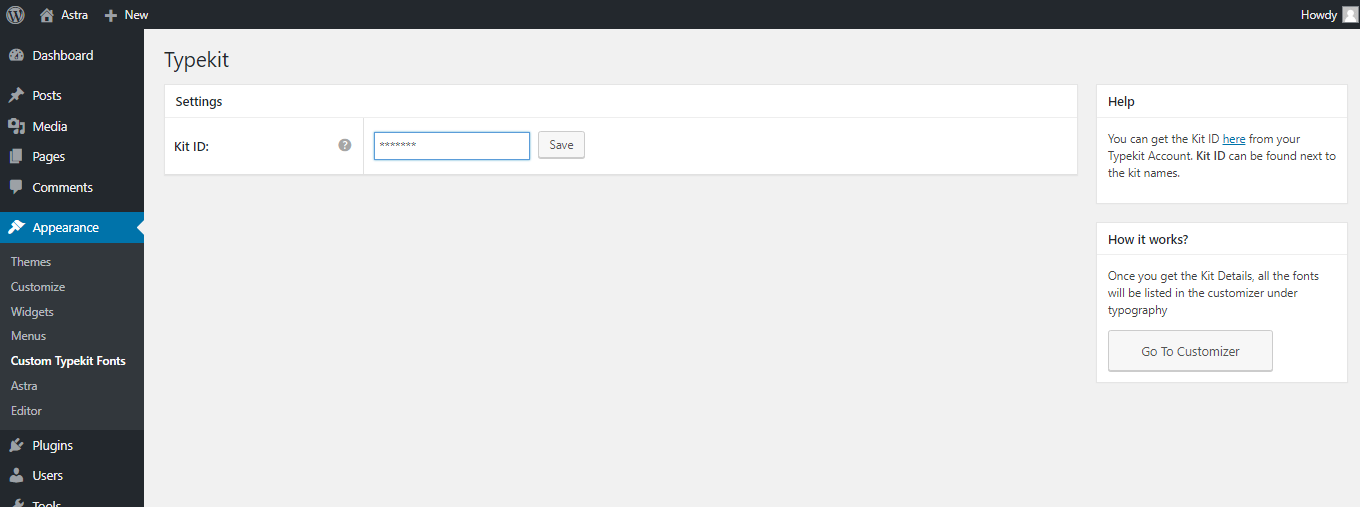
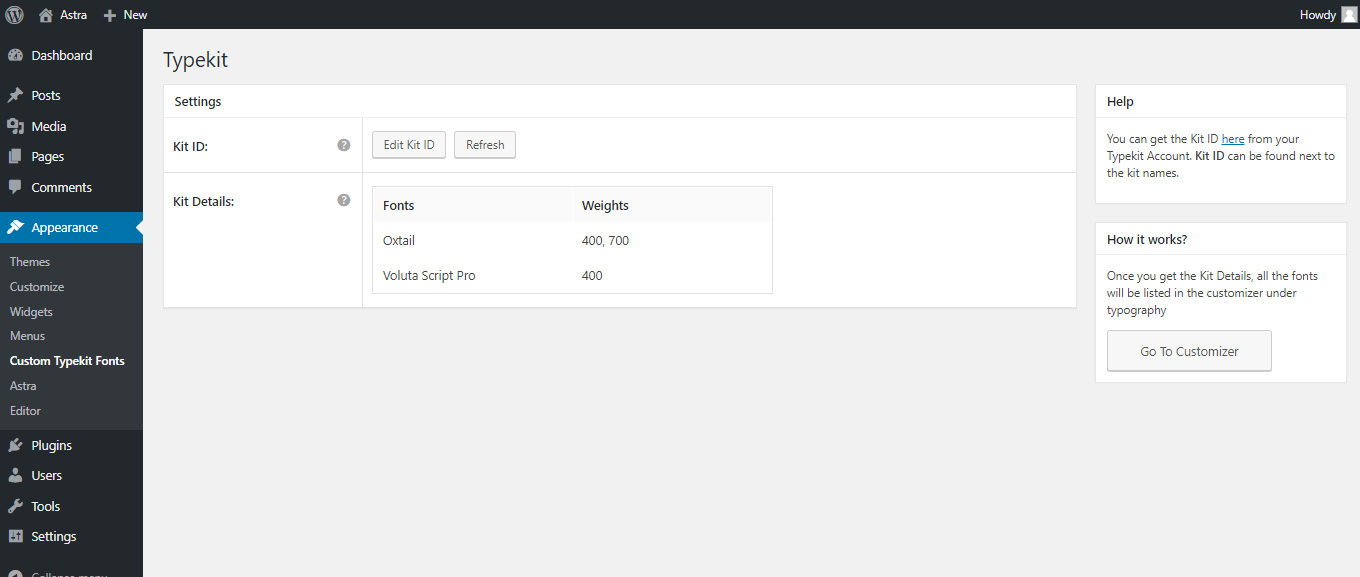
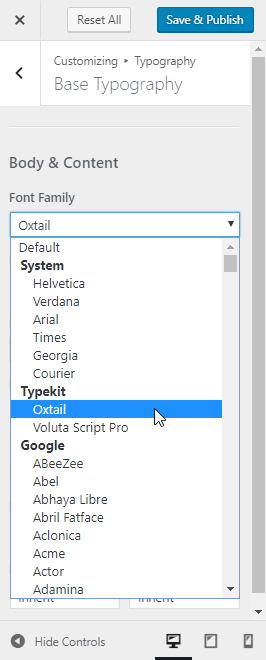
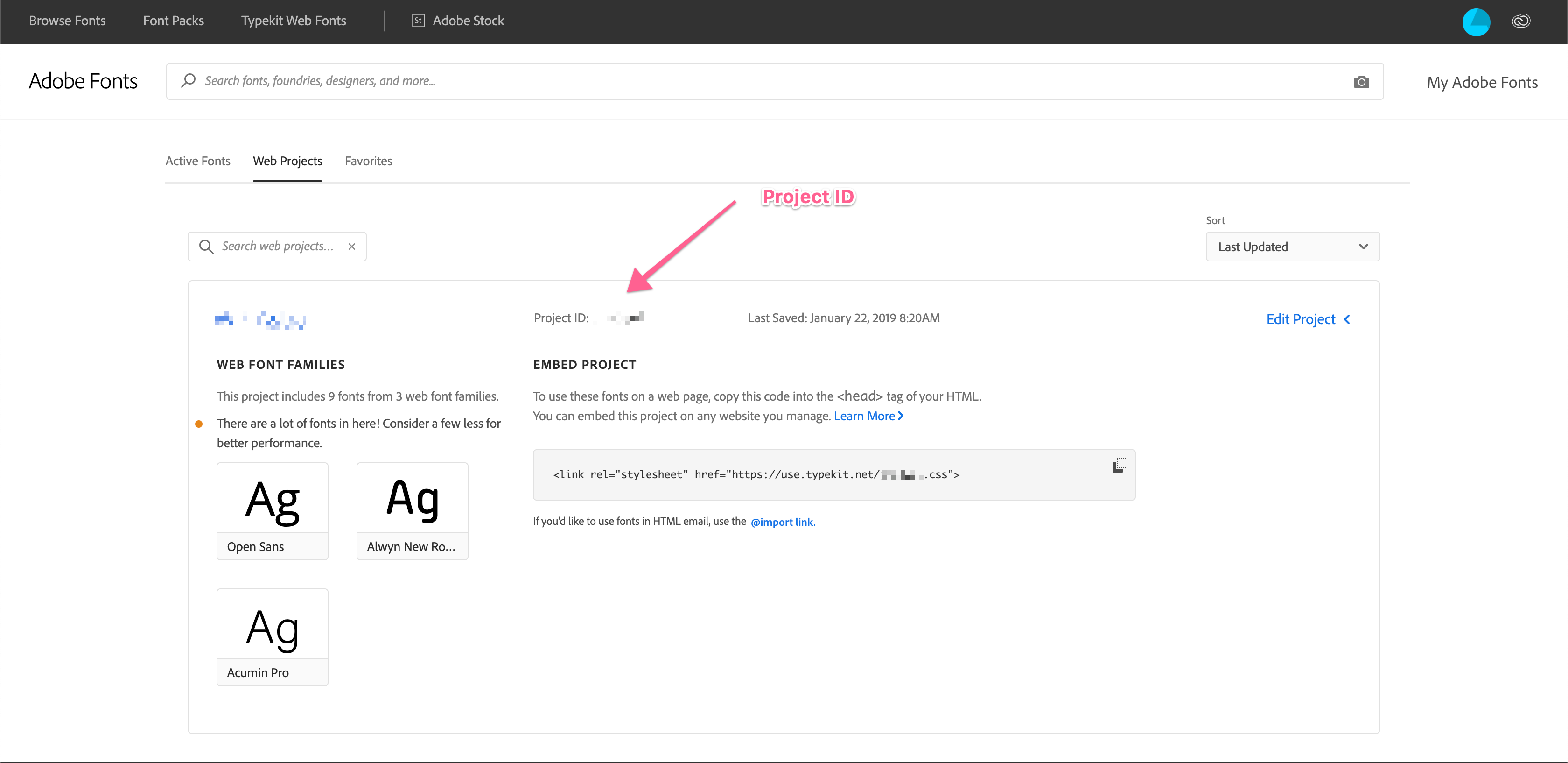
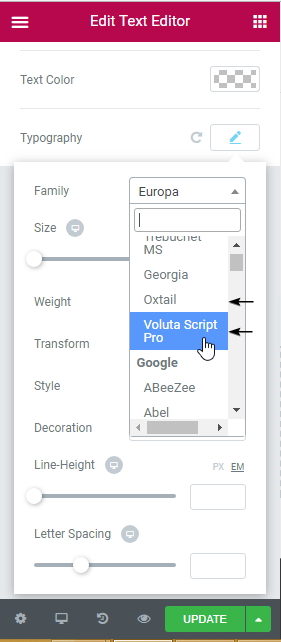
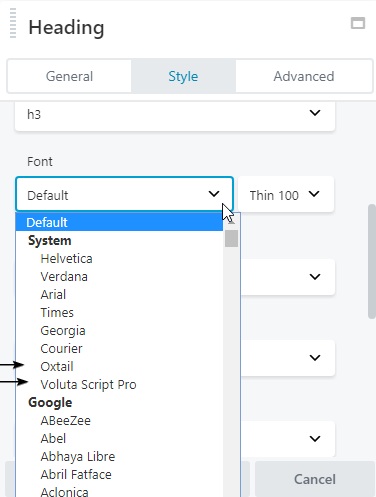
This plugin allows you to easily add Adobe fonts to your WordPress website. It currently works with the Astra Theme, Beaver Builder Theme and Plugin, and Elementor Page Builder. Simply install the plugin, enter your Project ID from Adobe fonts, and the fonts will be added to the settings of the supported plugins and theme. If you're not using any of the supported plugins and theme, you can still apply the fonts using custom CSS.Screenshots

Frequently asked questions
What does this plugin do?
This plugin helps you easily embed Adobe Fonts in your WordPress website.
Which themes and plugins does it work with?
Currently, it works with Astra Theme, Beaver Builder Theme, Beaver Builder Plugin, and Elementor Page Builder.
How does it work?
To use this plugin, you need to install it, enter the Project ID that you create in Adobe Fonts, and that's it. The fonts will be added in the settings of Astra, Beaver Builder, or Elementor.
What if I'm not using any of the supported plugins and theme?
If you're not using any of the supported plugins and theme, you can write custom CSS to apply the fonts.
Where can I try this plugin?
You can try it out on a free dummy site by visiting the link: [https://bsf.io/custom-typekit-fonts-demo](https://bsf.io/custom-typekit-fonts-demo)
Changelog
1.0.18
- Fix: Fixed compatibility with other plugins with respect to the admin notice.
1.0.17
- New: Users can now share non-personal usage data to help us test and develop better products. ( https://store.brainstormforce.com/usage-tracking/?utm_source=wp_dashboard&utm_medium=general_settings&utm_campaign=usage_tracking )
- Fix: “PHP Notice: Trying to access array offset on value of type bool” when user is migrating from 1.0.8 or lower version.
1.0.16
- Improvement: Updated warning strings incase of wrong project ID.
1.0.15
- Fix: Settings page’s sections showing markup instead of content.
1.0.14
- Improvement: Hardened the security of plugin
- Improvement: Compatibility with latest WordPress PHP_CodeSniffer rules
1.0.13
- Fix: Console errors in customizer & frontend on adobe font(TypeKit) selection.
1.0.12
- Fix: Load Custom Adobe Fonts (Typekit) menu after Astra Options.
- Fix: Console errors in customizer while selecting font.
1.0.11
- Improvement: Allow whitelabel settings to be setup from using constants when using Astra Pro.
1.0.10
- Fix: Remove typekit font from the Astra Theme’s google fonts URL.
1.0.9
- Improvement: Use CSS embed method for enqueueing TypeKit fonts. This should remove the slight delay in displaying the TypeKit fonts on the page,
- Fix: Post URL in the Block Editor goes behind the Editor Top Bar.
1.0.8
- Fixed: A few TypeKit fonts not being rendered correctly.
1.0.7
- Improvement: Enqueue typekit fonts in the block editor.
1.0.6
- Fixed: Update font name to correct font family to be rendered correctly for all the fonts.
- Fixed: Typekit fonts not rendered ccorrectly in Beaver Builder and Elementor settings.
1.0.5
- Fixed: Fatal error: Uncaught Error: Class ‘Bsf_Custom_Fonts_Taxonomy’ not found
1.0.4
- Fixed: Added Fonts in separate group for Elementor fonts & global fonts selection.
1.0.3
- New: Added compatibility with Beaver Builder Theme, Beaver Builder Plugin and Elementor.
1.0.2
- Typekit fonts support added for all themes.
- White Label support added from the Astra Pro plugin.
1.0.1
- Custom Typekit Fonts wp admin menu renamed to Typekit Fonts.
- Empty Kit notice added if there is not fonts in the Kit.
- Php waring if there is no font list handled.
1.0.0
- Initial release
