

Enables the previous "classic" editor and the old-style Edit Post screen with TinyMCE, Meta Boxes, etc. Supports all…

About CodeKit – Custom Codes Editor
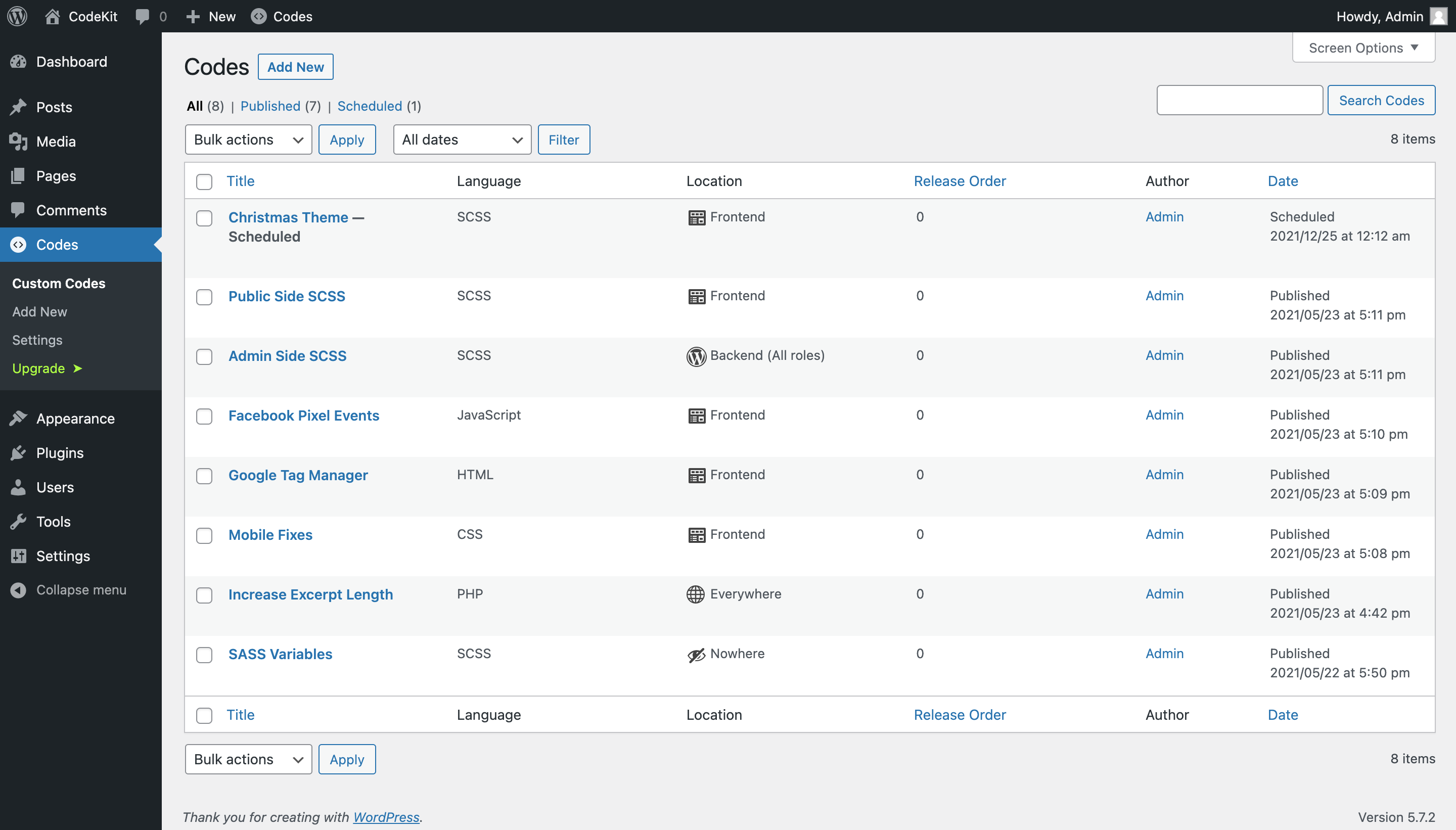
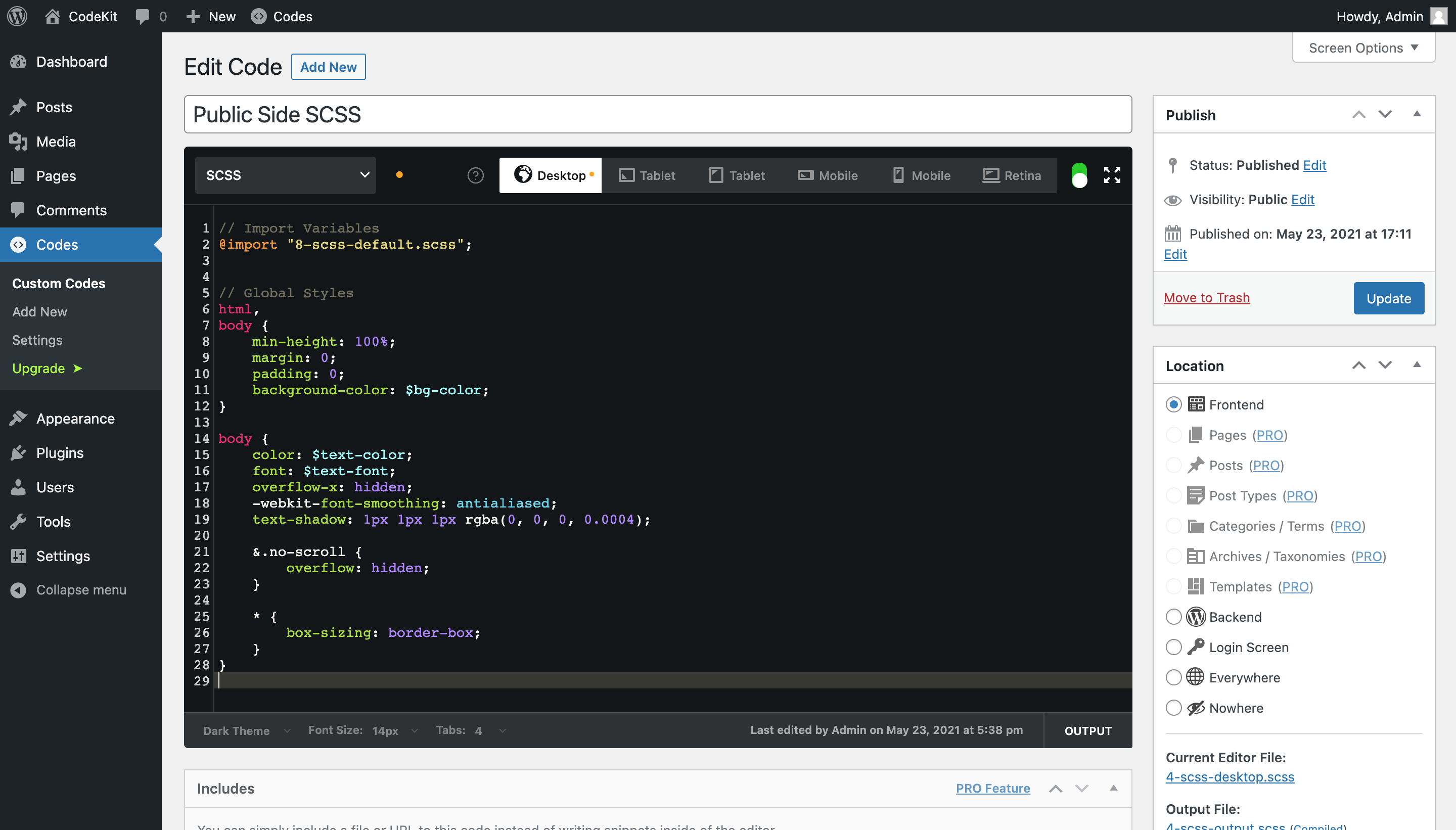
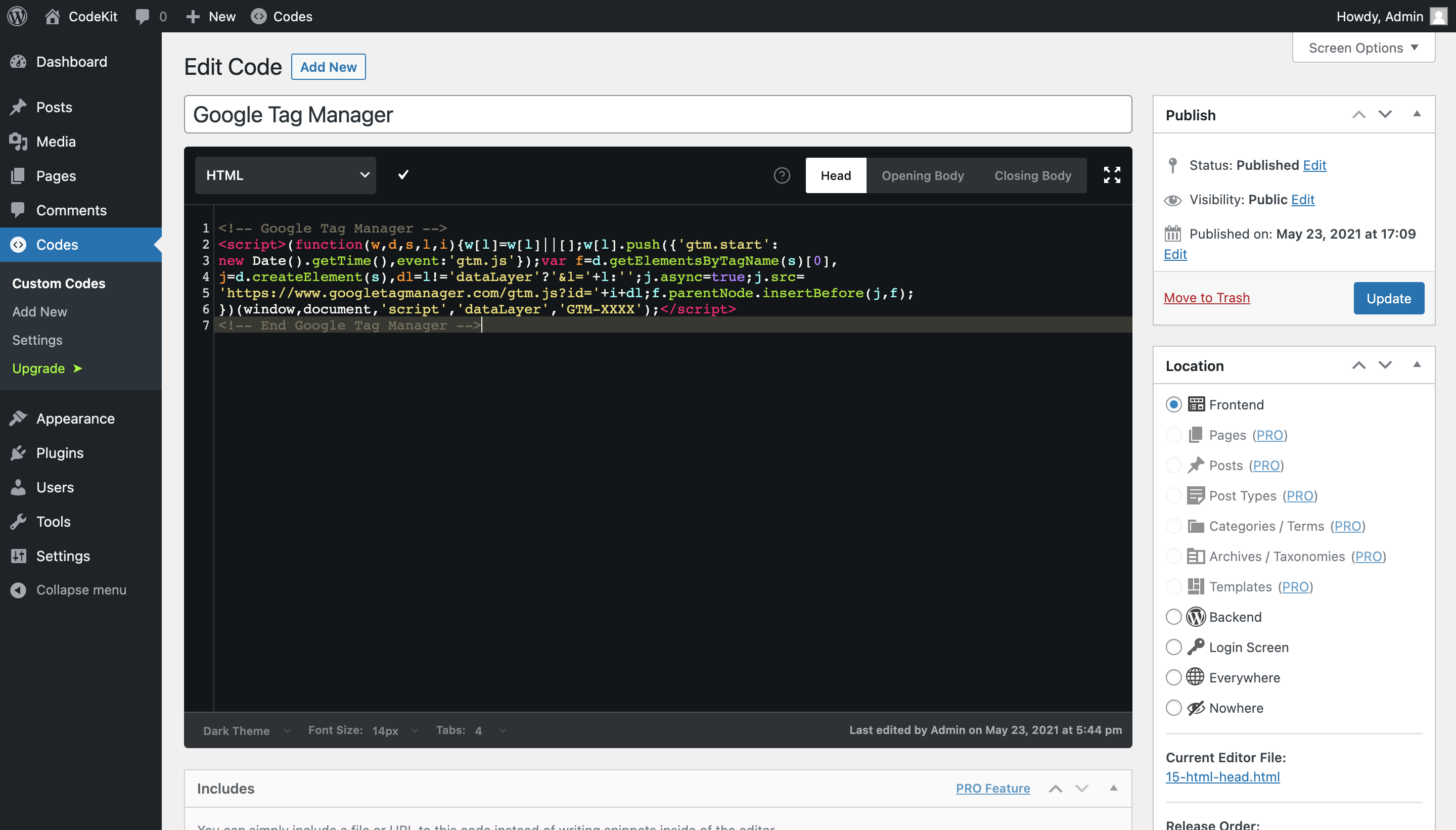
CodeKit is a plugin that allows you to add custom code to your WordPress website, including SASS, CSS, JS, PHP, and HTML. It provides an advanced code editor with syntax highlighting and autocomplete features, making it easy to make changes and add new functions to your website. The plugin also offers a Pro version with additional features like support for LESS, Stylus, CoffeeScript, and PUG, as well as advanced code release locations and code folding.Screenshots

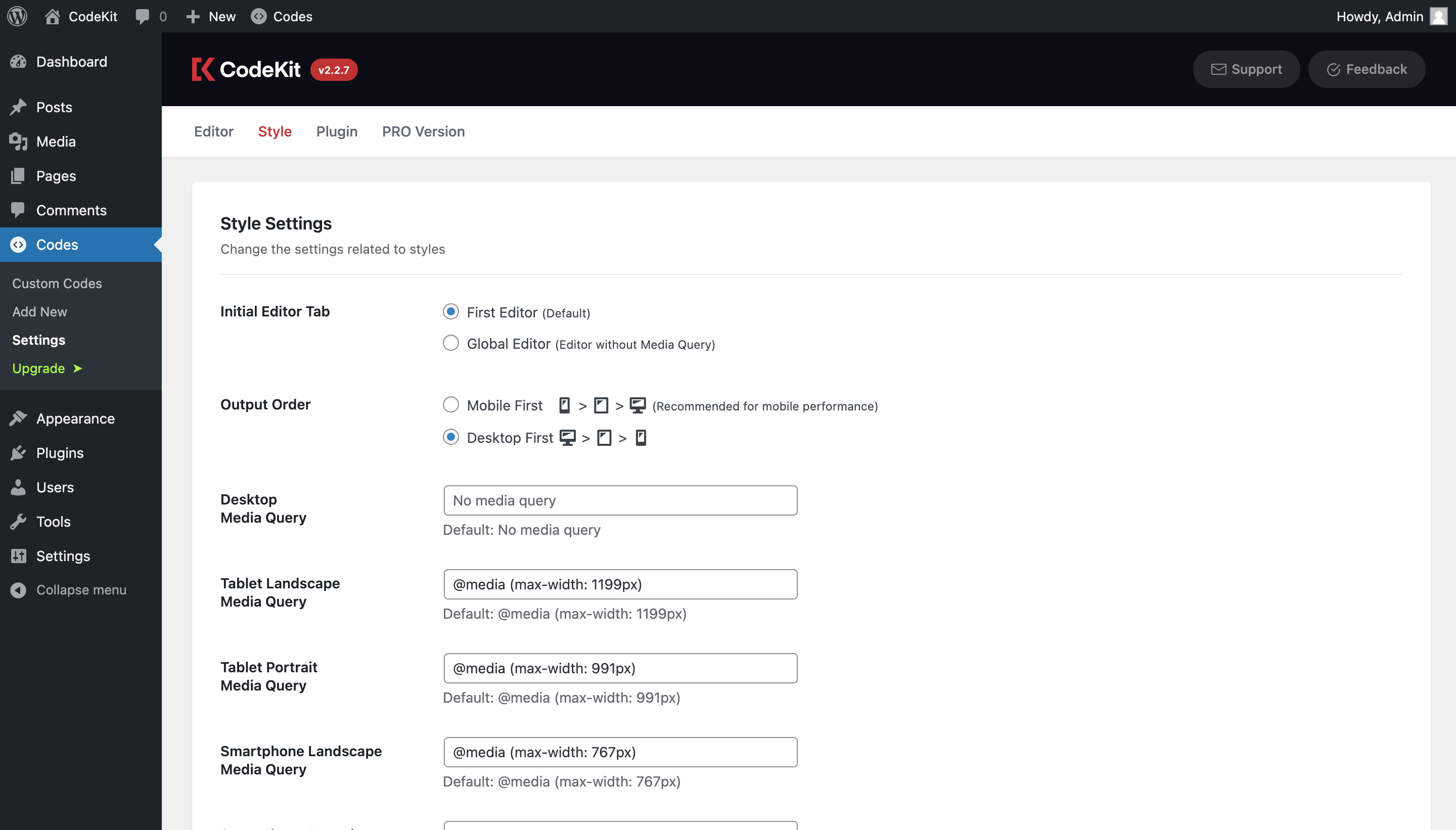

Changelog
2.3.9 (2025-02-21 05:58 EET)
- Minor fixes
- Vendor packages updated
- Tested on WordPress 6.7
2.3.8 (2024-05-06 18:17 EET)
- Minor fixes
- Vendor packages updated
- Tested on WordPress 6.5
2.3.7 (2023-12-25 19:21 EET)
- Minor fixes
- Vendor packages updated
- Tested on WordPress 6.4
2.3.6 (2023-07-08 02:07 EET)
- Freemius SDK updated
2.3.5 (2023-02-25 16:32 EET)
- Unsaved warning quick fix
2.3.4 (2023-02-25 15:42 EET)
- Tested on WordPress 6.2
- Custom login URLs detection improvements
2.3.3 (2023-02-14 20:54 EET)
- Freemius SDK updated to 2.5.3
- Login Screen location is now supporting custom login URLs
2.3.2 (2022-11-08 21:58 EET)
- Codes directory has been updated on multisite to prevent conflicts
- Old codes in common folder will be moved automatically after the update
2.3.1 (2022-11-05 03:44 EET)
- Freemius SDK updated to 2.4.5
- Tested on WordPress 6.1
- Description field added
- Codes are now duplicateable
- Bug fix related to WooCommerce Addons page issue
- Bug fix related to saving draft codes
2.3 (2022-03-07 00:23 EET)
- Freemius SDK updated to 2.4.3
- Tested on WordPress 6.0
2.2.9 (2021-09-25 23:24 EET)
- Spacing added to end of the editor
- Yarn package manager is now being used for dev
- Tested on WordPress 5.9
2.2.8 (2021-06-28 01:20 EET)
- VueJS and CodeMirror updates
- Bug fixes related to double curly braces in editor
- PHP editor description placeholder updated
- Tested on WordPress 5.8
2.2.7 (2021-05-23 18:04 EET)
- UI fixes
- Tested on WordPress 5.7.2
- Language updates
- Introduction website released (www.codekitwp.com)
2.2.6 (2021-04-22 03:22 EET)
- Bug fixes
2.2.5 (2021-04-22 02:58 EET)
- WP Filesystem API configuration error catching
2.2.4 (2021-04-19 23:16 EET)
- Fix: Disable the not working PRO languages on language switch for free users
- Tested on WordPress 5.7.1
- Default output order is now “Desktop First”
- Some translation updates
2.2.3 (2021-02-25 15:16 EET)
- Show current media query around the style editors
- Minor fixes
2.2.2 (2021-02-14 16:24 EET)
- SCSS sourcemaps are now available
- Minor fixes
2.2.1 (2021-02-07 15:02 EET)
- Bug fix related to the includes metabox
2.2.0 (2021-02-06 20:00 EET)
- Breakpoints usage switch
- Stability improvements
- CodeKit PRO is now available!
2.1.91 (2021-01-30 11:35 EET)
- Hide Codes in nav menus
- Custom Code title reflected to the page title
- Use the WP default update-post nonce
- Bug fixes and stability updates
2.1.9 (2021-01-19 17:27 EET)
- Various bug fixes, security updates, and optimizations
- Better error handling
- PHP Safe Mode with “?codes_safemode” query string
- “New Code” link on admin bar
- New shortcuts
2.1.8 (2020-12-19 00:06 EET)
- Bug fixes
- Version update on SCSS compiler
- Expanded SCSS outputs
2.1.7 (2020-12-14 21:25 EET)
- Bug fixes
- Nowhere location icon on admin columns
2.1.6 (2020-12-13 23:23 EET)
- Bug fixes
- Nowhere location for includeable codes
2.1.5 (2020-12-09 16:26 EET)
- Tested on WordPress 5.6
- Code title text on full screen
- Minor fixes
2.1.4 (2020-12-08 12:16 EET)
- Minor bug fixes
2.1.3 (2020-12-07 16:10 EET)
- Allow BRs on setting descriptions
2.1.2 (2020-12-07 15:28 EET)
- Bug that prevents saving admin roles has been fixed
- Bug fixes related to WordPress 5.4.x default option issue
2.1.1 (2020-12-07 12:57 EET)
- Quick fix
2.1.0 (2020-12-07 08:44 EET)
- Minor bug fixes
- WP Filesystem API is now being used
- WPCS Coding standards applied to all the files
- More security updates
- Performance improvements
2.0.9 (2020-12-02 17:08 EET)
- Bug fix related to the code orders
2.0.8 (2020-11-30 17:41 EET)
- Minor fixes
- New Style Setting: Initial Editor Tab
- Translation updates
2.0.7 (2020-11-25 17:59 EET)
- Bug fix that prevents plugin to be removed
2.0.6 (2020-11-22 16:27 EET)
- Editor and output file names in Location metabox
- Click to Copy file names
- Code Order moved into the Location metabox
2.0.5 (2020-11-22 13:25 EET)
- Tidy codes in current editor with “Command/Ctrl + 8”
- 100% Turkish translations
2.0.4 (2020-11-21 20:15 EET)
- Fixes the wrong permission notifications on Windows servers
2.0.3 (2020-11-20 15:50 EET)
- Different icon for global style editors
- Import old mixins as a new custom code
- Minor improvements
2.0.2 (2020-11-17 17:24 EET)
- Overlaying codes on the shortcuts box has been fixed
- Emmet abbreviations previews disabled, not to confuse with autocomplete
2.0.1 (2020-11-16 21:04 EET)
- Fixed issue that prevents opening CSS outputs
- Fixed the insecure content error message in some cases
2.0.0 (2020-11-12 19:02 EET)
- Major performance and security improvements
- New IDE UI & UX
- New settings page, with more settings
- Emmet code hints on editor
- Ability to add custom JS into the head tag, or after the opening body tag, or just before closing body tag
- Ability to add custom HTML into the head tag, or after the opening body tag, or just before closing body tag
- Ability to add custom PHP for frontend as well
- Ability to add multiple custom codes on different locations (Frontend, or Backend, or Login Page, or Everywhere)
- Ability to add backend custom codes for all roles (If not specified)
- Ability to disable any custom code
- Ability to order the codes added
- Translations are now available
1.0.2 (2019-11-7 12:02 EET)
- Tested on WordPress 5.3
1.0.1 (2018-11-16 16:49 EET)
- AutoPrefixer feature disabled for now..
1.0.0 (2018-11-16 14:53 EET)
- Tested on WordPress 5.0
- AutoPrefixer feature added!
- SASS updated
- CodeMirror updated
- Some optimizations has been made
- Minor bug fixes
0.3.7 (2018-08-31 15:15 EET)
- Tested on WordPress 4.9.8
- Open source license type changed
- Plugin URL updated
0.3.6 (2018-04-17 17:51 EET)
- Tested on WordPress 4.9.5
0.3.5 (2018-01-05 19:16 EET)
- Bug fix related to empty desktop sass file template.
0.3.4 (2017-08-10 14:04 EET)
- A small bug fix related to CSS output editor’s read-only state after saving.
0.3.3 (2017-08-03 18:53 EET)
- Old version plugin settings, roles, capabilities changes (Bug fix).
0.3.2 (2017-08-03 18:12 EET)
- Old version plugin settings, roles, capabilities changes.
- Small corrections.
0.3.1 (2017-07-07 15:51 EET)
- Prefix added to enquee IDs.
0.3.0 (2017-06-09 13:36 EET)
- Plugin moved to the WordPress.org plugin repository
0.2.2 (2017-06-02 11:40 EET)
- Removed slashes from the readme file
0.2.1 (2017-06-02 03:32 EET)
- Readme files corrections
0.2.0 (2017-05-08 17:40 EET)
- Moved to Github
0.1.9 (2017-05-08 17:14 EET)
- Version count added
- Bug fixes
0.1.8 (2017-01-24 21:07 EET)
- Some optimizations
0.1.7 (2017-01-24 14:19 EET)
- Fatal Error catcher is removed
- Plugin Update Checker updated
0.1.6 (2016-09-24 12:32 EET)
- Bug fixes
0.1.5 (2016-09-08 15:05 EET)
- Enabled error reporting for the admin_functions.php
0.1.4 (2016-09-08 12:57 EET)
- Bug fixes
- Tested on WordPress 4.6.1
0.1.3 (2016-09-06 13:21 EET)
- Bug on Google Chrome Stable 53.0.2785.89 fixed
0.1.2 (2016-09-05 13:02 EET)
- CodeMirror and Sass updated to latest versions
0.1.1 (2016-09-01 17:30 EET)
- Plugin Update Checker updated
0.1 (2016-09-01 15:43 EET)
- New ideas added
0.0.9 (2016-08-28 18:01 EET)
- Tested on WordPress 4.6
0.0.8 (2016-08-28 17:51 EET)
- Emmet features added
0.0.7 (2016-08-21 20:00 EET)
- Roles selector to show the plugin
0.0.6 (2016-08-14 01:18 EET)
- Bug fixes
0.0.5 (2016-08-14 00:58 EET)
- Bug fixes
0.0.4 (2016-08-14 00:19 EET)
- Roles selector for admin side CSS and JS
0.0.3 (2016-08-13 22:41 EET)
- Bug fixes related to tabs
0.0.2 (2016-08-13 20:29 EET)
- Bug fixes
- “Saving..” overlay added
0.0.1 (2016-06-27 14:36 EET)
- Initial commit
