

A simple plugin to update URLs or other text in a database.
About Cornerstone
Cornerstone is a plugin that enhances WordPress by improving its content management capabilities. It allows you to easily organize your posts into sections and create a more structured site. You can support the future development of Cornerstone by donating or sending a nice message to the developer.Screenshots

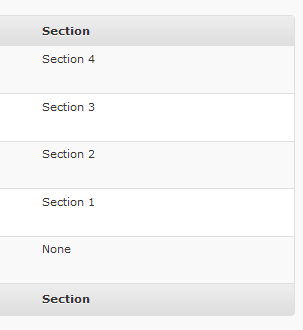
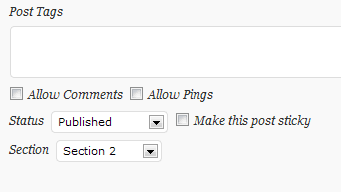
Frequently asked questions
What does Cornerstone do?
Cornerstone enhances your WordPress site by enhancing its content management capabilities.
What is a useful feature of Cornerstone?
One of the most useful features of Cornerstone is the ability to create sections and add posts to them.
How can I support Cornerstone's future development?
You can support Cornerstone's future development by donating or sending a nice message.
What are some features of Cornerstone?
Some features of Cornerstone include adding custom fields to default and custom post types, structured permalinks, and RSS for sections.
What can we expect in the future from Cornerstone?
In the future, Cornerstone plans to add template functionality and more based on user feedback.
Changelog
0.8.1
- Optimize: Confirm WordPress 6.4 Compatibility
- Optimize: Data validation/formatting
- Optimize: Internal code cleanup
0.8.0
- Update: Custom permalink structure option integration for WordPress 6.1+.
0.7.8
- Fix: Utilities:
count()used on non-Countable value. (props @nikelaos)
0.7.7
- Fix: Spelling.
0.7.6
- Add: Block editor support for Custom Post Types (CPTs).
- Update: WordPress 5.3 Compatibility confirmed.
- Update: WordPress minimum version requirement (5.3).
- Fix: Plugin initialization.
- Fix: Display/Save custom field data in post/page editor.
- Fix: Display/Save section in Quick Editor.
- Optimize: Code cleanup.
0.7.5
- Update: Use plugin-specific text domain for localized strings
0.7.4
- Add: Text Domain header for translations
0.7.3
- Fix: Registration of Media field types
- Update: Confirm compatibility with WordPress v4.3.1
0.7.2
- Update: WordPress 4.2.3 support
- Optimize: Autoload classes
- Optimize: Remove legacy PHP code
0.7.1
- Update: WordPress 3.8 support
- Update: Readme content (description, features, links)
0.7
- Update: WordPress 3.6 support
- Update: Remove deprecated jQuery code
- Update: Remove legacy shortcode code
- Optimize: Custom content types only added to main and CNR-initiated queries (Props Andy Owen)
- Optimize: Remove legacy files/code
- Optimize: Permalink structure reset when plugin activated/deactivated
- Optimize: Post Editor: Update permalink preview when section changed
- Optimize: Improved client-side file loading
- Optimize: Encapsulate client-side code
- Fix: Custom content types not displayed in sections (Unflappable Andy)
0.6
- Add: Content type support
- Add: Media support
- Add: Display tagline in home page title
- Optimize: Internal performance
- Optimize: Code cleanup
- Fix: Section not always saved
- Fix: Section posts fetched prior to checking posts’ properties
- Fix: Pagination compatibility for WordPress 3.1+
- Fix: Various bug fixes
0.5.1b
- Structure
- Fix: Section column duplication bug
0.5b
- Public beta
