

A simple plugin to update URLs or other text in a database.
About Companion Auto Update
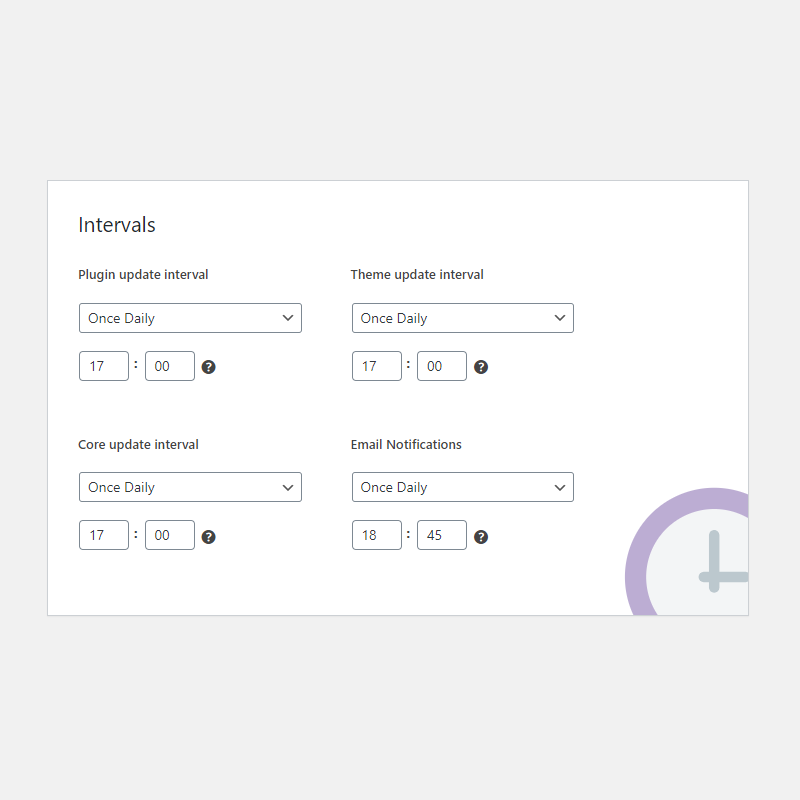
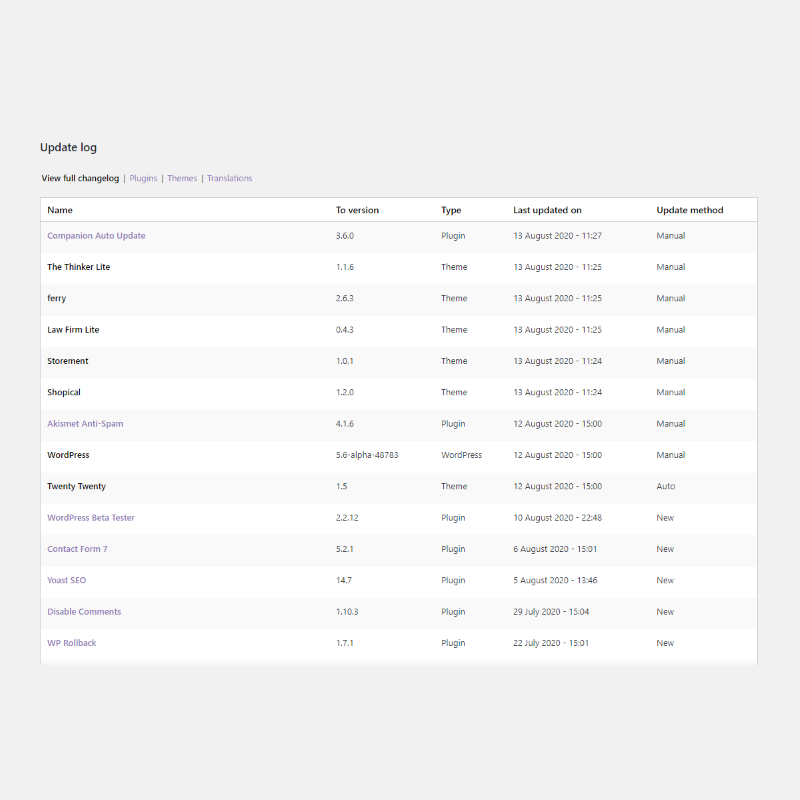
Companion Auto Update is a free plugin that helps you manage updates on your WordPress site. It offers features like automatic updating, scheduling, and email notifications to keep you informed about updates. You have full control over which updates to enable or disable, and you can also delay updates to prevent any issues.Screenshots


Frequently asked questions
What is Companion Auto Update?
Companion Auto Update is a powerful and completely free plugin that allows you to manage all the updates on your WordPress site. Our aim is to give you the best control over these updates and stay in the know at all times.
Why should I use Companion Auto Update?
We understand that you might not always be able to check if your WordPress site has any updates that need to be installed. Especially when you maintain multiple websites keeping them up-to-date can be a lot of work. This plugin can help you with that. We'll keep your site up-to-date and keep you posted about what's happening and notify you when we need your help with something.
Can I suggest a feature or idea for the plugin?
If you have a feature suggestion or idea you’d like to see in the plugin, we’d love to hear about it! Suggest a Feature
What are the main features of Companion Auto Update?
The main features of Companion Auto Update include auto-updating for plugins, themes, core and translation files, setting the time for updates, filtering plugins and themes to not be updated, receiving email notifications about old software, pending updates and completed updates, an update log with all updates, and the option to delay automatic updates with a certain number of days.
What kind of control do I have with Companion Auto Update?
With this plugin, you have full control over automatic updating for plugins, themes, WordPress core updates, and translation files. You can enable or disable auto updating for specific plugins, and even receive notifications for updates for those plugins so you can manually update them.
Changelog
3.9.2 (June 11, 2024)
- Fixed some more undefined variables
- Declared support for WP6.5
3.9.1 (March 8, 2024)
- Fixed: Undefined variable $totalNum
3.9.0 (February 2, 2024)
- Fixed: Fatal error during Cron
- Fixed: PHP deprecated error for PHP 8 and up
3.8.9 (January 9, 2024)
- Fixed error: Call to undefined function is_plugin_active()
3.8.8 (December 19, 2023)
- Fixed a few minor bugs
- Made some performance improvements
- We now require at least WordPress 5.3
3.8.7.1 (September 28, 2022)
- Tweak: Extended function_exists check with get_plugins() for the fatal error when trying to send update emails
3.8.7 (September 12, 2022)
- Fix: Fatal error when trying to send update emails
3.8.6 (August 11, 2022)
- Tweak: Code optimization for better performance
3.8.5 (March 17, 2022)
- New: Added more checks on the status page and added an explanation to some of them.
- New: Added an list of delayed updates on the status page to help with troubleshooting.
- Tweak: Made some improvements to the update delay feature.
- Tweak: Added a notice to explain that update delay does not work with WordPress update currently.
- Tweak: Improved code on the status page to be more reliable.
3.8.4 (February 2, 2022)
- Tweak: Fixed a few styling errors with WP5.9
3.8.3 (December 9, 2021)
- New: Plugin update e-mails now have an option to link to a few important pages
- Fix: Error: Undefined index: dbupdateemails
- Fix: Error: A non-numeric value encountered
3.8.2 (July 1, 2021)
- Fix: Error: Call to undefined function get_plugin_updates()
3.8.1 (June 4, 2021)
- New: Be notified when we need your help updating to a new database version Feature Request
- Tweak: Made some under the hood performance improvements
3.8.0 (January 14, 2021)
- New: Better handling of plugins with an unknown WP version
- New: More intervals for notifications
- Fix: Call to undefined function errors
3.7.1.1 (November 2, 2020)
- Fix: Type in wp_next_scheduled
3.7.1 (October 30, 2020)
- Fix: PHP Warning: strtotime() expects parameter 2 to be integer, string given
3.7 (September 8, 2020)
- New: Delay updates with an x number of days
- New: Be notified of plugins that have not been tested with the latest 3 major releases of WordPress.
- New: Choose to see more info in the emails (like the time at which the update happened)
- Fix: “Contact for support” button will work again
- Fix: Fixed a few PHP errors
- Tweak: Made improvements to the “Fix it” button for the “All automatic updates are disabled” error.
- Tweak: You can now choose to ignore the “Search Engine Visibility” and “Cronjobs” warnings
- Tweak: Reports on the Site Health page will only show a summary and point to the status page for more information and possible fixes
- Tweak: Removed cronjob check and Search Engine Visibility check from site health
- Tweak: E-mails are now fully translatable
- Tweak: Renamed Core notifications to WordPress notifications
- Tweak: WordPress plugin and theme update notifications are now disabled
Also: Check out what features we’re working on at our blogpost
3.6 (August 12, 2020)
- New: Added an “after core update” hook More info
- New: Select which userroles can access settings. (Defaults to only administrators)
- Tweak: Added Theme and Core update method the log
- Tweak: Few WordPress 5.5 improvements
3.5.5 (August 5, 2020)
- Fix: Added better multisite support
- Tweak: We’ve added a bunch more checks to the status page and you can now see more passed checks.
- Support for WordPress 5.5
3.5.4.1 (June 20, 2020)
- Fix: Sometimes the hour settings for intervals wouldn’t show up
3.5.4 (June 19, 2020)
- New: See translations in the update log
- New: We’ve added a few checks to WordPress’ Site Health page
- Fix: Error with Companion Auto Update Database Update
- Fix: Schedule interval duplicates
3.5.3 (June 5, 2020)
- New: We’re working on a better update log. You should see the Update method (Manual/Automatic) in the log now. (Only works for Plugins right now)
Please report any issues with this feature over at our sticky post: Problems with the Update method in the new update log? - Fix: Not able to see checks in boxes (reverted back to before it all went wrong)
- Fix: Error date_default_timezone_set(): Timezone ID +00:00 is invalid
- Tweak: The status tab will no longer show turned-off settings as an error
- Tweak: Made some improvements to the “Update pending” emails, you can now see a list of all pending updates and go directly to the update page.
3.5.2 (April 1, 2020)
- Fix: Not able to see checks in boxes
3.5.1 (March 25, 2020)
- Tweak: You seem to like the new dashboard, we’ve fixed a few issues regarding the responsiveness of the design. We’ve also tweaked the icons to be a bit more transparant.
- Tweak: We’ve added the release notes link to Plain text emails
- Tweak: Fixed a few typos
- Tweak: Various minor security improvements
3.5.0 (March 5, 2020)
- New: In version 3.4.6 we’ve changed to HTML emails rather than plain text, in this version you can opt to change it back to plain text emails
- Fix: We’ve ‘fixed an issue where on occasion nothing would update
- Tweak: Made some improvements to the “Fix it” button for the AUTOMATIC_UPDATER_DISABLED error
- Tweak: We’ve changed the dashboard, moved both the settings page and de support page to the dashboard. Please let us know if you like this change or not.
- Bug: We’ve had to (temporarily) disable the theme filter because it was causing issues on some installations. We’ll try to get it working again in a future update.
