

Enables the previous "classic" editor and the old-style Edit Post screen with TinyMCE, Meta Boxes, etc. Supports all…

About Style Kits – Advanced Theme Styles for Elementor
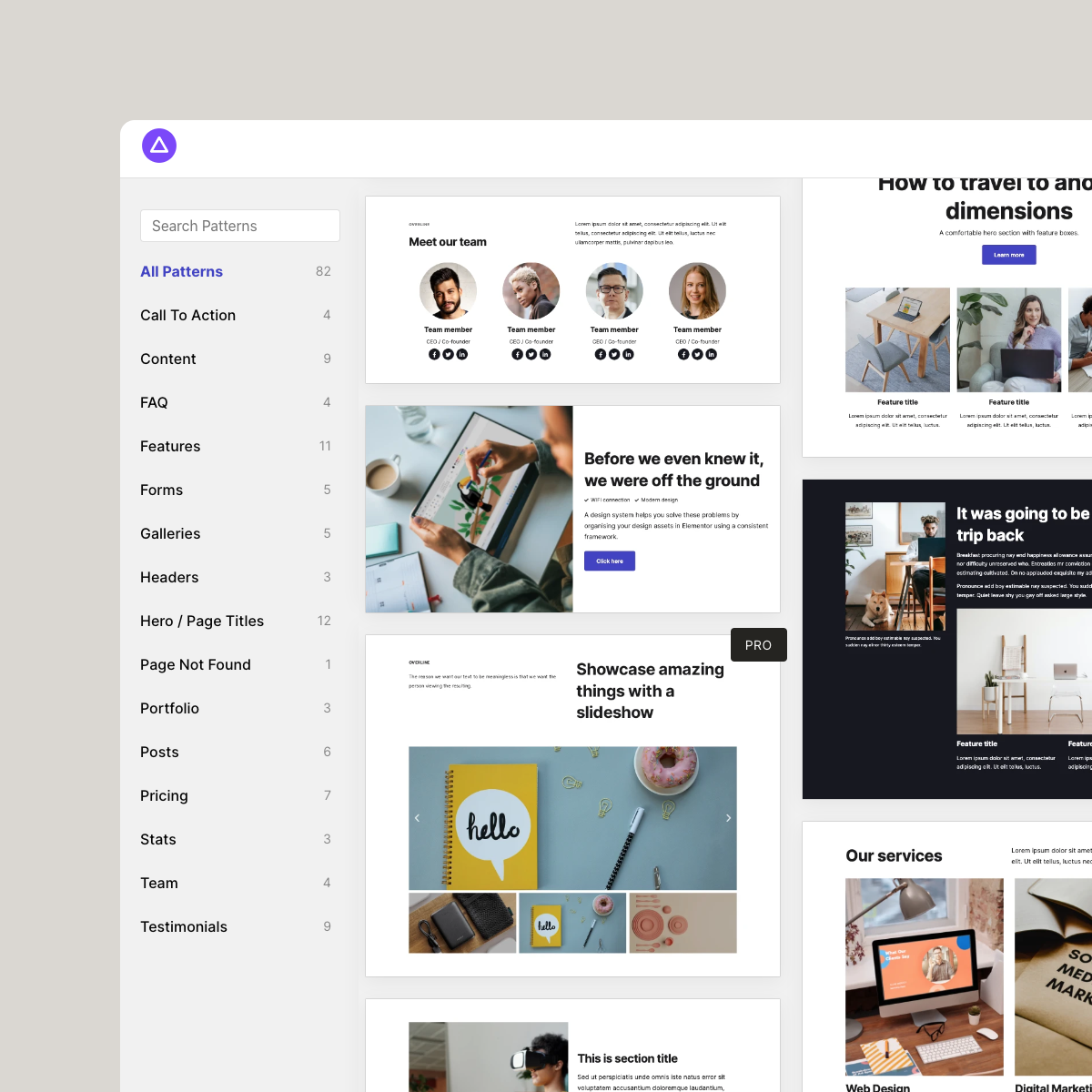
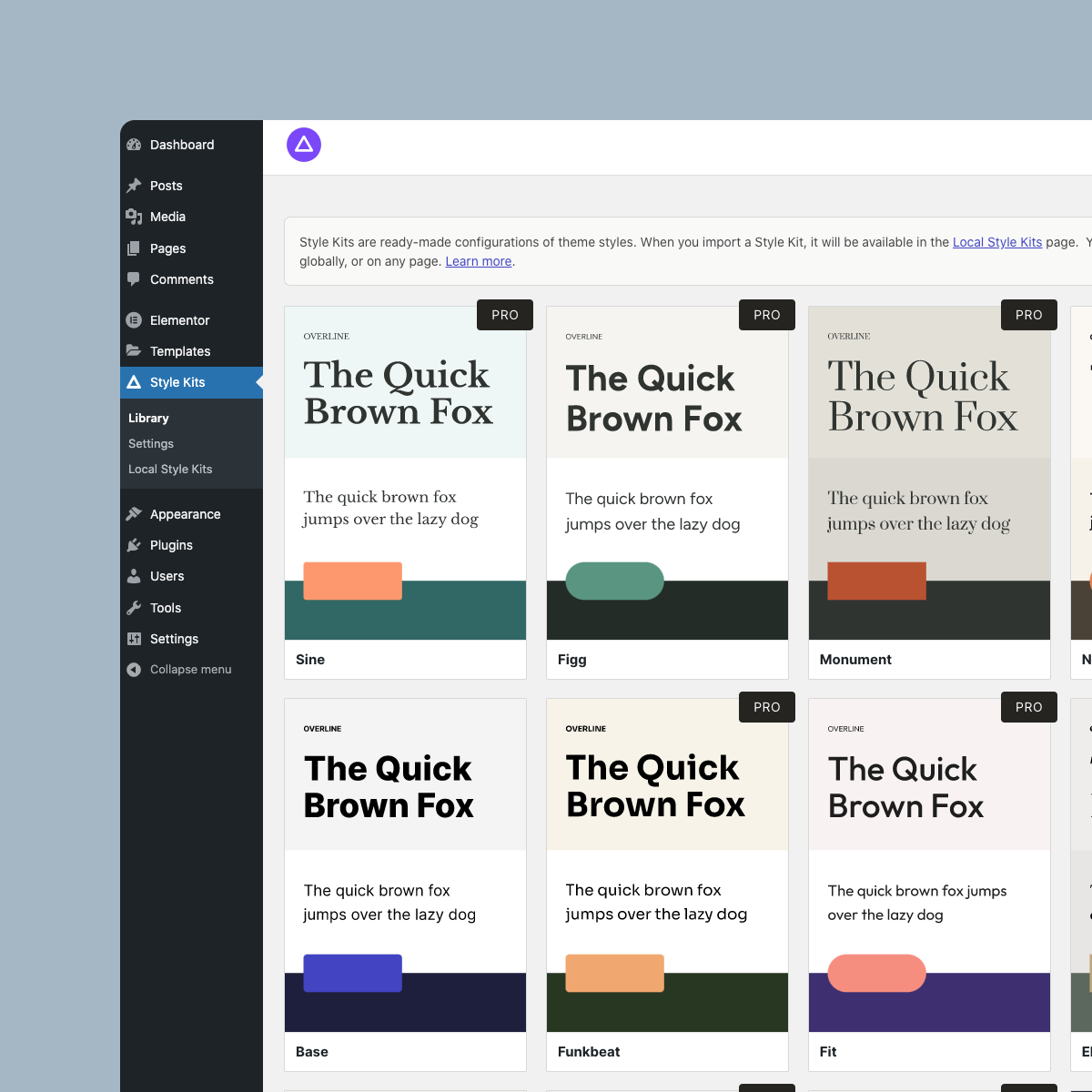
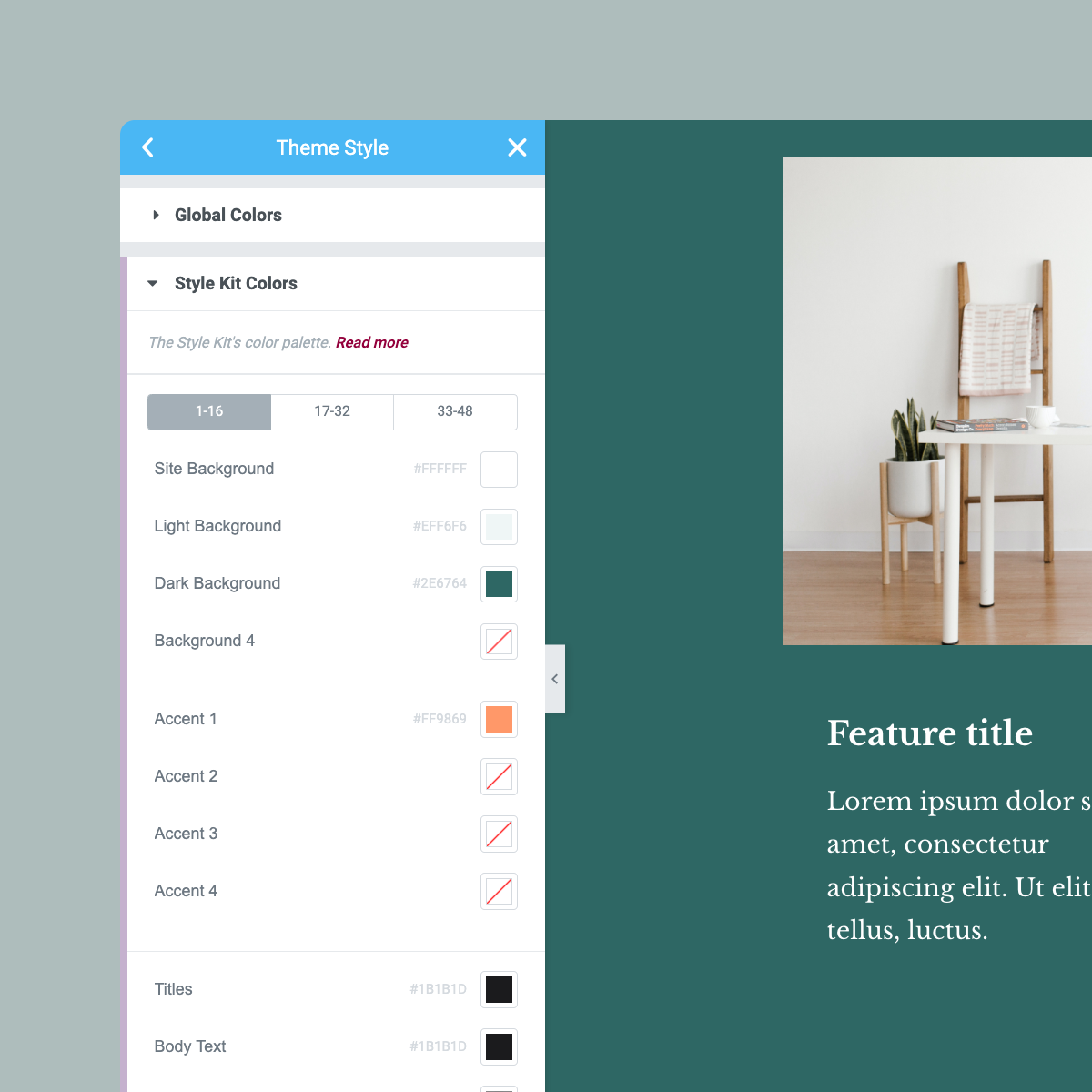
Style Kits for Elementor is a new plugin that enhances the design capabilities of Elementor with global design controls and a library of pre-made theme style presets. It also includes an advanced container-based pattern library that simplifies the layout-building process. With Style Kits Pro, you get unlimited access to all features and tools to improve your design workflow.Screenshots


Frequently asked questions
What is Style Kits?
Style Kits is a WordPress plugin that enhances Elementor's theme styles with advanced global design controls and introduces a container-based pattern library. It helps create a design framework for consistent websites with Elementor.
What are theme style presets?
Theme style presets are pre-configured typography, colors, and spacing settings that can be imported to give your Elementor website a different look. You can use them as a starting point, customize them, or create your own.
What is the Elementor Pattern library?
The Elementor Pattern library is a collection of mix-and-match patterns built with Elementor flexbox containers and native widgets. These patterns automatically adapt to your global theme styles, facilitating layout building.
What global design controls does Style Kits offer?
Style Kits adds extra UI controls to the Theme Styles editor for aspects like global Style Kit fonts, global Style Kit colors, and container padding. It also allows managing container spacing globally and adjusting button styles per size.
Can I import and export style presets?
Yes, Style Kits allows you to import and export style presets across different sites.
Changelog
2.3.3 – January 27, 2025
- New: Custom Library promo at Settings sidebar
- Fix: Style Kits library icon showing greyed out icon at Elementor Editor screen
- Improvement: Update Freemius to the latest version
- Improvement: Other minor code changes
2.3.2 – January 16, 2025
- Fix: Inline kit data at widgets not including page kit data
- Fix: Add body class when global kit class is missing, mostly on pages with page kit
- Fix: Avoid kit shadow presets getter from running on frontend, as per support ticket props to @baraklevy
- Improvement: Compatibility with Elementor v3.26.5 and Elementor Pro v3.26.3
- Improvement: Updated translation files
- Improvement: Other minor code changes
2.3.1 – December 07, 2024
- Fix: Onboarding not working in some cases
- Fix: Library showing Non-container based templates when Container feature is set to default
- Improvement: Updated translation files
- Improvement: Other minor code changes
2.3.0 – December 06, 2024
- New: Button Sizes/Styles back to Active features
- New: Heading Sizes/Styles back to Active features
- Improvement: Reset and enable size control for Button and Heading widgets
- Improvement: Set minimum PHP required version back to v7.4
- Improvement: Updated translation files
- Improvement: Other minor code changes
2.2.3 – November 27, 2024
- Improvement: Other minor code changes
2.2.2 – November 27, 2024
- Fix: New license switch causing Pro template imports to fail
- Fix: Old templates library not showing templates on page load
- Improvement: Other minor code changes
2.2.1 – November 25, 2024
- New: Freemius Addons page at admin
- Fix: Manual container padding overrides not working #673
- Improvement: Enables box shadow presets in nested containers #674
- Improvement: Remove old migrations till v1.5 and DOM optimization class target for El v3.19 and down
- Improvement: Other minor code changes
- Improvement: Compatibility with Elementor v3.25.10 and Elementor Pro v3.25.4
2.2.0 – Novemeber 19, 2024
- New: Freemius integration for licensing and payments
- New: Adds notices for Freemius migration conditionally to existing EDD based SK Pro users
- Improvements: Remove unused code
- Improvements: Other major code changes
- Improvements: Compatibility with WordPress v6.7
- Improvements: Compatibility with Elementor v3.25.7 and Elementor Pro v3.25.3
2.1.0 – August 22, 2024
- Fix: Fixed an issue where in some cases the patterns would not load in the library
- Fix: React throwing
regenerator-runtimeissue at pattern library - Fix: Fixed an issue with google fonts causing a fatal error
- Fix: Fix
countfunction throwing an error on null values - Improvements: Changed the way that pattern thumbnails are served
- Improvements: Includes a migration upgrader to sync library
- Improvements: Compatibility with latest elementor version
- Improvements: Compatibility with WordPress v6.6.1
- Improvements: Compatibility with Elementor v3.23.4 and Elementor Pro v3.23.3
- Improvements: Updated translation files
- Improvements: Other minor code changes
2.0.9 – April 19, 2024
- New: Deprecate Button Sizes Panel in support of new changes from Elementor v3.20.0
- New: Move Button sizes at Style Kits Panel to legacy section
- New: Show “Edit in stylekits” button prior to Elementor v3.20.0
- Fix: Legacy Column gaps not workin due to always active DOM optimization (props @marian-kadanka)
- Improvements: Improve SK Container experiment -> feature dialogues
- Improvements: Compatibility with WordPress v6.5.2
- Improvements: Compatibility with Elementor v3.21.1 and Elementor Pro v3.21.0
- Improvements: Updated translation files
- Improvements: Other minor code changes
2.0.8 – December 08, 2023
- New: Bumped minimum WordPress and Elementor required versions to v6.0 and v3.10.0 respectively
- Fix: Fix typography controls deprecated schemes
- Fix: Minimum system requirements checkers
- Improvements: Compatibility with Elementor v3.18.2 and Elementor Pro v3.18.1
- Improvements: Other minor code changes
2.0.7 – December 04, 2023
- Fix: Cannot add a control outside of a section at Typography Section in Kit Settings
- Improvements: Compatibility with Elementor v3.18.0 and Elementor Pro v3.18.0
2.0.6 – September 16, 2023
- New: Added support for spacing presets and bg classes in nested containers
- Fix: Inline padding values being respected in Containers
- Fix: Nested containers taking spacing styles from parent
- Improvements: Compatibility with Elementor v3.16.3 and Elementor Pro v3.16.1
- Improvements: Compatibility with WordPress v6.3.1
- Improvements: Updated translation files
- Improvements: Other minor code changes
2.0.5 – July 10, 2023
- New: Added new method to support Kit Import/Export via Local Kits library
- Fix: Warnings at editor for missing
active_breakpointsdata in kits - Fix: Warning at Kit trashing action for string interpolation
- Improvements: Compatibility with Elementor v3.14.1 and Elementor Pro v3.14.1
- Improvements: Compatibility with WordPress v6.2.2
- Improvements: Updated translation files
- Improvements: Other minor code changes
2.0.4 – May 18, 2023
- Fix: Missing translation strings
- Improvements: Remove unused utility functions
- Improvements: Compatibility with Elementor v3.13.2 and Elementor Pro v3.13.1
- Improvements: Compatibility with WordPress v6.2.1
- Improvements: Updated translation files
- Improvements: Other minor code changes
2.0.3 – April 19, 2023
- New: Starter Kit downloads at the settings page
- Fix: Global kit issues when it is not in sync with the active kit
- Fix: Dialog widgets appearing unstyled in the editor
- Improvements: Toast styles for kit changes in the editor
- Improvements: Compatibility with Elementor Pro v3.12.2
- Improvements: Updated translation files
2.0.2 – April 05, 2023
- New: Preselect pattern category based on theme builder template type
- New: Updated size units for controls with newly supported units such as rem, vw, custom
- New: Bumped minimum WordPress and PHP required versions to v5.9 and v7.0 respectively
- Improvements: Updated client-side React dependency to support v18 with Backwards compatibility
- Improvements: Compatibility with WordPress v6.2.0
- Improvements: Compatibility with Elementor v3.12.1 & Elementor Pro v3.12.1
- Improvements: Updated translation files
2.0.1 – Feb 14, 2023
- Fix: Issue with undefined documents in some rare cases
- Improvements: Compatibility with Elementor v3.11.0 & Elementor Pro v3.11.0
- Improvements: Remove unused code
2.0.0 – Feb 04, 2023
- New: Kit trashing and confirmation page from Local Kits screen
- New: Settings toggle for Legacy features
- New: Rearranged the Style Kits panel for legacy features
- New: Add pattern plugin requirements warning and hide Woo patterns if unfulfilled
- Improvements: Updated Settings sidebar form and Promo page
- Improvements: Code cleanup and improve uninstall process
- Improvements: PHP 8.1 Compatibility
- Improvements: Compatibility with Elementor v3.10.2 & Elementor Pro v3.10.3
- Improvements: Synchronisation of version numbers for Style Kits free and Pro (2.0)
- Fix: Deprecated dynamic tags hook
- Fix: Deprecated params at finder shortcuts
- Fix: Incorrect feature links for docs
- Fix: Updated translation files
1.9.8 – November 30, 2022
- Fix: Failed redirects after assigning a global kit at Local Kits page
1.9.7 – November 29, 2022
- Fix: Library sidebar is not scrollable
- Fix: Accent background appears in dropdown even if PRO is not active
- Fix: Onboarding wizard shows all items completed regardless of toggled actions
1.9.6 – November 25, 2022
- New: Onboarding wizard for simpler setup
- New: Translation support for JS files
- Improvements: Revamped Kit “Save as” feature to “Clone Kit”
- Improvements: Remove feature image from Kit imports
- Improvements: Compatibility with Elementor v3.8.1 & Elementor Pro v3.8.2
- Improvements: Compatible up to WordPress v6.1.1
1.9.5 – November 04, 2022
- New: Container-based Pattern library experiment
- New: Library UI v2
- New: Style Kit Global Colors and Fonts now in stable
- New: Default labels and values for Global Colors, Fonts, Container Spacing and Shadows
- New: Add SVG support and toggle at settings
- Improvements: Define Global Style Kit on the new Local Style Kits page
- Improvements: Migrate existing Global Colors, Fonts, and Container Spacing with new defaults and format
- Improvements: Remove outdated onboarding screen
- Improvements: Improved loading sequence when switching Style Kits on pages
- Improvements: Add Box shadows control to Image widget borders
- Improvements: Unused code cleanup
- Improvements: PHP 8 Compatibility
- Improvements: Compatibility with Elementor v3.8.0 & Elementor Pro v3.8.0
- Improvements: Compatible up to WordPress v6.1
- Fix: Quick edit and bulk quick edit for applying Style Kits
- Fix: Plugin throwing warning at activation when Elementor is not installed/active
- Fix: Update Box shadows CSS classes in support with Elementor v3.8.0
- Fix: Rating notice appearing on new installs
1.9.4 – August 31, 2022
- Fix: Potential fatal error at custom kit usage checker (props to Mark Westguard)
- Fix: Promotions teaser template warnings (props to Mayur Thakkkar)
- Improvements: Compatibility with Elementor v3.7.3 & Elementor Pro v3.7.4
- Improvements: Compatible up to WordPress v6.0.2
1.9.3 – August 26, 2022
- New: Additional controls for Global fonts and colors in a tabbed layout
- New: Additional Container Spacing controls in a tabbed layout
- New: Global Shadow presets now in Style Kits free
- New: Show a redirect hint to Container Spacing at Elementor Layout site settings
- Improvements: Update Container Spacing presets to work with the new Default Elementor padding
- Improvements: Conditionally only load Container Spacing and Shadow presets with values at widgets
- Improvements: Migrates old Shadows and Container Spacing controls to the new multi-tab controls
- Improvements: Compatibility with Elementor v3.7.2 & Elementor Pro v3.7.3
- Improvements: Compatible up to WordPress v6.0.1
- Fix: Background classes presets not working
- Fix:
elementorDevToolsnotice at console due to deprecated $control_id param at Control registrations - Fix: Section redirect script at Site settings
- Fix: Kit reset action not working
1.9.2 – June 24, 2022
- New: Added Kit sizes helper links at Heading & Button widgets
- New: Added default values for Container spacing presets
- Improvements: Show Style Kit colors & fonts links at Contextual popup with respect to active experiments
- Improvements: Reset actions now directly take you to their respected sections
- Improvements: Remove section titles & revise labels from Style Kit fonts
- Improvements: Remove section titles from Style Kit colors
- Fix: Style Kit font presets reset button not working
- Fix: Contextual links now directly take you to their respected sections
1.9.1 – June 18, 2022
- New: Add “Edit Style Kit Fonts” link to the context menu
- New: Add “Edit Style Kit Colors” link to the context menu
- New: Added Container Background Classes experiment to stable
- Experiments: Added Style Kits Global Fonts experiment
- Experiments: Added Style Kits Global Colors experiment
- Improvements: Rename Style Kit’s last section to “Manage Style Kit”
- Improvements: Compatibility with Elementor v3.6.6 & Elementor Pro v3.7.2
- Improvements: Compatible up to WordPress v6.0
- Fix: Kit Settings section redirect not working
1.9.0 – May 11, 2022
- New: Added Experiments tab at Style Kits Settings
- Experiments: Added Flexbox Container Padding control presets to tweak container padding
- Experiments: Added Flexbox Container Style Kits Background Classes preset to tweak container styles
- Fix: Elementor kit imports not working
- Improvements: Compatibility with Elementor v3.6.5 and Elementor Pro v3.7.0
1.8.5 – April 13, 2022
- Fix: Editor not loading due to a deprecated class (h/t Ryan HS#5914 )
- Fix: Improve CSS export handling using the newer Clipboard API with backwards compat
- Improvements: Compatibility with Elementor v3.6.3 & Elementor Pro v3.6.5
- Improvements: Compatible upto WordPress v5.9.3
1.8.4 – Feb 08, 2022
- Fix: Template imports not working
- Improvements: Compatibility with Elementor Pro v3.6+
1.8.3 – Jan 24, 2022
- New: Compatible up to WordPress v5.9
- New: Elementor required version is now v3.5+
- Fix: Column gaps not working with fresh installs and Optimized DOM feature
- Fix: Required Elementor version notice update link not working
- Improvements: Compatibility with Elementor v3.5+ & Elementor Pro v3.5.2
- Improvements: Remove unused Google fonts class
1.8.2 – June 14, 2021
- New: Compatible up to WordPress v5.7.2
- Fix: Kit re-saving control not working as expected
- Improvements: Fix fatal error at search/archive pages for Elementor based pages (h/t Anthony HS#5639)
- Improvements: Compatibility with Elementor v3.2+ & Elementor Pro v3.3
1.8.1 – Feb 12, 2021
- Fix: Issue with nonce verification when quick editing a post/page
1.8.0 – Jan 30, 2021
- New: Self updating Google fonts library, updated every 24 hours
- Fix: Horizontal line glitch in template library at Elementor editor popup
- Fix: Fix Elementor menus not showing up at site settings
- Improvements: Added Elementor 3.1 compatibility tags
- Improvements: Detect DOM optimization key in Elementor 3.1 and prior version to work accordingly
