

Improve your WordPress SEO: Write better content and have a fully optimized WordPress site using the Yoast SEO…

About Ivory Search – WordPress Search Plugin
Ivory Search is a powerful WordPress search plugin that enhances the default search function and allows you to create custom search forms. You can create unlimited search forms and customize each one individually, and display them anywhere on your site using shortcodes. The plugin also offers features like AJAX search, search analytics, and the ability to search specific content types. Some advanced features are available in the premium version of the plugin.Screenshots


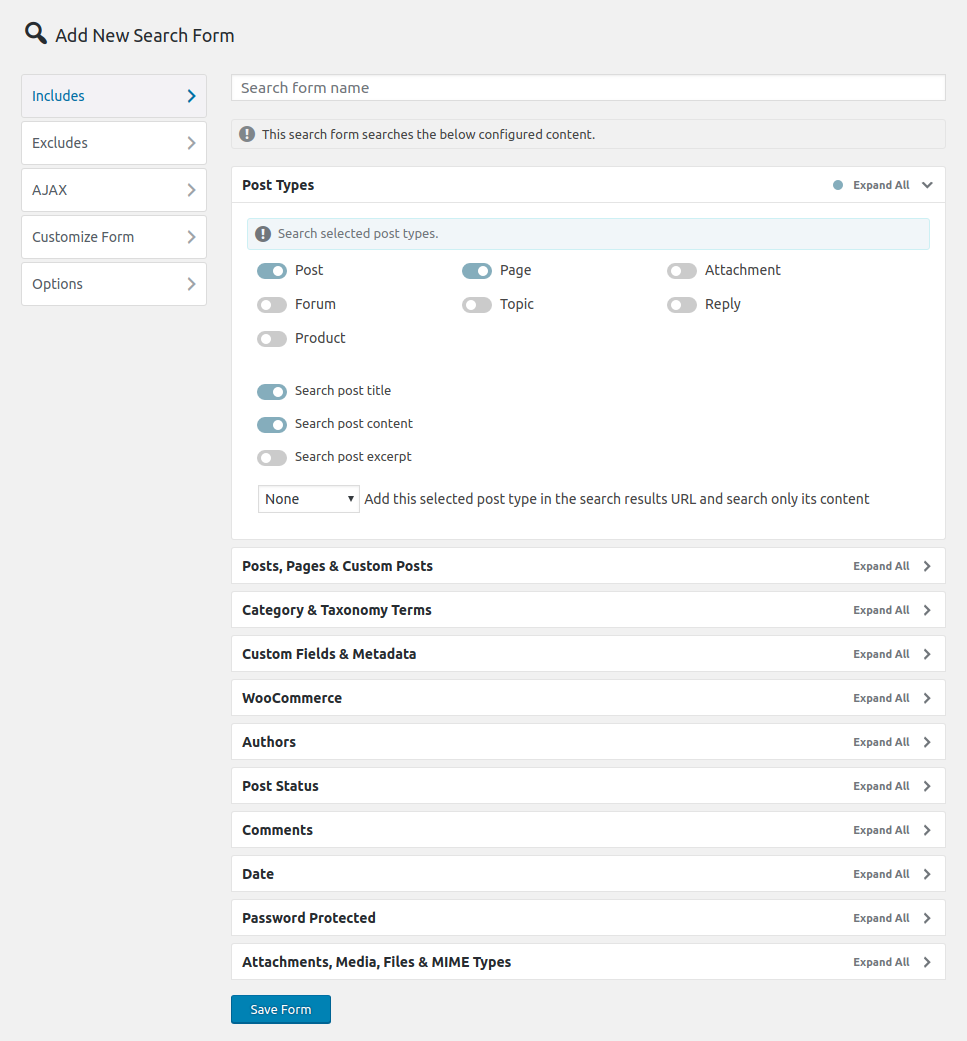

Frequently asked questions
What is Ivory Search?
Ivory Search is an advanced WordPress search plugin that enhances the default WordPress search and allows you to create new custom search forms. It provides features like WooCommerce Search, AJAX Search, and Live Search support.
What are some key features of Ivory Search?
Key features include faster search with an inverted index-based search engine, the ability to index and search shortcode contents, and searching WooCommerce products, images, files, and attachments. Users can also customize search forms, use AJAX search, and track searches in search analytics.
Can I create multiple search forms with Ivory Search?
Yes, you can create an unlimited number of search forms and configure each one individually to customize WordPress search and perform different types of searches.
Where can I display the custom search forms?
You can display custom search forms on your site's header, footer, sidebar, widget area, navigation, menu, pages, posts, custom post types, or anywhere on the site using its shortcodes.
Does Ivory Search support multilingual websites?
Yes, Ivory Search supports multilingual search and integrates with popular multilingual plugins like Weglot, Polylang, and WPML.
Changelog
5.5.9
- Updated – Freemius SDK 2.11.0
5.5.8
- Updated – Freemius SDK 2.9.0
5.5.7
- Fixed – Searching content of password protected posts
- Fixed – Warning: Undefined variable $replacement
- Added – Button role to menu search icon to improve accessibility
- Updated – Freemius SDK 2.7.4
5.5.6
- Fixed – Missing Authorization to Authenticated (Subscriber+) Index Creation
- Updated – Freemius SDK 2.7.0
5.5.5
- Fixed – Synonym word searching was case-sensitive
- Updated – Freemius SDK 2.6.2
5.5.4
- Fixed – Error: Call to undefined function mysql_get_server_info
- Fixed – Passing args to wc_get_product is deprecated
- Updated – Freemius SDK 2.6.0
5.5.3
- Added – WooCommerce High-Performance Order Storage (HPOS) Compatibility
- Updated – Freemius SDK 2.5.12
5.5.2
- Fixed – Plugin option “Index posts marked as ‘No Index’ in Yoast SEO” not working.
- Fixed – Plugin option “Do not use Default Search Form to control WordPress default search functionality”
- Updated – Freemius SDK 2.5.10
5.5.1
- Updated – Freemius SDK
5.5
- Updated – Freemius SDK
- Moved – Custom CSS code from website footer to header.
- Moved – Customizer CSS code from form tag to header.

