It’s been an exciting few months since the launch of InstaWP v3, our biggest release yet, packed with native hosting, flexible site plans, and powerful dev tools. But we’ve been quietly working on something new behind the scenes. Something that takes your site performance to the next level.
Today, we’re thrilled to announce our latest integration: NitroPack is now available directly inside the InstaWP dashboard.
We heard you; after launching blazing-fast sites with InstaWP, many of you still had to install and configure performance plugins manually. That step ends now. With NitroPack now natively included, you can launch a fully hosted, speed-optimized WordPress site in seconds, without touching a line of code or installing anything extra.
Let’s dive into what this means for you, how to use it, and why it’s a game-changer for agencies, freelancers, and developers alike.
Table of Contents
What is NitroPack? A Quick Primer
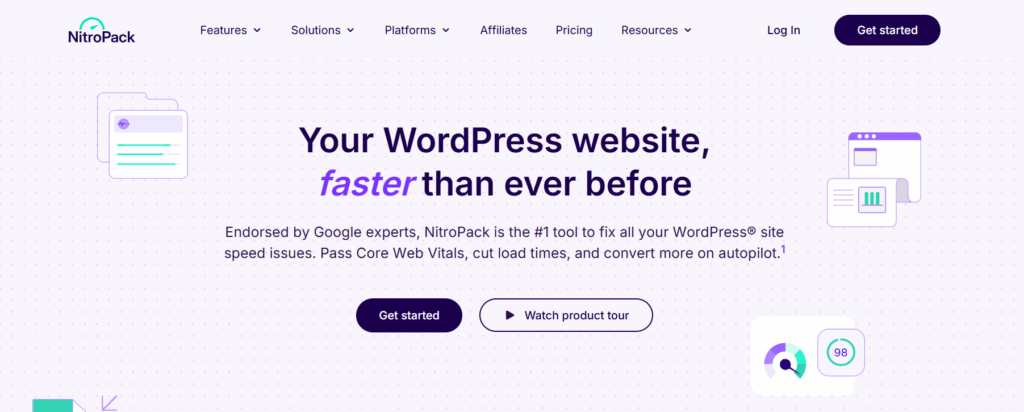
NitroPack is an all-in-one performance optimization platform built specifically for WordPress. Unlike traditional caching plugins that require manual setup and additional tools, NitroPack streamlines the entire process by combining multiple speed-boosting technologies into one easy-to-use service.
From advanced caching and HTML/CSS/JS minification to built-in global CDN, lazy loading, and image optimization, NitroPack automatically improves your Core Web Vitals and Google PageSpeed scores without you lifting a finger. It’s fully compatible with WooCommerce, Elementor, and most major plugins, making it a favorite among WordPress agencies and performance-focused developers.
What sets NitroPack apart is its hands-free automation. Once connected, it constantly optimizes your site speed in the background, delivering blazing-fast load times across all devices and browsers.
As we all know, Nitropack is one of the most used WordPress optimization plugins. With over 100,000 downloads, this one plugin can help you get rid of:
- Complex manual performance setups: No need to configure multiple plugins for caching, minification, or lazy loading. NitroPack handles it all automatically.
- Slow-loading pages that hurt Core Web Vitals: Boost your PageSpeed and Lighthouse scores effortlessly, improving both user experience and SEO.
- Bloated plugins that conflict or overlap: Instead of stacking multiple speed tools, NitroPack offers an all-in-one solution that keeps your site lean and conflict-free.
- Repetitive optimization tasks: With real-time optimization and automatic updates, you never have to manually clear the cache or reconfigure settings after content changes.
- Technical barriers for non-developers: Whether you’re an agency, freelancer, or DIY user, NitroPack makes high-end performance achievable without technical skills.
Now that NitroPack is integrated with InstaWP, you can activate all these benefits as soon as you launch your WordPress site. Whether you’re building client sites or launching high-traffic projects, NitroPack takes the complexity out of performance tuning, now made even easier with one-click integration via InstaWP.
InstaWP + NitroPack: What This Partnership Means

With the new NitroPack integration, you can now launch a fully hosted WordPress site on InstaWP with NitroPack pre-installed, right from your dashboard. No manual uploads. No plugin searches. No setup steps. Just choose NitroPack during site creation, and you’re good to go.
This partnership is more than just convenience; it’s about helping our users build faster, production-ready sites from day one.
We know that many of our users are already using NitroPack, and many of our future users will also do the same. So, we thought, why make new users take the traditional route of installing NitroPack manually, searching for it in the plugin directory, configuring settings, and connecting accounts, when we can just bake it right into the site creation process?
Whether you’re testing a theme, demoing a plugin, building a client site, or spinning up a performance sandbox, NitroPack ensures your site is instantly optimized for speed and Core Web Vitals.
We’ve added NitroPack to the “Popular Plugins” list in the InstaWP site builder. That means any site you launch can start with NitroPack activated and ready.
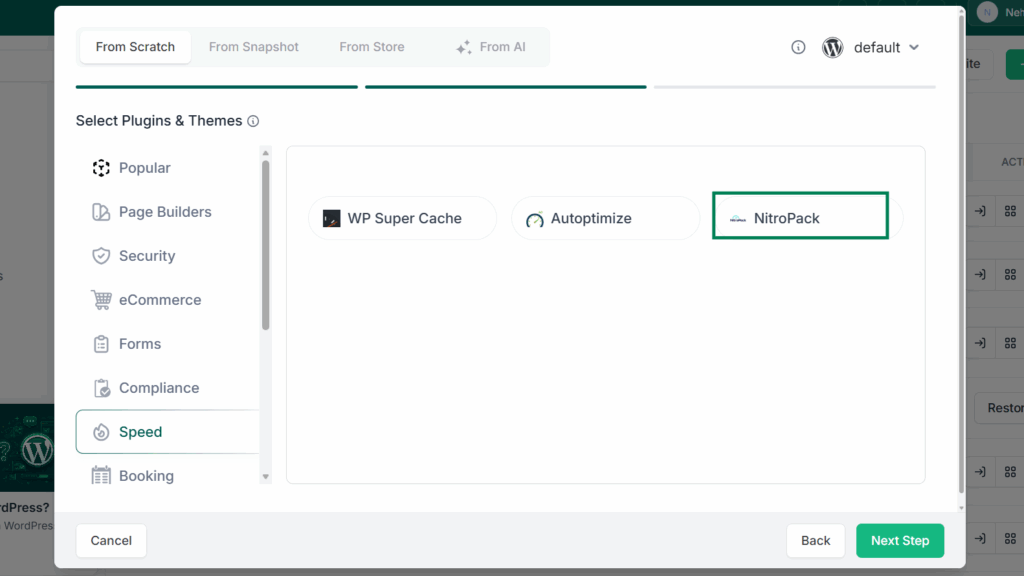
No configuration. No wait. Just results.
This is our way of simplifying one of the most critical parts of WordPress development: site speed optimization. And now, it’s built into your workflow by default.
How to Use NitroPack on InstaWP (Step-by-Step)
Getting started with NitroPack on InstaWP takes less than a minute. Whether you’re creating a test site, building for a client, or launching a production-ready project, here’s how to get NitroPack running—no manual install required.
? Step-by-Step Guide:
Log in to your InstaWP Dashboard: Head to app.instawp.io and sign in to your account. Click “Create New Site”: Choose to launch a site from scratch using your preferred configuration.
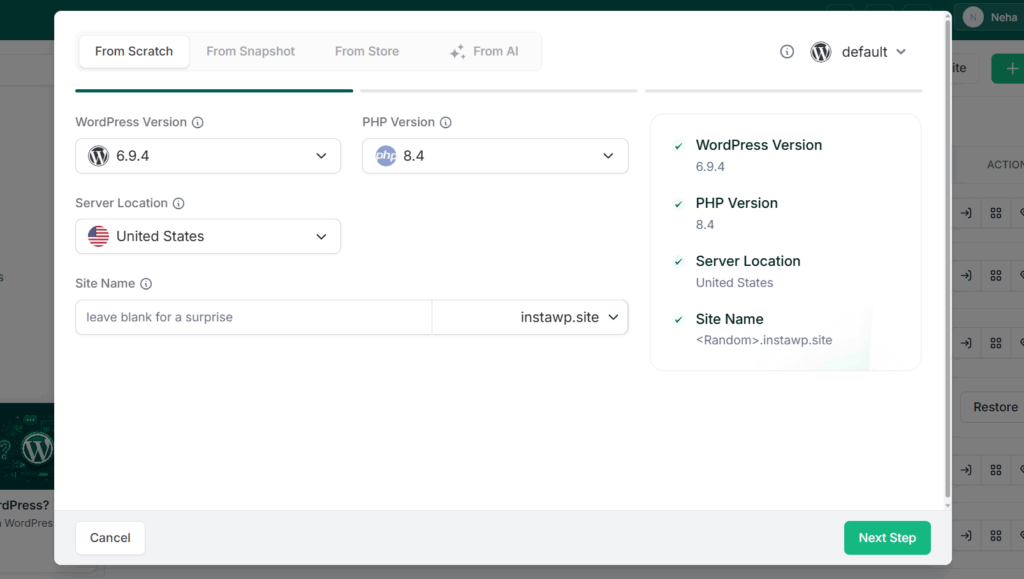
Select “NitroPack” from the Plugin List: In the “Speed” section, simply check the box for NitroPack.
Choose Site Plan: Choose your site plan based on the type of site you’re building.
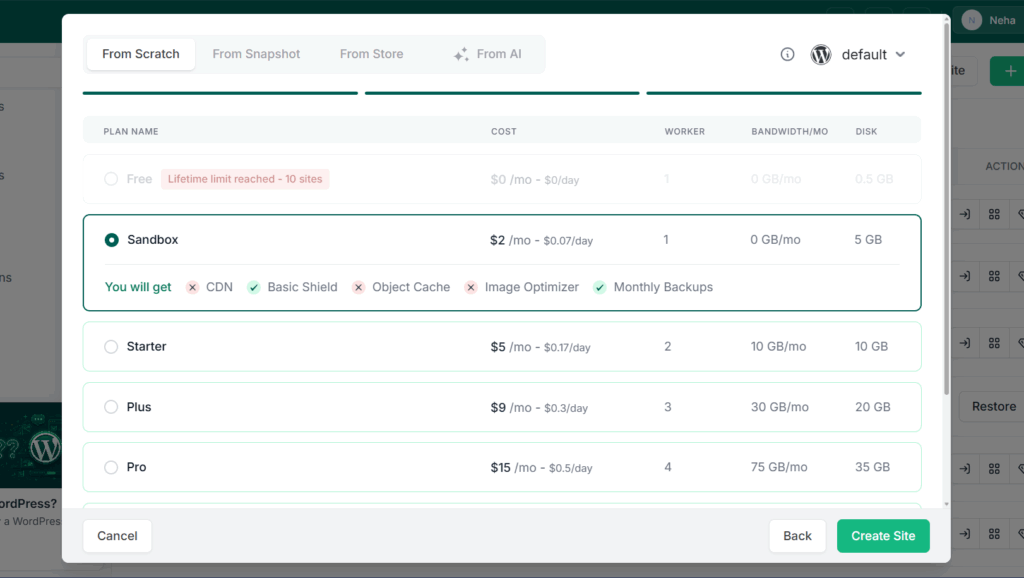
Click “Create Site”: Your site will be spun up with NitroPack pre-installed and activated automatically.
Connect Your NitroPack Account: Once inside the WP admin, follow the onboarding to connect or create your NitroPack account. Free and paid plans are available based on your needs.
That’s it; your WordPress site is now performance-ready from the moment it goes live.
Those who already have a site built and hosted with InstaWP can install NitroPack by running a simple WP-CLI command, right from the dashboard, without even logging into the WordPress admin panel.
This is especially useful for developers and power users who prefer automation over manual clicks. Just open the “Run Command”.
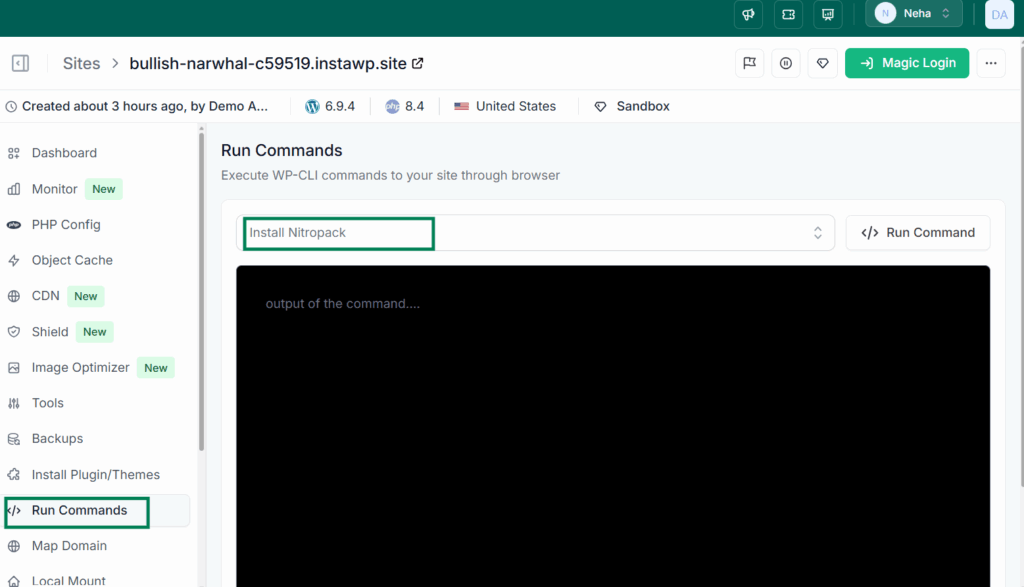
Make sure you have already added the following command to your settings.
wp plugin install nitropack --activateThat’s it. NitroPack will be downloaded, installed, and activated on your site instantly.
✅ No need to log in to wp-admin
✅ No need to search for the plugin
✅ Works across staging, sandbox, and live hosted sites
When Should You Use NitroPack on Your InstaWP Site?
Whether you’re spinning up a quick sandbox or deploying a full-fledged client project, NitroPack can add real value at every stage of your WordPress workflow. Here are a few ideal use cases to help you decide when to enable it:
1. Client Demos That Need to Impress Fast
If you’re building demo sites for clients, speed is your silent salesman. A NitroPack-optimized demo loads in seconds, creating a strong first impression and increasing client confidence.
2. WooCommerce Stores with Heavy Content
Online stores are often bogged down by product images, scripts, and third-party integrations. NitroPack helps keep checkout flows smooth and bounce rates low.
3. Agency Templates for Performance-Centric Niches
Want to create reusable site templates that pass Core Web Vitals right out of the gate? Preload NitroPack in your InstaWP templates for consistent results across every deployment.
4. Testing Performance Before Going Live
Use NitroPack inside InstaWP to A/B test performance setups, plugin impacts, and site configurations before hitting production.
5. High-Traffic Blogs or Publishers
Publishers relying on ad revenue or affiliate traffic can’t afford slow load times. NitroPack ensures your content-heavy pages load fast, even under traffic spikes.
Why This Integration Matters for Agencies and Freelancers
If you build, manage, or maintain WordPress sites for clients, site speed isn’t just a technical metric; it’s part of your service promise. And now, with NitroPack baked into InstaWP, you can deliver faster sites with less effort and more consistency.
Launch Sites That Sell Themselves
First impressions matter. Whether it’s a client preview link or a live demo, a fast-loading site instantly boosts credibility. You no longer need to explain performance; you can show it.
Build Reusable, Speed-Optimized Templates
Create reusable InstaWP templates with NitroPack pre-installed. Deploy high-performance starter sites for clients across niches without rebuilding from scratch.
Test Performance Without Extra Plugins
Use InstaWP’s hosted or sandbox environments to benchmark new themes, plugins, and design choices with NitroPack active, without affecting production.
Save Time Across Every Project
What used to take hours—setting up caching, configuring CDN, optimizing media—is now just one checkbox during site creation. That’s a real time-saver across dozens of projects per month.
Upsell Speed as a Service
Offer “speed optimization” as a premium add-on in your care plans or development packages. With NitroPack + InstaWP, the delivery is already built in.
For freelancers and agencies, this isn’t just a plugin—it’s a workflow enhancer and a new revenue opportunity.
Faster Sites, Fewer Steps: It’s Built-In Now
With the NitroPack integration, InstaWP isn’t just helping you build WordPress sites faster; we’re helping you launch faster WordPress sites. Whether you’re a solo freelancer, part of an agency, or just testing ideas, you now have the power to deploy high-performance websites without needing a single extra plugin or post-setup tweak.
This partnership reflects our ongoing mission: to give you developer-grade tools in a streamlined, no-fuss interface. And with NitroPack available from day one, you’re building with speed, SEO, and UX already handled.
So, whether you’re creating your next WooCommerce store, client showcase, or content-rich blog, do it with confidence, do it with NitroPack, and do it faster than ever with InstaWP.
? Ready to launch a performance-optimized WordPress site in seconds? Start now with NitroPack pre-installed, only on InstaWP.
[Create Your NitroPack-Ready Site →]
FAQs
Is NitroPack free to use with InstaWP?
Yes, NitroPack offers a free tier that you can use right away after launching a site with InstaWP. For more advanced optimization and higher traffic limits, you can upgrade to one of NitroPack’s paid plans.
Do I need a NitroPack account?
Yes. After NitroPack is auto-installed on your InstaWP site, you’ll need to connect an existing NitroPack account or create a new one during the plugin’s onboarding process.
Can I install NitroPack on an existing InstaWP site?
Absolutely! Just open your site’s dashboard, navigate to the WP-CLI tab, and run:
wp plugin install nitropack –activate
Alternatively, you can install it manually from the WP admin area.
Does NitroPack work with WooCommerce and other major plugins?
Yes. NitroPack is fully compatible with WooCommerce, Elementor, WPML, and most major WordPress plugins. It’s built for high-performance eCommerce and multilingual sites.
Can I test NitroPack in a staging or sandbox site?
Definitely, InstaWP allows you to test NitroPack in staging, sandbox, or hosted environments, so you can measure performance gains before pushing anything live.