InstaWP is all about helping you establish multiple revenue streams for recurring income and streamlining your workflow. We have templates, a managed hosting service tailored to agency needs, WaaS, and an affiliate program to ensure that you earn enough (through us). And to add to this row, our referral program is here.
Table of Contents
A Quick Overview of InstaWP’s Referral Program
We often hear from our customers, ‘Hey, I referred a bunch of friends to you guys, and they became paying customers. Anything for me?’
It makes sense, but these folks don’t want the commitment of our affiliate program. So, we thought, why not create a referral program as a thank you for their good deeds? It’s the easy way out for them; for us, it’s like saying, ‘Thanks for being awesome!’ (monetarily).
The InstaWP Referral Program is open to every InstaWP user, and it rewards both sides of a referral: the person who shares the link and the person who signs up.
Our Referral Program lets you earn $25 in credits by referring new users to our platform. This applies to each friend you bring to our platform, which implies the more people you refer, the more credits you accumulate!
Here’s how it works:
- Share your referral link
- Your friend signs up through your link and gets $25 in credits straight away, valid for 30 days.
- Once your friend has used up their $25, you get $25 in credits, valid for 90 days.
Your friend’s $25 is added to their account the moment they sign up through your link, so they can start using it right away. It is valid for 30 days, and any part they have not used by then expires.
Your $25 stays pending until your friend has used up their own $25 referral credit on InstaWP. It is then added to your account automatically and is valid for 90 days from that day.
InstaWP credits can be spent on a plan’s subscription, add-ons, or hosting service.
This program is available to all InstaWP users and does not have a probationary period. Just refer to your friends and enjoy the rewards!
Earn Referral Rewards in Just 2 Simple Steps: Here’s How
Yup, that’s absolutely true. You can start earning rewards with InstaWP’s Referral Program in just two simple steps. Ready to dive in? Follow these easy steps to turn your referrals into rewards and make the most of our program.
Step 1 – Share your Referral Link
Logged in to InstaWP and ready to earn rewards?
Navigate to My Account and select the Referral Program section. Alternatively, open the InstaWP Referral Program page directly.
Here, you’ll find your unique referral link, your ticket to earning some serious perks.
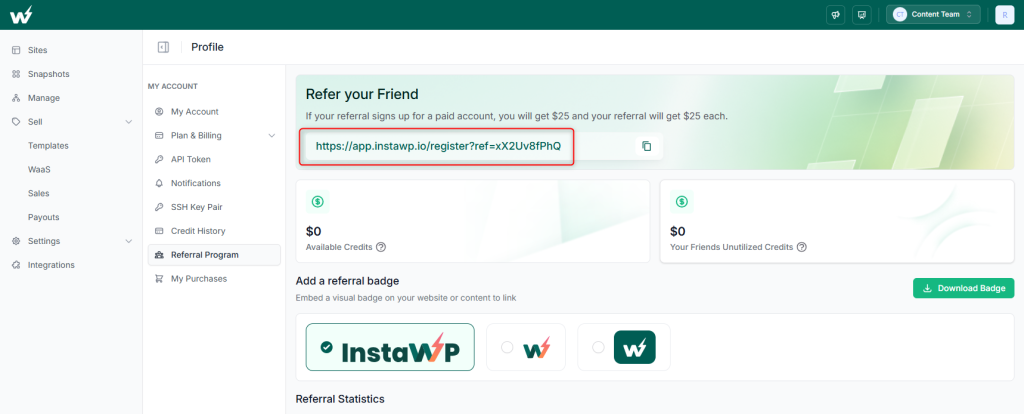
Copy this link and get creative with how you share it.
Yeah, you can obviously send it privately to one of your friends, but we are talking about when you want to broadcast the link to your peers in the industry and everyone who visits your page or website.
For a simple approach, download an InstaWP badge and add it to your website, making sure to hyperlink your referral link.
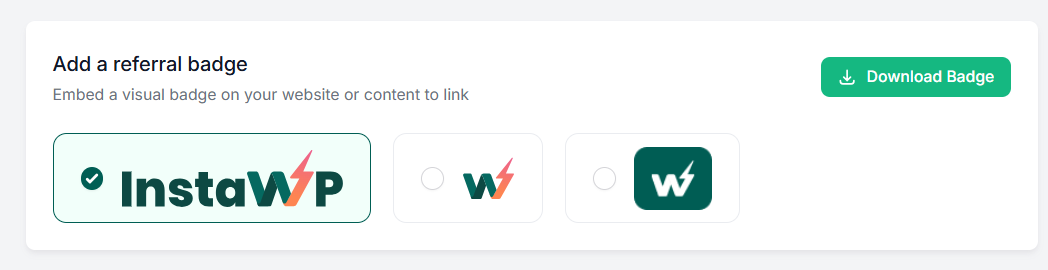
In fact, you can also feature your link in blog posts, newsletters, posts in your SM groups, or social media updates.
Want to be even more inventive? Create eye-catching graphics or write a compelling review about InstaWP’s amazing features.
The more places you share your referral link, the more chances you have to earn rewards. So go ahead, spread the word, and start making those referrals work for you!
Step 2 – Help your Friend use their $25 Credit
Once you’ve shared your referral link, it’s time to nudge your friend into action. Your own $25 is released when your friend has used up the $25 they got for signing up, so the sooner they start building on InstaWP, the sooner you get paid in credits.
A great product speaks for itself, but a little encouragement can go a long way. So, cheer them on and get ready to enjoy your rewards!
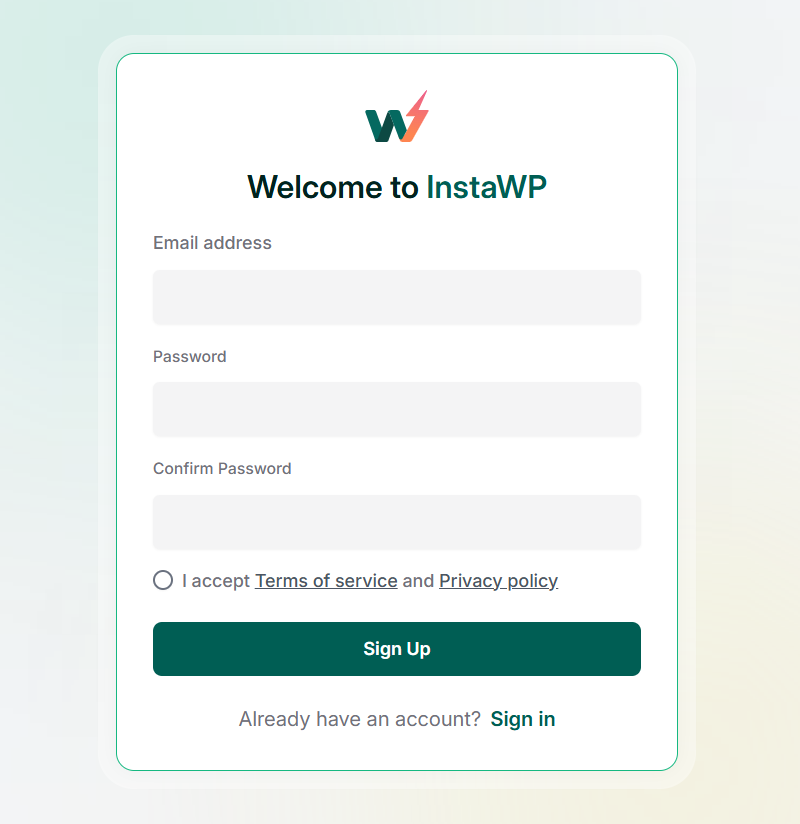
First of all, make sure they sign up with InstaWP using your referral link.
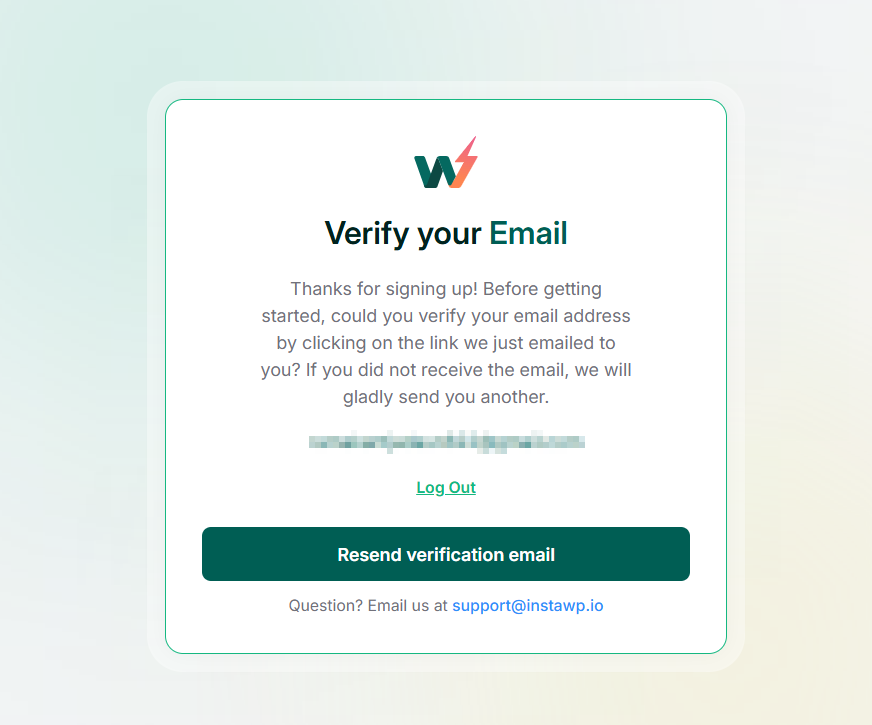
Verifying your friend’s account is essential to ensure that the email address used for registration is valid.
Your friend’s $25 is added to their account as soon as they sign up through your link. Your $25 shows up in your credit history at the same time, marked as pending.
However, your credits are not active yet.
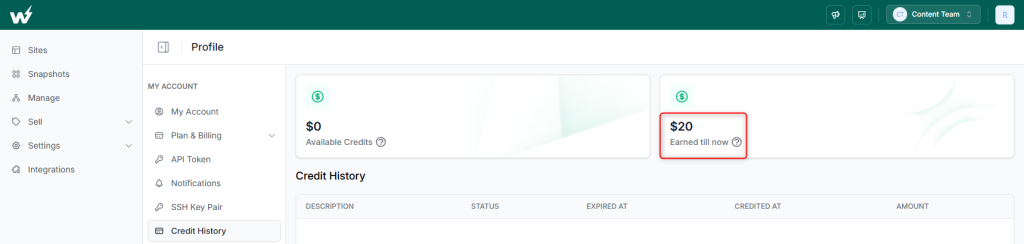
Your $25 becomes available credit once your friend has used up their $25 referral credit on InstaWP usage, a plan or an add-on. From that day you have 90 days to use it. So, keep the momentum going by reminding them of all the benefits InstaWP offers.
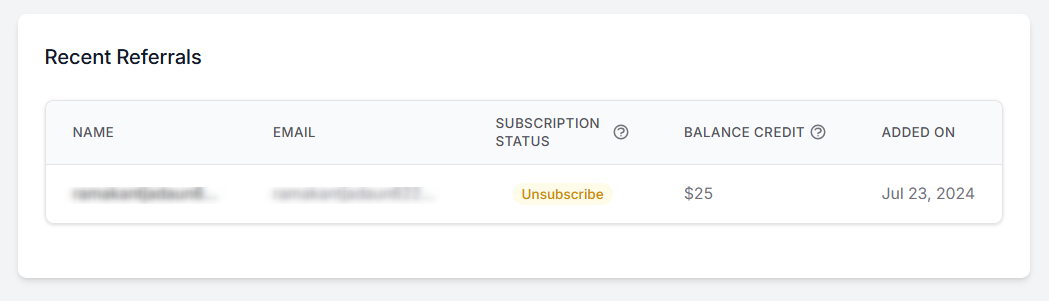
It’s a good idea to keep track of their progress with InstaWP by visiting the Recent Referrals section on the My Account > Referral Program page.
Our Referral Program’s Vocabulary
Here’s a quick cheat sheet for turning your clicks into cash and knowing exactly what all those numbers mean in our referral program dashboard and statistics section:

Available Credits: The total amount of credits currently available in your account that can be used to purchase any plan or add-on. These credits can be applied towards buying a plan, upgrading your services, or purchasing add-ons.
Your Friends’ Unutilized Credits: The sum of credits that your referred friends have not yet used to purchase add-ons or paid plans. This indicates the potential reward your friends can still apply towards their purchases.
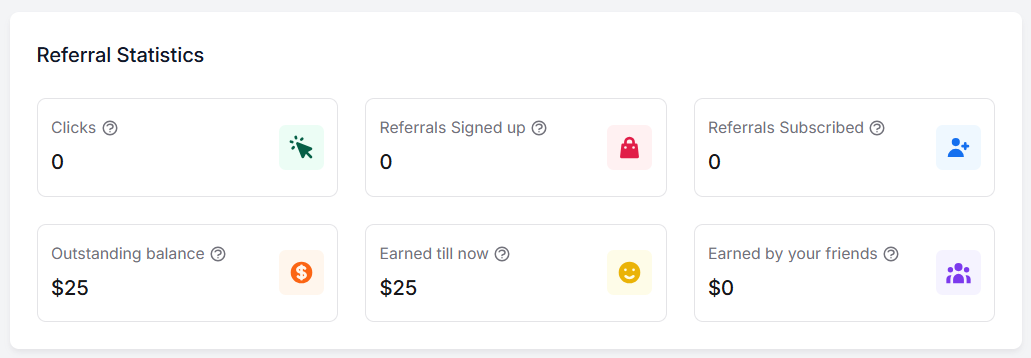
Clicks: The number of times your referral link has been clicked. Each click represents a potential opportunity for you to earn rewards as more people explore InstaWP through your link.
Referrals Signed Up: The count of individuals who have registered for InstaWP using your referral link. Each of them gets $25 in credits at signup, and your $25 for that friend is released once they have used theirs up.
Referrals Subscribed: The number of friends who have upgraded to a paid plan by utilizing their referral credits. Each paid subscription contributes to your overall rewards.
Outstanding Balance: Referral rewards that are still pending. Each $25 is released to you once the friend behind it has used up their own $25 referral credit.
Earned Till Now: The cumulative amount of rewards you have earned up to the present. This reflects your overall success in the referral program.
Earned by Your Friends: The total amount of credits earned by your friends through the referral program. This indicates how much your friends have benefited from participating in the program.
Why Refer a Friend to InstaWP?
By participating in InstaWP’s Referral Program, you’ll enjoy a range of benefits that make it worth your while:
- Earn Rewards: Get $25 in InstaWP credits for every friend who signs up through your link and uses their own $25. It’s a simple way to earn while helping others discover InstaWP.
- Easy Participation: The referral process is straightforward; just share your link and encourage sign-ups. No complex requirements or hoops to jump through.
- Lower Hosting Bills: Your referral credits pay for plans, add-ons and hosting, so every successful referral directly reduces what you spend on InstaWP.
- Your Friend Gets $25 Too: The person you invite starts with $25 in InstaWP credits, so your recommendation comes with a real head start.
- Support a Great Product: By referring others, you’re promoting a tool you believe in, helping your network benefit from InstaWP’s exceptional features.
InstaWP Referral Program Rules Recap
Our InstaWP Referral Program is designed to reward you for spreading the word about our platform. By participating, you not only earn rewards but also help your peers discover the benefits of InstaWP.
Here’s a quick summary of how it works and the essential rules you need to know:
- Eligibility: All InstaWP users can participate in the referral program.
- Referral Link: Go to My Account > Referral Program in your InstaWP dashboard to copy it.
- Sharing: Share your referral link through social media, emails, blog posts, or any other platform to reach potential users.
- Credits for a Referral: You receive $25 in credits and your friend receives $25 in credits.
- Credit Activation: Your friend’s $25 is added as soon as they sign up through your link. Your $25 is released once your friend has used up their $25.
- Credit Usage: InstaWP credits can be used towards any plan’s subscription, add-ons, or hosting service on our platform.
- Prefer cash? The InstaWP Affiliate Program pays a recurring cash commission instead of credits.
- Tracking: Monitor your referrals and credit status from the My Account > Referral Program page.
- Expiration: Your $25 is valid for 90 days from the day it is added to your account. Your friend’s $25 is valid for 30 days from signup. Unused credit expires after that.
- Referral Window: If your friend clicks your link and signs up later from the same browser, the signup still counts for up to 60 days.
FAQs
How do I find my referral link?
To locate your referral link, log in to your InstaWP account and navigate to the “Referral Program” section under “My Account.” Your unique link is displayed at the top. Copy and share it to start earning rewards.
How much do I and my friend get through the InstaWP Referral Program?
You get $25 in InstaWP credits, valid for 90 days, and the friend who signs up through your link gets $25 in credits, valid for 30 days.
When do I receive my $25 referral credit?
Your $25 is released once your friend has used up their own $25 referral credit on InstaWP. Until then it shows as pending in your credit history.
What if my friend clicks my referral link but doesn’t sign up immediately?
The signup still counts if your friend registers from the same browser within 60 days of clicking your link.
Can I withdraw the referral money?
No. Referral credits can’t be withdrawn as cash. They are meant for InstaWP plans, add-ons and hosting. If you would rather earn cash, the InstaWP Affiliate Program pays a recurring commission instead.
When will my referral credits expire?
Your $25 referral credit is valid for 90 days from the day it is added to your account. Any part you have not used by then expires.
When will my friend’s referral credits expire?
Your friend’s $25 referral credit is valid for 30 days from the day they sign up through your link.
Can I track the status of my referrals?
Yes. You can monitor clicks, signups, subscribed referrals and pending rewards in the “Referral Program” section under “My Account.”
Can I share my referral link on social media?
Yes. Share your referral link on social media, blogs, newsletters or anywhere you connect with potential users. The more visibility your link gets, the more chances you have to earn credits.
Do I need to do anything to claim my referral credit?
No. Your $25 is added to your account automatically as soon as your friend has used up their $25 referral credit.