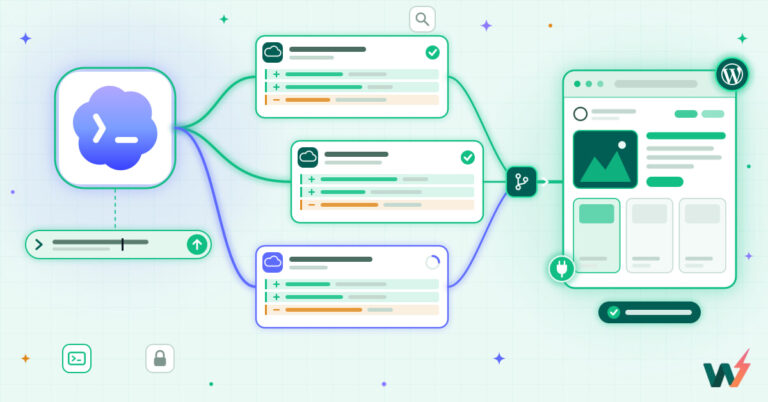
- You don’t need a local server. Every InstaWP site, even a $2 sandbox, ships with SSH and WP-CLI ready to go.
- The terminal is faster for bulk work: updating dozens of plugins, swapping a domain, or fixing a locked-out admin take one line each.
- Snapshot before anything risky. A one-click restore turns “I broke the site” into a 10-second undo.
- Everything here is scriptable: chain commands into a setup script you reuse across every new site.
- Agents can run these too. InstaWP’s in-site WordPress MCP exposes the same actions to AI tools like Claude.
Clicking through wp-admin is fine for one site. The moment you manage ten, the command line wins: it’s faster, repeatable, and scriptable. Here are five WordPress jobs worth moving to the terminal, and exactly which commands to run.
Why run WordPress from the terminal
WP-CLI is the official command-line interface for WordPress. Anything you can do in the dashboard (and a lot you can’t) is one command away: managing plugins, users, options, the database, cron, search-replace, and more. For agencies and developers running many sites, that’s the difference between an afternoon of clicking and a script that finishes before your coffee’s poured.
The catch has always been access: you need SSH into a real server with WP-CLI installed. That’s where InstaWP helps: every site comes with SSH and WP-CLI preinstalled, so there’s nothing to set up before the commands below work.
1. Connect to your site over SSH
Open your site in the InstaWP dashboard, copy the SSH command, and connect. Once you’re in, confirm WP-CLI sees your install:
# connect (copy the exact host from your InstaWP dashboard)
$ ssh [email protected]

# confirm WP-CLI is available and pointed at your install
$ wp --info
$ wp core version
7.0
If wp core version prints a number, you’re connected to the right site and ready for everything below.
2. Bulk-update plugins and core, safely
Updating thirty plugins one checkbox at a time is the kind of task the terminal was made for. But updates can break things, so take a snapshot first. On InstaWP that’s one click (or one API call), and restoring is just as fast.
# see what's outdated before touching anything
$ wp plugin list --update=available

# update every plugin, then WordPress core
$ wp plugin update --all
$ wp core update
$ wp core update-db
Want to stage it? Run the same commands on a clone first, smoke-test, then repeat on production once you’re confident.
3. Search-replace a URL after a migration
Moving a site between domains leaves the old URL hard-coded across posts, options, and serialized data. wp search-replace handles all of it, including serialized arrays that a raw SQL find-and-replace would corrupt. Always dry-run first:
# preview every change, nothing is written yet
$ wp search-replace 'staging.example.com' 'example.com' --dry-run

# looks right? run it for real, skipping the GUID column
$ wp search-replace 'staging.example.com' 'example.com' --skip-columns=guid
4. Reset a locked-out admin
Lost the admin password, or inherited a site with no working login? You don’t need the email reset flow. Create a fresh admin or reset an existing one straight from the shell:
# list users and roles
$ wp user list

# reset the password for user 'admin'
$ wp user update admin --user_pass='a-strong-new-password'

# or create a brand-new administrator
$ wp user create jane [email protected] --role=administrator
5. Export the database for a backup or handoff
Before a client handoff, a risky change, or a move off-platform, grab a clean SQL dump. WP-CLI exports the whole database to a file you can download, version, or import elsewhere:
# export the full database to a timestamped file
$ wp db export backup.sql

# import a dump into another site
$ wp db import backup.sql

# quick integrity check
$ wp db check
InstaWP’s in-site WordPress MCP exposes these same actions (updates, search-replace, user management, db export) to AI tools like Claude, so an agent can run them with your guardrails. Account-wide MCP is coming next.
Doing it manually vs on InstaWP
The commands are standard WordPress. What changes is how much setup stands between you and running them:
Five commands cover most day-to-day WordPress maintenance: connect, bulk-update (after a snapshot), search-replace a domain, reset admin access, and export the database. Each is one line, each is scriptable, and on InstaWP each works on any site out of the box: no local stack, no upgrade tier, no waiting on support.
Frequently asked
Does every InstaWP site include WP-CLI?
Do I need to install anything on my computer?
Will bulk-updating plugins break my site?
Can I run these commands on a free sandbox?
wp-cli in.