Does managing event tickets leave you feeling like a juggler in a WordPress circus? Well, tame that wild lion with our top picks for WordPress event ticketing plugins. These powerful tools can turn your website into a fully functioning ticket box office, offering exciting avenues for growth and scalability.
So, sit tight as we unravel the magic of event ticketing plugins, and discover how they can transform a developer’s life from a frenzied performance into a well-choreographed spectacle.
Table of Contents
Best WordPress Event Ticketing Plugins
Here are the best WordPress event ticketing plugins that you should check for managing tickets for WooCommerce stores.
WP Event Manager

WP Event Manager is a feature-rich WordPress plugin that enhances the functionality of your website, empowering you to create, manage, and streamline all types of events.
With its seamless integration with WooCommerce, this plugin enables you to sell tickets directly through your website, making it an ideal tool for event planners, educators, business owners, and anyone looking to organize and manage events.
This versatile plugin offers a user-friendly interface, which makes it a top choice for users with little to no coding skills. Its robust features allow for real-world usage, enabling you to create an interactive events calendar, manage registrations, and sell tickets.
WP Event Manager is praised for its functionalities, enhancing the potential of your website to serve as a comprehensive event management platform.
Features Useful for Event Management
1. The Interactive Events Calendar feature allows for the easy scheduling and tracking of events.
2. Manage attendee registrations seamlessly with customizable forms.
3. Monetize your events with secure and easy ticket sales.
4. Recurring Events automate the scheduling of recurring events, saving time and effort.
5.
The Event Countdown feature creates a sense of urgency and excitement with an event countdown.
6. Frontend Event Submission feature enables event organizers to submit their events directly on your website.
7. Multi-lingual cater to a global audience with multi-language support.
Developer-Friendly Features
1. Simplifies customization according to business needs.
2. Tailor the plugin settings to match your website’s aesthetics and functionality.
3. Field Editor: Enables the addition, editing, or deletion of form fields for event submissions.
4. Compatible with major page builders like Gutenberg, Elementor, etc.
5. Provides a comprehensive overview of all events, facilitating easy management.
Ideal Use Cases
WP Event Manager is suitable for anyone who needs to manage events, whether it’s a business owner organizing a networking event, a teacher scheduling classes, or a fitness trainer setting up training sessions. It’s also perfect for virtual event organizers, doctors managing appointments, and music trainers coordinating lessons.
Pricing
WP Event Manager offers both free and premium versions.
- Event Manager Plus: $99/year
- Event Manager Pro: $199/year
- Virtual Event Manager Pro: $199/year
- All Events Manager Pro: $299/year
- Enterprise: Customized
Event Tickets and Registration

Manage your event tickets from the comfort of your WordPress site with the Event Tickets plugin. This unmatched tool is designed to handle everything from selling tickets, collecting RSVPs, to managing attendees for both virtual and in-person events.
Its easy integration with leading payment gateways such as Stripe and PayPal makes transactions a breeze for your customers, increasing your ticket sales and event attendance.
Created by a world-class team of developers and designers, the Event Tickets plugin offers a robust solution for event management. It’s perfect for small businesses, venues, musicians, restaurants, and non-profits looking to boost their event’s revenue.
With its user-friendly interface and plug-and-play setup, you can begin selling tickets in a matter of minutes. Plus, its customization options allow you to add a personal touch to make your events stand out.
Features Useful for Event Management
1. Easy ticket sales and RSVP collection for different types of events.
2. Integration with popular payment gateways including Stripe and PayPal.
3. Management of attendees for both in-person and virtual events.
4.
Generation of sales and attendee reports for efficient tracking.
5. Customization of tickets and RSVP confirmation emails for a personalized touch.
6. Ticket stock countdown to ensure availability.
7. Responsive design that works on all devices for a seamless user experience.
Developer-Friendly Features
1. Extensive template tags for customization.
2. Hooks and filters for advanced development.
3. Library of free extensions for added features.
4. Easy integration with existing WordPress themes and plugins.
5. Comprehensive documentation for easy setup and troubleshooting.
Ideal Use Cases
The Event Tickets plugin is ideal for small businesses, non-profit organizations, restaurants, musicians, and venues that regularly host events. It’s also perfect for universities and government institutions that need to manage large-scale events.
Pricing
The Event Tickets Plus add-on unlocks additional payment methods and custom registration fields, among other features. The Wallet Plus add-on offers digital tickets like Apple Wallet passes and PDF tickets. The price for 1 site is $149.
Eventin
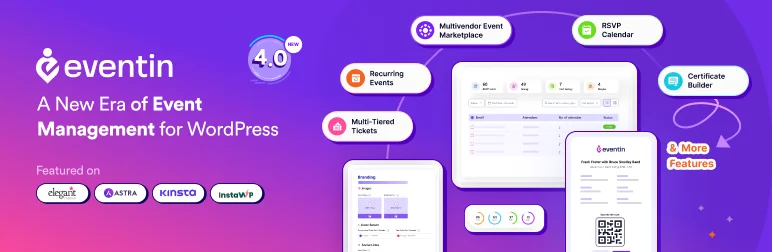
With Eventin, a powerful WordPress event management plugin, you can streamline your event planning and ticketing process. This plugin serves as an all-in-one solution for managing events, selling tickets, and engaging attendees, whether for live or virtual events.
Eventin empowers you to create and manage events effortlessly, allowing for quick ticket sales and attendee registrations. By integrating features like QR codes and an intuitive event calendar, Eventin enhances the overall experience for both organizers and attendees.
The plugin stands out with its AI capabilities, enabling users to generate event details rapidly. Coupled with features such as detailed attendee reports and seamless WooCommerce integration, Eventin is a robust choice for anyone looking to elevate their event management game.
Features Useful for Event Management
1. Easily set up various events according to your needs.
2. Display events in a clear and accessible format.
3. Provide real-time information about your events.
4. Allow attendees to RSVP directly through your website.
5. Sell tickets efficiently with attendee tracking and QR codes.
6. Cater to a diverse audience with multilingual options.
7. Enable users to submit their own events easily.
8. Control permissions for different user roles.
Developer-Friendly Features
1. Rename the plugin easily with a simple code change.
2. Allow clients with multiple subsites to create their own events.
3. Use actions and filters to modify any aspect of Eventin.
4. Translate every aspect of the plugin to suit your audience’s language preferences.
Ideal Use Cases
Eventin is perfect for event planners, concert organizers, seminar coordinators, digital marketers, and any business that requires an efficient ticketing system. It’s also an excellent choice for developers seeking a customizable solution for their clients’ event management needs.
Pricing
Eventin offers a free version with basic functionalities. For advanced features, users can upgrade to Eventin Pro:
- Eventin Pro: $99/year
With its comprehensive features and user-friendly interface, Eventin is an ideal solution for anyone looking to manage events effectively on WordPress.
Tickera

With Tickera, a WordPress Event Ticketing plugin, you can revolutionize your event management process. This plugin serves as a robust website builder tool, providing a comprehensive platform to sell tickets online, manage attendees and boost your event’s success.
By eliminating the need for middlemen, Tickera puts you in complete control of your profits, making it a top choice for users seeking seamless, cost-effective event management solutions.
Tickera stands out from the crowd with its intuitive and real-world functionalities, such as integrated barcode readers for easy attendee check-ins, offline and online ticket-checking options, and a fully-fledged check-in system available on iOS and Android devices.
These key aspects, along with its developer-friendly features, make Tickera a reliable, user-friendly plugin that can enhance the overall success of your events.
Features Useful for Event Management
1. Sell tickets directly from your website and manage profits without any middleman intervention.
2. Check-in attendees swiftly with integrated barcode readers.
3. Purchase Allows customers to purchase tickets from multiple events at once.
4.
Create different-looking tickets for each ticket type by changing fonts, colors, sizes, and even background images.
5. Offers a wide array of payment options, including 2Checkout, PayPal, Stripe, and more.
6. Create an unlimited number of discount codes for all or specific ticket types.
7. Set up and manage tax rates with ease.
Developer-Friendly Features
1. Rename the plugin as per your preference with just one line of code change.
2. Allow clients with multiple subsites to create their own events and sell tickets.
3. Use actions and filters to customize any aspect of Tickera and extend its functionality.
4. Translate every possible word in a WordPress way.
5. Tickera’s functionality with numerous add-ons.
Ideal Use Cases
Tickera is an excellent tool for event planners, concert organizers, seminar coordinators, or any business that organizes events and requires an easy-to-use ticketing system. It’s also well-suited for developers needing a customizable, white-label solution for their clients’ event management needs.
Pricing
Tickera offers a free version with basic functionalities. For advanced features, users can upgrade to Tickera Premium, available in different tiers based on their business needs.
- Standard: $49 yearly + $70 one-time fee
- Bundle: $99 yearly + $70 one-time fee
- Lifetime Special Offer: $399 (one-time fee, discounted from $449)
What Is WordPress Event Ticketing Plugin and How Are They Useful?
A WordPress event ticketing plugin is a specialized tool designed to help users create, manage, and sell tickets for events directly from their WordPress websites. These plugins streamline the entire process of event management, making it easier for organizers to handle registrations, ticket sales, and attendee management without relying on third-party services.
Key Features of Event Ticketing Plugins
- Ticket Sales: Allow users to sell tickets for various types of events, including concerts, conferences, workshops, and more.
- Event Management: Provide tools to create and manage events effectively, including setting dates, times, locations, and descriptions.
- RSVP Functionality: Enable attendees to RSVP for events directly through the website, helping organizers track attendance.
- Payment Integration: Support various payment gateways (like PayPal and Stripe) to facilitate secure transactions.
- Attendee Management: Offer features for managing attendee information, generating reports, and tracking ticket sales.
- Customizable Tickets: Allow users to create different ticket types with unique pricing, availability, and features.
- Check-In Systems: Provide tools for checking in attendees at the event using QR codes or barcode scanning.
- Recurring Events: Enable the creation of recurring events without the need to set them up each time manually.
- Frontend Submission: Allow users or clients to submit their own events for consideration or approval.
- Analytics and Reporting: Generate detailed reports on ticket sales and attendee demographics to help organizers make informed decisions.
How Are They Useful?
- Efficiency: By automating ticket sales and event management tasks, these plugins save time and reduce administrative burdens on organizers.
- Cost-Effective: Eliminating the need for third-party ticketing services allows organizers to retain more profits from ticket sales.
- Customization: Users can tailor their event pages and ticket options to fit their branding and specific needs, enhancing the overall attendee experience.
- Data Control: Organizers maintain control over attendee data, which can be crucial for marketing future events or understanding audience demographics.
- Flexibility: With features like customizable tickets and payment options, event organizers can cater to various audiences and event types.
In summary, WordPress event ticketing plugins are essential tools for anyone looking to manage events efficiently while maximizing profitability. They offer a comprehensive solution that combines ease of use with powerful features tailored for event management.
Final Word
Start your journey towards efficient event management by integrating these WordPress event ticketing plugins into your website. They offer numerous benefits such as seamless ticket sales, easy attendee management, and customizable features to suit your event needs. Get ready to transform your WordPress website into a robust event management platform and enhance your event’s success.
Elevate your event planning and management with these plugins. They provide robust solutions to increase your ticket sales, improve your attendee experience, and streamline your event operations. Remember, efficient event management starts with the right tools. Make the choice today and witness the transformation they bring to your event management process.


