As InstaWP keeps on bringing new things to the table, we’re excited to announce our latest partnership with WP Snippets AI, a modern, lightweight plugin that makes adding custom code to WordPress smarter, safer, and faster.
This integration means you no longer need to install WP Snippets AI separately. From now on, InstaWP users will be able to access it right from the dashboard, select it when creating a site, and let InstaWP handle the installation automatically in the background.
The result? A seamless way to experiment, customize, and supercharge your WordPress sites with the power of AI.
WP Snippets AI Overview
WP Snippets AI is the third-generation evolution of one of the most trusted snippet plugins in the WordPress ecosystem, now supercharged with AI capabilities. It’s built for developers who want full control and speed and for non-coders who just need reliable solutions without digging into complex code.
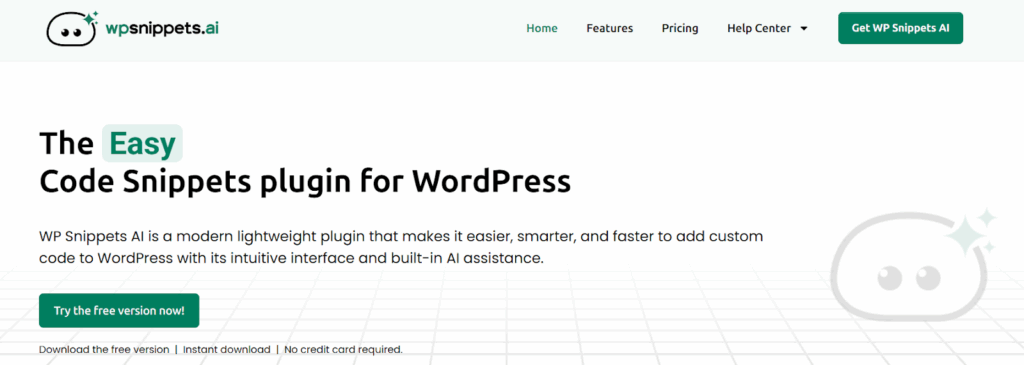
Here are some of its key features:
- Snippet Management: Create unlimited snippets, organize them by type (PHP, JavaScript, CSS, HTML), search instantly, and activate or deactivate with a click.
- Snippet Placements: Decide where your code runs; add scripts site-wide, or target specific pages, posts, categories, or tags. Hooks like header, footer, and content areas give you complete placement control.
- AI Tools: Generate secure, optimized code in seconds using OpenAI or Anthropic. You can also ask AI to analyze, improve, or fix your existing snippets.
- Editor Tools: A built-in code editor with auto-completion, syntax highlighting, error detection, beautify/minify options, and 11 customizable themes for distraction-free coding.
- Revision History: Every saved change is stored with timestamps and author details, so you can roll back anytime.
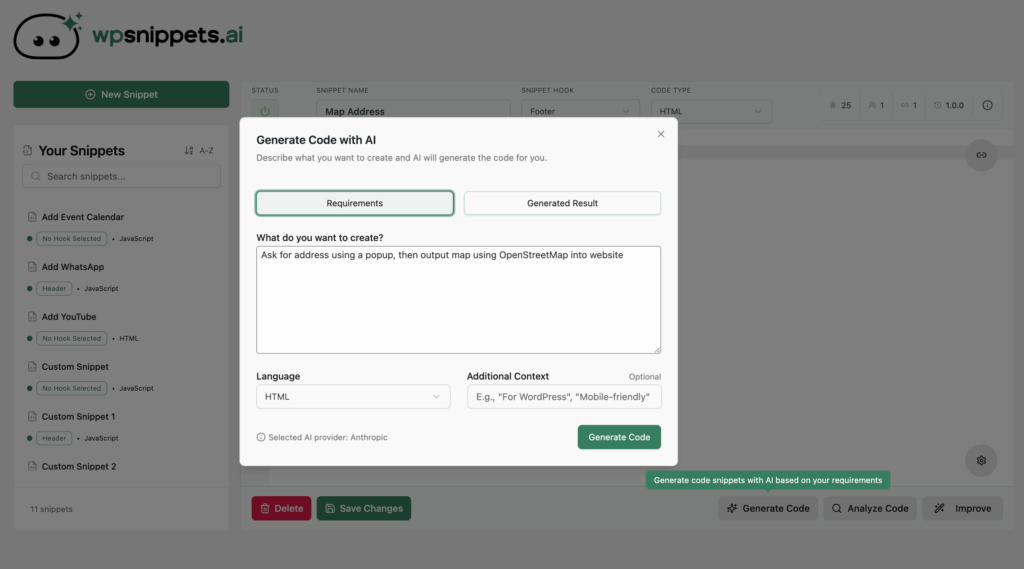
In case you’re wondering how you can use WP Snippets as you create WordPress sites, have a look at the below points:
- Custom CSS Tweaks: Adjust layouts, colors, or typography without touching theme files.
- Add Website Features: Drop in a PHP or JS snippet to add functionality without bloating your site with extra plugins.
- Third-Party Integrations: Quickly add Google Analytics, chatbots, ad scripts, or custom tracking codes to the header or footer.
- AI-Powered Development: Use natural language to ask for a feature, like “add a back-to-top button,” and get working code instantly.
- Safe Experimentation: Test new features or performance scripts in staging with easy rollback if something goes wrong.
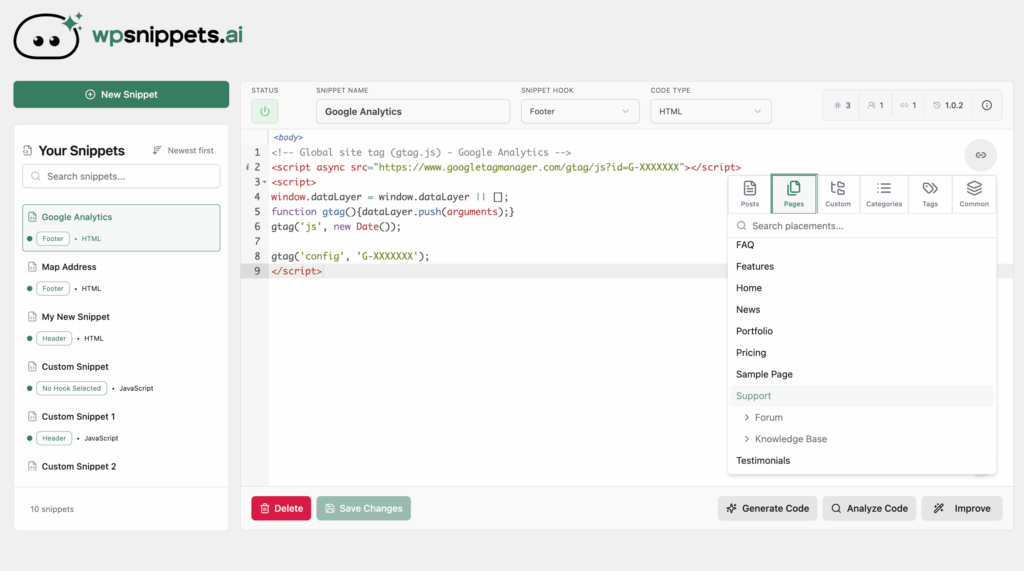
In short, WP Snippets AI helps you customize, extend, and optimize your WordPress sites faster and safer than ever before.
What This Means for InstaWP Users
With this partnership, WP Snippets AI is no longer something you need to hunt down, download, and configure on your own; it’s baked right into your InstaWP workflow. That means less time setting things up and more time building, testing, and customizing your WordPress sites.
Here’s why it matters:
- No Setup Hassle: You don’t have to download or configure anything manually. Select WP Snippets AI when creating your site, and InstaWP installs it automatically.
- Customization Without Limits: Whether it’s CSS tweaks, feature enhancements, or third-party scripts, you can make changes directly from your dashboard without relying on extra plugins.
- AI-Powered Shortcuts: If you’re not comfortable writing code, WP Snippets AI’s built-in AI support can generate, explain, and optimize snippets for you in seconds.
- Safe Experimentation: Combined with InstaWP’s staging and sandbox environments, you can safely test new snippets or AI-generated code before pushing them live.
- Time Savings at Scale: Agencies and developers who spin up dozens of test or client sites each week can skip repetitive plugin installs and dive straight into building.
This integration turns InstaWP into a one-stop environment not only for creating and managing WordPress sites but also for customizing them intelligently with AI-assisted coding tools.
Here’s how it works step by step:
- Start a new site in InstaWP: When you go through the site creation flow, you’ll now notice WP Snippets AI listed in the Utility category as an option alongside your themes, plugins, and configurations.
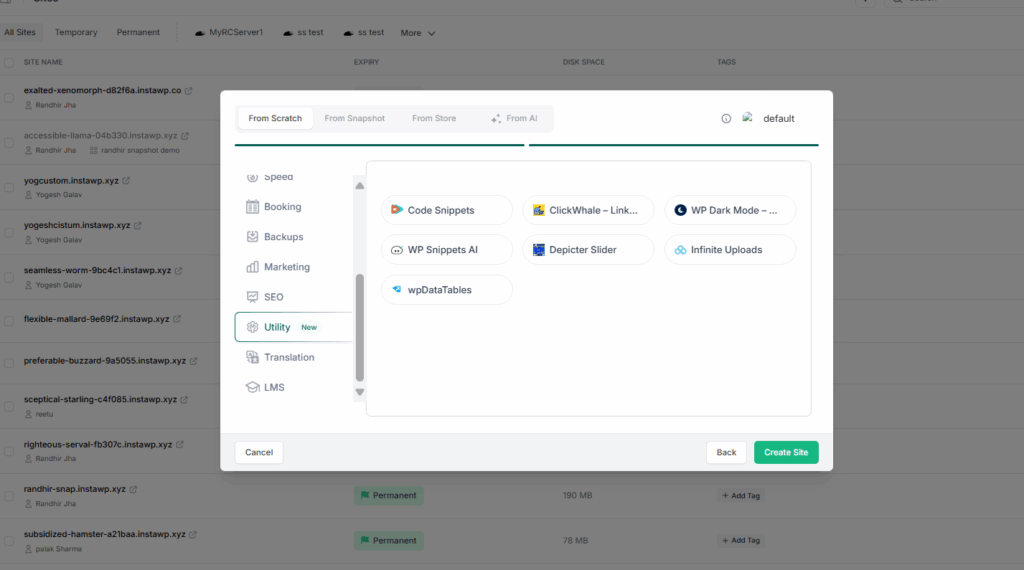
- One click to enable: Simply choose it during setup. There’s no need to manually upload or activate the plugin.
- Automatic background install: While InstaWP spins up your WordPress site, WP Snippets AI is quietly installed and activated in the background.
- Ready from the dashboard: As soon as your site is live, the plugin is already active in your WordPress dashboard; no extra steps are required.
This means you can immediately begin creating snippets, testing features, and experimenting with AI-powered code generation the moment your site is ready.
For agencies and developers who spin up multiple environments daily, this saves hours of repetitive setup work. For beginners, it removes the friction of figuring out plugin installation altogether.
Why You Should Try It?
The real power of this partnership shows up in everyday WordPress tasks. Whether you’re a beginner or running multiple client projects, WP Snippets AI inside InstaWP helps you move faster with fewer tools.
For Agencies and Developers
Agencies often waste hours setting up the same client-specific tweaks. With snippets, those tasks shrink to minutes instead of hours. Instead of installing extra plugins for simple tasks, you can drop in lightweight code. Add third-party tools without weighing down your stack, and use an InstaWP sandbox to safely test before going live.
For Beginners and Non-Coders
You don’t need to touch theme files or guess at PHP. A snippet editor lets you add custom CSS or scripts with a few clicks. Use natural language AI prompts like “make my menu sticky” or “add a back-to-top button,” and let the AI handle the rest.
For Site Owners
Running a website shouldn’t mean chasing plugins for every small change. With snippets, you skip the overhead and keep your site lean. Roll out quick tweaks or scripts fast, and preview everything in a sandbox with no risk to your live site.
This isn’t just about writing code; it’s about giving every InstaWP user a smarter, safer, and more streamlined way to shape their WordPress sites.
Conclusion
By bringing WP Snippets AI directly into the InstaWP dashboard, we’re making WordPress customization faster, smarter, and more accessible for everyone, from agencies building at scale to beginners just starting out. No extra installs, no wasted time, just seamless AI-powered snippet management built right into your workflow.
Spin up your next site in InstaWP, select WP Snippets AI during setup, and experience how simple WordPress customization can be.