

Enables the previous "classic" editor and the old-style Edit Post screen with TinyMCE, Meta Boxes, etc. Supports all…
About Animations for Blocks
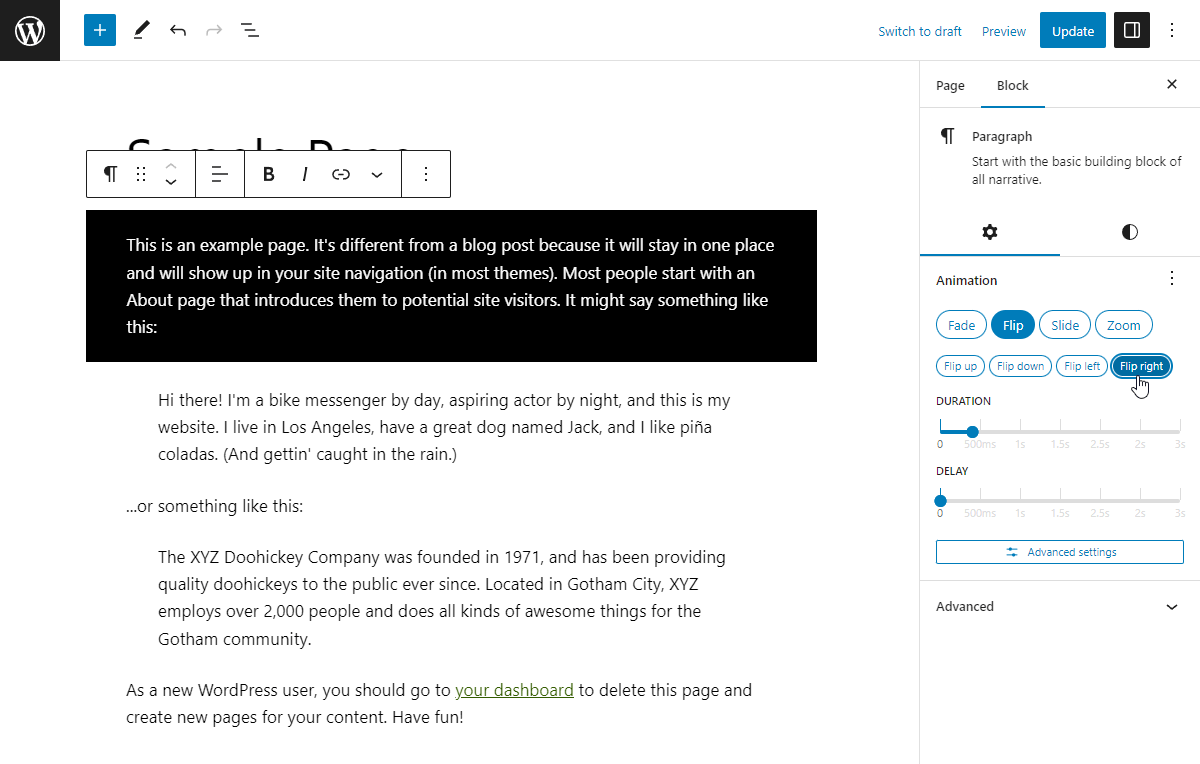
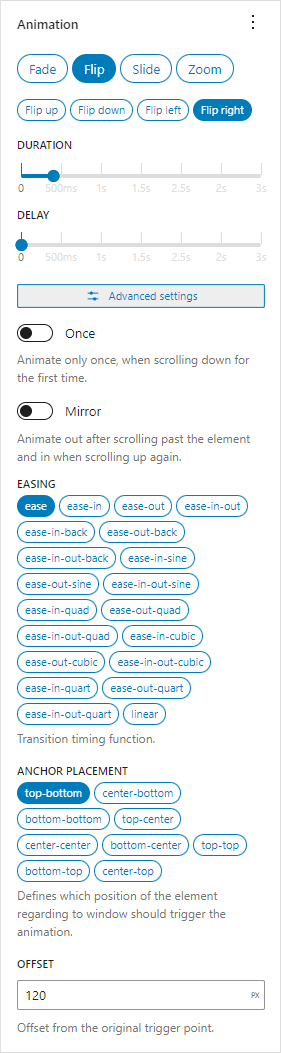
This plugin adds additional animation controls to the block editor blocks, allowing you to animate the block once it becomes visible during scrolling. You can choose from different animation types, variations, and adjust settings like delay and duration. The plugin also includes a preview feature to see the animation in real-time.Screenshots
Changelog
1.2
- Front end scripts are now deferred.
- Lazyload assets option now defaults to true.
- Added new animation – “Scale”, a subtle animation which starts from a slightly scaled up/down state with opacity 0 and transforms into its’ initial size while fading in.
- Added new animation – “Default”. Plugin settings now allow to configure an animation that will be used for any block that has selected the “Default” animation.
- Added new animation – “Inherit”. The “Animation container” block now has an option to become an “Animation provider”, in which case all the blocks nested inside of it that use the “Inherit” animation will use the animation of the provider block. The provider block can also stagger each subsequent animation by a specified amount.
- Bundled Lenis – a lightweight smooth scroll library – can be enabled in plugin settings.
- AOS is now exposed to window object on the front end (
window.AOS). - Tested up to WordPress 6.7.1.
- Requires WordPress 6.6.
- Requires PHP 8.1.
- Update
@wordpress/*packages.
1.1.6
- Tested up to WordPress 6.6.
- Update
@wordpress/*packages. - Use
block.jsonfor Animation container block. - Move block styles to separate stylesheet.
- Fix label and value mix up in RangeControl.
- Remove some defunct code.
- Bundled
react-jsx-runtimeto keep the plugin working with WP < 6.6.
1.1.5
- Tested up to WordPress 6.5.
- Added option to choose where to display the animation controls – you can move them to the “Styles” tab or to “Advanced” inspector controls area.
- Update
@wordpress/*packages.
1.1.4
- Accidentally a version.
1.1.3
- Fix for crash with latest Gutenberg plugin due to
__unstableElementContextbeing removed. - Update
@wordpress/*packages.
1.1.2
- Add option to disable automatic animation preview.
- Add option to lazyload assets when an animated block is preset on the current page.
- Update
@wordpress/*packages. - Update screenshots.
1.1.1
- Use
WP_HTML_Tag_Processorfor adding HTML attributes. - Blocks that render multiple root elements are no longer wrapped automatically. Use Animation container block to do it.
- Move all PHP code to main file for simplicity.
1.1.0
- Animation preview works in iframe-d block editors.
- Rework controls.
- Add ability to copy-paste animation settings.
- Update Animation container block to API version 2.
- Use
render_blockfilter to apply animation attributes instead of overriding block’srender_callback. - Add
anfb_aos_attributesfilter that can modify attributes that are added to animated HTML elements. - Convert some code to typescript.
- Update
@wordpress/*packages. - Test with WordPress 6.2-RC1.
1.0.6
- Fix
onceandmirroroptions detection in dynamic blocks. - Update
@wordpress/*packages. - Test with WordPress 6.1.1.
1.0.5
- Update
@wordpress/*packages. - Test with WordPress 6.0.
- Add GitHub link.
- Remove
srcfolder from plugin.
1.0.4
- Update block anchor selector.
1.0.3
- Use generated version number for AOS library.
1.0.2
- Fix encoding for dynamic blocks.
1.0.1
- Add more unsupported blocks.
- Move Animation Container block to “Design” category.
1.0.0
- Initial release.
