

Enables the previous "classic" editor and the old-style Edit Post screen with TinyMCE, Meta Boxes, etc. Supports all…

About Browser Screenshots
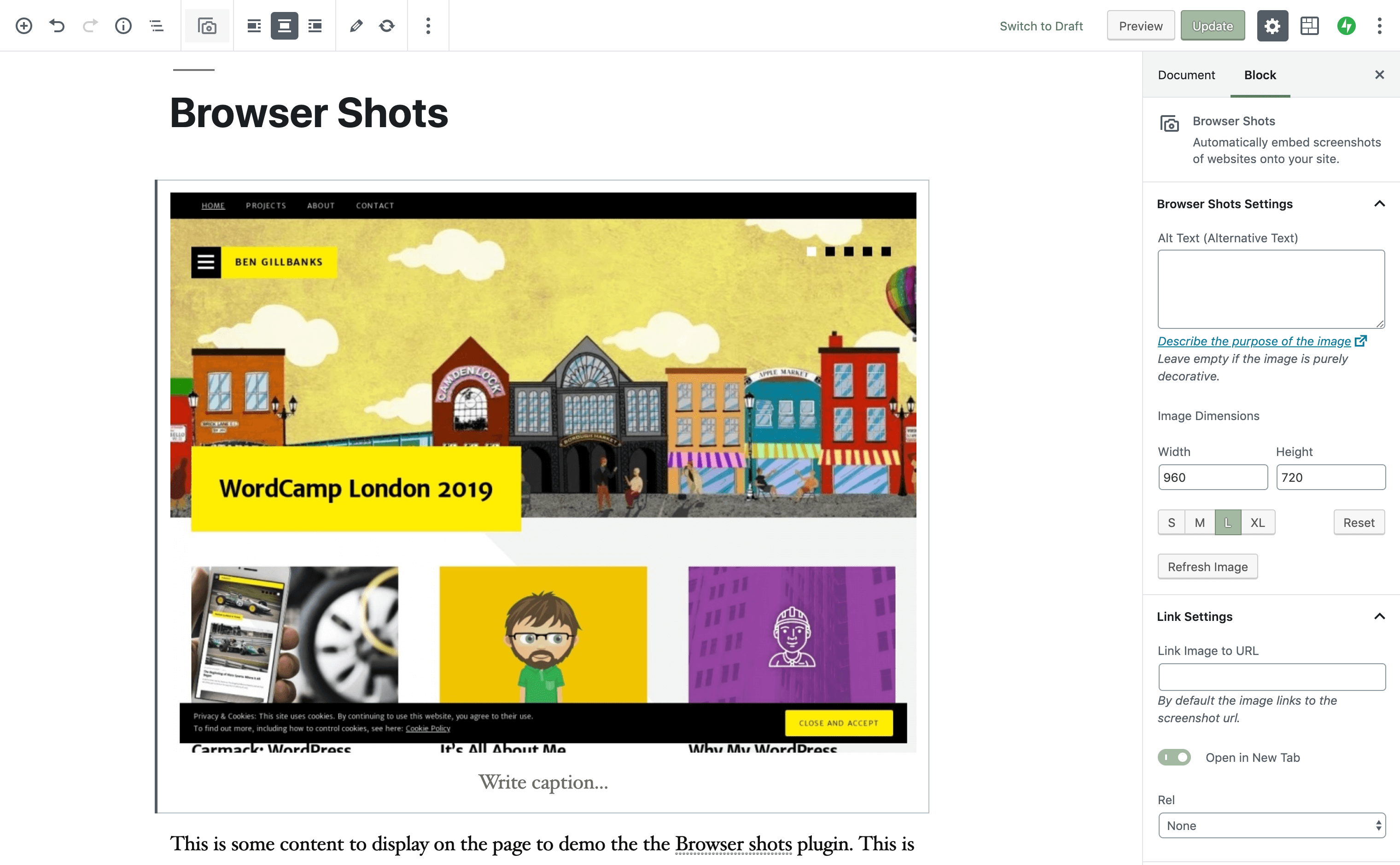
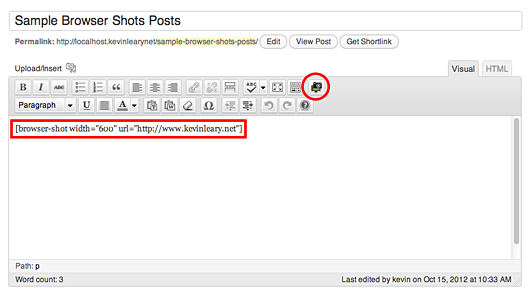
The Browser Shots plugin allows you to automate the process of taking website screenshots using a shortcode. The plugin uses the 'mshots' functionality from WordPress.com to take the screenshots, and the images are stored on the WordPress.com servers. The plugin is compatible with WordPress Multisite and you can find the code on Github.Screenshots

Changelog
1.7.7 – 22nd November 2021
- Fix broken images (the image url moved – thanks @idanka for finding the fix).
- Small tweaks and improvements to the UX
- Update scripts and packages to the latest version.
1.7.6 – 18th June 2021
- Fix possible XSS vulnerability as reported by WPScan.
1.7.5 – 27th January 2021
- Fix variable comparison that could cause errors in some situations.
- Add missing text domain for translations.
1.7.4 – 15th July 2019
- Add a $shortcode parameter to the shortcode_atts function call so that the shortcode properties can be filtered.
- Added option to allow screenshot to link to the post’s URL.
- Make get_shots static so it can be used outside of the shortcode/ gutenberg block.
1.7.3 – 12th June 2019
- Add PERMALINK as a link property. If you set the link url to PERMALINK then the url will point to the currrent page or post.
- Improve the default alt text. Previously it would display the url for the screenshot, but this could be messy, and is not actually useful. Now displays “Screenshot from domain-name”.
1.7.2 – 11th June 2019
- Ensuring display_link is a boolean in the shortcode.
- Code formatting and cleanup.
1.7.1 – 11th June 2019
- Add a new parameter display_link that allows you to disable the link around the screenshot. Defaults to true. Set to false to remove the link.
- Add some placeholder text to the input fields to make it clearer what is expected.
- Change the rel link property to a toggle for one click changes.
1.7 – 8th June 2019
- Add Gutenberg block for including Browser Shots.
- Fix image alignment so that it works properly :).
1.6 – 30th May 2019
- Add rel property to shortcode so that links can include rel=”nofollow” or similar.
- Fix output of target attribute.
- Tidy codes.
1.5.2 – 7th January 2017
- Improve output html to reduce likelihood of html being modified by a plugin
- Swap urlencode for rawurlencode
- Switch to yoda conditions
1.5.1
- add two new class properties. One for the container, one for the image
- lots of code tidying, and refactoring. Simpler, faster, and more secure
- new tinymce icon that fits the style of the editor much better ?
1.5
- update localisation strings so that things can be translated more easily
1.4
- Update the website screen capture path. This ensures the code will work properly on secure domains
- Add some additional value escaping for extra security
1.3.2
- Fix a couple of small javascript bugs (thanks again to Ciprian Dracea)
1.3.1
- Fix a couple of small bugs with the visual editor and add support for all shortcode parameters
1.3
- Make the visual editor work again (thanks to Ciprian Dracea for the report and the code help!)
- add a new pop up box for the shortcode properties in visual editor mode
1.2
- Add ‘link’ attribute. Allows you to change the url that the screenshot links to
- Sanitize the height attribute and fix a small height related PHP error
- Add support for captions
- Add target attribute for opening links in new windows
1.1
- Add ‘height’ attribute to the TinyMCE prompts
- Allow users to override ‘height’ attribute in [browser-shot] shortcode
1.0
- Initial public release to the WordPress plugin repository
