

Improve your WordPress SEO: Write better content and have a fully optimized WordPress site using the Yoast SEO…
About JSM Show Post Metadata
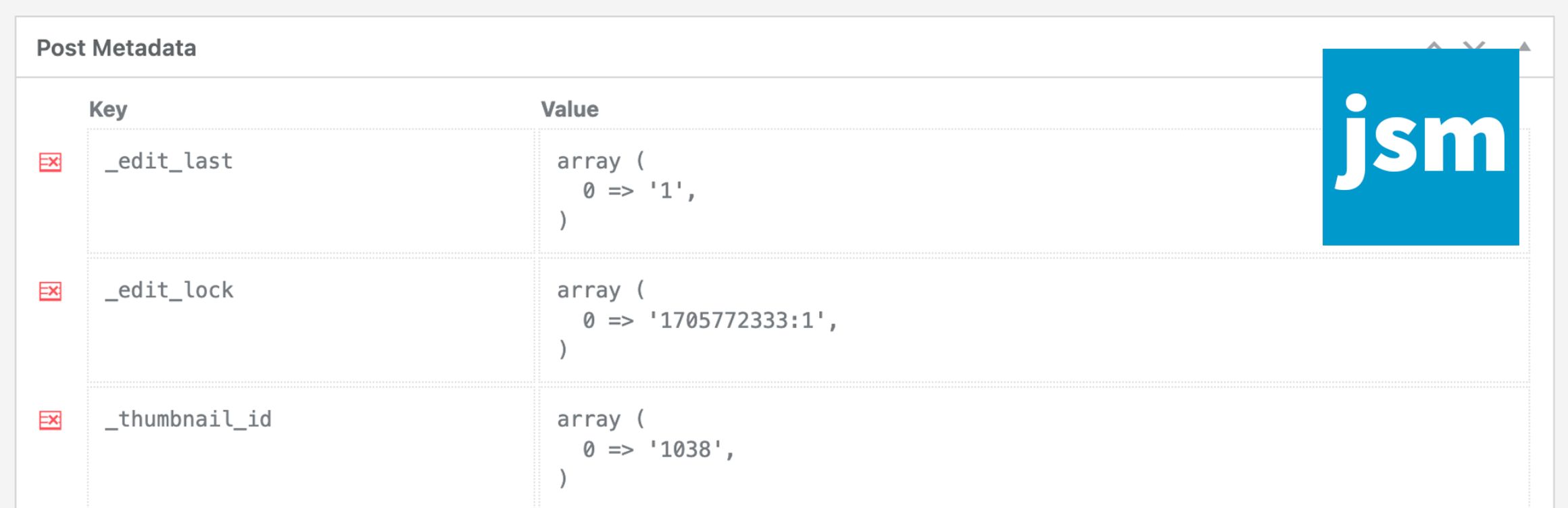
The JSM Show Post Metadata plugin allows you to display custom field names and their values in a metabox on the post editing page. It doesn't have any settings, so you just need to install and activate the plugin. There are also filters available for developers to customize the plugin's behavior.Frequently asked questions
What does the JSM Show Post Metadata plugin do?
The JSM Show Post Metadata plugin displays post meta keys and their unserialized values in a metabox at the bottom of the post editing page. This includes posts, pages, and custom post types.
Are there any settings for this plugin?
No, there are no plugin settings. You simply install and activate the plugin.
What are some of the available filters for developers?
Developers can filter the post meta shown in the metabox using 'jsmspm_metabox_table_metadata'. They can also exclude meta keys using 'jsmspm_metabox_table_exclude_keys' and set the required capability to show post meta with 'jsmspm_show_metabox_capability'.
Changelog
Version Numbering
Version components: {major}.{minor}.{bugfix}[-{stage}.{level}]
- {major} = Major structural code changes and/or incompatible API changes (ie. breaking changes).
- {minor} = New functionality was added or improved in a backwards-compatible manner.
- {bugfix} = Backwards-compatible bug fixes or small improvements.
- {stage}.{level} = Pre-production release: dev < a (alpha) < b (beta) < rc (release candidate).
Repositories
Changelog / Release Notes
Version 4.6.2 (2024/12/26)
- New Features
- None.
- Improvements
- None.
- Bugfixes
- Fixed PHP v8.2 warning: Using
${var}in strings is deprecated in lib/com/util.php.
- Fixed PHP v8.2 warning: Using
- Developer Notes
- None.
- Requires At Least
- PHP v7.4.33.
- WordPress v5.9.
Version 4.6.1 (2024/11/25)
- New Features
- None.
- Improvements
- None.
- Bugfixes
- None.
- Developer Notes
- Added a check for
current_user_can()inJsmSpmPost->ajax_get_metabox(). - Updated the
SucomUtilandSucomUtilWPclasses.
- Added a check for
- Requires At Least
- PHP v7.4.33.
- WordPress v5.9.

