
Site Kit is a one-stop solution for WordPress users to use everything Google has to offer to make…
About Manual Image Crop
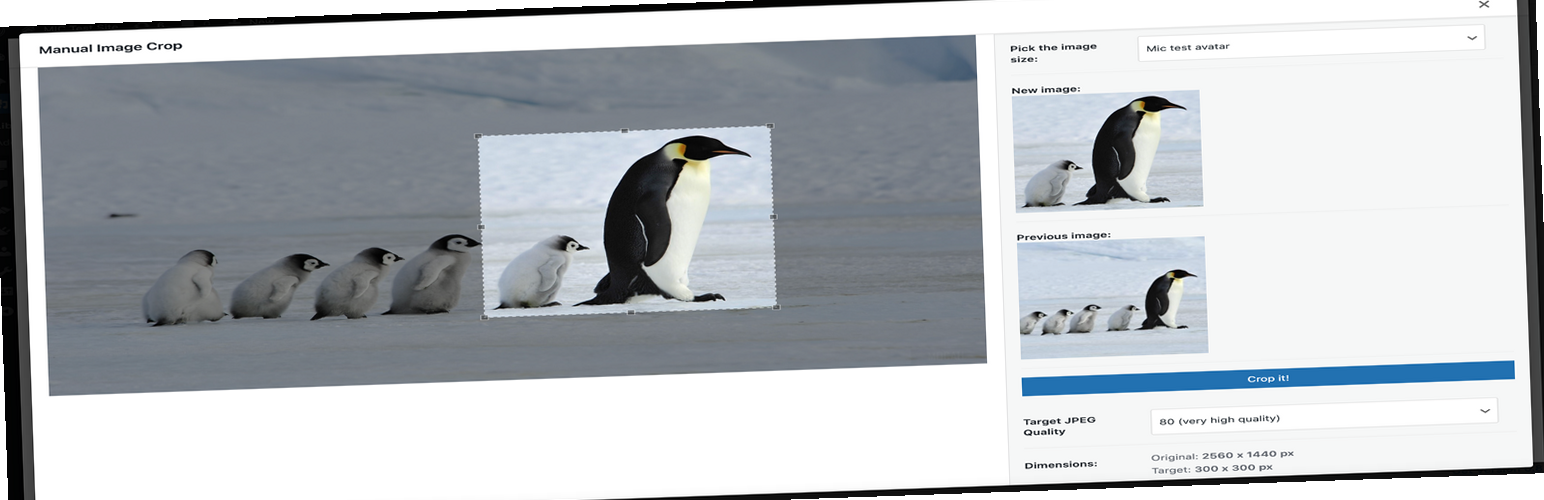
This plugin allows you to manually crop all the image sizes registered in your WordPress theme. It provides a simple and intuitive interface for cropping images in your media library or when selecting an image for the featured image. The plugin also supports multiple translations and offers the option to donate to support its development.Screenshots


Frequently asked questions
What is Manual Image Crop?
Manual Image Crop is a WordPress plugin that allows you to manually crop all image sizes registered in your WordPress theme, including the featured image.
How do I use Manual Image Crop?
You can use Manual Image Crop by clicking the "Crop" link next to any image in your media library. A "lightbox" style interface will appear for cropping.
Where else can I access Manual Image Crop?
The plugin also adds cropping links below the featured image box (labeled "Crop featured image") and within the media insert modal window once an image is selected.
Are there translations available for Manual Image Crop?
Yes, Manual Image Crop is available in several languages including Dutch, French, German, Hungarian, Italian, Polish, Russian, Spanish, and Swedish.
Changelog
1.12
- Fixed ‘streched images’ issue
1.11
- Hungarian translation added
- Swedish translation added
- Security improvements
1.10
- Fixed handling of array $crop param
1.09
- Dutch translation added
- Better error handling
- Fixed overwriting of previously saved crops
- Minor tweaks all around
1.08
- More descriptive error messages
- Russian translation added
- Hooked ‘Crop’ link to new media library layout (WP 4.0)
- A few minor edits
1.07
- Fixed ‘Cannot use string offset as an array’ error
1.06
- French, German, Italian, Polish, Spanish translations added
- Settings page added (quality, visibility, custom labels)
- Compatibility with Retina/HiDPI (@2x) plugin added
- Fixed issue with closing editor window from within media uploader screen
1.05
- WordPress 3.9 compatibility issues fixed
- Removed randomly floated ‘Maximum upload file size’
1.04
- Added remembering of the previously selected area after cropping the specific image size
- Fixed the “wp_enqueue_script was called incorrectly” warning in the WP debug mode
1.03
- Fixed the issue with overwriting the original image when cropping image size registered after the attachment had been uploaded
1.02
- Fixed HTTP Authentication no preview issue
- Fixed path issues on multisite/subfolder WP installations
1.01
- Fixed Chrome stretched image issue
- Improved compatibility with other plugins using ‘thickbox’
1.0
- Initial version

