

Improve your WordPress SEO: Write better content and have a fully optimized WordPress site using the Yoast SEO…

About Restaurant Menu – Food Ordering System – Table Reservation
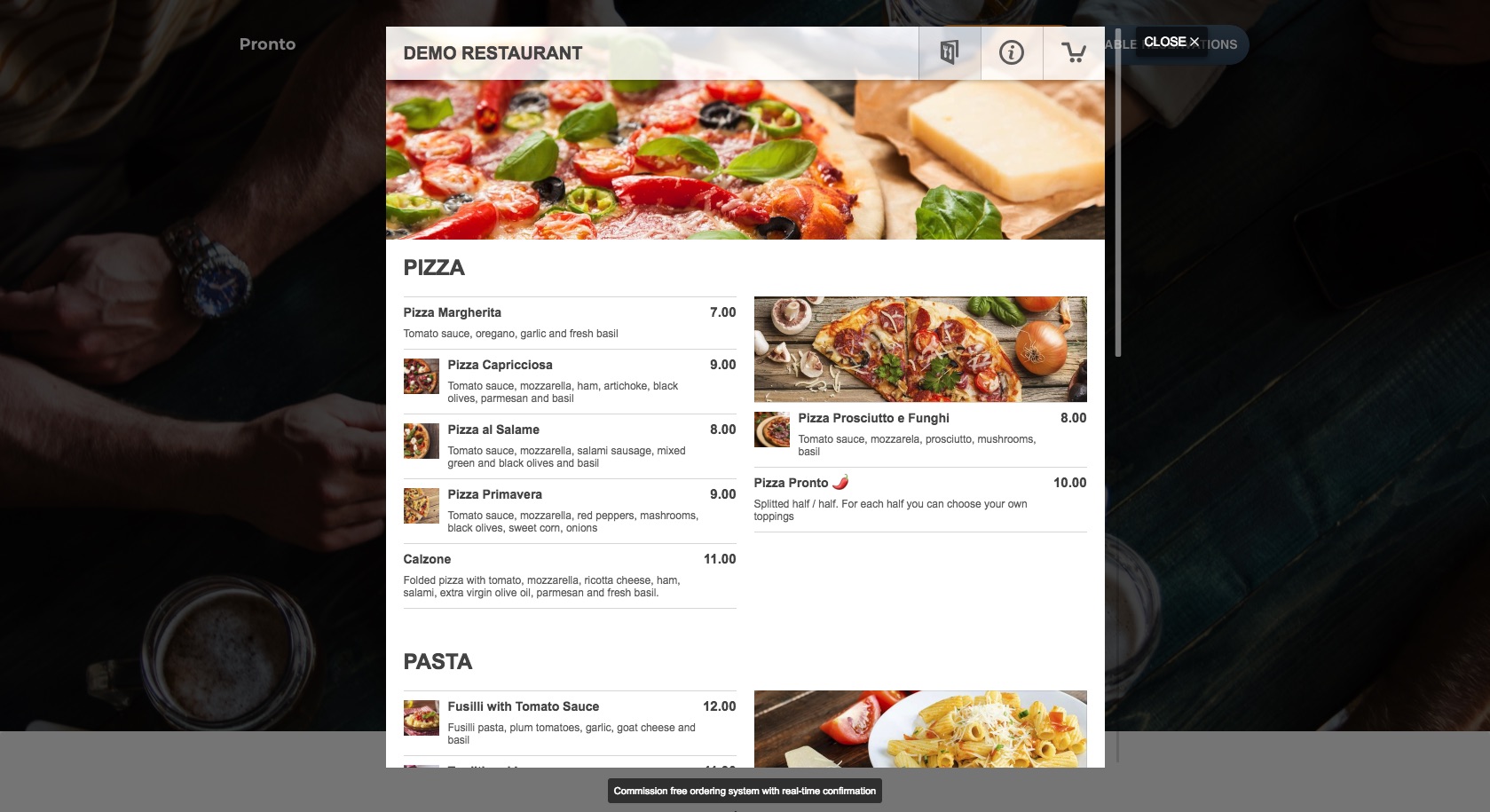
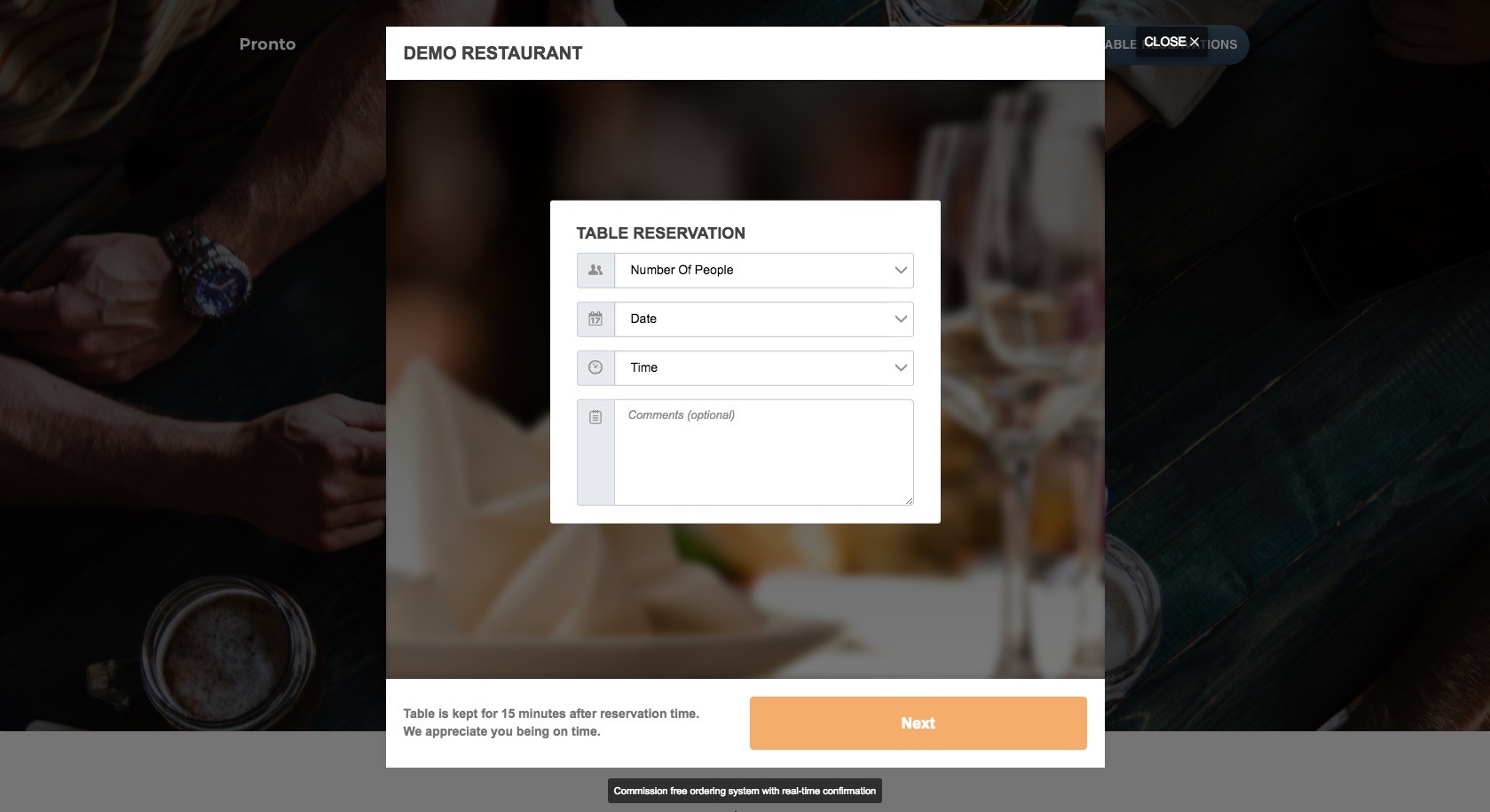
This plugin allows you to easily turn your restaurant website into an online business, with features such as a restaurant menu, online food ordering, and a restaurant booking system. It is simple to set up and there are no fees or hidden costs. You can start taking unlimited food orders and restaurant reservations within minutes.Screenshots



Frequently asked questions
What is this plugin?
This plugin is a WordPress plugin that allows you to turn your restaurant website into an online business. It provides a restaurant menu, online food ordering, and a restaurant booking system.
Are there any costs or commissions?
No, the plugin is free, with no fees, hidden costs, or commissions for unlimited food orders and restaurant reservations.
How easy is it to set up?
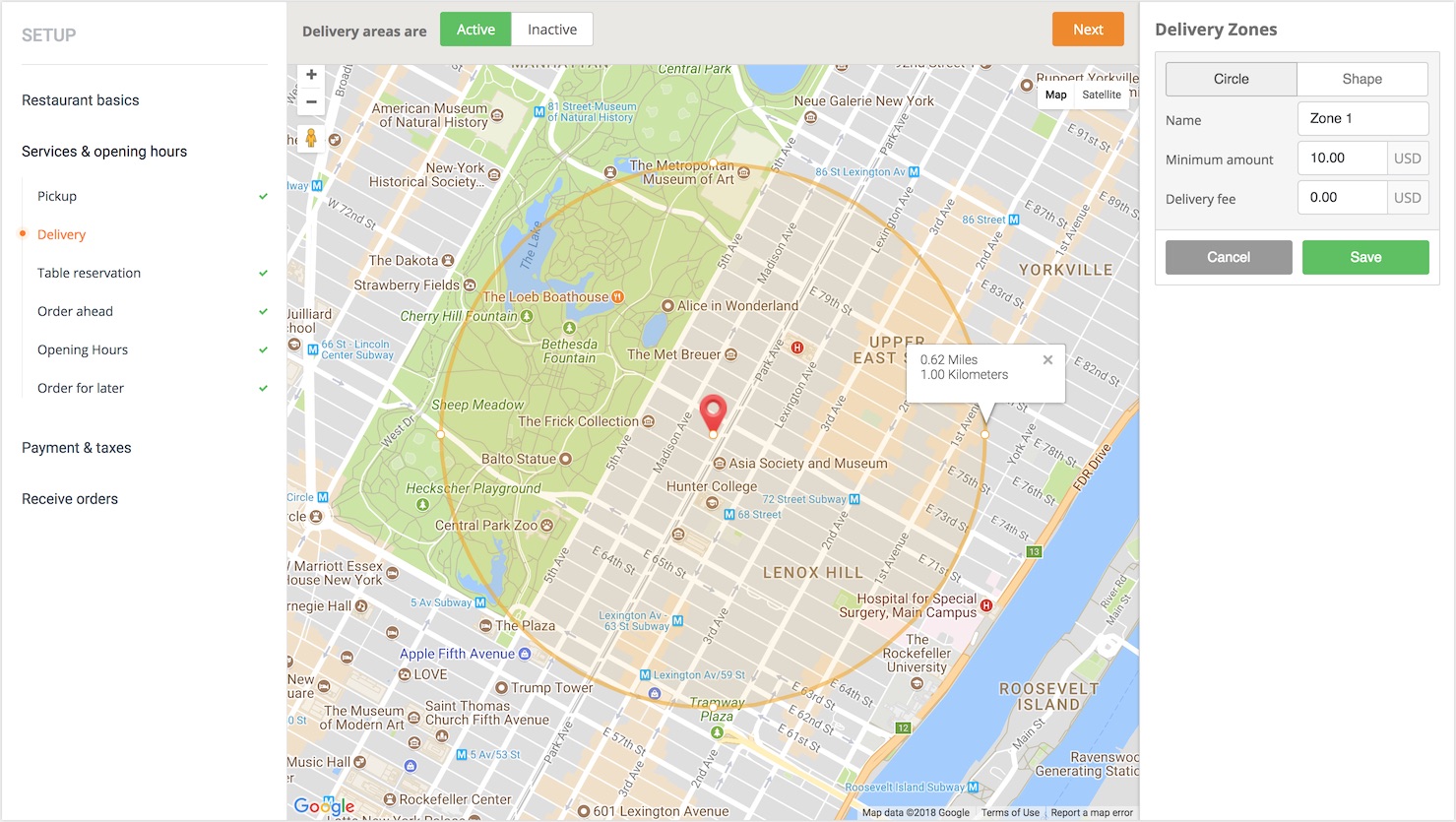
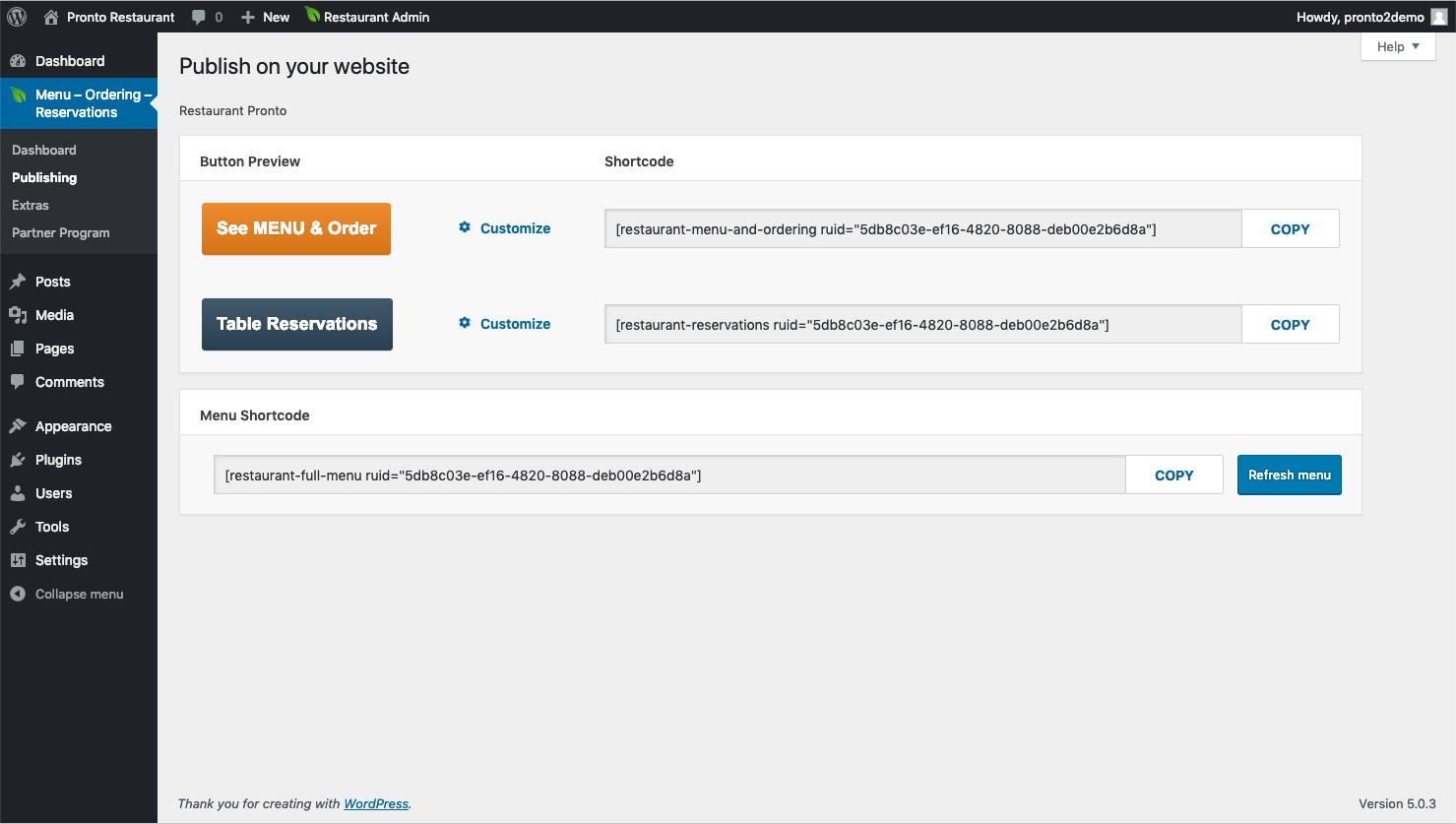
It is super easy to set up and requires no coding. You can follow a wizard, insert your food menu, and publish the ordering button to be ready for the first food order within minutes.
What kind of menu features does it offer?
It includes a visual, drag & drop online menu editor, support for uploading images, customizable food menu items (sizes, choices, add-ons), and is suitable for any type of cuisine with support for promotions.
Does it support online payments?
Cash and other payment options are supported, with online payments being a premium feature.
Changelog
1.0.2
- Release Date: February 23rd, 2018
- Initial release
1.0.3
- Release Date: March 26th, 2018
- Localization improvements
1.0.4
- Release Date: April 26th, 2018
- Allow passsing the “class” attribute in shortcodes in order to use custom CSS
1.1.0
- Release Date: May 11th, 2018
- Added support for using the See Menu & Order and Table Reservations buttons as wp widgets
- Showing the GloriaFood Admin in the same language as the WP Admin
- Added contextual help in the publishing section
1.1.1
- Release Date: May 29th, 2018
- Bug fixing
1.2.0
- Release Date: Nov 13th, 2018
- Checked WordPress 5.0 compatibility
- Bug fixing
1.2.1
- Release Date: Dec 10th, 2018
- Updated the ordering widget external js file url
1.3.0
- Release Date: Feb 19th, 2019
- Added shortcode for the restaurant menu so you can easily publish it on any page you want.
1.3.1
- Release Date: March 8th, 2019
- Added support for WordPress Multisite networks
1.3.2
- Release Date: April 5th, 2019
- Check for backend login token only if one of the plugin page is displayed in admin
1.3.3
- Release Date: May 6th, 2019
- Checked the compatibility with WordPress 5.2
1.3.4
- Release Date: Sept 17th, 2019
- Better connectivity with GloriaFood Restaurant wordpress theme
1.3.5
- Release Date: Oct 30th, 2019
- Checked compatibility with WordPress 5.3
1.4.0
- Release Date: Dec 30th, 2019
- Added support for images in the menu widget
- Added forgot password functionality directly in the plugin
1.4.1
- Release Date: Jul 28th, 2020
- Added custom blocks for Gutenberg
- Fixed various small bugs
1.4.2
- Release Date: Oct 15th, 2020
- Fixed restaurant_data_obj bug
1.4.3
- Release date: Nov 16th, 2020
- Allow the customization of ordering and reservation widget by location
- Automatically refresh the menu page every 1 hour
1.4.4
- Release date: Nov 17th, 2020
- Bug fix for customization of ordering and reservation widget by location
- Bug fix for the refresh menu alert showing everytime on the same page while customizing ordering and reservations buttons.
1.4.5
- Release date: Nov 17th, 2020
- Fixed regression bug on 1.4.4
1.4.6
- Release date: Nov 27th, 2020
- Fix button bugs on 1.4.5
1.4.7
- Release date: Jan 19th, 2021
- Code refactoring, separated current features in modules, structure modification for easier readability and access.
- Checked compatibility with WordPress 5.6
1.4.8
- Release date: Jan 20th, 2021
- Gutenberg trailing comma – Trailing comma in function calls is only available since PHP 7.3
1.5.0
- Release date: Feb 25th, 2021
- New Feature – Elementor Widgets
- New Feature – Publishing page – Dropdown multiple locations support and chains, made easier to identify the corresponding chain of the set location
- New Feature – Dashboard page – Dropdown multiple locations and chains, user can select which restaurant to manage
- Bug fix – undefined ‘localize’
- Bug fix – filemtime
1.5.1
- Release date: Feb 26th, 2021
- Bug fix single restaurant bad request ‘acid’
- Bug fix elementor icons color on light/dark browser mode
2.0.0
- New Feature – Redesigned the whole user experience. Offers better guidance when setting up a new website.
- New Feature – Static menu now shows “From” if the menu item has multiple sizes.
- Bug fix static menu widget now uses the same currency format from the menu ordering dialog
2.0.1
- Bug fix – Elementor widget labels translate method
2.0.2
- Bug fix / Improvement – Page recreated automatically after it was deleted / Page now is created only when option is clicked
- Bug fix – Classic editor buttons not showing with their style per location when they are customized
- Regression fix – buttons no longer functional and without styling
- Improvement – Checking for plugin update/upgrade
2.0.3
- Bug fixes – PHP8 compatibility
2.0.4
- Bug fix – All in ONE SEO not showing content due to css similarity
2.1.0
- New Feature – Elementor Widget Buttons Ordering and Reservations now supports all Elementor Base Button properties
- Deprecated – The old buttons have the label marked as ‘(deprecated)’. It is recommended to change the buttons to the new ones.
2.2.0
- New Feature – Elementor Widget Opening Hours
- New Feature – Gutenberg Block Opening Hours
- New Feature – Classic editor shortcode Opening Hours
- Improvement – Multisite compatibility
- Regression fix – Ask for review
2.2.1
- Removed unnecessary files
2.2.2
- Fixed issue with ordering widget tracking
2.3.0
- New Feature – Elementor Widget Promotions
- New Feature – Gutenberg Block Promotions
- New Feature – Classic editor shortcode Promotions
- New Feature – Update Food Menu and Opening Hours right from the widget
2.3.1
- Tested up to: 5.8.4 to 6.0
- Bug fixes and security improvements
2.3.2
- Bug fixes and security improvements
2.3.3
- Tested up to: 6.1
2.3.4
- Bug fixes – PHP8 compatibility
2.3.5
- Bug fixes – PHP8 compatibility
2.3.6
- Bug fixes and security improvements
2.3.7
- Bug fixes and security improvements
2.3.8
- Bug fixes and security improvements
2.3.9
- Tested up to: 6.4
- Bug fixes and security improvements
2.4.0
- Tested up to: 6.4
- Bug fixes and security improvements
2.4.1
- Bug fixes and security improvements
2.4.2
- Security improvements
2.4.3
- Tested up to: 6.6.2
- Security improvements

