

Site Kit is a one-stop solution for WordPress users to use everything Google has to offer to make…

About WP OPcache
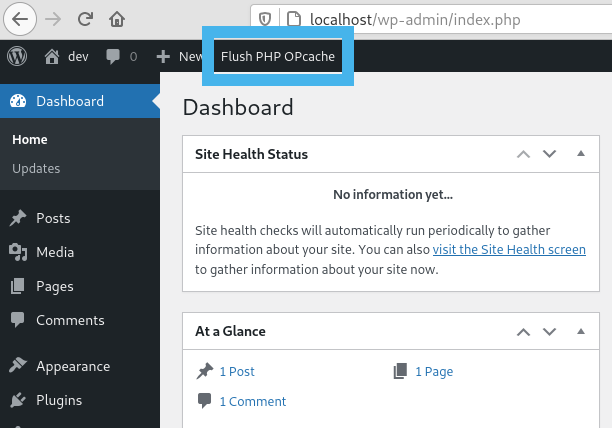
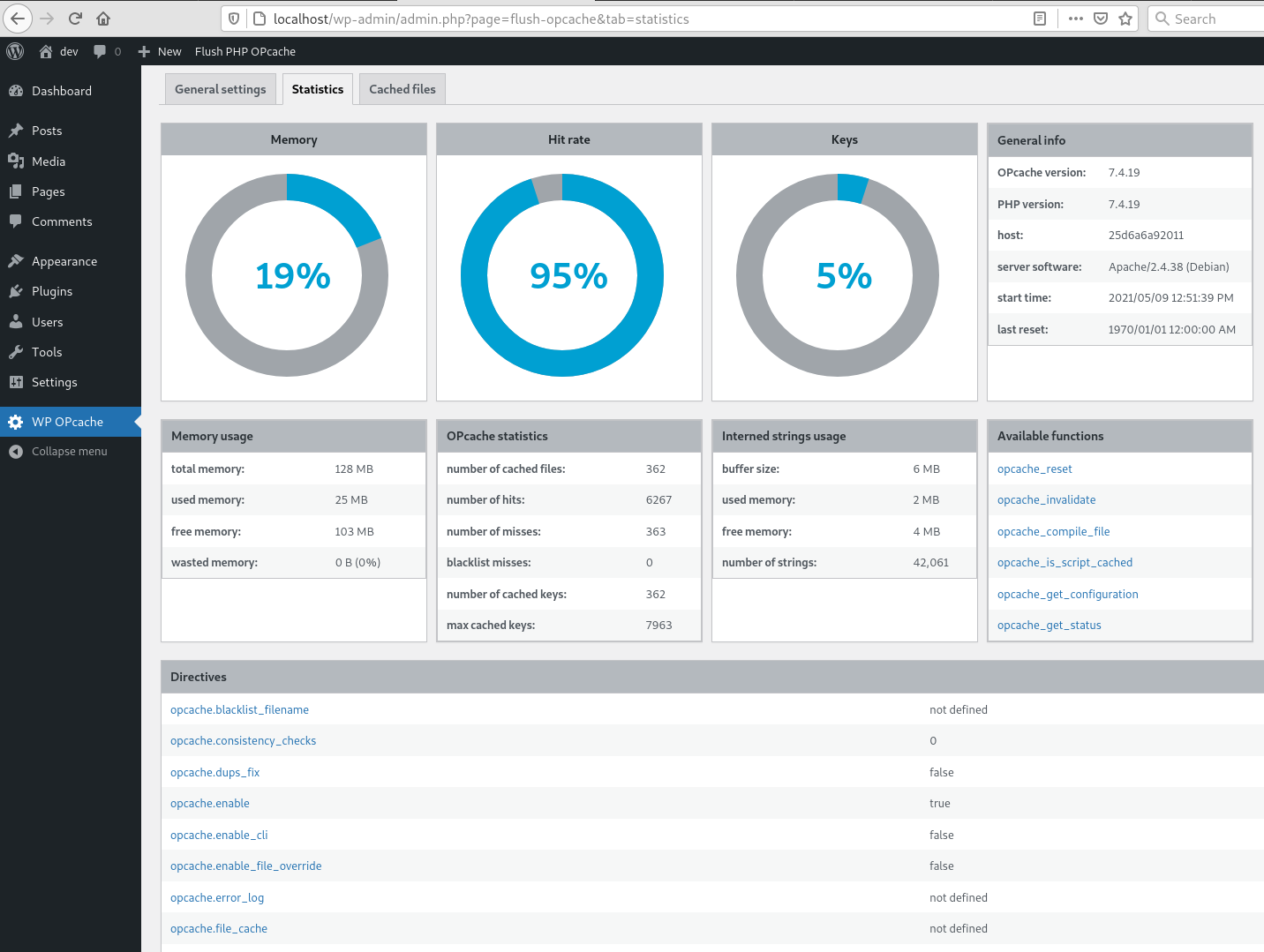
This plugin adds a button in the admin bar to flush OPcache, allowing you to clear the cache for WordPress files. It also provides statistics on memory, hits, strings, keys, directives, functions, and general information about OPcache. The plugin is fully responsive and supports multisite. Additionally, it is WP CLI ready, allowing you to flush the cache using the command line.Screenshots



Frequently asked questions
What is WP OPcache?
WP OPcache is a WordPress plugin that allows you to manage OPcache directly from your WordPress admin dashboard.
How can I flush OPcache using this plugin?
The plugin creates a button in the admin bar to flush OPcache. You can flush only files in the WordPress absolute path, or perform individual or bulk file invalidation.
What kind of OPcache statistics does the plugin provide?
It provides statistics on memory, hits, strings, and keys. You can also view directives, functions, and general information, and list all cached files.
Does WP OPcache support WP-CLI?
Yes, it adds a 'flush-opcache' command to flush the cache with WP-CLI. Remember to add 'opcache.enable_cli=1' to your PHP configuration for this feature.
What are the main sections in the admin page for WP OPcache?
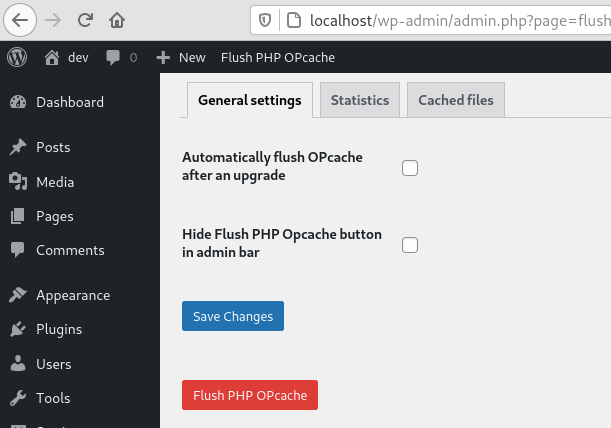
There are three tabs under Tools: General settings for plugin configuration, Statistics for a responsive dashboard of OPcache statistics, and Cached files to list and invalidate cached files.
Changelog
4.2.3
- Ensure user is admin or superadmin to display flush button in admin bar
- Ensure to not continue if OPcache is disabled or not installed to avoid printing PHP errors
4.2.1
- Maintenance release
- Menu moved under Tools
4.2.0
- Add CLI support
4.1.4
- Fix a bug on clearing cache after upgrade
- Flush files even when WP use its own directory
- Use WordPress 6.0 as default
- Use php8.0 as default
4.1.3
- Fix a bug on datetime in cached file list
4.1.2
- Fix a bug with ABSPATH when WordPress uses its own directory
4.1.1
- Tested up to WordPress 5.8
4.1.0
- Remove i18n (use translate.wordpress.org)
- Use wp_opcache_invalidate instead of opcache_invalidate
4.0.1
- Enhance README.txt
- Remove old screenshots
4.0.0
- Invalidate files only in WordPress absolute path
- Use tabs instead of pages in admin area
- New tab with cached files list
- Tested up to WordPress 5.7.1
Full changelog here

