

Improve your WordPress SEO: Write better content and have a fully optimized WordPress site using the Yoast SEO…

About WP Socializer – Simple & Easy Social Media Share Icons
WP Socializer is a social media sharing plugin for WordPress that allows you to add social sharing icons, follow buttons, and mobile share bars to your website. It supports over 50 social media platforms and offers customization options for icon shapes, sizes, and colors. The plugin is lightweight, responsive, and works well with mobile devices.Screenshots




Frequently asked questions
What is WP Socializer?
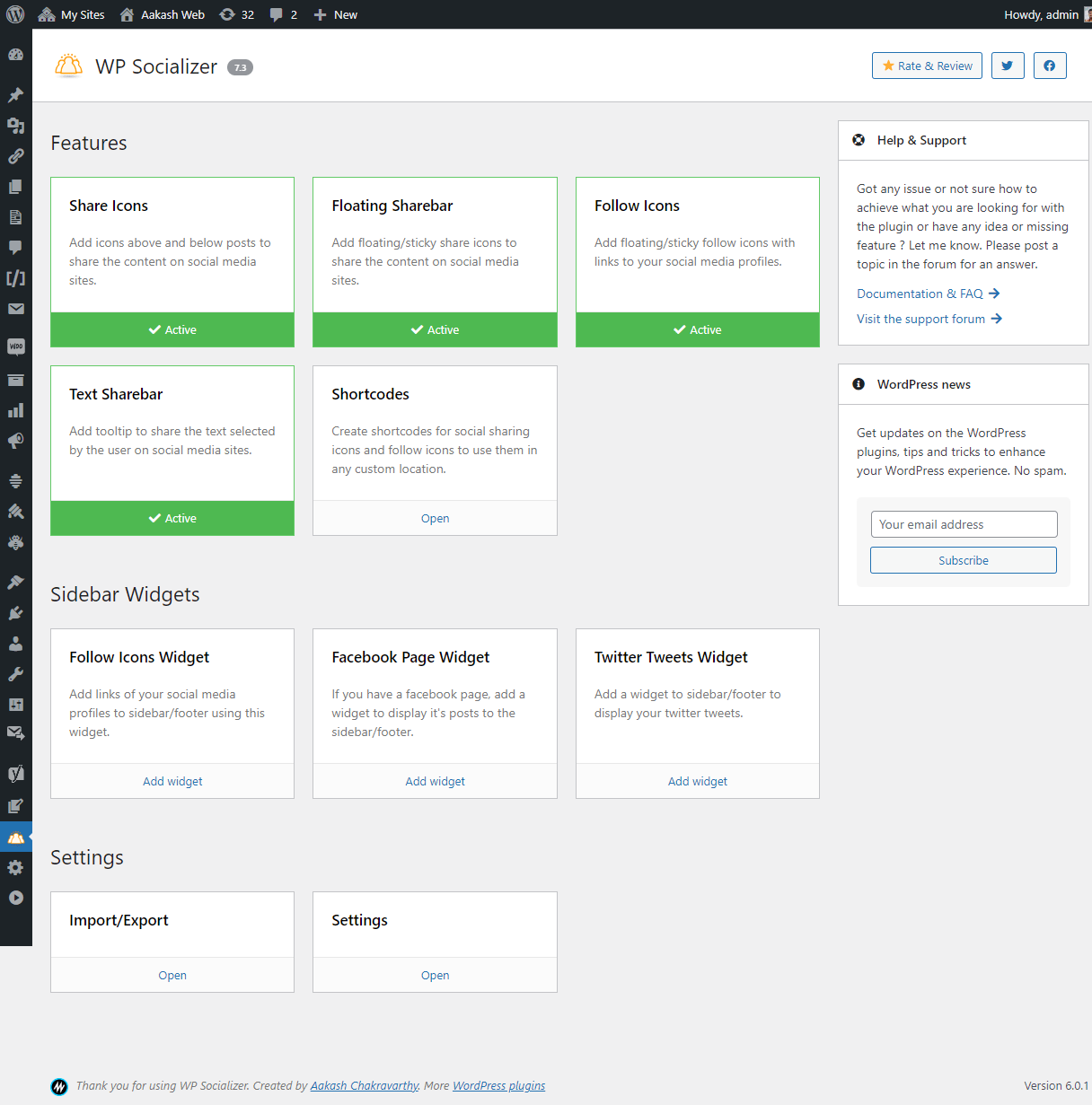
WP Socializer is a social media sharing plugin that allows you to add social sharing icons, sticky/floating share bar, follow my social profile icons, mobile share bar, and selected text share popups to your WordPress site.
Which social media platforms does WP Socializer support?
WP Socializer supports all the latest and popular social media platforms (50+) including Facebook, Twitter, Instagram, WhatsApp, LinkedIn, and more. It also displays share count for Facebook and Pinterest.
Can I insert share and follow me buttons anywhere on my website?
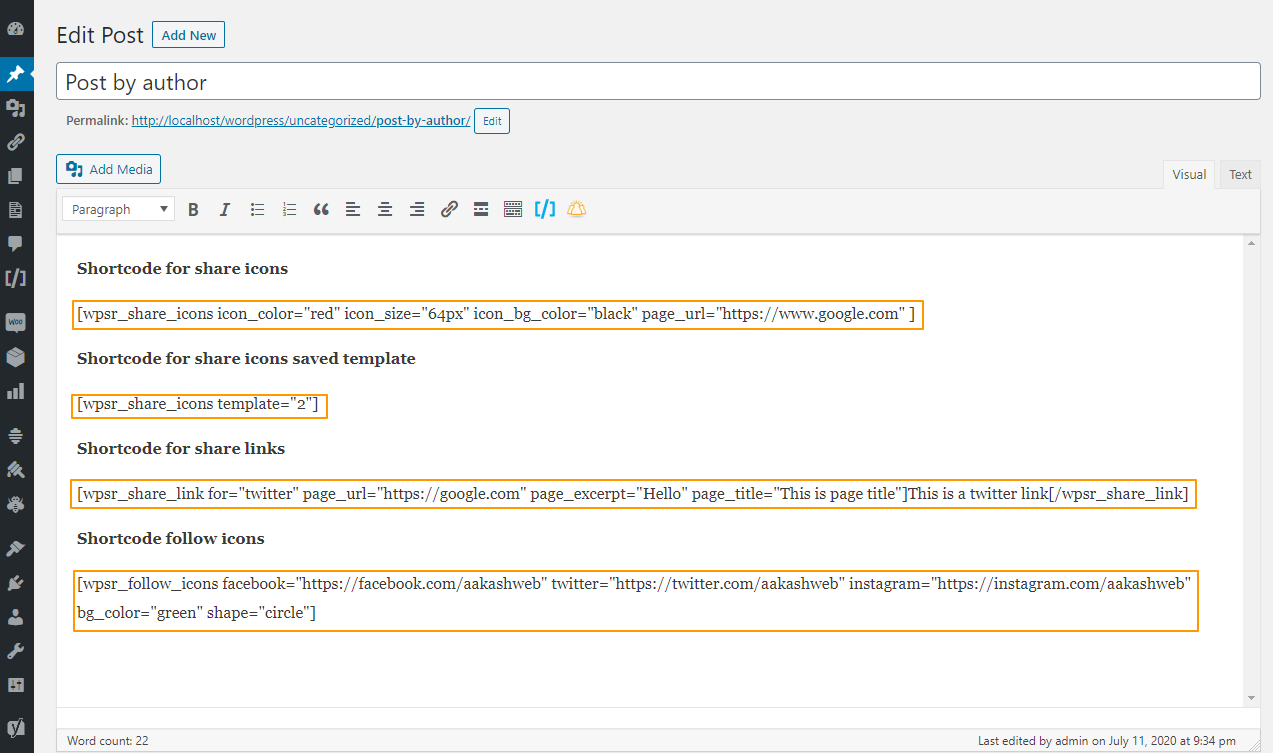
Yes, WP Socializer allows you to display share/follow buttons anywhere on your website. You can choose from options like inline share icons, floating share bar, follow icons, text share bar, and even use shortcodes.
What social network icons are included in WP Socializer?
WP Socializer includes over 55 popular social network icons such as Facebook, Pinterest, WhatsApp, LinkedIn, Instagram, Email, SMS, Phone, Copy link, Comments button, and many more.
Is WP Socializer responsive and compatible with all devices?
Yes, WP Socializer is completely responsive and works on any device. It also allows you to configure rules to decide how the social icons should behave on smaller and wider screens.
Changelog
7.9
- New: Support for Bluesky icon.
- New: Support for Podcast icon.
- Fix: Social profile links in follow bar are set with rel=”me” value.
- Fix: Handle follow icons editor crash when Elegant page builder is installed.
- Fix: Theme customize page is misaligned.
- Fix: Disable share buttons in REST API output.
- Fix:
nullcheck when current page URL is not available.
7.8
- New: Option to save open/close state for floating sharebar with cookies.
- Fix: Added nonce check for location rules ajax operations.
- Fix: Update fontawesome icon version.
7.7
- New: Button to share using OS’s native share menu.
- New: Line icon now supports different desktop and mobile share links.
- Fix: Reset WP query for before printing text sharebar.
- Fix: Added permission check for AJAX calls.
- Fix: Minor admin UI enhancements.
7.6
- New: Upgrade to FontAwesome v6
- New: Support for X icon
- New: Support for Threads icon
- New: Support for Mastodon icon
- New: Support for Flipboard icon
- New: Updated colors for Facebook, Facebook messenger and WhatsApp
- New: Updated icon for Facebook messenger
- Fix: Upgraded text labels in admin UI for Twitter widget.
- Fix: Deprecated FontAwesome v4.
- Fix: Restrict admin ajax calls with nonce.
7.5
- New: Pinterest widget for profile, board and pins.
7.4
- New: Option to simplify floating sharebar in small screen.
- Fix: Icons are now centered correctly.
- Fix: Share menu link color is overridden sometimes.
- Fix: Share link popup window size is increased.
- Fix: Styling issues with ribbon and drop icon shapes.
7.3.1
- Fix: Floating sharebar was not honoring position.
7.3
- Fix: UTF-8 characters can now be set as icon text in all features.
- Fix: Icon configurations are now stored directly as JSON without base64 encoding.
- Fix: Most user inputs are now sanitized and escaped.
- Fix: Minor admin UI enhancements.
7.2
- New: Comments button for the share icon.
- New: Comments count is displayed for the comments icon.
- Fix: WeChat share URL is updated.
- Fix: Increased share menu popup level.
- Fix: Minor admin UI fixes.
7.1
- New: Share menu and short link popup HTML will be inserted in the page only when they are needed.
- Fix: JS syntax error in Safari browser.
- Fix: Share menu column issue in some themes.
7.0
- New: Share menu popup which lists all the share icons to share.
- New: SMS share icon.
- New: Post level settings to disable a feature.
- New: Support for WordPress 5.8 widgets.
- Fix: Rewrite HTML generator to support extensibility.
6.5
- New: Simplified and cleaned up the admin UI.
- New: Refined share icons layout.
- New: Xing can now be added in follow us icons.
- New: Automatically hide share count when it is 0.
- New: “Fade to dark” hover style.
- Fix: Facebook like count is 0.
- Fix: Share from text sharebar fails when there are non-ascii characters in share text.
- Fix: Share icons text font size.
- Fix: Share icons feature enabled by default.
6.4
- New: Added TikTok icon in follow me icons.
- Fix: “Un-parenthesized” error when using PHP 8.
- Fix: Follow icons editor does not load when the icons have
~in the URL. - Fix: Updated fontawesome to the latest version.
6.3
- New: Support to build show/hide rules for custom taxonomy and terms.
- Fix: Updated fontawesome to the latest version.
- Fix: Minor enhancements to admin page.
6.2
- New: Viber and Google icons can now be selected as follow icons.
- New: In share icons shortcode, page information can be changed when template is selected.
- Fix: Floating share icons overflow in iOS devices and in firefox browser.
- Fix: Incorrect share link in floating share bar.
- Fix: Textarea inputs in admin settings overflows in smaller screens.
6.1
- New: Discord & Patreon icons are supported. They can be selected as “follow icons”
- Fix: Reduced top, bottom margin of the share icons.
- Fix: Added note in icon picker for more information.
6.0.1
- Fix: WhatsApp, Blogger, FB Messenger, RSS icon, Telegram, Tumblr, VKontakte, Wechat, Weibo icons were missing in “follow icons” list.
6.0
- New: Brand new version with major improvements and new features.
- New: Redesigned administration page and is now easy to use.
- New: Plugin code is now 50% lighter and takes less footprint.
- New: Shortcodes.
- New: Mobile ready with new responsive options for different screen size.
- New: Updated brand icon colors for Facebook, Twitter, Instagram and YouTube.
- New: Mobile sharebar feature is merged with “Floating share bar”.
- New: App linking for platforms like WhatsApp and Facebook Messenger.
- Fix: Share buttons widget has been removed since the availability of shortcodes.
- Fix: Facebook share count not working.
- Fix: Drop icon style design.
- Fix: Deprecated features are removed.
- Note: Old features like “share buttons” and “sharebar” are removed and replaced with “share icons” and “floating sharebar” features.
5.2.2
- Fix: Stick to element not working in some cases.
- Fix: Pinterest button being replaced when pinterest script is used.
5.2.1
- Fix: Bug where
is_mobileis undefined. Floating sharebar not opening after it is closed. - Fix: Minor changes to admin UI.
5.2
- New: Support for shortcodes in custom HTML.
- New: Separate share URLs for desktop and mobile which enables support for app linking.
- Fix: Major changes to the internal metadata system.
- Fix: Made FontAwesome 5 as the default font icon system.
5.1
- New: Custom HTML can now be added above and below the social icons.
- New: Add custom HTML in between social icons and in floating sharebar.
- Fix: When no social icons are selected, empty HTML tag were inserted.
- Fix: Admin UI is enhanced.
5.0
- New: Social icons feature is replacing “classic share buttons” feature with easy to setup and powerful features.
- New: Floating sharebar is replacing the “classic sharebar” feature providing advanced features to setup quick and easy.
- New: Minor UI changes to the admin page.
- Fix: 40px size was not working for text sharebar.
- New: Social share buttons in widgets feature has been removed.

