
Improve your WordPress SEO: Write better content and have a fully optimized WordPress site using the Yoast SEO…
About Custom CSS and JavaScript
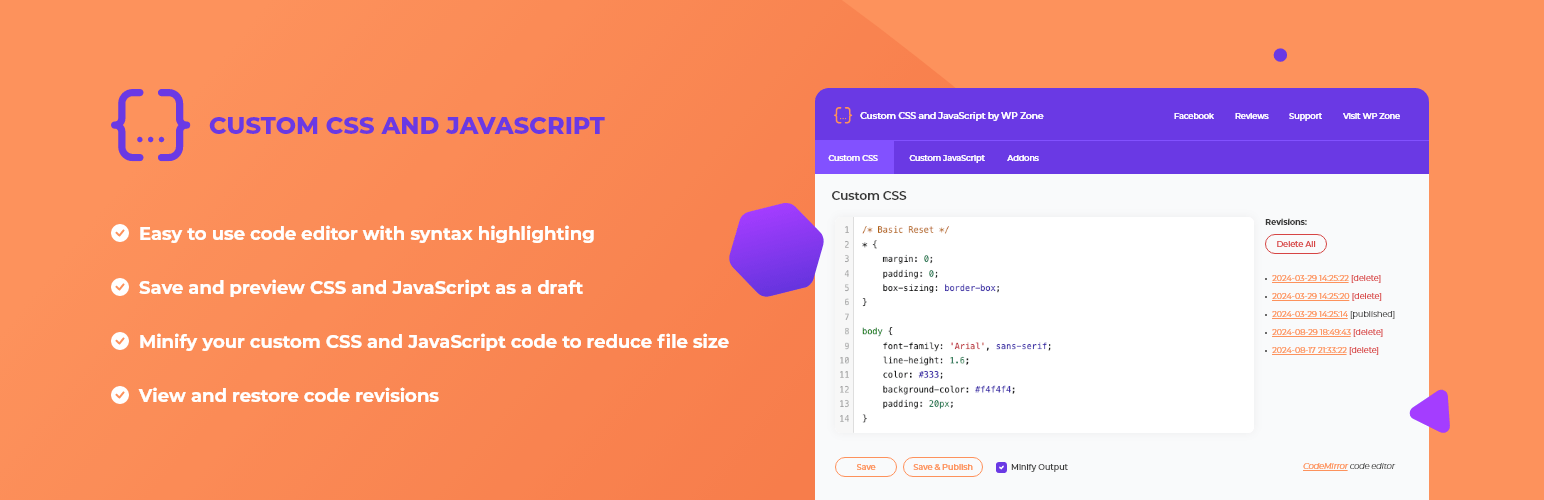
The Custom CSS and JavaScript plugin for WordPress allows you to easily add custom CSS styles and JavaScript code to your website. It includes a code editor with syntax highlighting, the ability to save and preview your changes, and the option to automatically minify your code for optimal performance. There is also a Developer Edition available with additional features like dividing your code into multiple files and live preview for CSS.Screenshots

Frequently asked questions
What does this plugin do?
This plugin allows you to add custom site-wide CSS styles and JavaScript code to your WordPress site. Useful for overriding your theme’s styles and adding client-side functionality.
What are the features of this plugin?
The features of this plugin include a code editor with syntax highlighting and AJAX saving, the ability to save and preview CSS and JavaScript as a draft, view and restore past revisions, automatic minification of code, and optimal performance by serving custom code from the filesystem.
What is the Custom CSS and JavaScript Developer Edition?
The Custom CSS and JavaScript Developer Edition is an upgraded version of the plugin that allows you to divide your code into multiple virtual files, supports Sassy CSS (SCSS), provides live preview for CSS, and allows you to upload and download files.
How can I purchase the Custom CSS and JavaScript Developer Edition?
You can purchase the Custom CSS and JavaScript Developer Edition by clicking on the link provided.
How can I manually upload the plugin?
You can manually upload the plugin to your wp-content/plugins directory.
Changelog
2.0.16 – August 29, 2023
- Revert changes related to the admin page slug change
2.0.15 – August 23, 2023
- Introduce
wpz_custom_css_jscapability
2.0.14 – August 21, 2023
- Fix: error on save “security token expired”
- Compatibility with PHP 8
- Load minified files on admin page
- Change admin page title from h2 to h3
- Add addons tab
- Admin page rebrand
2.0.13 – August 17, 2023
- Add notice about new plugin, AI Image Lab
2.0.12
- Updated links, author, changed branding to AGS,
- Updated tested up to,
- Removed donation links,
- Added aspengrovestudios as contributor
2.0.11
- Fix: Issue with previous update if the admin JavaScript file was already in the browser cache
2.0.10
- Miscellaneous improvements
- Updated licensing (GPLv3+)
2.0.9
- Added search functionality to code editor
- Added bracket matching to code editor
2.0.8
- Fixed issue with backslash in CSS
2.0.5
- Improved HTTPS support
2.0
- Added revisions
- Added drafts/previewing
- Added minification
1.0.5
- Changed file storage location to prevent deletion on plugin update. IMPORTANT: BACK UP YOUR CUSTOM CSS AND JAVASCRIPT CODE BEFORE INSTALLING THIS UPDATE.
1.0
- Initial release

