
Improve your WordPress SEO: Write better content and have a fully optimized WordPress site using the Yoast SEO…
About Multi Step for Contact Form 7
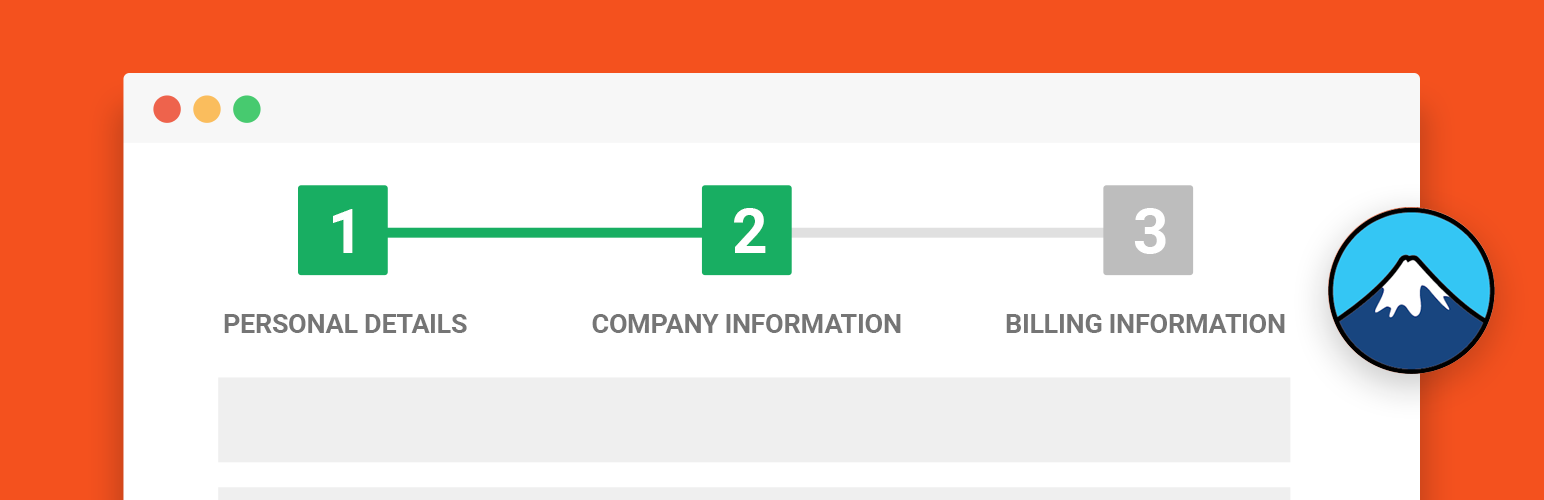
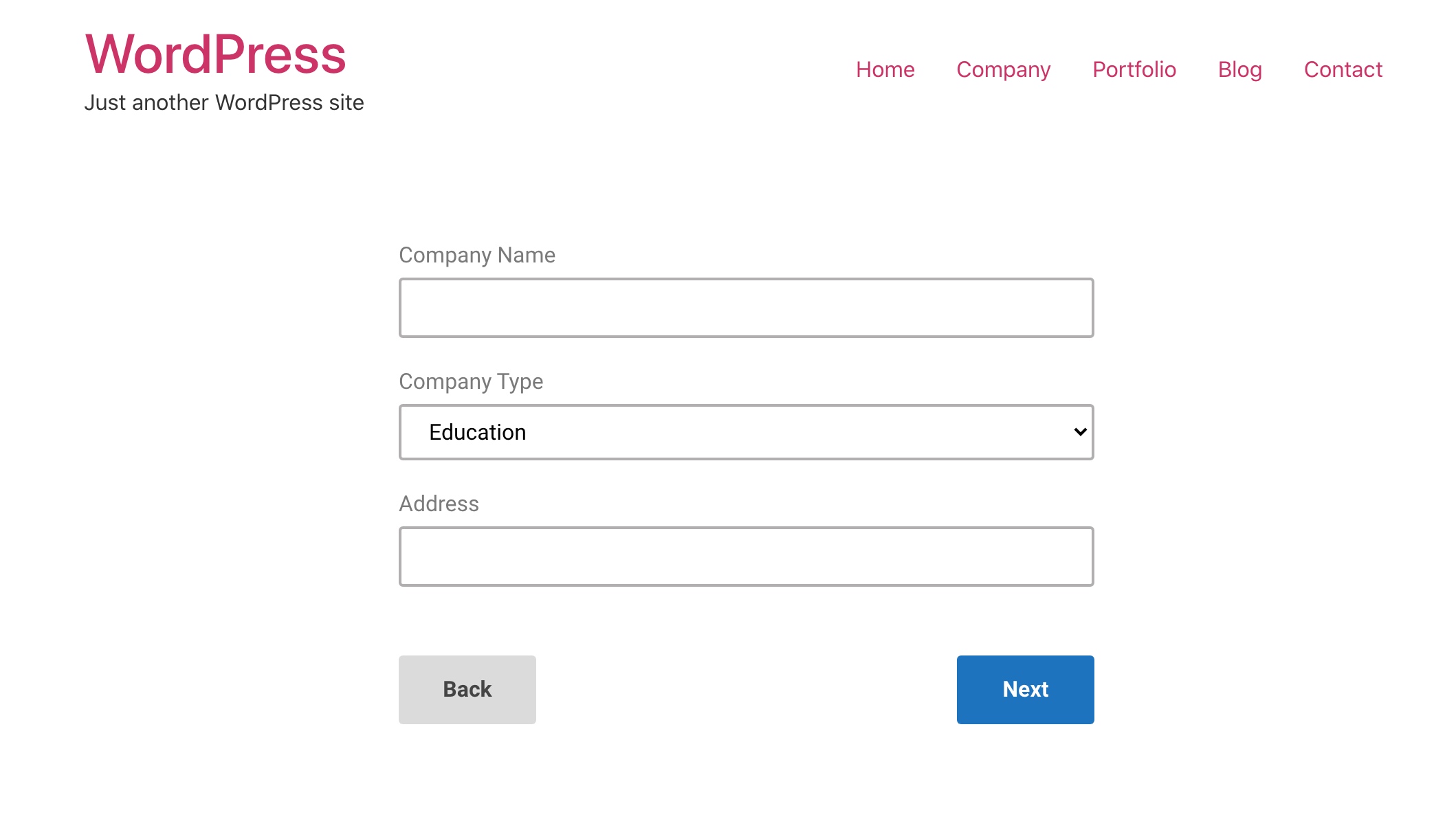
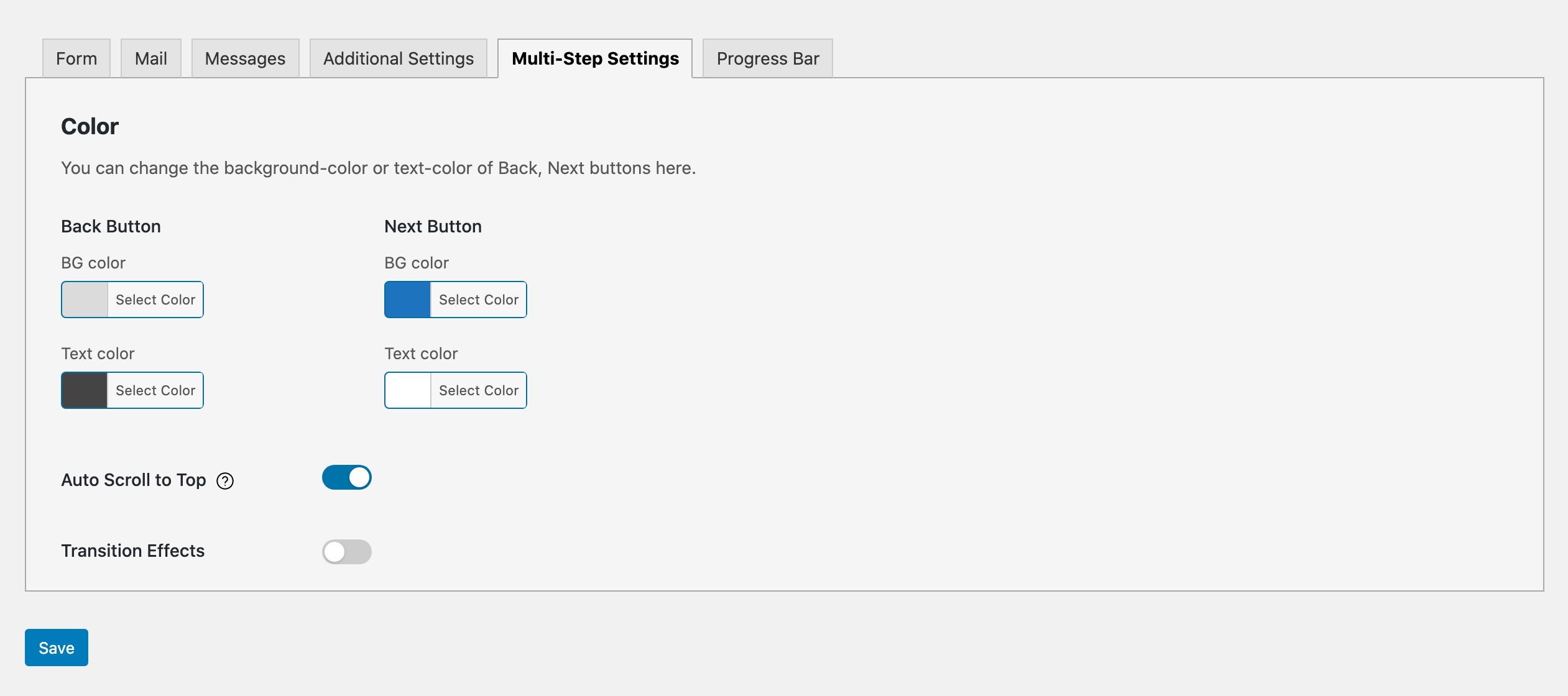
This add-on for Contact Form 7 allows you to create multi-step forms, making your long contact form appear simpler and more user-friendly. You can add unlimited steps, customize step titles, and it is compatible with Contact Form 7 and its extensions.Screenshots

Frequently asked questions
What is Multi Step for Contact Form 7?
Multi Step for Contact Form 7 is a WordPress plugin that allows you to transform long Contact Form 7 forms into multi-step forms. It is an add-on for Contact Form 7. This plugin helps make lengthy forms appear simpler and more user-friendly.
How does Multi Step for Contact Form 7 work?
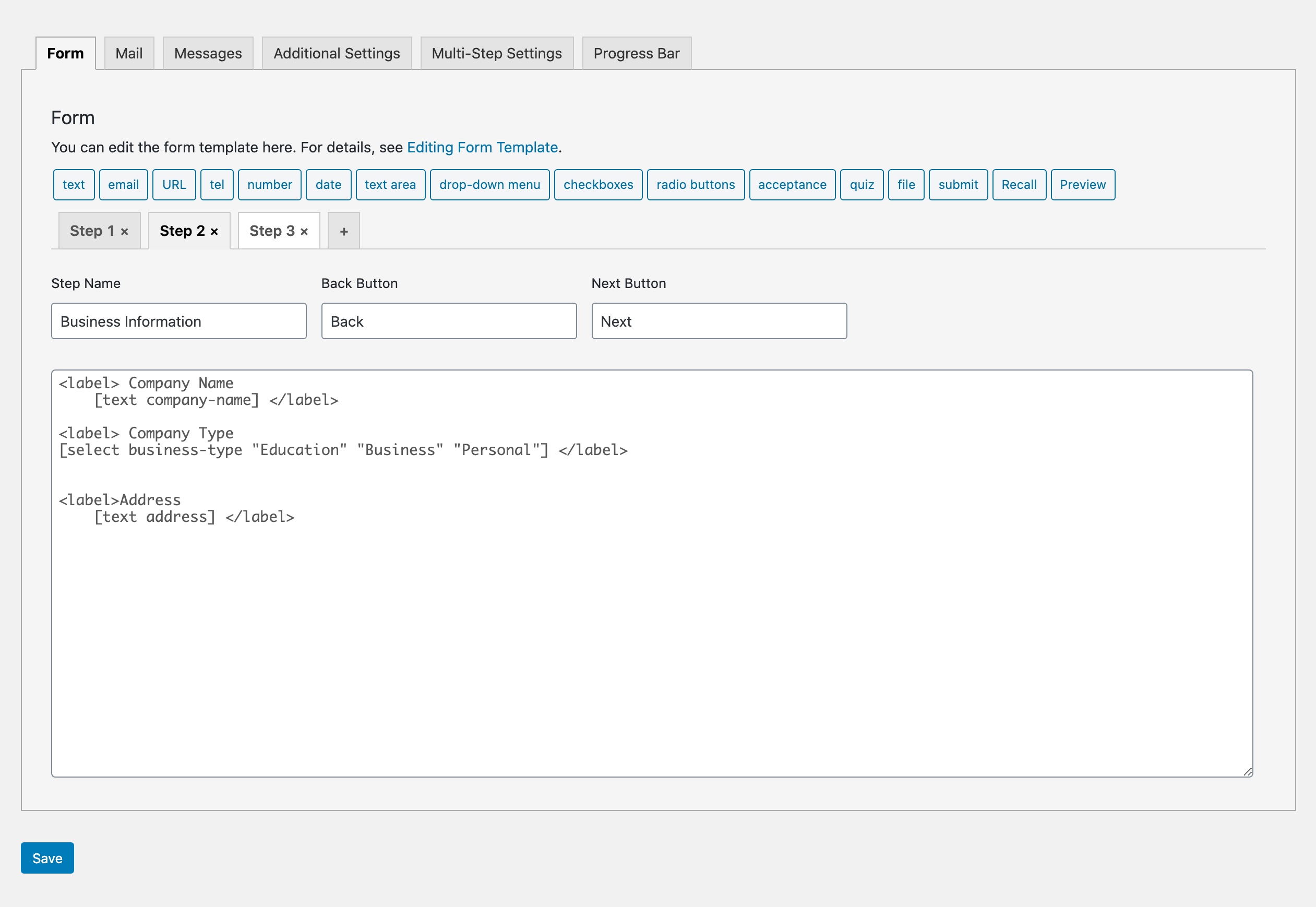
After activating the plugin, you can add new tabs to your Contact Form 7 forms, with each tab representing a new step. It extends the existing Contact Form 7 functionality. You can have multiple multi-step forms on the same website.
What are some key features of Multi Step for Contact Form 7?
Key features include unlimited steps, a native interface within Contact Form 7, ease of use with tabs for new steps, custom step titles, and full compatibility with Contact Form 7 and its extensions. It is designed to work seamlessly with your existing Contact Form 7 setup.
What are some use cases for this plugin?
This plugin can be used for various types of forms such as quote forms, request forms, registration forms, subscription forms, event forms, application forms, and reservation forms. It is suitable for any form that benefits from being broken into smaller, manageable steps.
What additional features are available in Multi-Step Pro?
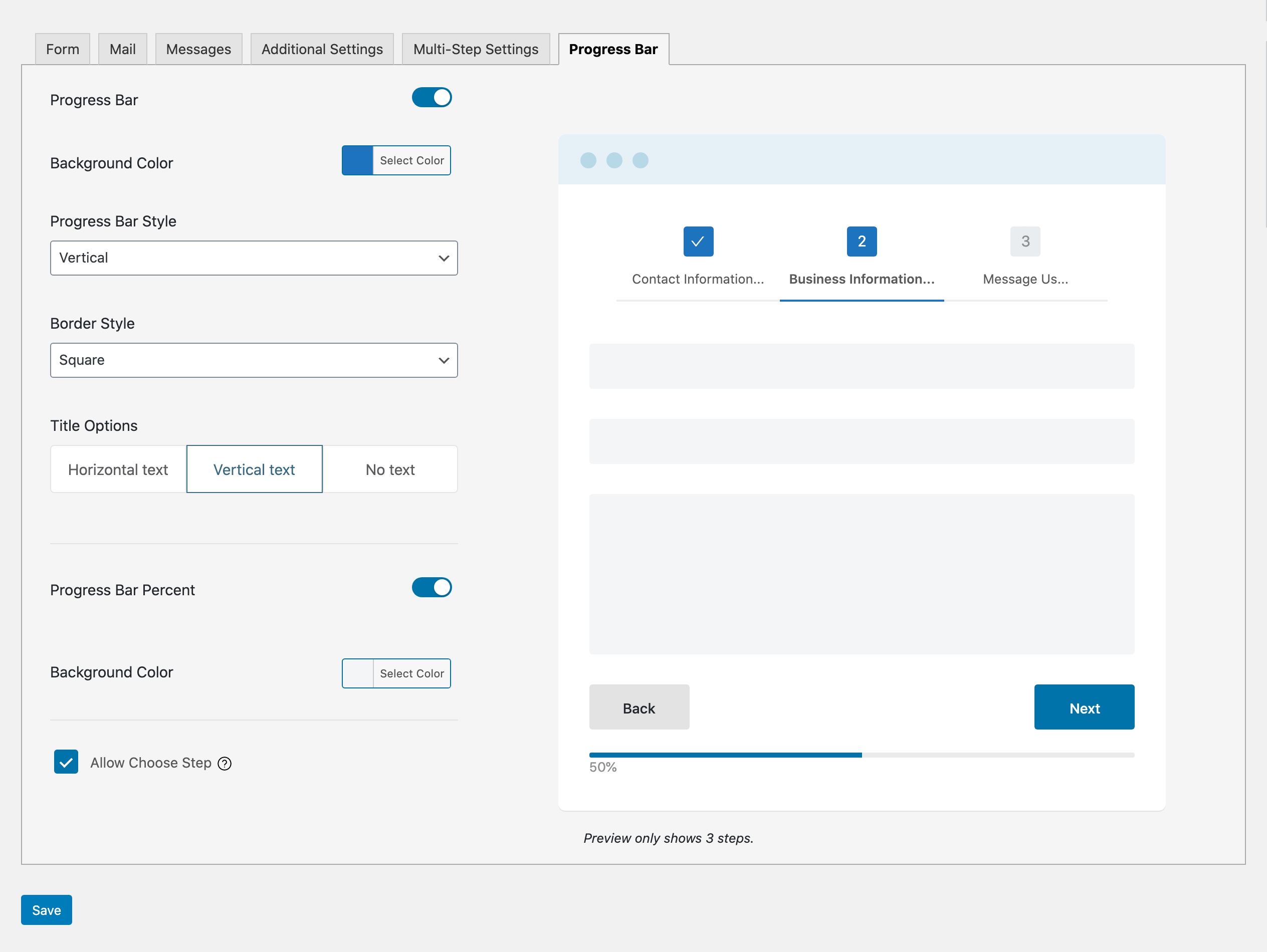
With Multi-Step Pro, form steps can have their own titles, custom Back and Next buttons, and animation effects. Pro features also include a progress bar, the ability to show input data from previous fields, a preview button, and the option to let users choose a particular step to complete first.
Changelog
Nov 18, 2024 – Version 2.7.9
- Updated: Compatible with CF7 6.0
Sep 9, 2024 – Version 2.7.8
- Fixed: Bug report by Patchstack
Aug 1, 2024 – Version 2.7.7
- Fixed: Load CSS
Mar 22, 2024 – Version 2.7.6
- Fixed: Small bugs
Jul 3, 2023 – Version 2.7.5
- Fixed: Next button not work
Jun 13, 2023 – Version 2.7.4.2
- Fixed: Link Go Pro
Apr 7, 2023 – Version 2.7.4.1
- Fixed: Error with Next button
Apr 3, 2023 – Version 2.7.4
- Work with WP 6.2
- Added: scroll to first error when validate failed
- Added: New validation function
- Fixed: Recall tag (PRO version)
- Fixed: Array map in PHP 8.0
- Fixed: Compatible with Contact form 7 Database
- Fixed: Preview tag style
Oct 24, 2022 – Version 2.7.3
- Added: Auto focus on the first field
Oct 10, 2022 – Version 2.7.2
- Added: Alert when activating 2 versions
Aug 25, 2022 – Version 2.7.1
- Fixed: Error of file upload required field
Jun 20, 2022 – Version 2.7
- Fixed: Error of required fields
Aug 25, 2022 – Version 2.6.9
- Fixed: Validate file upload required
Jun 20, 2022 – Version 2.6.8
- Fixed: Validate required field in new version CF7 5.6
Dec 9, 2021 – Version 2.6.7
- Fixed: Break contact form layout
- Fixed: No validation for hidden field
Dec 1, 2021 – Version 2.6.6
– Fixed: Contact form handling properties (CF7 version >= 5.5.3)
Jun 28, 2021 – Version 2.6.5
- Fixed: Check step name is array or object when load form
May 28, 2021 – Version 2.6.4
- Fixed: Error Recall tag
Dec 1, 2021 – Version 2.6.3
- Fixed: Contact form properties handling (CF7 version >= 5.5.3)
Apr 23, 2021 – Version 2.6.2
- Fixed: Button color
- Fixed: Form validation
Mar 15, 2021 – Version 2.6.1
- Improved: Admin UI
- Fixed: Double click on Next button
- Fixed: Error validate upload file since CF7 5.4
- Fixed: Next button in WPBakery
- Fixed: File upload validation
- Fixed: Event click Allow Choose Step
- Fixed: CSS of color board
- Fixed: CSS text Select Option
- Fixed: Sanitize some fields
- Fixed: Split of undefined
- Fixed: CSS of Submit button only affected if its form has steps
- Fixed: Compatible with Moana – Contact Form 7 Builder
- Removed: Form border
- Removed: Unused files
2.5 – BIG UPDATE
- Fixed: Error with WordPress 5.5
- Fixed: Compatibility with Moana – Contact Form 7 Builder
- Added: New layout
- Added: Styles for progress bar (Pro)
- Added: Color for progress bar (Pro)
- Added: Transition effects for steps (Pro)
- Added: Progress percent bar (Pro)
- Added: Live preview for progress bar (Pro)
- Added: Add class “current” into present steps
- Added: Scroll to top of the form when pressed “Next”, “Back”
- Added: Turn on/off for scroll animation
- Added: Name for checkbox field (-cbmls) (e.g: checkbox-123-cbmls)
- Added: WordPress Hooks
- Added: New form-tag “recall” to display what the user has filled in the form (Pro)
- Added: Preview Button (Pro)
- Added: JS functions to save user’s information in every step & work with Contact Form 7 Database
- Added: Some hooks for developers to fix button background color
- Added: POT file for translate
- Added: Language translate
- Added: Press Enter to submit
- Added: Loading animation
- Fixed: Some bugs
- Fixed: Error message for checkboxes
- Fixed: Checkboxes with use_label_element
- Fixed: Njt Answer for default option of radio button
- Fixed: Red border of required fields missing
- Fixed: Compatible with contact form 7 version 4.8
- Fixed: Fix js bug with some hosts
- Fixed: Fix bug with multi forms
- Fixed: Conflict with Visual Composer
- Fixed: Auto p
- Fixed: Validation with select
- Fixed: Acceptance tags
- Fixed: Validation
- Fixed: Translate default text in CF7 Message tab
- Removed: WPCF7_Shortcode
- Removed: wpcf7_add_shortcode
- Removed: deprecated functions
- Removed: Unused files
- Changed: Tag line
- Changed: last button’s background color, text color in admin panel
- Improved: CSS
1.1
- Improve UX/UI
- Fix CSS
1.0
- Version 1.0 Initial Release

