

Improve your WordPress SEO: Write better content and have a fully optimized WordPress site using the Yoast SEO…
About Ultimate Posts Widget
Ultimate Posts Widget is a versatile WordPress plugin that allows you to display posts, custom post types, or sticky posts with various customization options. It offers features such as filtering by categories or tags, selecting the number of posts to display, displaying post metadata, and more. For support and documentation, you can visit the plugin's support forum or FAQ section.Screenshots
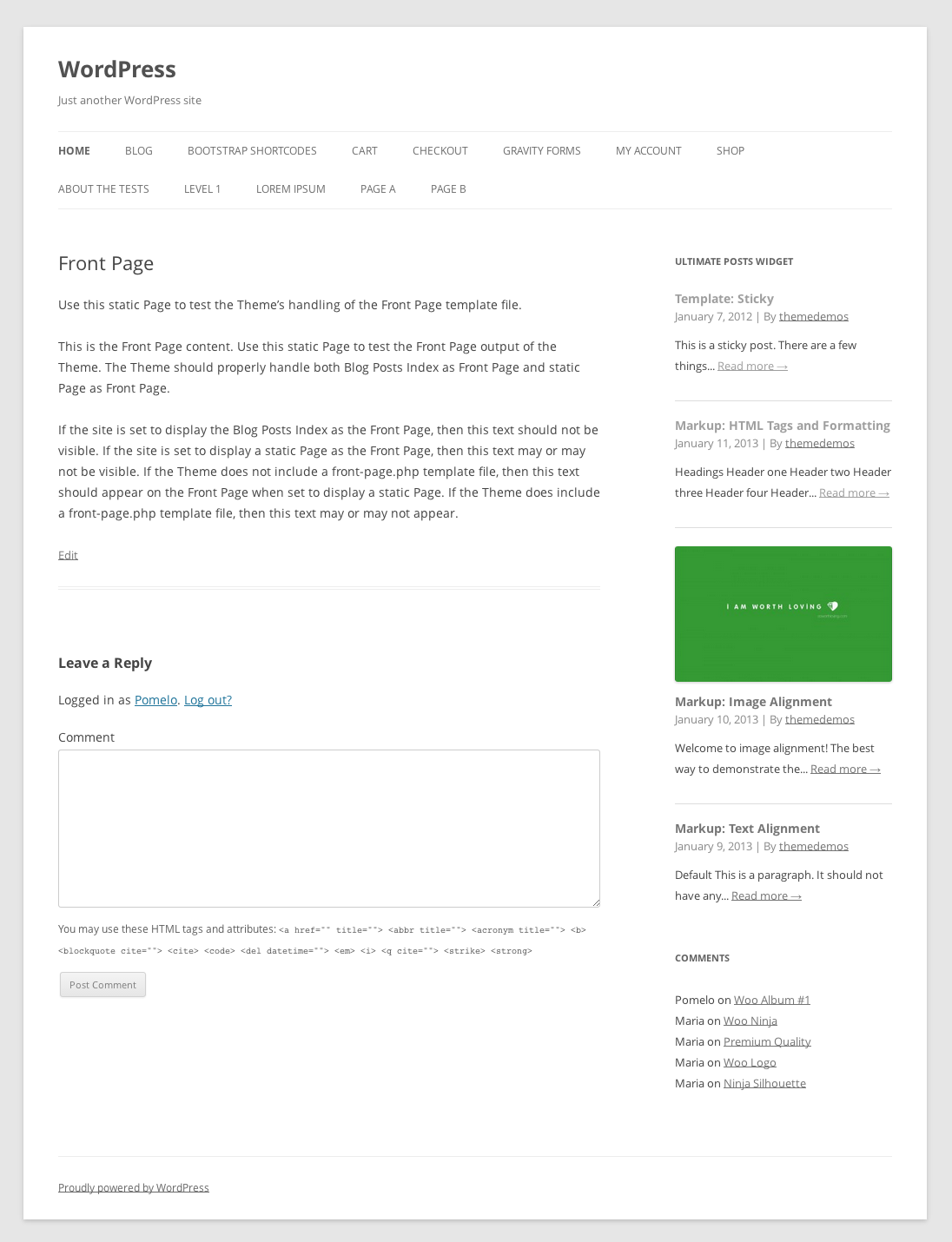

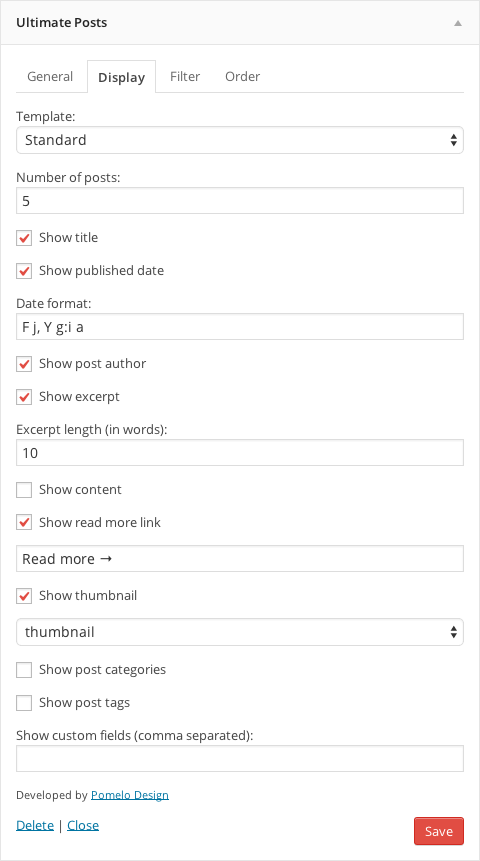
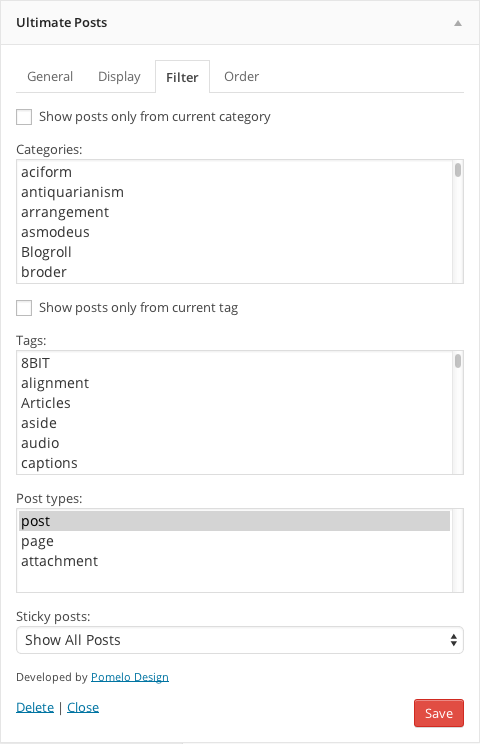

Frequently asked questions
How can I try out the Ultimate Posts Widget?
You can try it out on your free dummy site by clicking here: https://demo.tastewp.com/ultimate-posts-widget.
Is there a plugin for the latest version of WordPress?
Yes, in order for the Ultimate Posts Widget to work on the latest version of WordPress, you will need to install the Classic Widgets plugin on your site.
What options are available for the Ultimate Posts Widget?
The Ultimate Posts Widget offers a variety of options, including filtering by categories, tags, and custom post types, selecting the number of posts to display, displaying post metadata, excerpts or full content, featured images, and more.
Where can I find documentation for the Ultimate Posts Widget?
You can find documentation on custom templates, hooks, common issues, and more in the FAQ tab of the Ultimate Posts Widget plugin page on WordPress.org.
Where can I get support for the Ultimate Posts Widget?
For help, please ask in the Support Forum for the Ultimate Posts Widget plugin on WordPress.org.
Changelog
2.3.2
- Tested with WordPress 6.6
- Minor performance improvements
- Improvements for PHP 8 utilization
2.3.1
- [NOTE] Adjusted sanitization for widget fields even further
- [NOTE] Tested up with WordPress 6.4.3
2.3.0
- [NOTE] Upgraded analyst module to latest version
- [NOTE] Improved sanitization of widget fields
- [NOTE] Tested up with WordPress 6.4.2
2.2.9
- Resolved issue related to “exclude_current” missing index
- Updated “Try it out” module
2.2.8
- Fixed incorrect calls to plugins_url
- Updated banner module
- Updated opt-in module
- Tested with WordPress 6.4
- Resolved issues with PHP 8.2
2.2.7
- Forced “Try it out” module to be disabled by default, user can still enable it manually.
2.2.6
- Tested with WP 6.3 RC
- Updated all shared modules to their latest versions
2.2.5
- Tested with WordPress 6.2
- Adjusted old database versions compatibility
- Updated carrousel module
2.2.4
- Adjusted PHP compatibility
2.2.3
- Added try it out module
2.2.2
- Tested up to WordPress 6.1-RC5
- Adjusted carrousel module
- Updated try it out URL in readme to properly setup demo site
2.2.1
- Tested up to WordPress 6.0
- Tested with PHP 8.1
2.2.0
- Tested up to WordPress 5.7.1
- Added support for PHP 8
- Updated banner
2.1.6
- Tested up to WordPress 5.4.2
- Updated Opt-in
2.1.5
- Tested up to WordPress 5.4.1
- Changed info
2.1.4
- Plugin has been updated up to WordPress 5.4
2.1.3
- Hotfixed issue
2.1.2
- Serval improvements
2.1.1
- Added possibility to exclude current post from the list
- Tested update WordPress 5.3.3 (beta)+
2.1.0
- Added possibility for changing custom message when no posts.
- Increased stability of the plugin
- Fixed filtering
- Tested update WordPress 5.3.2+
2.0.9
- Replaced deprecated code
2.0.8
- Plugin revival
- Feedback system integrated
- Readme updated
2.0.7
- Tested update WordPress 4.8
2.0.6
- Fix PHP notice (thanks @rhyswynne)
- Search custom template both in child theme and in parent (thanks @groucho75)
2.0.5
- Adds menu order sort by option
2.0.4
- Updated class constructor for WordPress 4.3 compatibility (thanks @JustB)
2.0.3
- Adds link to thumbnail images
- Adds option to show all categories, tags, or types for better usability
- Improve spacing and font sizes on some themes for the standard template
- Document adding custom image sizes
- Add option to display full size post thumbnail
- Remove post_class() from legacy template for better backwards compatibility
2.0.2
- Reverts back to using
widget_titlefilter - Fixes number of posts setting to allow unlimited amounts
- Adds instance and widget ID variables to filters for more control
2.0.1
- Fixes issue loading multiple widgets on the same page and using the same template
- Adds a default title to the widget for new instances
- Documentation improvements
2.0.0
- Added a new standard template and custom template support
- Added basic CSS styles for better formatting
- Add hfeed microformat into new standard template
- Improved widget options interface
- Add option to filter by tags or current tag
- Remove timthumb in favor of using built-in WordPress image sizes
- Remove widget “More Button” options
- Change date display options to now accept any custom date formats
- Add before and after posts HTML fields
- Add option for widget CSS class (thanks @avenirer)
- Add option to display comment count
- Set better defaults for newly created widgets
- Various bug fixes and optimizations
Upgrading from an earlier version?
- Upgrades from prior to 2.0.0 we retain the “legacy” template for you. To change which template to use, find the “Template” option under the “Display” tab.
- If you used the “More Button”, you will need to add in your own HTML into one of the new fields since the more button is now removed.
- If you used custom thumbnail settings you will need to update them. You can now choose from pre-defined sizes available to WordPress. If you need an additional image size please see how to add image sizes.
- Date formatting has changed, you will need to update your settings. By default it uses WordPress’ date/time options.
1.9.0
- Adds option to order by custom field (thanks @enekochan)
- Remove “Permalink to:” from link titles (thanks @wirelessgizmo)
- Swedish translation (thanks @brstp)
1.8.1
- Add content display option
1.8
- Add custom field display
- Re-organized widget options
- Use proper alt tag for image thumbnails
- Better title attribute for links
1.7
- Added show author option
- Added class to highlight current post
- Fixed PHP error notices
1.6
- Added localization support
- Added show post categories option
- Added show post tags option
- Added custom widget title URL option
- Improved filter controls for sticky posts
- Bug fixes
1.5.1
- Upgrade timthumb to 2.8.11
- Load “Large” size post thumbnails which should eliminate large image errors
- Improved FAQ for thumbnail troubleshooting
1.5
- Adds crop mode option
- Add show published time option
- Now uses date / time format settings
- Bug fixes
1.4.5
- Updates screenshot
1.4.4
- Fixes show_readmore function
- Adds more button link option
1.4
- Cleaner widget options
- Code refactoring and fixes
- Adds order by option
1.3
- Sticky posts only now optional
1.2
- Added post type filter option.
- Code cleanup.
- Better selection mechanism for categories.
1.1
- Added category filter option.
1.0
- First release.

