

Improve your WordPress SEO: Write better content and have a fully optimized WordPress site using the Yoast SEO…

About Checkout Field Editor for WooCommerce – Checkout Manager
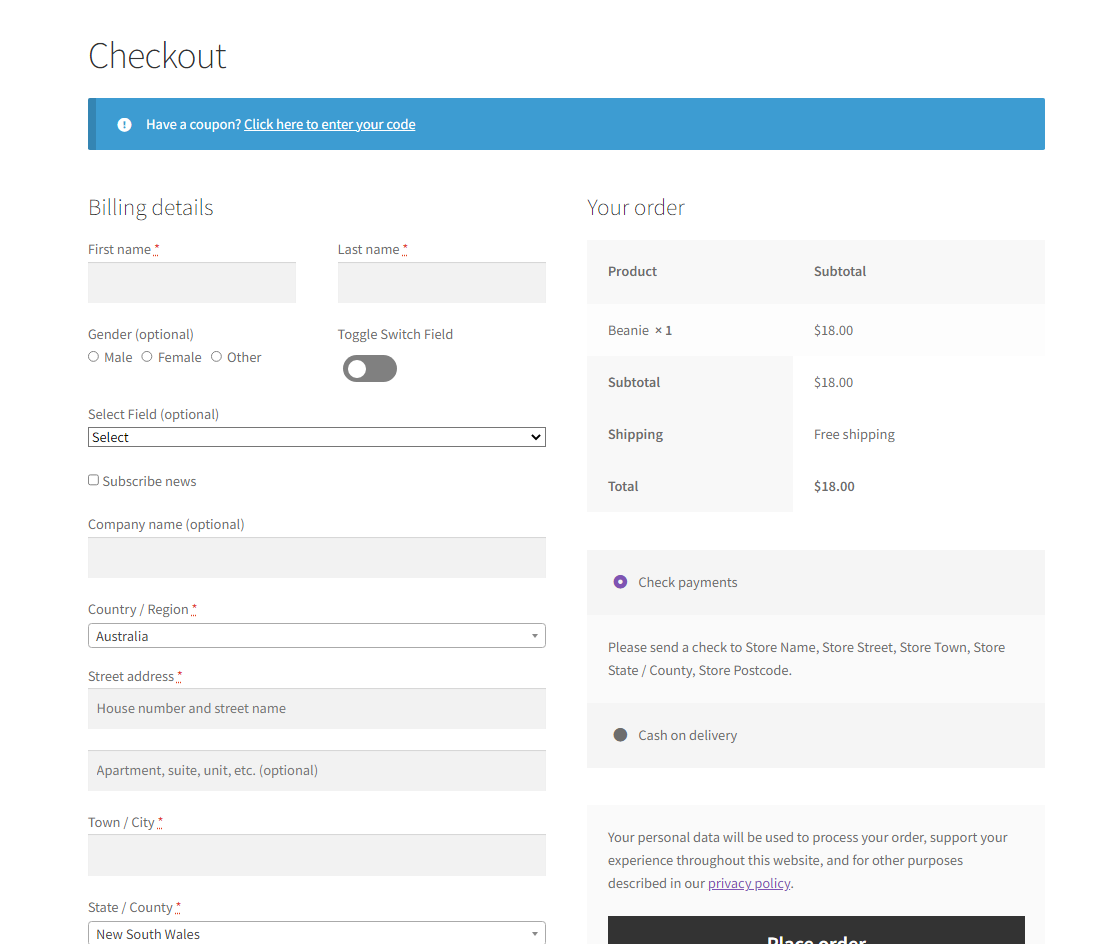
The WooCommerce Checkout Field Editor and Manager plugin allows you to easily manage and customize the checkout page fields in your WooCommerce store. You can add, modify, or hide default fields, and the drag and drop form builder makes editing the fields a breeze. The premium version offers even more features, including conditional fields, custom sections, and advanced validation rules.Screenshots
Frequently asked questions
HOW TO manage WooCommerce Checkout Fields?
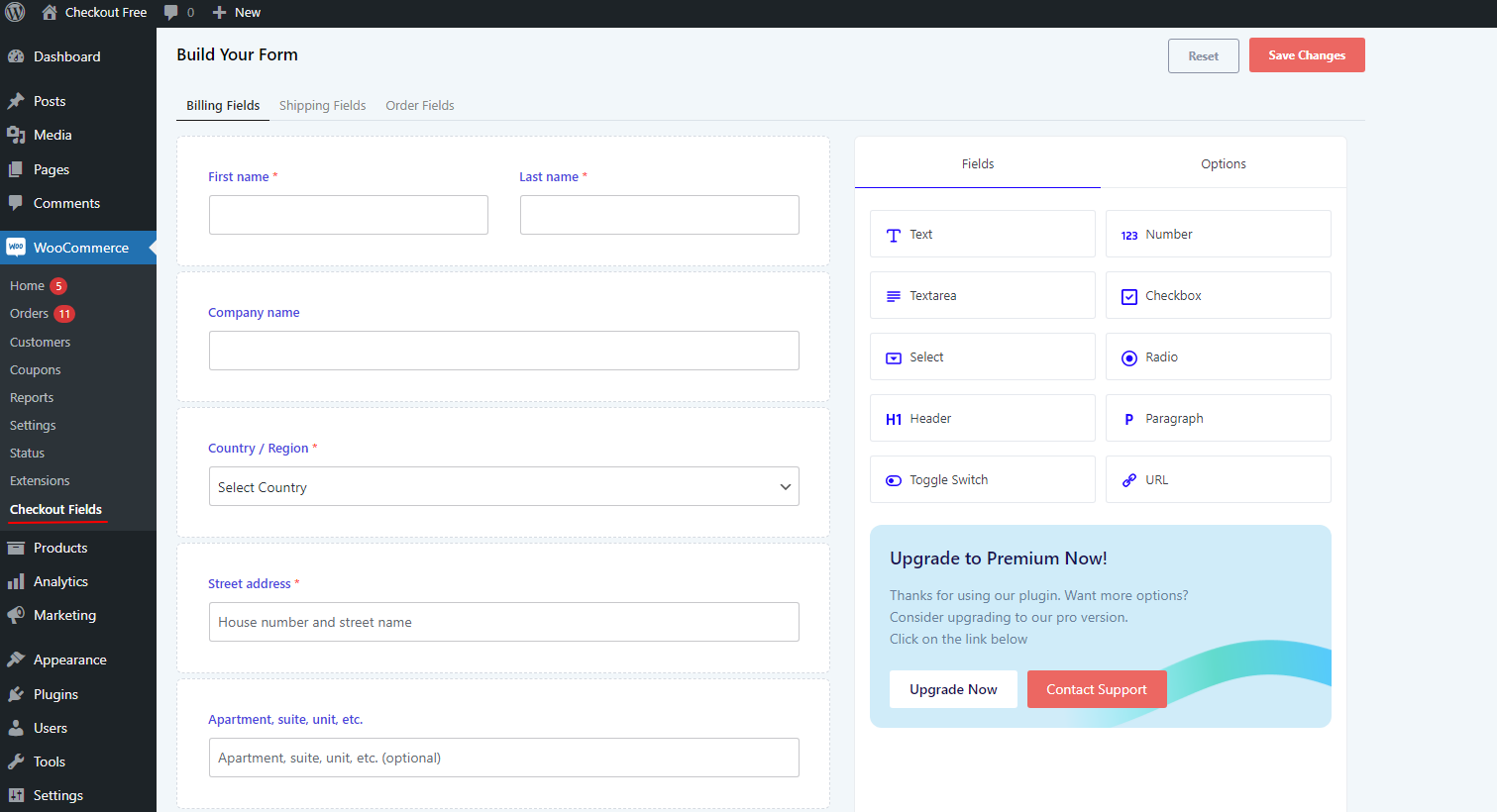
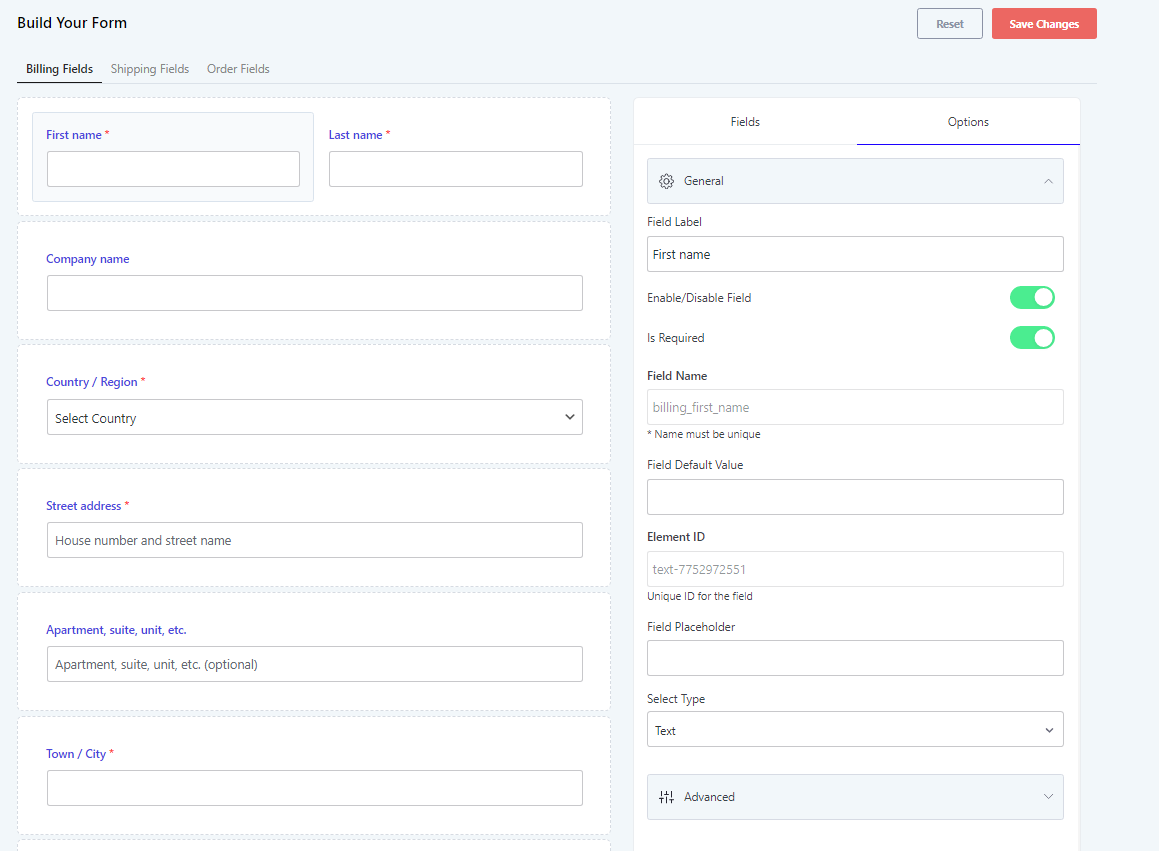
After activating WooCommerce checkout field editorplugin, go to the menu WooCommerce >>Checkout Field in WordPress left menu bar. Here you can manage all the fields available in WooCommerce and also you can add WooCommerce custom checkout fields
What are the features of Checkout Field Editor?
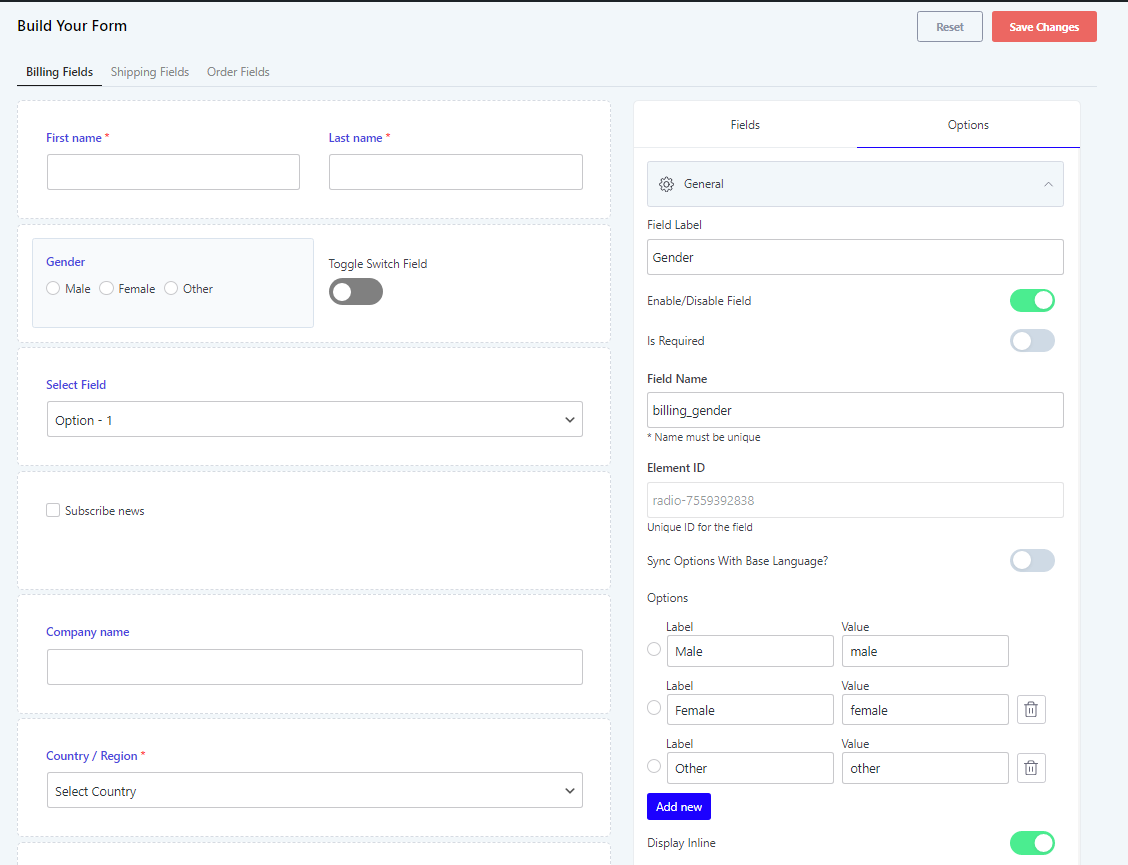
The features of Checkout Field Editor include: n- Edit Default Fields n- Add new Fields n- Change Fields Order n- Hide Checkout Fields n- Enable or Disable Checkout Fields n- Show in Order Details n- Show in Email Details n- Adjust the column width n- Set Custom CSS class n- WPML and Polylang support
What are the supported fields in Checkout Field Editor?
The supported fields in Checkout Field Editor are: n- Text Field n- Email Field n- Password Field n- Phone Field n- Select Field n- Textarea n- Radio n- Paragraph n- Header n- Checkbox Field n- Number Field n- URL Field n- Toggle switch
What are the features of the Pro version of Checkout Field Editor?
The features of the Pro version of Checkout Field Editor include: n- All features on free version n- 24+ Field Types n- Conditional Checkout Fields n- Conditional Checkout sections n- Conditional rules based on existing fields, product, product variations, category, user role, shipping method and payment method n- Add fields to checkout and my account page account registration n- Create new sections other than default sections n- New Sections available at 13 different positions n- Edit, Duplicate and delete custom sections n- Custom validation rules using RegEx for text and textarea input n- Price option: add extra fee based on field selection n- Option to add tax for extra fee added
Why choose Acowebs for WooCommerce plugins?
Acowebs is responsible for empowering your e-commerce stores with reliable Shopify applications and WooCommerce plugins. They own a team of experts who develop the WordPress plugins and themes to offer a great customer experience. Since they are an award-winning software development company, their team of professionals offers incredible support to improve the User experience.
Changelog
2.2.26
- Support for WooCommerce 9.6
2.2.25
- Support for WordPress 6.7
- Support for WooCommerce 9.4
2.2.24
- Support for WooCommerce 9.3
2.2.23
- Support for WordPress 6.6
- Support for WooCommerce 9.1
2.2.22
- Support for WooCommerce 8.9
2.2.21
- Support for WordPress 6.5
2.2.20
- Support for WooCommerce 8.7
2.2.19
- Support for WooCommerce 8.5
2.2.18
- Support for WooCommerce 8.4
- Bug fix
2.2.17
- Support for WordPress 6.4
- Support for WooCommerce 8.3
2.2.16
- Support for WooCommerce 8.2
2.2.15
- Support for WooCommerce 8.0
- Support for WordPress 6.3
2.2.14
- Support for WooCommerce 7.9
- Added advanced settings
2.2.13
- Support for WooCommerce 7.7
2.2.12
- Support for WooCommerce 7.6
2.2.11
- Support for WordPress 6.2
2.2.10
- Support for WooCommerce 7.5
2.2.9
- Support for WooCommerce 7.4
2.2.8
- Support for WooCommerce 7.3
2.2.7
- Support for WooCommerce 7.2
2.2.6
- Bug fix – WooCommerce PayPal Payments plugin
2.2.5
- Support for WooCommerce 7.1
2.2.4
- Support for WordPress 6.1
2.2.3
- Translation fix
2.2.2
- Support for WooCommerce 7
- New field types – URL, toggle switch
2.2.1
- UI update
- New field types – Number, checkbox
2.2.0
- Support for WooCommerce 6.9
2.1.25
- Bug fix
2.1.25
- Support for WooCommerce 6.8
2.1.24
- Support for WooCommerce 6.7
2.1.23
- Support for WordPress 6
- Support for WooCommerce 6.5
2.1.22
- Support for WooCommerce 6.4
2.1.21
- Support for WordPress 5.9
2.1.20
- Support for WooCommerce 6.1
2.1.19
- Support for WooCommerce 6
2.1.18
- Support for WooCommerce 5.9
2.1.17
- Support for WooCommerce 5.7
- Bug fix
2.1.16
- Support for WooCommerce 5.6.x and WordPress 5.8.1
2.1.15
- Support for WooCommerce 5.5.x and WordPress 5.8.x
- Reset button
2.1.14
- WooCommerce 5.4 compatible
- Bug fix
2.1.13
- Added support for WooCommerce 5.2.2
2.1.12
- Added support for WooCommerce 5.1.0 and WordPress 5.7.0
2.1.11
- WooCommerce 5.0.0 compatible
2.1.10
- WooCommerce 4.9.0 compatible
2.1.9
- Added support for WooCommerce 4.8.0 and WordPress 5.6.0
2.1.8
- Bug fix
2.1.7
- Bug fix
2.1.6
- WooCommerce 4.7 compatible
2.1.5
- Bug fix
2.1.4
- WooCommerce 4.6 compatible
2.1.3
- WooCommerce 4.5.2 compatible
- Bug fix
2.1.2
- Added support for WooCommerce 4.5.0 and WordPress 5.5.1
2.1.1
- Bug fix
2.1.0
- WooCommerce 4.4.0 compatible
2.0.9
- Added support for WordPress 5.5
2.0.8
- WooCommerce 4.3.0 compatible
2.0.7
- WooCommerce 4.2.0 compatible
2.0.6
- WooCommerce 4.1.0 compatible
2.0.5
- Bug fix
2.0.4
- WooCommerce 4.0.0 compatible
2.0.3
- Bug fix
2.0.2
- Bug fix
2.0.1
- Bug fix
2.0.0
- UI enhancements
1.0.5
- Bug fix
1.0.4
- WooCommerce 3.8.0 compatible
1.0.3
- Bug fix
1.0.2
- Bug fix
1.0.1
- Bug fix
1.0.0
- WPML and Polylang support
- Bug fixes
0.1.1
- Corrected database field key
0.1.0
- Initial release (beta)

