

Enables the previous "classic" editor and the old-style Edit Post screen with TinyMCE, Meta Boxes, etc. Supports all…
About PDF.js Viewer
This plugin allows you to easily incorporate Mozilla's PDF.js viewer into your website using a Gutenberg block or a shortcode. It comes with various features such as customizable buttons, page navigation drawer, search functionality, and support for mobile devices. If you encounter any issues with the block, you can try recovering it to update it.Screenshots


Frequently asked questions
What is PDF.js viewer?
PDF.js viewer is a javascript library for displaying pdf pages within browsers.
What are the features of PDF.js viewer?
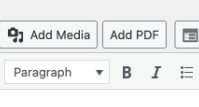
The features of PDF.js viewer include: Gutenberg Block and Shortcode, Elegant Theme that adapts to dark and light mode (if browser supports dynamic CSS), Customizable buttons, Page navigation drawer, Search functionality, Protected PDF password entry, Loading bar & displays partially loaded PDF (great for huge PDFs!), Document outline, Zoom settings, Classic Editor: Easy to use editor media button that generates the shortcode for you, Support for mobile devices.
What is the syntax of the shortcode for PDF.js viewer?
The syntax of the shortcode for PDF.js viewer is: [pdfjs-viewer url=http://www.website.com/test.pdf viewer_width=600px viewer_height=700px fullscreen=true download=true print=true].
What are the optional parameters for the shortcode?
The optional parameters for the shortcode are: viewer_width (width of the viewer), viewer_height (height of the viewer), fullscreen (displays fullscreen link above viewer), fullscreen_text (change the fullscreen link text), fullscreen_target (open the fullscreen link in a new tab), download (enables or disables download button), print (enables or disables print button), zoom (PDF zoom level).
Where can I find the plugin for PDF.js viewer?
You can find the plugin for PDF.js viewer on GitHub.
Changelog
2.2.2
- PDFjs with legacy browser support
2.2.1
- .mjs workaround
- Updated to PDFjs 4.5.136
2.2
- Updated to PDFjs 4.3.136
- Renamed ‘Download’ to ‘Save’ based on PDFjs change.
- Removed the zoom feature to hopefully fix Edge issues.
- Disabling the Alternative PDF Loading version
2.1.8
- Preventing users from adding JS to shortcodes.
- Bumping version numbers
2.1.7
- Fixed the fullscreen settings for new PDFs
- Fixing a bug where, on fresh installs, the fullscreen text would be ‘on’
- Tested with WordPress 6.0-beta3-53297
2.1.6
- Added testing up to WordPress 5.9.
- Added a few more variables into the Alternative PDF Loading version.
- Moved the Alternative PDF Loading to beta.
2.1.5
- Detect ACF before running ACF code.
- Beta: Added a feature flag to load the PDF in full screen view differently.
2.1.4
- Decoding PDF urls when other plugins encode them in the classic editor.
2.1.3
- Adding a version number to some JS files to break caches
- Fixing an issue where the fullscreen text didn’t have spaces
- Updating the shortcode in the read me
2.1.2
- Reverting to the file in the URL
2.1.1
- Updating how we call the WordPress plugin directory.
- Updating function names.
- More sanitization.
2.1.0
- Added the file ID to the URL.
- Hooked WordPress into the viewer to pull the URL in. Should fix some possible security concerns.
- Removed the file URL from the URL.
- Removed the
pdfjs_set_custom_editsfilter. - Removed the
pdfjs_set_custom_domainfilter. - Sanitizing inputs
- Removing search term.
2.0.2
- Preventing XSS with the search term
2.0.1
- Now works with ACF fields! Thanks @imj13
2.0.0
- Major PDFjs Upgrade to version 2.6.347
- Changing the insert PDF button to fire on a class not ID.
- Updated the minimum version of WordPress supported.
- Maybe Edge is happy now?
1.5.9
- Fixing the issue that made Edge unhappy. fingers crossed
1.5.8
- Starting to hook up options page to the shortcode.
- Fixing a potential code injection problem
- Fix for WordPress 2021 Theme
1.5.7
- Fix for those not running WordPress 5+ where a fatal error would show because a function I called didn’t exist.
1.5.6
- New options page to set the default settings.
- Only showing the ‘Add PDF’ media button to posts using the classic editor as it only works in the classic editor.
- Added a filter to pass in a custom domain if URLs are proxied.
pdfjs_set_custom_domain - Added a filter if you want to edit the PDF URL.
pdfjs_set_custom_edits - Ability to hide Search via setting on options page.
- Ability to show Sidebar via setting on options page.
- Ability to highlight a search term on PDF load.
v1.5.5
- High Five ?
v1.5.4
- Reworking way we make the PDF url relative.
v1.5.3
- Remove only the first instance of the domain name from the URL. Leave it if it’s in a directory or file name.
v1.5.2
- Making the PDF URL relative so that maybe Microsoft Defender won’t complain.
- Allowing the viewer to be called directly.
- Hiding the Open button.
- Checking for
register_block_typefunction before calling it to better support WordPress 4.x. Thanks @Now-Italy-Demo @octoxan - Made the PDF URL relative to hopefully fix Windows Defender security issues.
- Adding option to open the fullscreen link in a new tab.
v1.5.1
- Reverting the update to Mozilla PDF.JS library as it broke older browsers and some other setups.
v1.5
- Updated Plugin Name
- Updated Plugin Icon
- Gutenberg Block
- Updating Mozilla PDF.JS library.
- Adding a class to the fullscreen link.
- Ability to customize fullscreen link text.
- Ability to customize default zoom level.
- Classes so you can style things easier.
- Shorter default height.
v1.4.6
- Renaming URL variables to prevent a possible Edge security message.
v1.4.5
- Fixes a version number issue that was introduced in the last version.
v1.4.4
- Brings back the ability to hide print and download.
- Adds version numbers to URLs to hopefully break caches and prevent weirdness.
v1.4.3
- Fixes an issue where PDFs wouldn’t load on production sites due to a
setLanguageerror.
v1.4.2
- Added title to iFrame for accessibility.
- Cleaning up code per WordPress standards.
v1.4.1
- Updating the Readme
v1.4
- Updating to PDF.JS version v2.3.200
- Updating the Readme
- Adding Gutenberg Callout
v1.0 – 1.3
- The birth of the plugin and first few versions.
