

Site Kit is a one-stop solution for WordPress users to use everything Google has to offer to make…
About Plugins Garbage Collector (Database Cleanup)
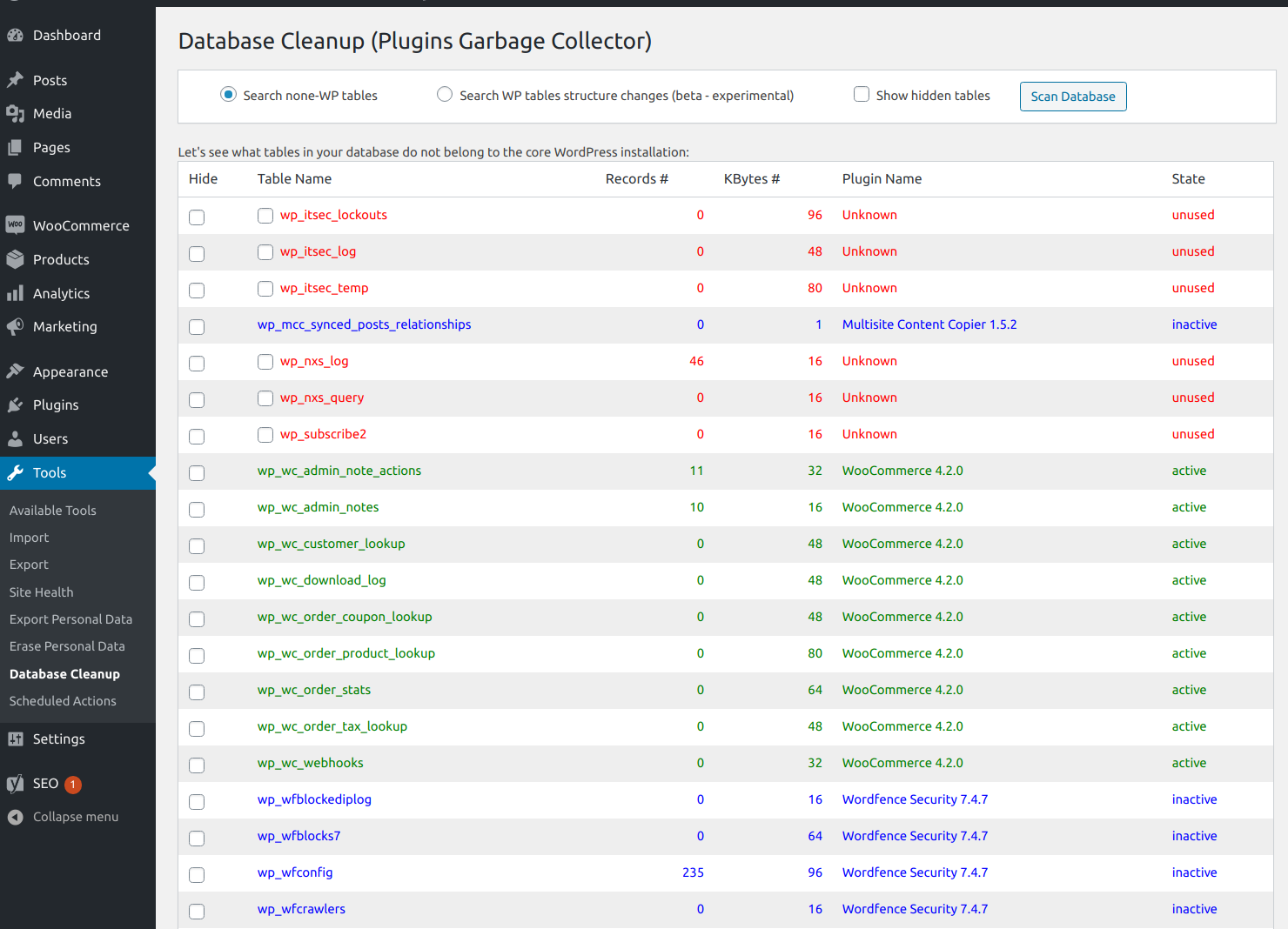
The Database Cleanup plugin helps you scan your WordPress database to find any tables that were created by plugins but are no longer being used. This can help improve your website's performance and eliminate any unnecessary clutter in your database. For more information on how to use the plugin, you can visit the plugin page or contact the developer.Screenshots
Frequently asked questions
What does the Database Cleanup plugin do?
The Database Cleanup plugin scans the database and shows the tables beyond the core WordPress installation, including tables created by other plugins. It helps you check if your database is clean or not.
Why are there leftover tables in the database after plugin deactivation and deletion?
Some WordPress plugins create and use their own database tables. These tables are often left in the database after the plugin is deactivated and deleted.
Can the plugin detect extra columns added to the core WordPress tables?
Yes, the plugin can detect extra columns added to the core WordPress tables.
Where can I find more information about the 'Plugins Garbage Collector' plugin?
You can find more information about the 'Plugins Garbage Collector' plugin at this page: http://www.shinephp.com/plugins-garbage-collector-wordpress-plugin/
How can I ask questions or get support for the plugin?
You can ask questions or get support for the plugin by leaving comments on the plugin page or using the site's contact form.
Changelog
0.14 [03.04.2022]
- Update: “Known plugins” JSON data files were moved from Amazon Web Services S3 to Yandex Cloud Object Storage.
- Update: “Delete Tables” button label was replaced with “Delete Selected Tables”.
- Update: Additional confirmation request was added before database tables deletion. It contains the list of tables selected for deletion.
Read changelog.txt for the full list of changes.

