

Enables the previous "classic" editor and the old-style Edit Post screen with TinyMCE, Meta Boxes, etc. Supports all…
About Accordion Blocks
Accordion Blocks is a plugin that allows you to add accordion drop-downs to your website pages using the Gutenberg editor. It is fully responsive and supports multiple accordions with individual settings. You can also customize the look of the accordions using CSS classes.Screenshots
Frequently asked questions
What is Accordion Blocks?
Accordion Blocks is a WordPress plugin that provides a Gutenberg block for adding responsive accordion drop-downs to your pages. It is designed to blend seamlessly with your existing theme.
What are the key features of Accordion Blocks?
Accordion Blocks supports multiple accordions with individual settings, is fully responsive, and allows for nesting accordions. It also includes support for item IDs, direct links, and is accessible for keyboard navigation.
Can I customize the appearance of the accordions?
The accordions should blend with your theme, but you can add custom styles. The plugin supports adding custom block styles using wp.blocks.registerBlockStyle and provides CSS classes for customization.
Does it support advanced accordion behaviors?
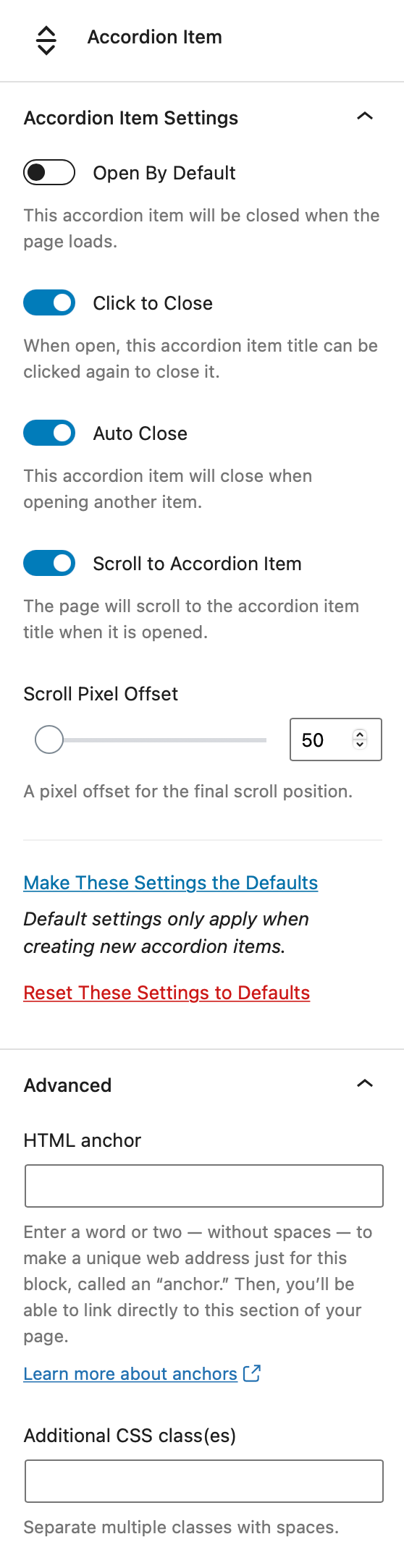
Yes, you can set individual accordion items to open by default, disable auto-closing, and manually close items by clicking the title again. It also offers the option to scroll the page to the title when opened, with an adjustable offset.
Changelog
1.5.0
- Plugin now requires WordPress 5.9.
- Use
useInnerBlocksPropsanduseInnerBlocksProps.save()for inner blocks handling.
1.4.1
- Fixed: Fixed UUID not generating properly in widget editor.
1.4.0
- New: Use block API v2 with useBlockProps.
- Fixed: Registering block with block.json file.
- Fixed: Use BlockControls group setting for title tag toolbar.
- Fixed: Replaced deprecated
registerStorewithregister. - Fixed: Reference to which script contains translations is now correct.
1.3.5
- Fixed: An issue where the global loading of scripts and styles checkbox was checked when the setting was actually off.
1.3.4
- Fixed: Made turning off global loading of scripts and styles an explicit setting. You can turn off this off in Settings > Accordion Blocks.
1.3.3
- Fixed: Rolled back deprecated
registerStorewithregisterchange since it only applies to WordPress 5.7+.
1.3.2
- New: Visual indicator of bottom of block when the block is selected.
- New: Only load plugin assets when the page contains an accordion block.
- Fixed: Replaced deprecated
registerStorewithregister.
1.3.1
- Added support for WordPress 5.7.
- New method for generating uuids that should be more reliable.
1.3.0
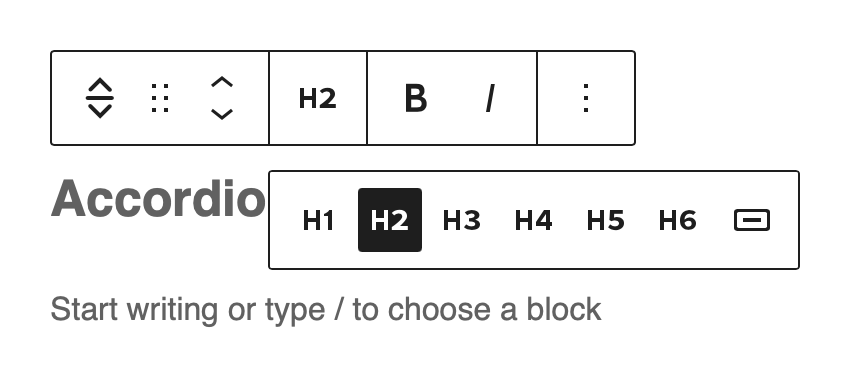
- New: Added h5 and h6 as options for title tag.
- New: Only users with the role of Editor or Administrator can set new default settings. All users can restore settings to defaults. This lays the groundwork for the ability to make this user definable in a settings page which may come in a future release.
- Fixed: New accordions added by Authors wouldn’t function properly.
1.2.2
- Fixed: Unique IDs were not set for new accordion items for sites that didn’t already have default options stored in the database.
1.2.1
- Fixed PHP error that slipped through.
1.2.0
- Added support for WordPress 5.6, including fixing jQuery Migrate issues.
- Added support for grouping accordion items.
- Added support for nested accordion items.
- Removed accordion settings API for getting and setting defaults in favour of use useEntityProp.
1.1.6
- Fixed: Use sample content (instead of real content) to preview custom blocks styles in the editor.
- Fixed: Bumped required version to WordPress 5.4.
1.1.5
- Fixed: Resolved issue with PHP notice for not setting permission_callback in REST API.
1.1.4
- Added: Support for WordPress 5.5
- Fixed: no-js styles are now specific to the accordion item block
1.1.3
- Fixed: When typing backspace on a button title, it would delete the entire accordion item instead of backspacing a character
1.1.2
- Fixed: Accordion titles once again support bold and italic formats
- Fixed: Translation should now be possible via WordPress translation site
1.1.1
- Fixed: An issue where, on some sites, accordion content would not smoothly animate open, instead just appearing instantly after a short delay
- Fixed: Duplicated accordion items now have unique IDs which should resolve the issue where clicking on the duplicate title opens the original block
1.1.0
- New: An option to set default accordion item settings that will be applied to all newly created accordions. Individual accordion items can be reset to whatever is set as the defaults.
- Fixed: Accordions not working if showing multiple posts’ content on one page. Unfortunately this will only apply to newly created accordions. Old accordions will need to be replaced to work properly.
- Fixed: Users without the
unfiltered_htmlpermission (i.e. users with Author or lower user role) would get an “invalid content” error when viewing an accordion added by a user with theunfiltered_htmlpermission (and vise-versa).
1.0.6
- Fixed typo in plugin settings
1.0.5
- Added minified versions of JS and CSS files
1.0.4
- Made plugin translatable
- Code cleanup
1.0.3
- Added the ability to convert a paragraph or heading into an accordion.
1.0.2
- Added the ability for the block in the editor to accept custom css classes (allows for custom registration of Block Styles)
- Accessibility fix: Removed aria-hidden=false from closed accordions.
1.0.1
- Updated readme.
1.0.0
- All new plugin to support the new WordPress Gutenberg editor.
