

Improve your WordPress SEO: Write better content and have a fully optimized WordPress site using the Yoast SEO…
About Product Gallery Slider for WooCommerce
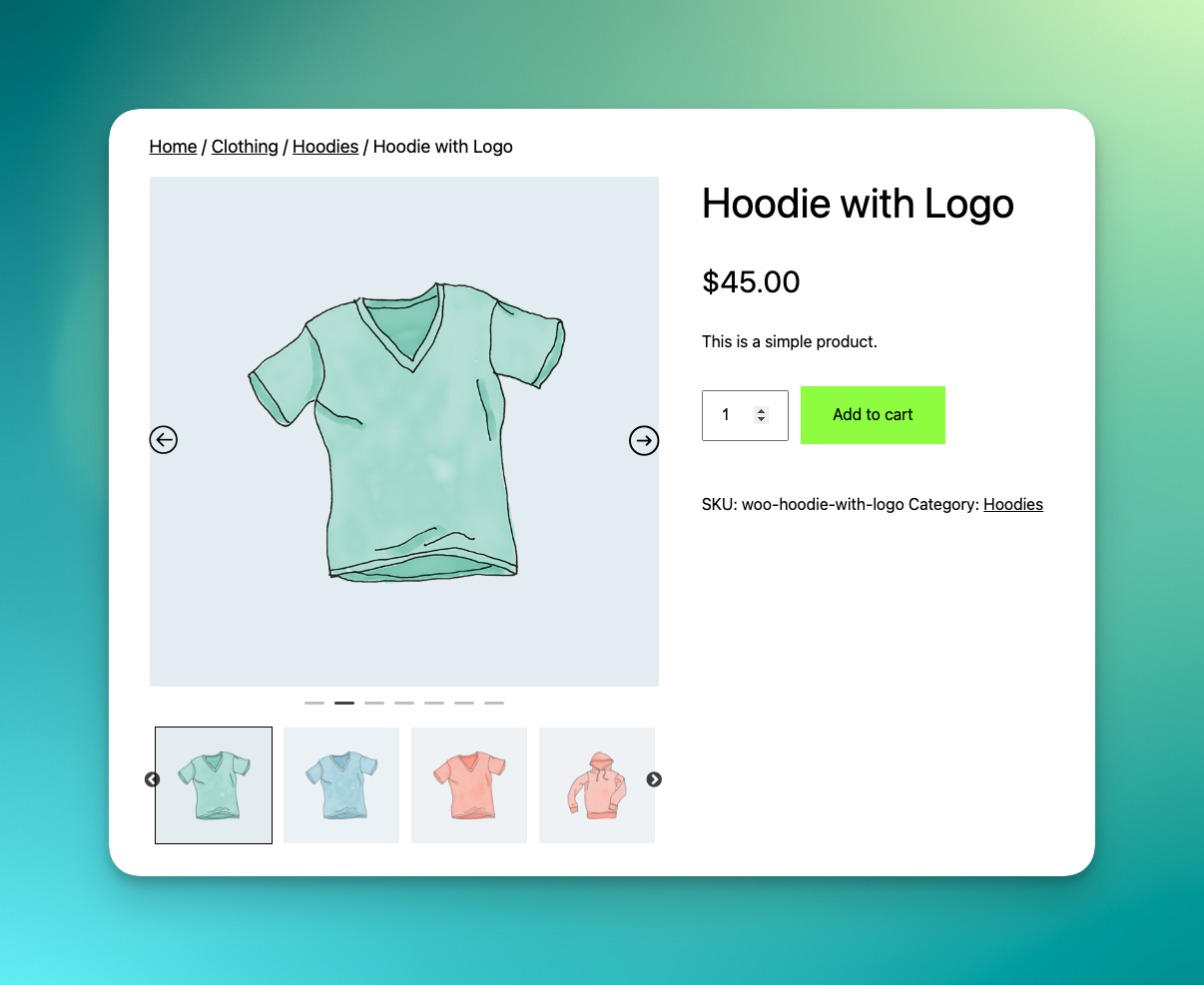
The Product Gallery Slider plugin for WooCommerce allows you to create a customizable image carousel for your online store's product gallery. It enhances the display of your products, engages customers, and boosts sales. The plugin is user-friendly, fully responsive, and offers a wide range of customization options to create a unique and engaging product gallery.Screenshots
Frequently asked questions
What does the Product Gallery Slider for WooCommerce plugin do?
The Product Gallery Slider for WooCommerce plugin allows you to add a carousel in WooCommerce default Gallery section. It enhances the style of your product gallery, increases sales, and grabs more customer attention.
What are the key features of the Product Gallery Slider for WooCommerce plugin?
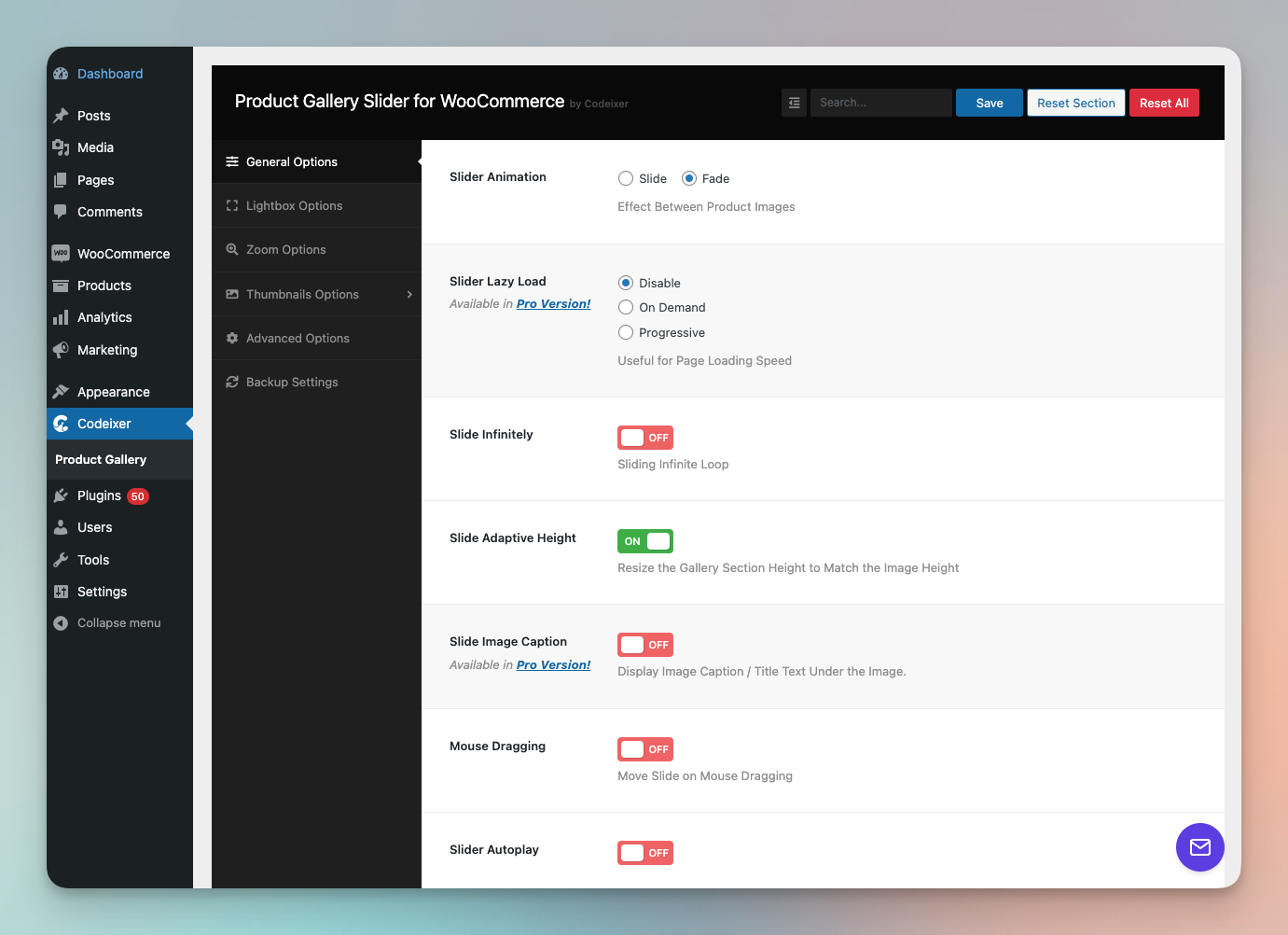
The key features of the Product Gallery Slider for WooCommerce plugin include: Responsive layout, Navigation support, Slider AutoPlay options, Gallery layout [Horizontal Slider], Thumbnails item to show, Infinite loop option, Slide Adaptive Height, Mouse Dragging option, On/Off LightBox setting for Thumbnails images, On/Off setting for WooCommerce image zoom, On/Off setting for Lightbox image caption, Custom Image Size option for gallery, Custom CSS option for override, Shortcode ready [Easy to use with any custom product page builder], Support for Elementor, Divi, and Visual Composer page builder, Working with most premium themes, and RTL support.
What are the Pro Version features of the Product Gallery Slider for WooCommerce plugin?
The Pro Version features of the Product Gallery Slider for WooCommerce plugin include: All Free features, Gallery Layout [Vertical(left, right) and Horizontal Slider], LightBox For Thumbnails option, On/Off LightBox setting for Thumbnails images, Support Video for Gallery (YouTube, Vimeo, and Self-Hosted video), Thumbnails Hide option, Slider Image Caption, Animation for Navigation Arrow, Full Lightbox Control, Lightbox Thumbnails Position, Lightbox Thumbnail Autostart, Lightbox Open/Close Animation Effect, Lightbox image slide Animation Effect, and Advanced Zoom Options.
What are some testimonials from WooCommerce store owners about the Product Gallery Slider for WooCommerce plugin?
Some testimonials from WooCommerce store owners about the Product Gallery Slider for WooCommerce plugin include: 'Great plugin and been using it for a long now. Still great!' - vlavur, 'Nice plugin - does exactly what you expect; the support is even better!' - vanbrel, 'Used the plugin and does exactly what I need and when I had an issue the guys response and solution was quick and swift' - theonlytjn, 'An awesome plugin which request a smaller amount of time and effort to get the output, can be recommended for professional ecommerce sites' - sabari1992.
What other free plugins are offered by the same creator?
Other free plugins offered by the same creator include: Deposits for WooCommerce - allows customers to pay for products using a fixed or percentage amount of the product, Show Stock for WooCommerce, and Order Status Control for WooCommerce.
Changelog
2.3.16 – 4 Feb 25
- Fixed: add to cart error for variaiton product
2.3.15 -16 Jan 25
- Tweak: Update usage-tracking sdk
- Fixed: admin notice not hide
2.3.14 -26 Nov 24
- Fixed: In some cases, PHP files do not load properly.
2.3.13 -26 Nov 24
- Tweak: Update the Appsero SDK as it is causing the
_load_textdomain_just_in_timeerror in WordPress version 6.7.x.
2.3.12 -20 Nov 24
- Fixed: Fatal error on activation.
2.3.11 -15 Nov 24
- Added: Clear variation transients when saving settings.
- Fixed: Ajax loads only if the variation has additional images.
- Fixed: Variation thumbnails gallery is missing when the default variation is selected from the backend on the first page load.
- Support for WooCommerce version 9.4.x.
2.3.10 – 7-Aug-24
- Added: Compatibility support for YITH Quick view plugin
- Added: global js scope
cix_product_gallery_slider_int() - Tweak: WooCommerce
product-image.phpTemplate version updated
2.3.9 – 11-Jun-24
- Added: Compatibility support for Astra Pro
- Added: New filter for removing the featured image from the gallery.
- Fixed: Remove CSS code that conflicts with slick slider
- Fixed: Missing dependencies jQuery csf
- Support for WooCommerce 9.0.x
2.3.8 – 1-Jun-24
- Fixed: Slider conflict with DIvi theme
- Fixed: Product page did not load if the product has too many variations
- Update: Option Framework
Support for WooCommerce 8.9.x
2.3.7 – 14-May-24
- Fixed: PHP error in search page query.
2.3.6 – 11-May-24
- Fixed: broken slider if product displayed by shortcode [product_page]
- Fixed: gallery image padding conflicts with some themes
2.3.5 – 27-Jan-24
- Fixed: Missing gallery issue in last update 2.3.4
2.3.4 – 27-Jan-24
- Fixed: If there is only one image, display a single thumbnail.
- Fixed: Display placeholder image if featured image is not set.
- Tweak: Refactor code with WordPress Coding Standards
2.3.3 – 13-Jan-24
- Fixed: variation images are not working in same cases
2.3.2 – 10-Jan-24
- Fixed: js error if zoom is disabled
2.3.1 – 9-Jan-24
- Speed optimization for variation toggle
2.3 – 1-Jan-24
- Fixed: Zoom option not working
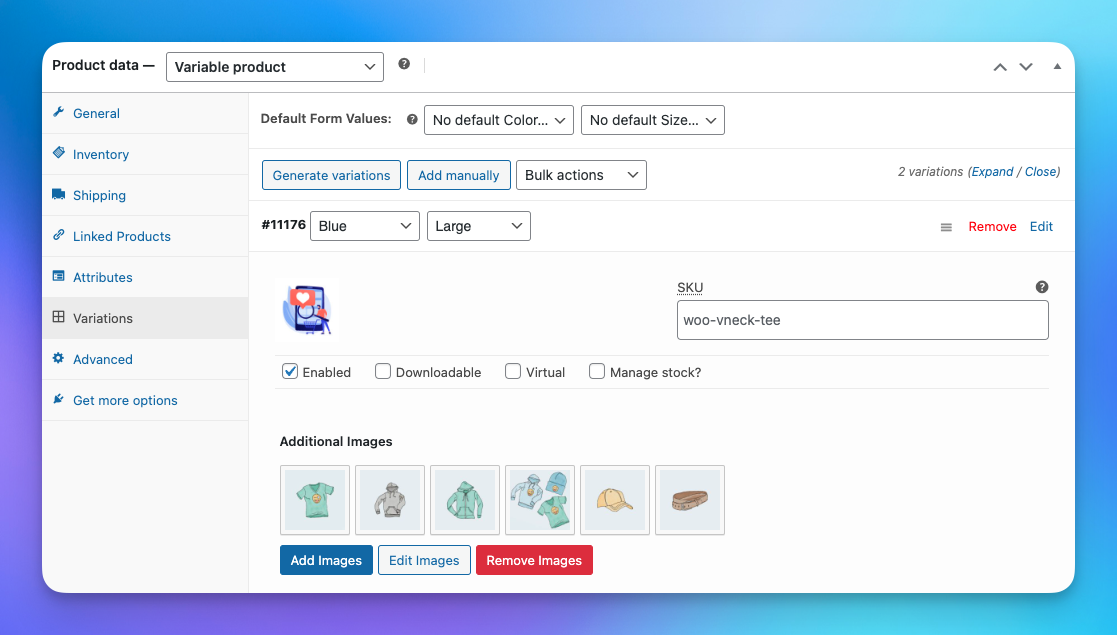
- Added: add additional images for each variation
2.2.13 – 3-Dec-23
- Fixed: Variation image size update with the wrong size.
- Update: .js file code base
2.2.13 – 3-Dec-23
- Fixed: Variation image size update with the wrong size.
- Update: .js file code base
2.2.12 – 17-Sep-23
- Update Appsero SDK
- Compatibility with WooCommerce Product Bundles plugin
- Minor bug fix
2.2.11 – 3-Jul-23
- Minor bug fix
2.2.10 – 20-Jun-23
- Fixed: Outdated notice for product-image.php file
- Fixed: Phlox Pro theme “shop” plugin conflicts with gallery html markup
- Support for WooCommerce 7.8.x
2.2.9 – 14-May-23
- Added: Compatibility support for Woostify theme
- Fixed: New option for duplicate gallery issue under “Advanced Settings” when divi builder enable for single product page.
- Update appsero SDK
- Support for WooCommerce 7.7
2.2.8 – 21-Feb-23
- Added: While using Product Template Builder (Divi,Elementor,Beaver Builder), a shortcode [product_gallery_slider] is now available to enable the gallery slider.
- Fixed: Third-party badge plugin not showing.
- Support for WooCommerce 7.4
2.2.7.1 – 21-Dec-22
- Fixed: API overload issue
2.2.7 – 14-Dec-22
- Minor bug fixed
- Support for WooCommerce 7.2
2.2.6 – 2-Nov-22
- Fixed: thumbnail icon showing in lightbox
- Fixed: hide dot if the gallery doesn’t have images
- Support for WordPress 6.1
- Support for WooCommerce 7.0.1
2.2.5 – 29-Jul-22
- Fixed: Slider is not reset if variation product image change
- Fixed: image zoom did not replace on variation product image change
- Fixed: Slider animation (Slide) conflicts with lightbox
- Update: Synchronize fancybox lightbox images and slider
2.2.4 – 16-Jul-22
- Added: add chat widget in the plugin settings page for plugin support
- Added: plugin meta for plugins page
- Fixed: fatal error for empty feature image
- Update: showing zoom icon only for small and medium devices
2.2.3 3-Jul-22
- Fixed: load assets fatal error
2.2.2 28-Jun-22
- Fixed: Image zoom icon for mobile devices
- Update: add is_product() condition for css & js file
- Update: text domain
- Update: add “global assets” option under advanced settings for control assets load.
- Fixed: Slide Adaptive Height broken if zoom enable
- Update: Unlock slider animation option
- Update: Image zoom jquery plugin
- Support for WooCommerce 6.6.1
2.2.1 11-Jun-22
Fixed : image alt not showing
Update : code refactor
Added : Appsero for Survey
Support for WordPress 6.x
Support for WooCommerce 6.5.1
2.2 5-Feb-22
Support for WordPress 5.9
Support for WooCommerce 6.1.1
Fixed : Broken layout on slider load.
Update : Setting Panel
Added : New Slider Options
2.1.3 25-Apr-21
Fixed : lightbox apply to all slick slider.
2.1.2 25-feb-21
Added : RTL mode
Added : action hook wpgs_before_image_gallery
Added : action hook wpgs_after_image_gallery
Fixed : review notice not hide on click ‘hide notification button’
2.1.1 12-feb-21
New: Support to WooCommerce 5.0
Added: hide arrows based on images
Fixed: jquery script 404 error on admin login
Fixed: slider nav icon style conflict
Fixed: thumbnails not showing first image sometimes after click the arrows.
2.1 7-feb-21
Added : Mosue Drag option
Added : Image zoom option
Added : AdaptiveHeight for slide
Update : venobox to fancybox (jquery plugin)
Code refactor
2.0.4
Fixed : lightbox arrow conflict with slider
2.0.3
Removed : Freemius sdk for Security issue
1.1.8.3
Fixed : Product variations images not working
1.1.8.2
Added : Infinite loop in slider Setting >Feature Request
1.1.8.1
Fixed: Gallery Thumbnails of equal size >Topic
1.1.8
Fixed: add missing files
Added: New gallery Setting option in WPGS setting for Woocommerce version 3.0 or later
1.1.7
Fixed: woocommerce version 3.0 gallery conflict
1.0
- Initial Release

