

Improve your WordPress SEO: Write better content and have a fully optimized WordPress site using the Yoast SEO…
About Product Size Charts Plugin for WooCommerce
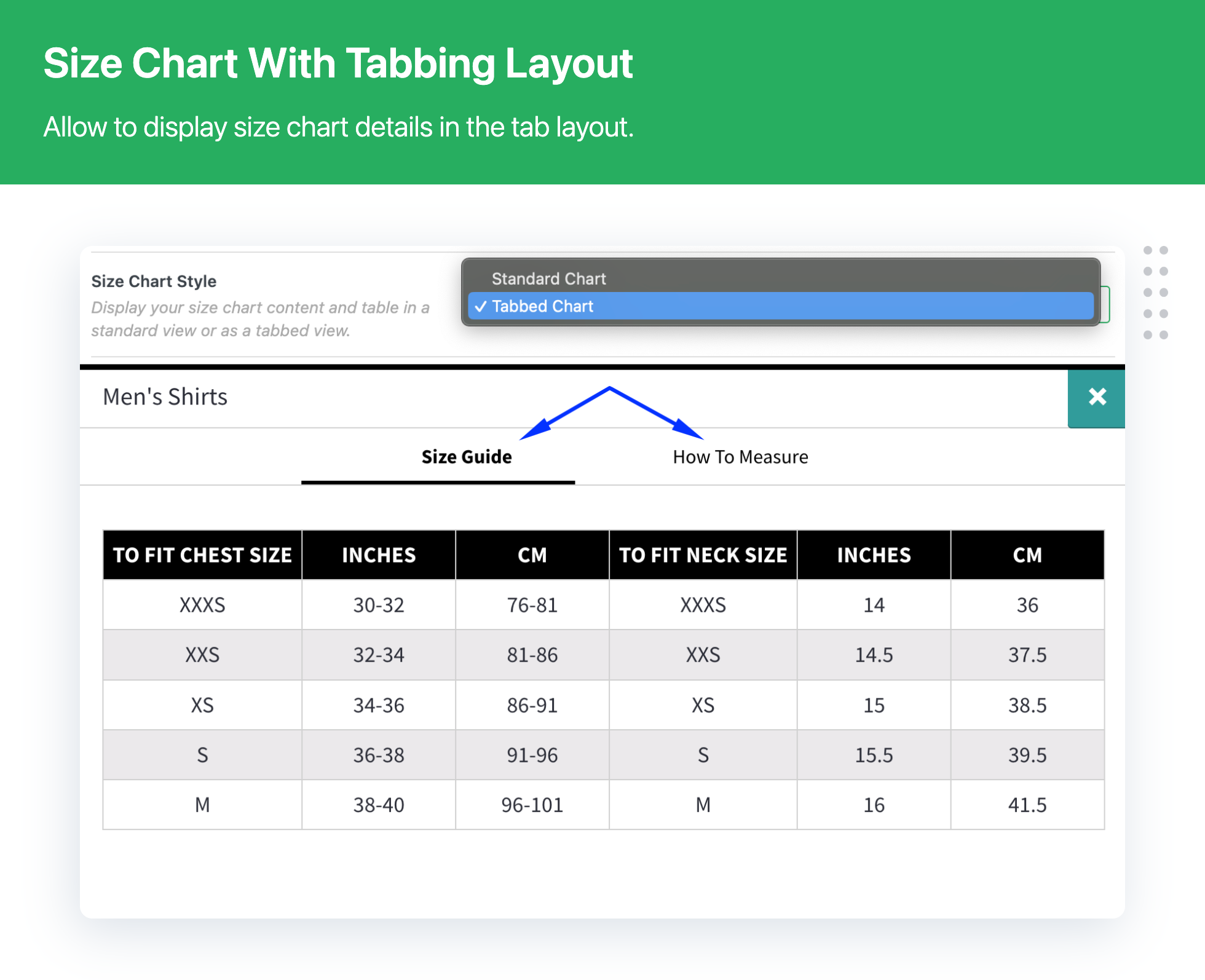
The Advanced Product Size Charts Plugin for WooCommerce helps reduce return rates caused by sizing issues. It allows you to create and display comprehensive size charts, making it easier for customers to find their perfect fit. The plugin offers intuitive chart building, responsive design, conditional assigning, and other features to enhance the shopping experience.Screenshots
Frequently asked questions
What does the Product Size Charts for WooCommerce plugin allow you to do?
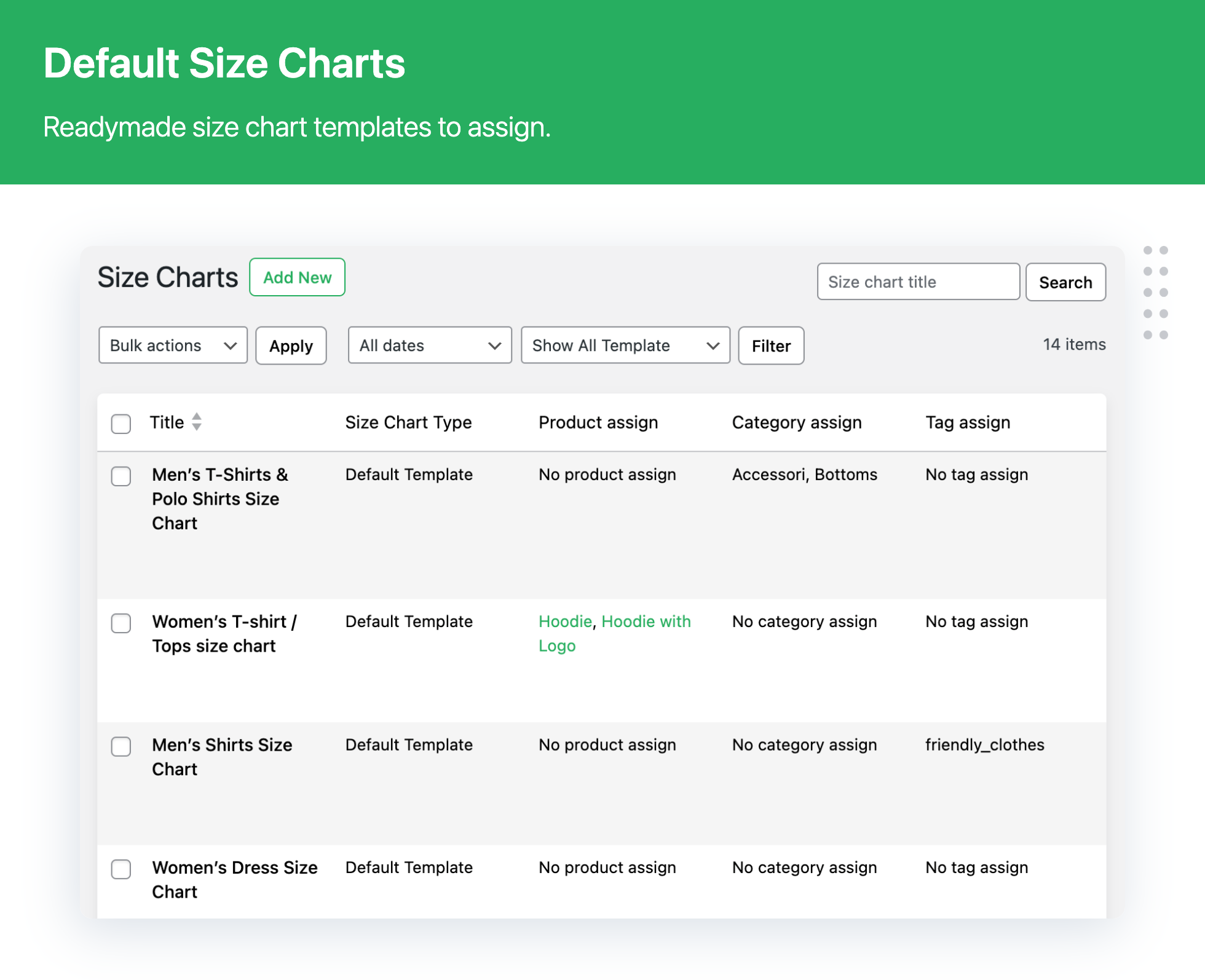
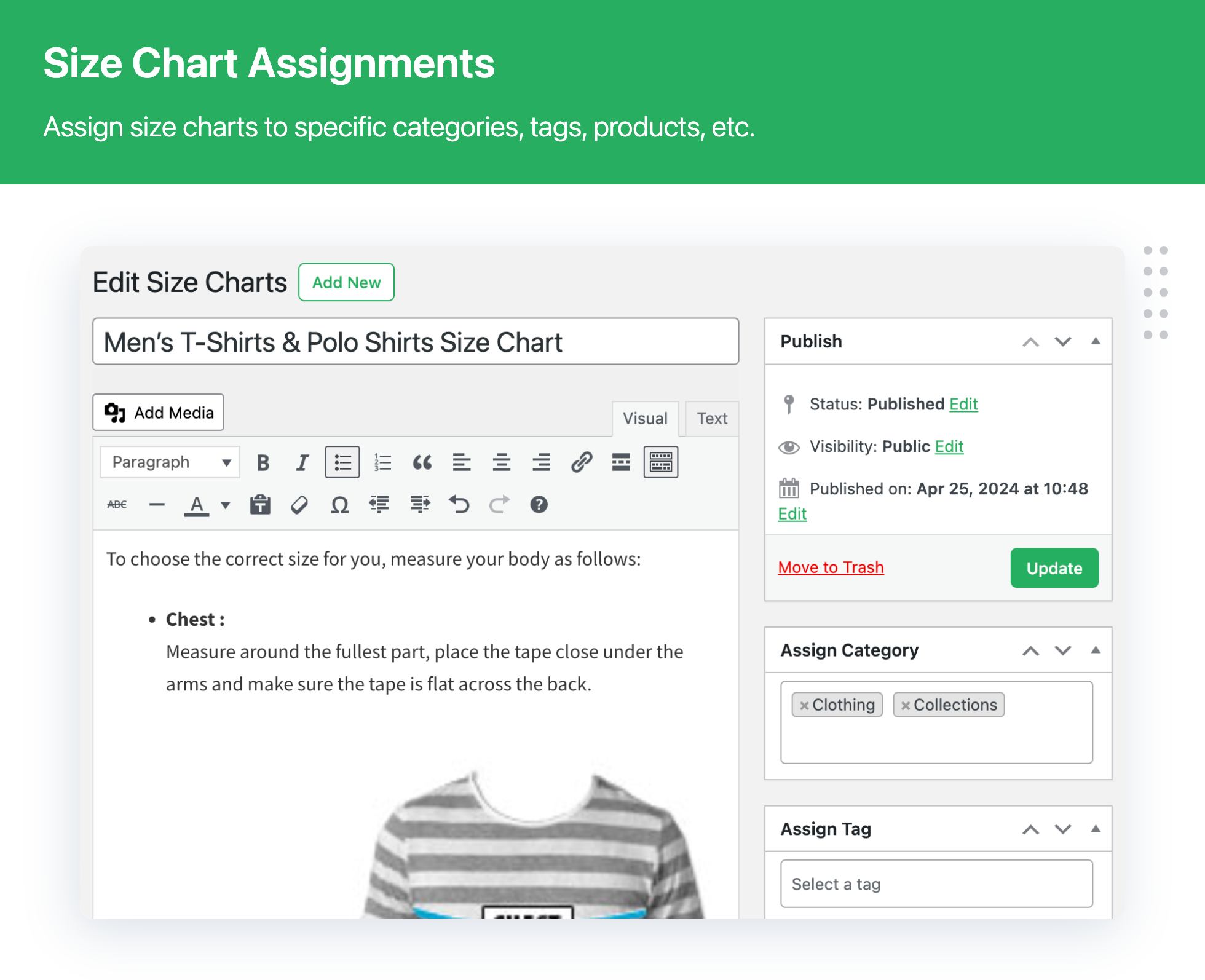
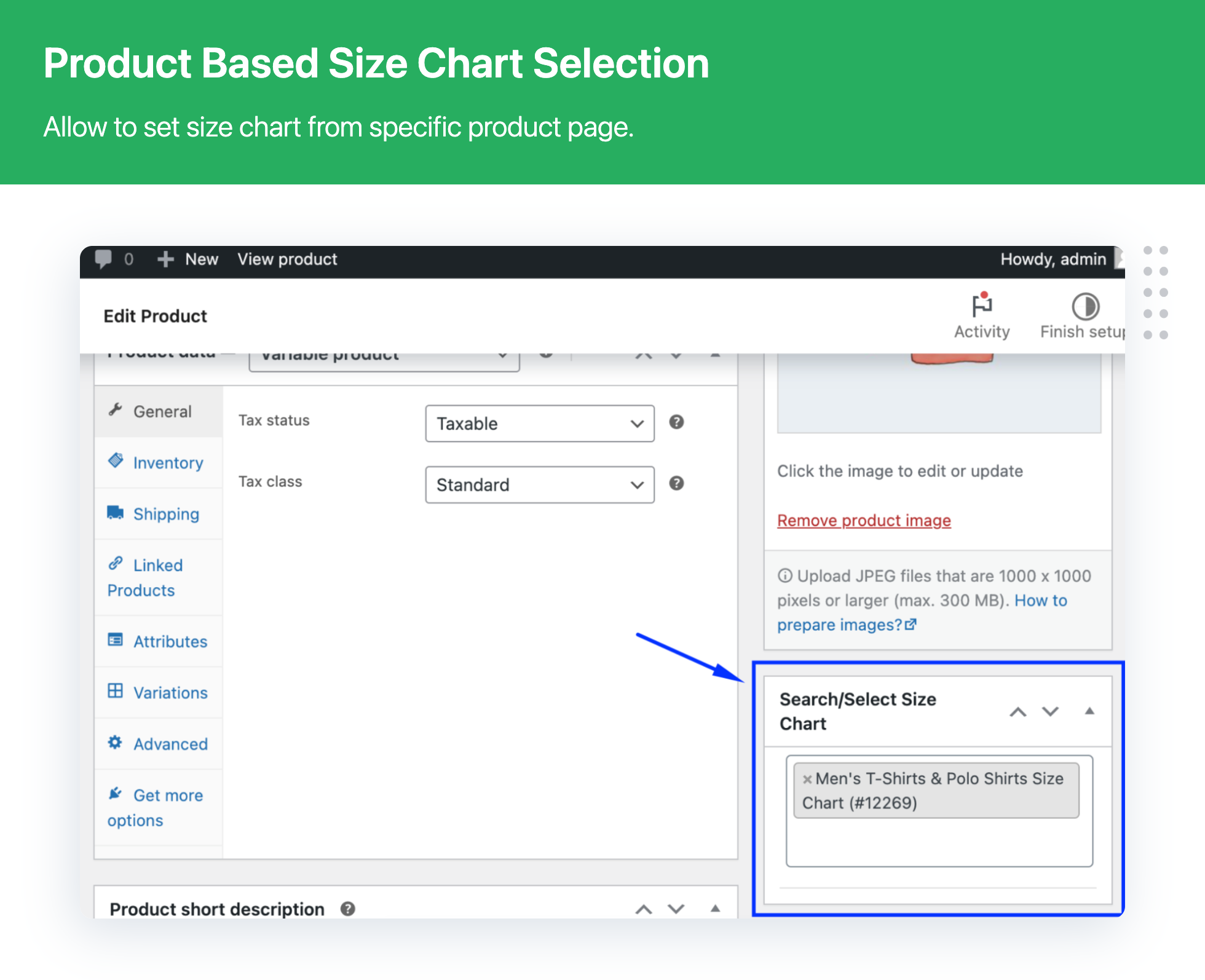
Product Size Charts for WooCommerce allows you to assign readymade size chart templates to the product, category, and create custom size chart for any of your WooCommerce products.
How can you clone readymade size chart templates?
You can clone readymade size chart templates and create your own size charts and assign them to a category or specific products.
What are the key benefits for WooCommerce store owners?
The key benefits for WooCommerce store owners include reduced product returns due to size-based issues, reduced customer confusion regarding size and fittings, easy viewing of the size chart before purchasing, and improved site usability and user experience during the purchase.
Why does an online store need a size chart?
An online store needs a size chart because the average online apparel retailer store return rate is 28%, and 80% of these returns are due to fitting issues. Sizing is frequently the No. 1 reason online shoppers choose to shop in-store rather than online.
What are the key features of the Product Size Charts Free Version?
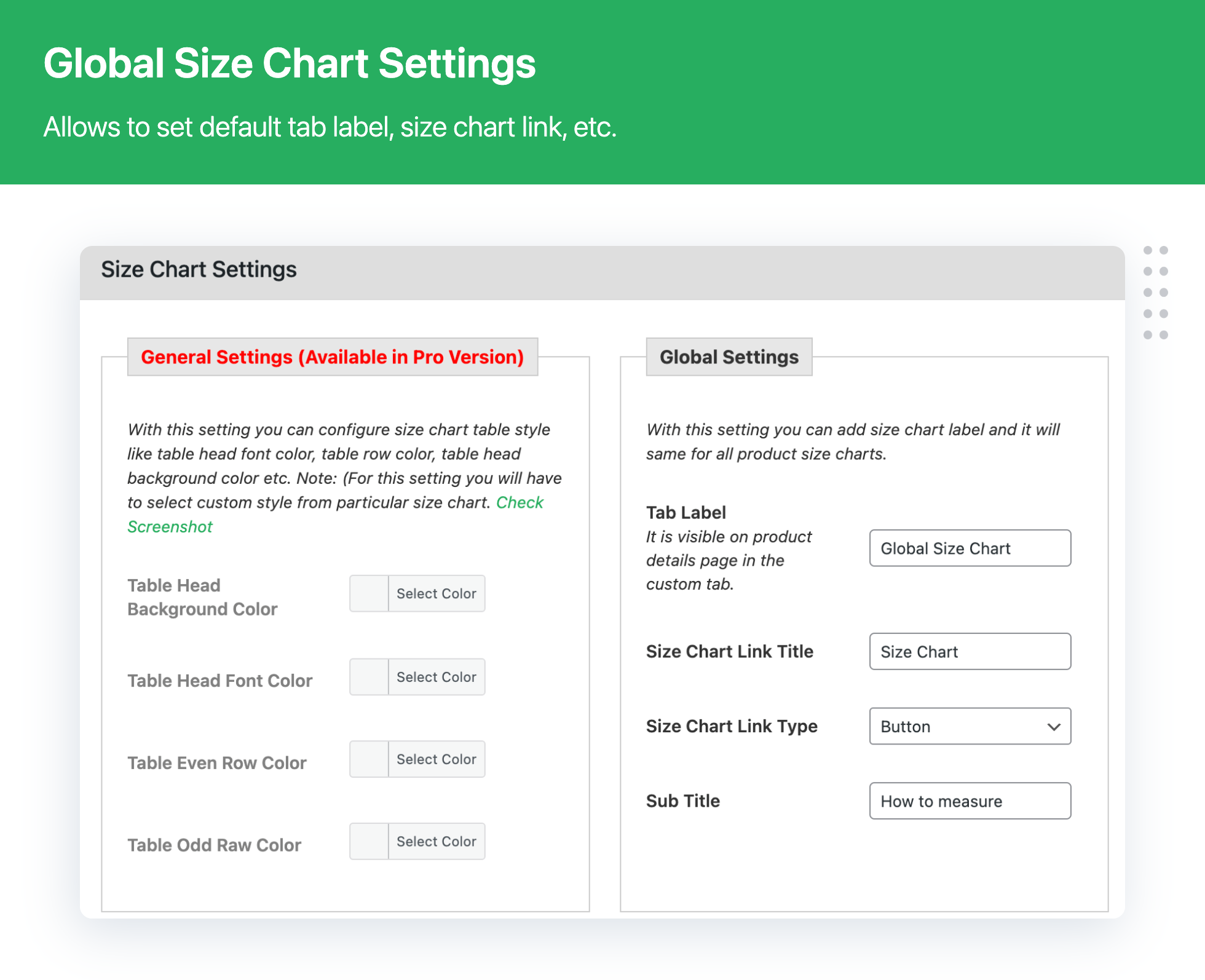
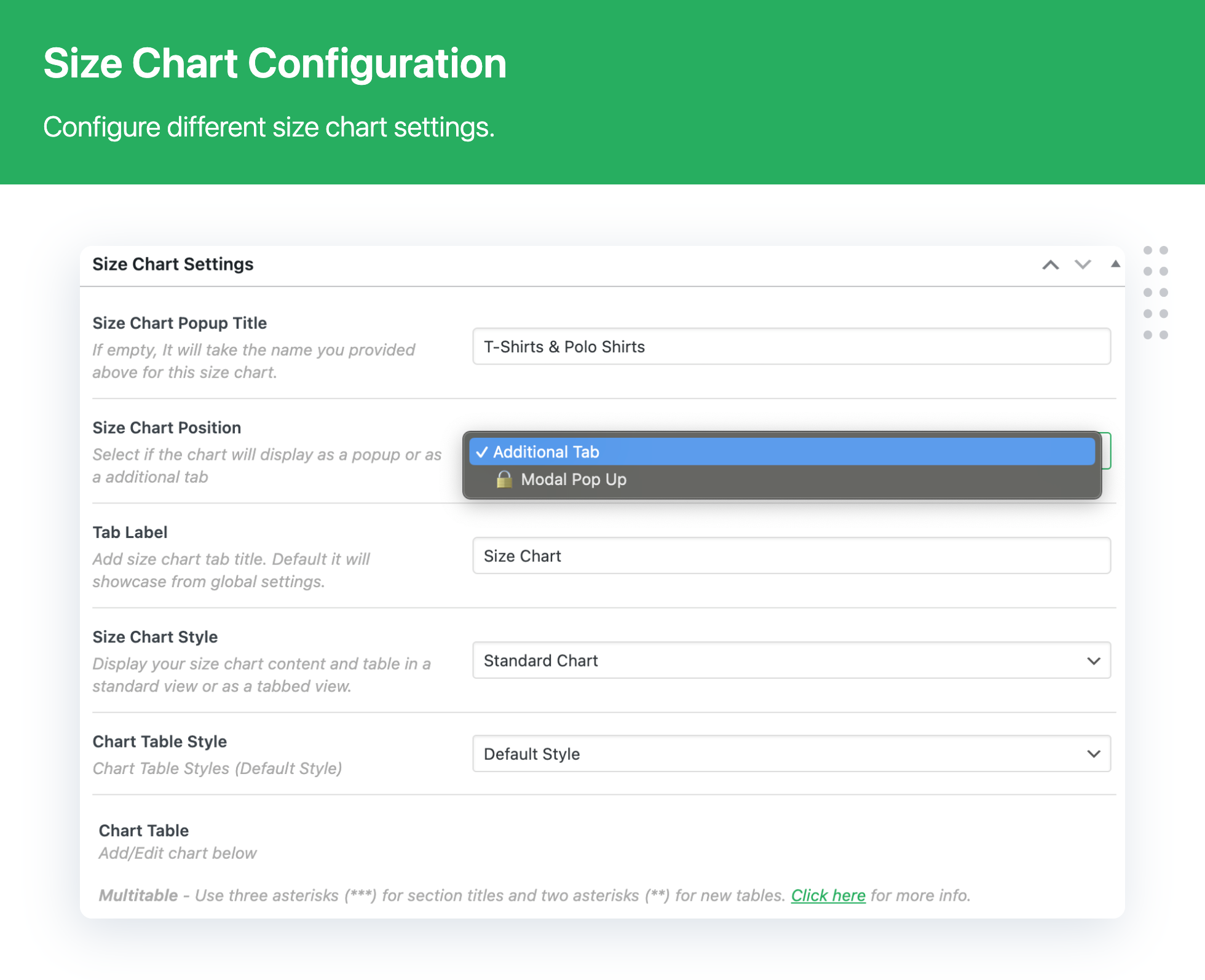
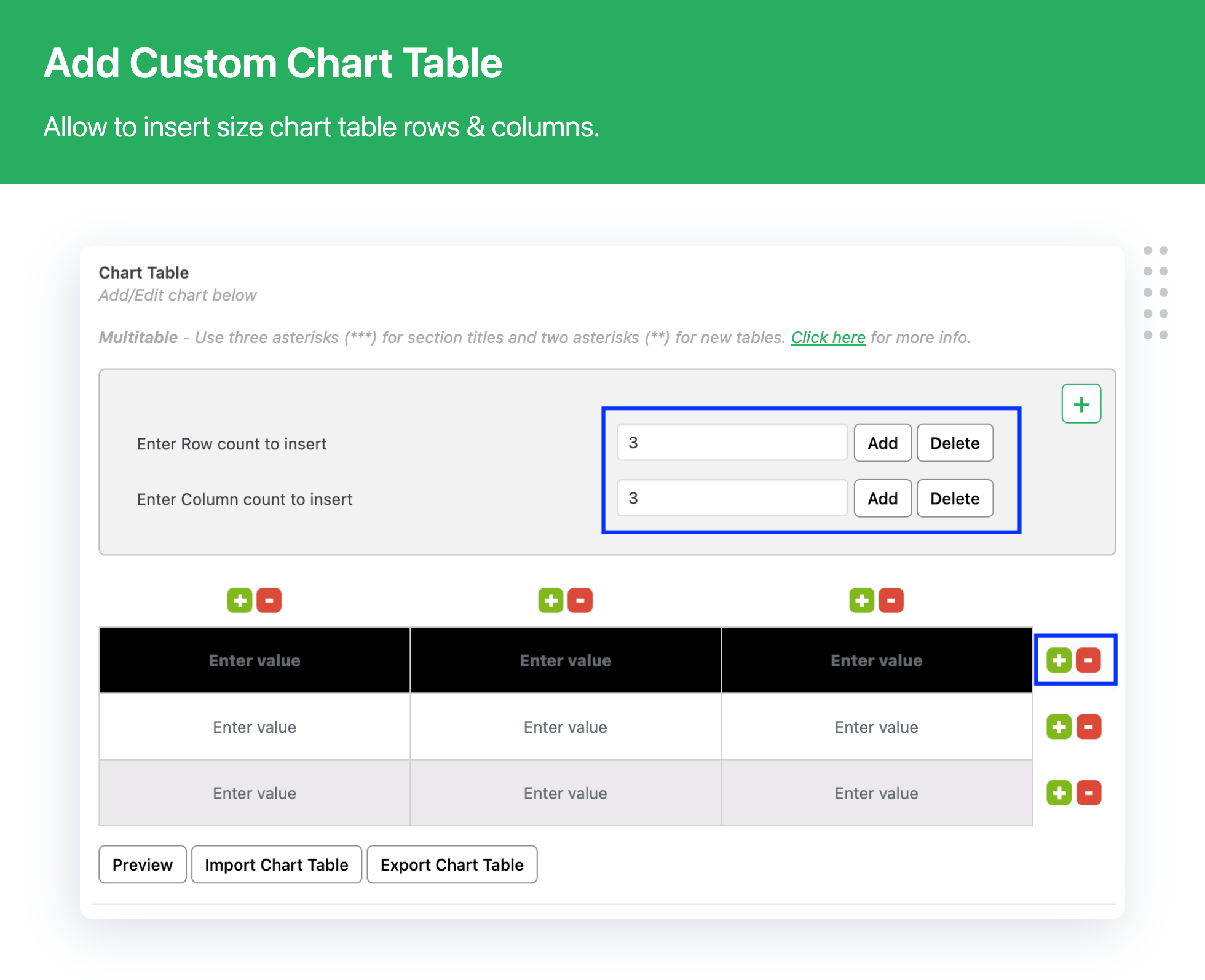
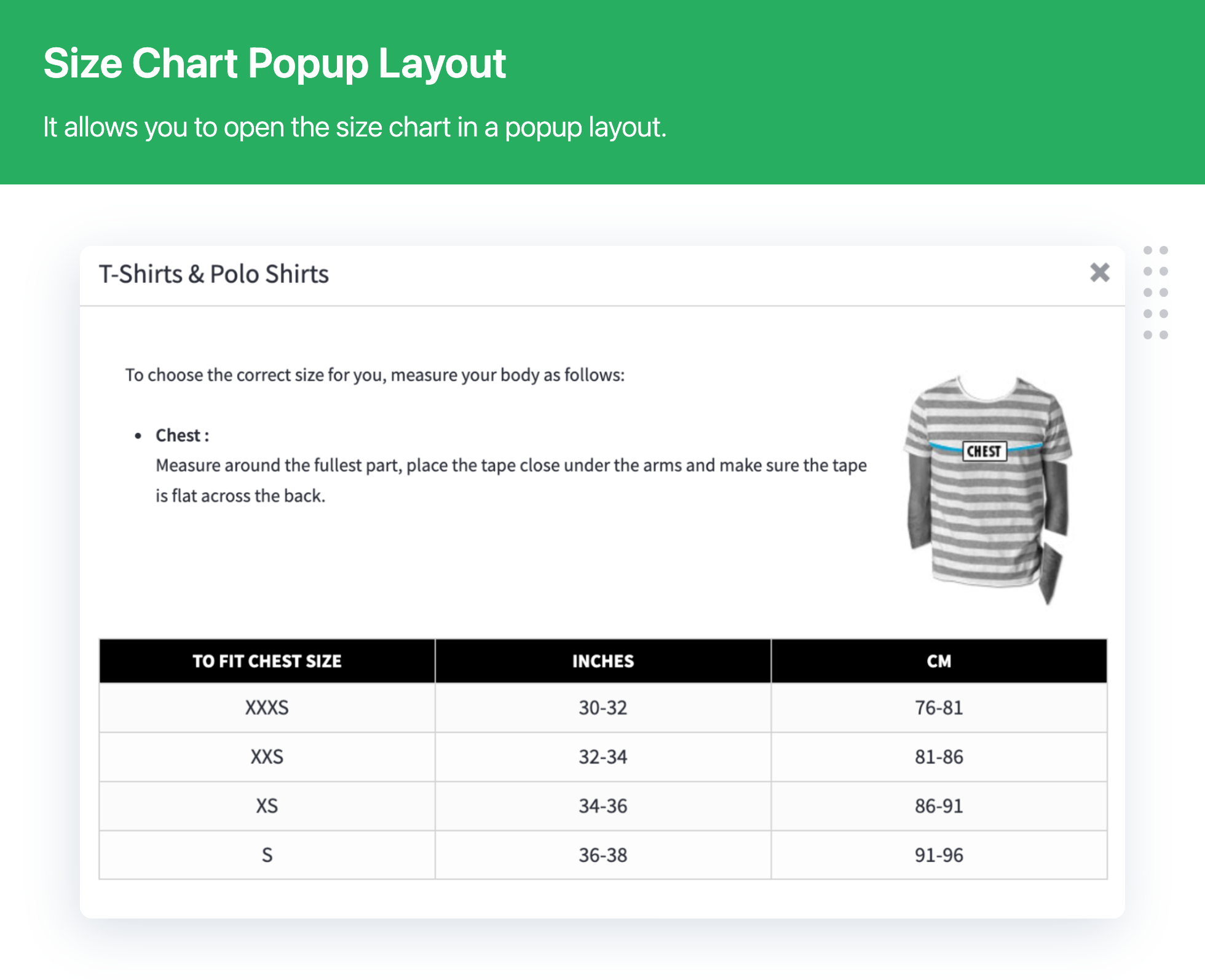
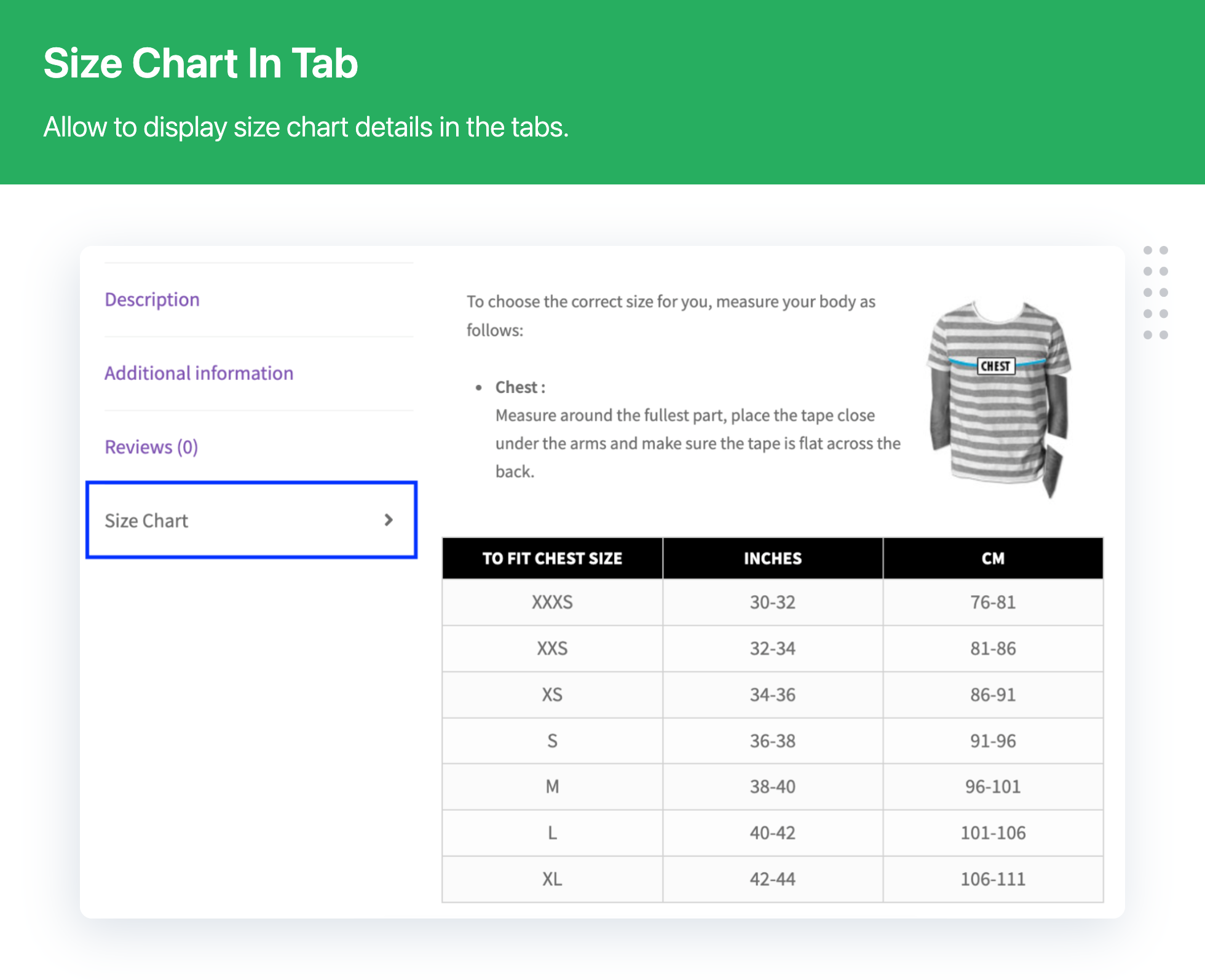
The key features of the Product Size Charts Free Version include creating unlimited custom size charts, choosing from more than 10 readymade product size chart templates, assigning more than one size chart to the same product, quick assigning of size charts using the default template, assigning size charts to single or multiple products and categories, cloning readymade product size chart templates, multiple size chart table styles, displaying size chart as WooCommerce additional tab, displaying size chart as a popup, adding/editing multiple rows on the chart table, adding custom measurements, entering formatted text and media into the size chart description, enabling/disabling product size chart, and creating unlimited rows and columns for the size chart table.
Changelog
2.4.6
- [Bug Fix] Quick fixes related to the security patch
- [Bug Fix] Minor fixes related to the size chart design
- [Bug Fix] Minor fixes related to the help beacon
2.4.5
- [Bug Fix] Minor fixes to remove default size chart when use shortcode on product page
- [Bug Fix] Minor fixes related to the security vulnerability
- [Bug Fix] Minor fixes related to the tabbed size chart
- [Enhancement] Changed free plugin “Dashboard” to “Get Premium”
- [Enhancement] Plugin UI enhancement
- [Enhancement] Compatible with WooCommerce 9.6.x
- [Enhancement] Compatible with WordPress 6.7.x
2.4.4
- [Enhancement] Plugin UI enhancement
- [Enhancement] Compatible with WooCommerce 8.8.x
- [Enhancement] Compatible with WordPress 6.5.x
2.4.3.2
- [Enhancement] Quick fix related to the plugin design conflict
2.4.3.1
- [Enhancement] Quick fix related to the Cross Site Scripting (XSS) vulnerability
2.4.3
- [New] Ability to showcase size chart content and table as tabbing
- [New] Ability to add multiple tables in one size chart
- [Bug Fix] Minor fixes related to the search product results while the size chart assign
- [Bug Fix] Minor fixes related to the chart table design
- [Bug Fix] Minor fixes related to the size chart listing page information
- [Enhancement] Introduced general shortcode “[scfw_product_size_chart]” in the free version
- [Enhancement] Removed deprecated features – Subtitle and Primary Chart Image
- [Enhancement] Plugin UI enhancement
- [Enhancement] Plugin compatibility with WooCommerce High-Performance Order Storage (HPOS)
- [Enhancement] Added free user upgrade dashboard
- [Enhancement] Introduced plugin setup wizard
- [Enhancement] Compatible with WooCommerce 7.9.x
- [Enhancement] Compatible with WordPress 6.2.x
2.4.2.1
- [Bug Fix] Minor fixes related to the size chart validation with various languages (e.g., Greek, Chinese).
- [Bug Fix] Minor fixes related to the size chart popup design.
- [Bug Fix] Minor fixes related to the plugin script & styles loading.
- [Bug Fix] Minor fixes related to the attributes specific size chart.
- [Bug Fix] Minor fixes related to the size chart data loading.
- [Enhancement] Display product name with product edit link on size chart listing page.
- [Enhancement] Compatible with WooCommerce 7.7.x
- [Enhancement] Compatible with WordPress 6.2.x
2.4.2
- [Bug Fix] Minor fixes related to the size chart icon design
- [Bug Fix] Minor fixes related to the multisite activation
- [Enhancement] Security patch
- [Enhancement] Plugin compatibility with PHP 8.1.x
- [Enhancement] Added special character validation in size chart table cell
- [Enhancement] Compatible with WooCommerce 7.4.x
- [Enhancement] Compatible with WordPress 6.1.x
2.4.1
- Fixed — Minor issue fixed related to size chart slug on multi-language environment
- Update – Compatible with Woocommece 7.0.x
- Update – Compatible with WordPress 6.0.x
2.4.0
- New – Add/Delete multiple columns/rows in the size chart.
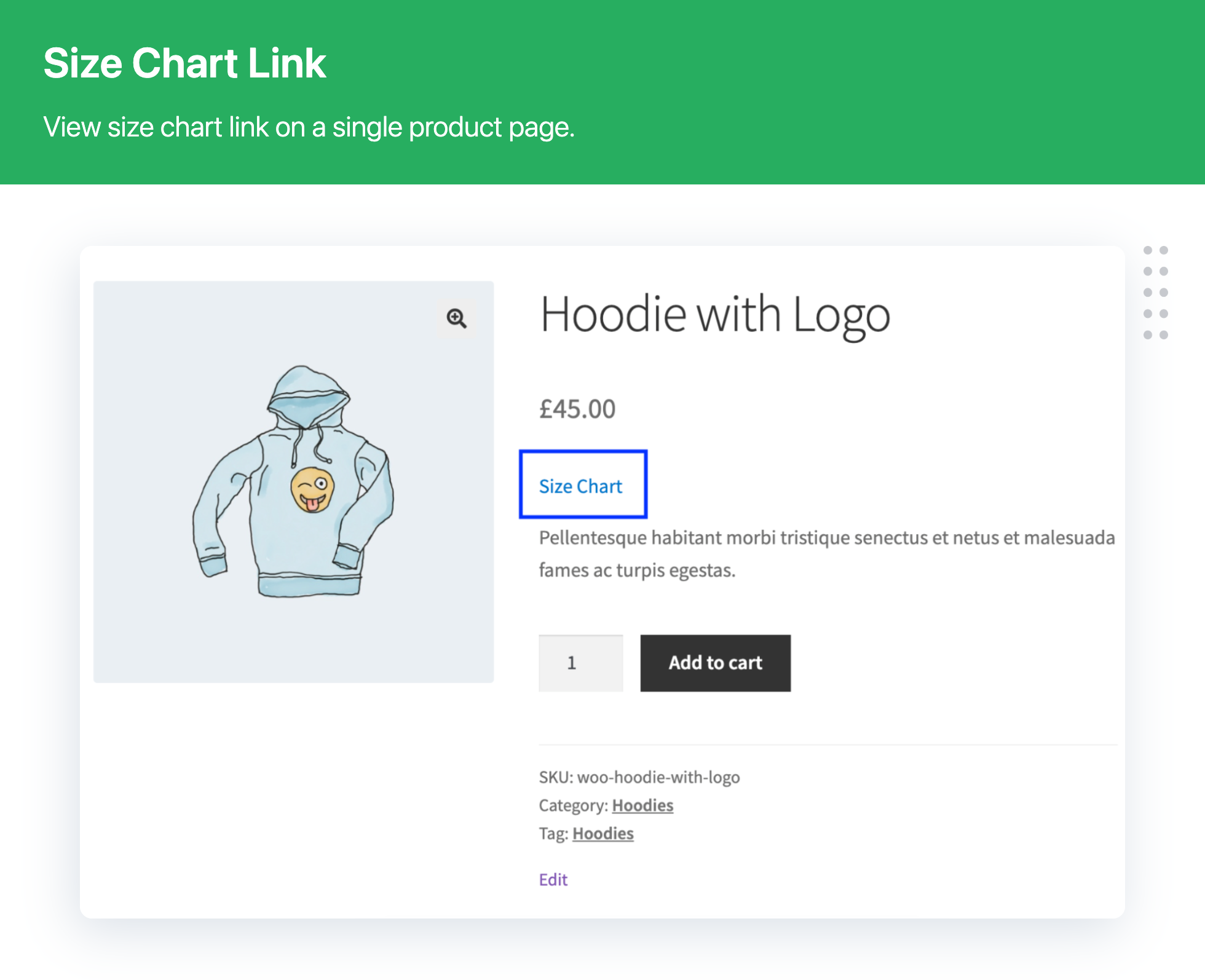
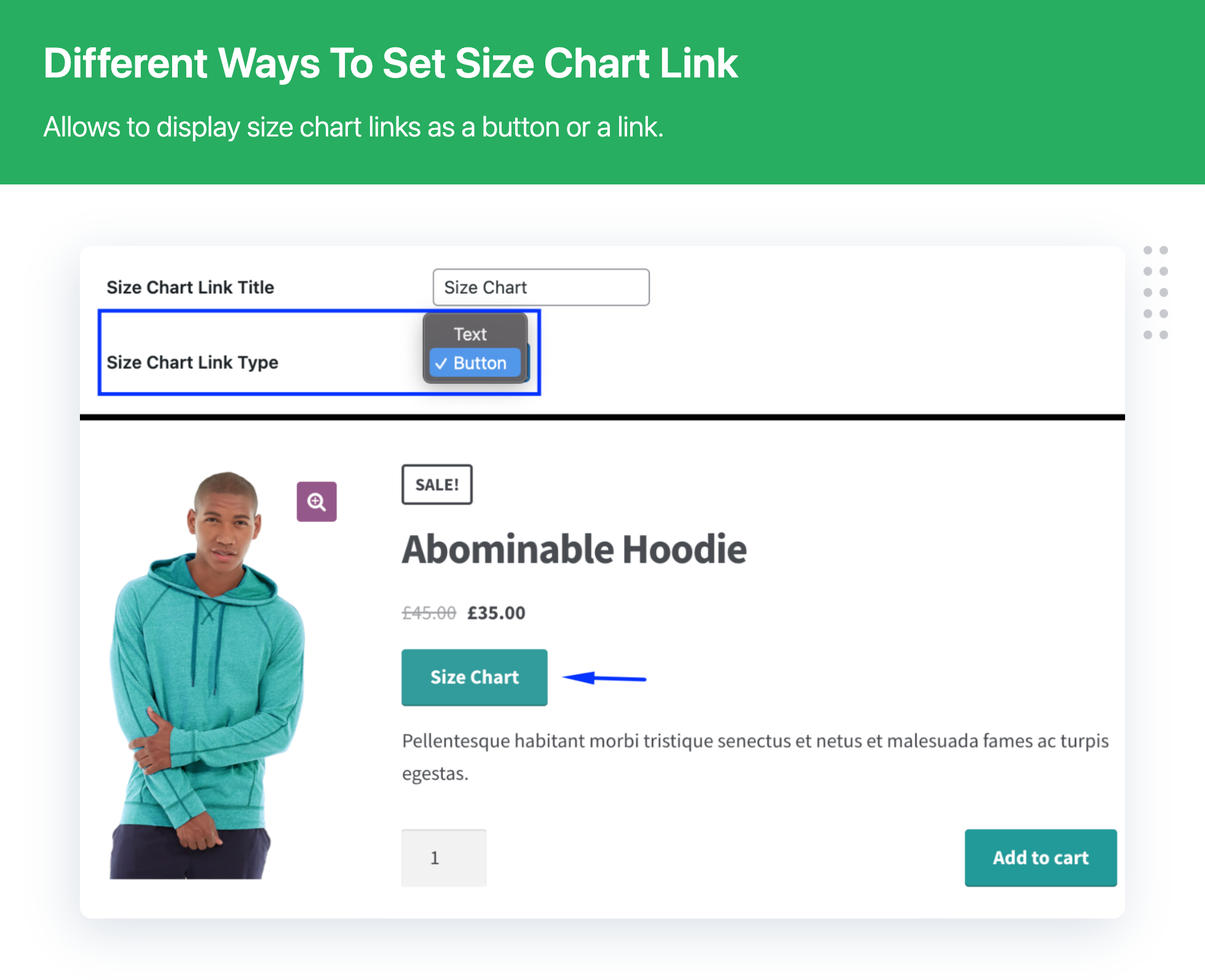
- New – Size chart link type (Text/Icon)
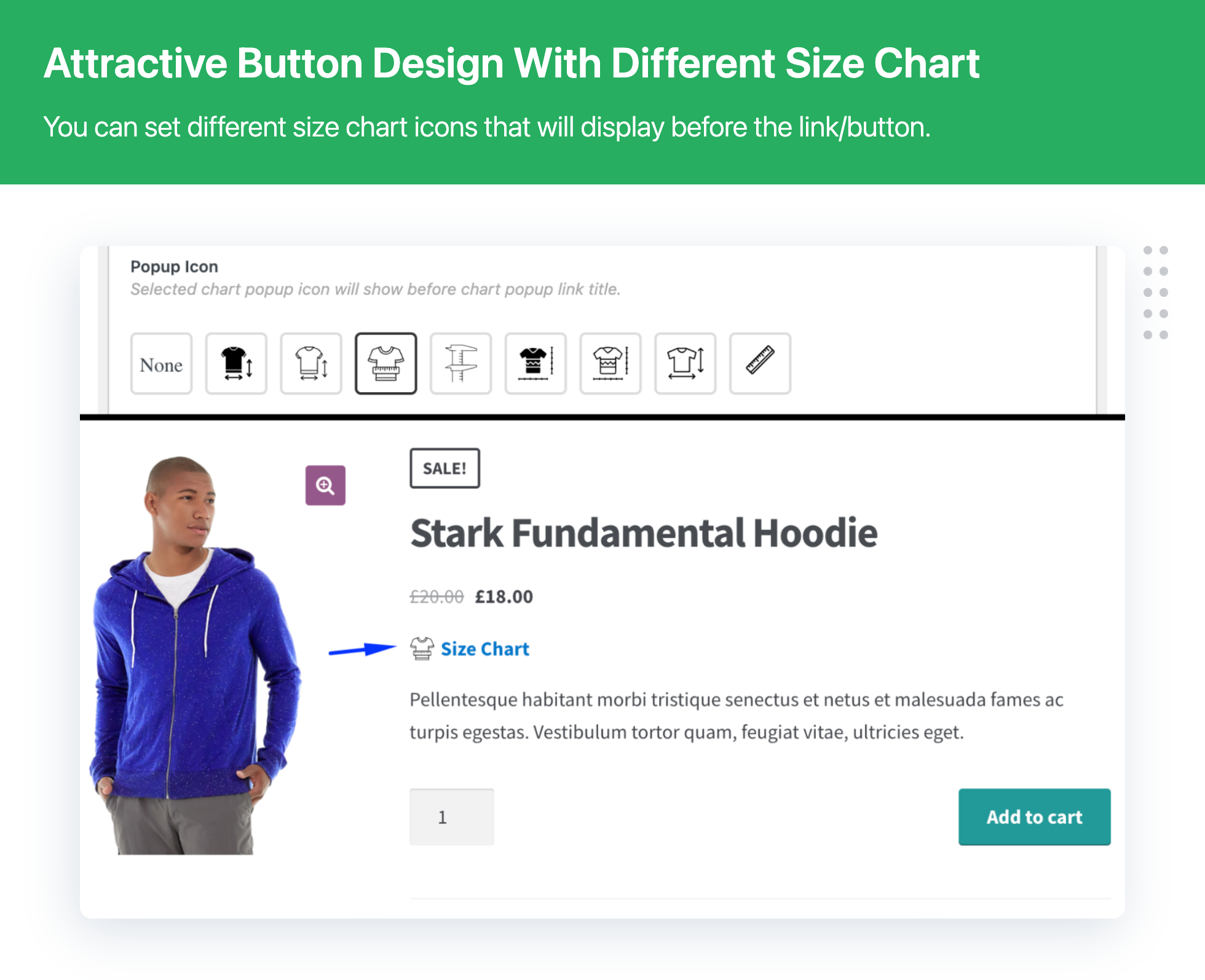
- New – Size chart icon with text button
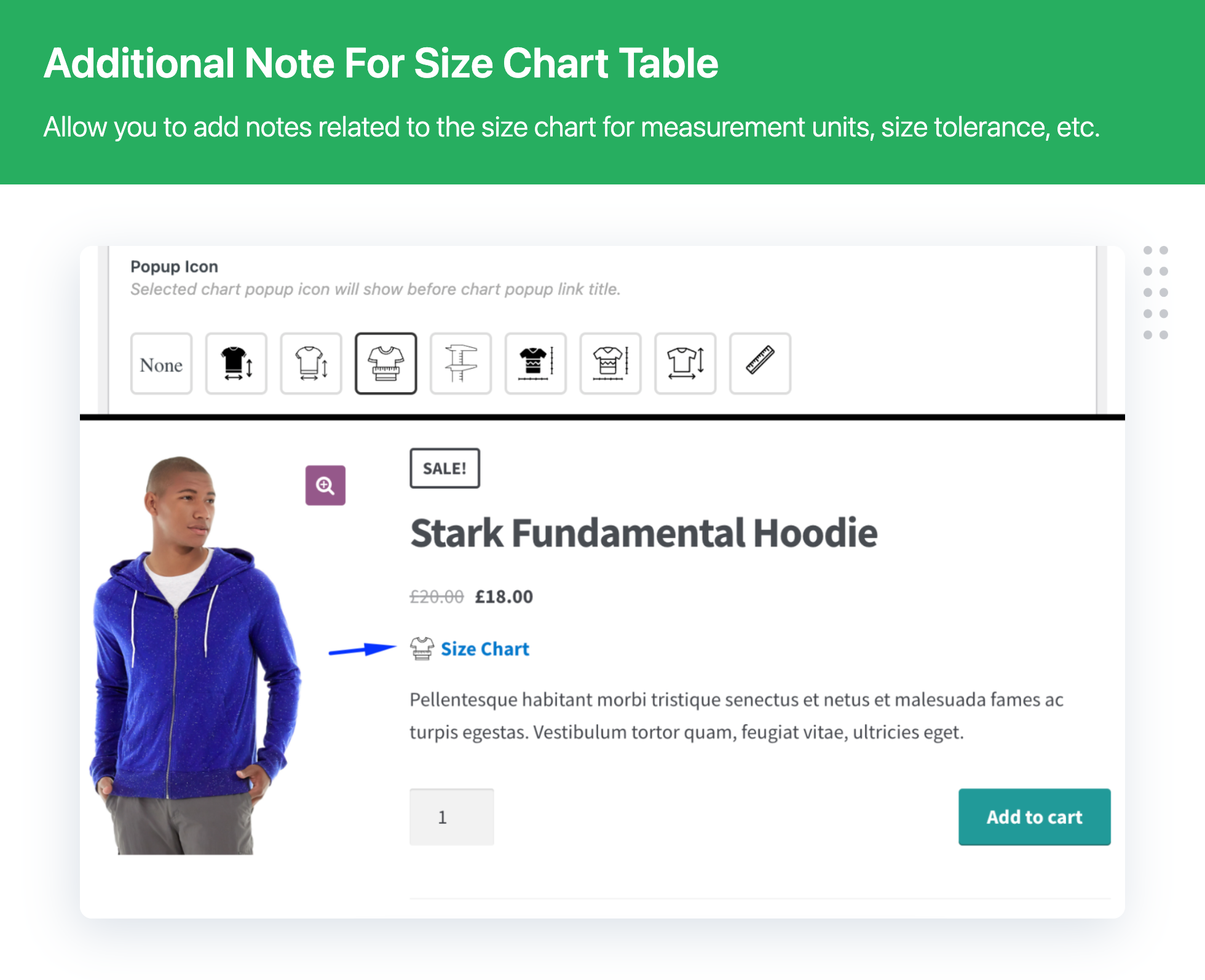
- New – Allow customer to show note for size chart
- Enhancement – Additional tab position hook for priority
- Update – Compatible with Woocommece 6.9.x
- Update – Compatible with WordPress 6.0.x
2.3.1
- Fixed – Fixed issue related to string translation with WPML
- Fixed – Fixed CSS conflict issue with Booster Elite Plugin
- Update – Updated Freemius SDK version to 2.4.5
- Update – Compatible with WooCommerce 6.8.x
- Update – Compatible with WordPress 6.0.x
2.3.0
- Enhancement – Improvise Plugin layout and design
- Enhancement – Move Category and Tag field from Normal to side section on the edit page
- Enhancement – Move Duplicate & Preview button from action section to below title
- Enhancement – Add Product, Category, and Tag column on a size chart listing
- Fix – Delete feature image icon position
- Add – After the title of the Size Chart append the “Add new” button
- Update – Compatible with Woocommece 6.5.x
- Update – Compatible with WordPress 6.x
2.2.3
- Enhancement – Security patch
- Update – Review block design
- Update – Compatible with Woocommece 6.2.x
- Update – Compatible with WordPress 5.9.x
2.2.2
- New – Allow option to manage size chart by the shop manager or custom role.
- Update – Compatible with Woocommece 6.1.x
- Update – Compatible with WordPress 5.9.x
2.2.1
- Fixed – Minor bug fixed related to duplicate size charts.
- Update – Compatible with Woocommece 5.9.x
- Update – Compatible with WordPress 5.8.x
2.1.9
- Fixed – Size chart pagination deletion issue.
- Update – Compatible with Woocommece 5.9.x
- Update – Compatible with WordPress 5.8.x
2.1.8
- Fixed – Minor bug fixed related to multi size charts.
- Update – Compatible with Woocommece 5.9.x
- Update – Compatible with WordPress 5.8.x
2.1.7
- Fixed – Minor bug fixed related to size chart missing on product page
- Update – Compatible with Woocommece 5.8.x
- Update – Compatible with WordPress 5.8.x
2.1.6
- Fixed – Minor bug fixed related to multiple size chart popup issue
2.1.5
- New – Allow users to select multiple size chart
- Fixed – Minor bug fixed
- Update – Compatible with Woocommece 5.7.x
- Update – Compatible with WordPress 5.8.x
2.1.4
- Fixed – Minor bug fixed
- Update – Compatible with Woocommece 5.7.x
- Update – Compatible with WordPress 5.8.x
2.1.3
- Fixed – Minor bug fixed related to auto redirect on variation form
2.1.2
- Enhancement – Fixed minor issues related to compatibility with Elementor Plugin
- Fixed – Minor bug fixed
- Update – Compatible with Woocommece 5.6.x
- Update – Compatible with WordPress 5.8.x
2.1.1
- New: Add size chart based on tags
- New: Add size chart based on attributes
- Compatible with WooCommerce 5.3
- Compatible with WordPress 5.7.2
2.1.0
- Compatible with WooCommerce 5.1
- Compatible with WordPress 5.7
2.0.9 – 07-01-2021
- Minor bug fixed
2.0.8
- Compatible with WooCommerce 4.7.1
- Compatible with WordPress 5.5.3
- Fixed – CSS conflict issue with textarea
2.0.7 – 25-11-2020
- Minor bug fixed
2.0.6 – 20-11-2020
- Maintenance Releases
2.0.5 – 30-09-2020
- Compatible with WooCommerce 4.5.x
- Compatible with WordPress 5.5.x
2.0.4 – 05-07-2020
- Compatible with WooCommerce 4.1.x
- Compatible with WordPress 5.4.x
2.0.3 – 12-03-2020
- Fixed: Loading JS & CSS on every page issue
2.0.2 – 29-01-2020
- Compatible with WooCommerce 3.9.x
2.0.1 – 19-11-2019
- Compatible with WordPress 5.3.x
- Compatible with WooCommerce 3.8.x
- Fixed when you change default category slug issue
2.0 – 12-11-2019
- Fix – Admin side size chart preview open then refresh page balck screen issue.
- Fix – Public side size chart popup open when page refresh.
- Fix – If number of product assing it just show 10 product issue fix.
- Fix – Blank chart saved then popup issue fix.
- New – Popup UI change.
- New – Assign size chart in product using size chart and product page both place.
- New – Search product and assign the chart functionality.
- New – Assign product list with pagination.
- New – Remove the checkbox for default chart.
- New – Set chart title required.
- New – Product size chart list remove and search size chart functionality added.
- Compatible with Freemius
1.6.8 – 20-09-2019
- Maintenance Releases
1.6.7 – 28.05.2019
- Compatible with WordPress Version 5.2.x and WooCommerce version 3.6.x
- minor bug fixing
1.6.6 – 02.04.2019
- Product listing page “View” link hiding issue has been fixed.
1.6.5 – 26.03.2019
- minor bug fixing
1.6.4 – 22.02.2019
- minor bug fixing
- Compatible with WordPress 5.1 and WooCommerce 3.4.x
1.6.3 – 30.11.2018
- Update select2 js
- Compatible with WordPress 4.9.x and WooCommerce 3.4.x
1.6.2 – 13.09.2018
- Solve Chart image remove issue
1.6.1 – 07.06.2018
- Compatible with WordPress 4.9.x and WooCommerce 3.4.x
1.6 – 28.05.2018
- Normal Bug Fix
- Check compatibility with WordPress 4.9.6
1.5 – 26.04.2018
- Normal Bug Fix
- Check compatibility with WordPress 4.9.5
1.4.1 – 23.11.2017
- Fix: If black value then consider black row on sizechart.
1.4 – 12.06.2017
- Size Chart Style Issue resolved.
- Normal Bug Fix
- Size Chart Product Tab Issue resolved.
- Check compatibility with WordPress 4.8
1.3 – 25.05.2017
- New Plugin Setting panel introduced
- Normal Bug Fix
1.2 – 17.04.2017
- Compatible with WooCommerce Version 3.0.x
- Normal Bug Fix
1.1
- Normal Bug Fix
1.0
- New Version Realease

