

Improve your WordPress SEO: Write better content and have a fully optimized WordPress site using the Yoast SEO…
About WooCommerce Grid / List toggle
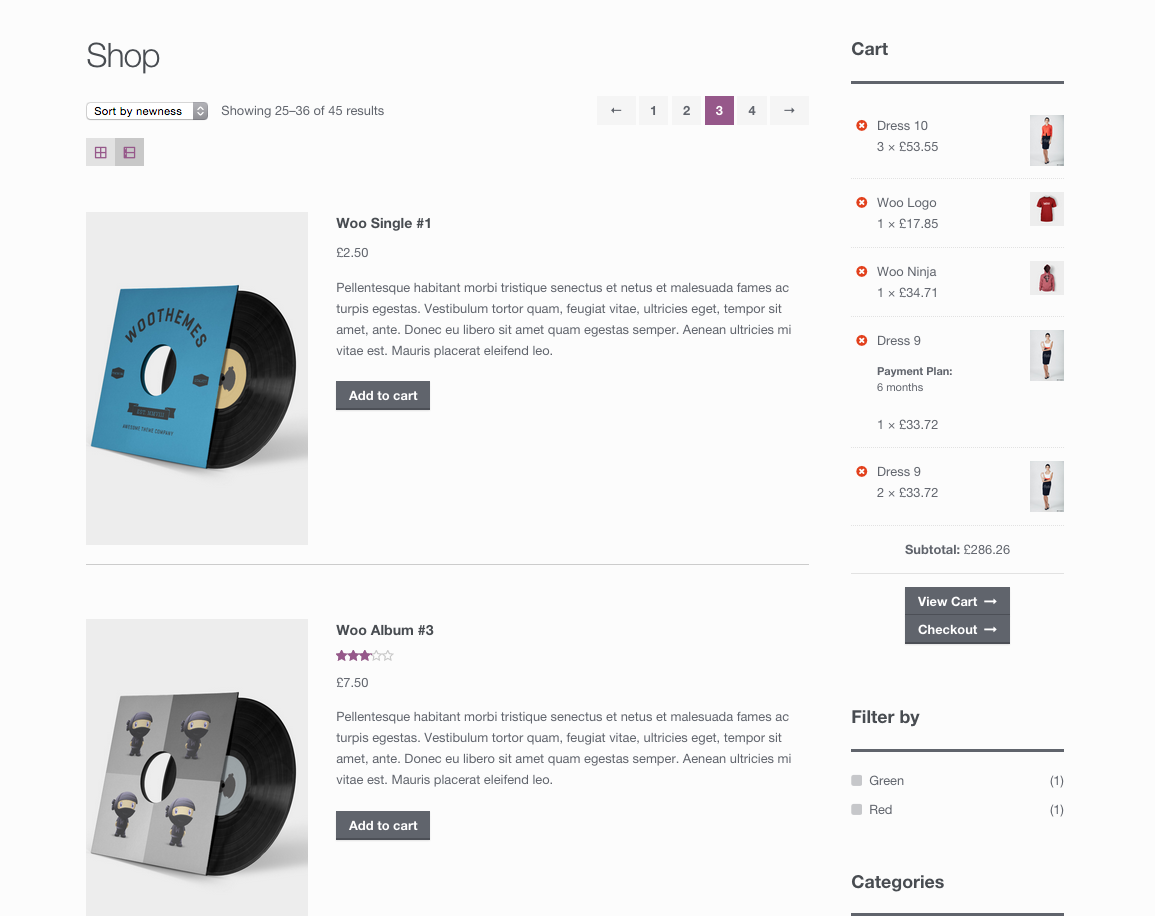
The WooCommerce Grid / List toggle plugin allows users to switch between grid and list views of products on your WooCommerce store. The list view provides more detailed information about each product, while the grid view is the default layout used by WooCommerce. The store owner can choose which view is set as the default.Screenshots
Frequently asked questions
What does the WooCommerce Grid / List toggle plugin do?
This plugin adds a grid/list toggle button to your product archives, allowing users to switch between grid and list views of products on your WooCommerce store.
What is the difference between grid and list view?
The list view arranges products vertically and includes the product excerpt for more detail. The grid view is WooCommerce's default layout for product archives.
Can I set a default view for my store?
Yes, the store owner can choose whether grid or list view is the default through the 'WooCommerce' > 'Product Catalog' section of the Customizer.
Who is the author of this plugin?
The author of the WooCommerce Grid / List toggle plugin is James Koster.
Where can I contribute to this plugin?
You are welcome to contribute to the plugin on GitHub.
Changelog
1.2.1 – 11/05/18
- Hide debug info.
1.2.0 – 01/05/18
- Moved the settings to the Customizer (WooCommerce > Product Catalog)
- Removed unnecessary .less files
- Tweaked button styles
- Full compatibility with Storefront theme
1.1.0 – 12/12/16
- Outputs are now filterable. Kudos joshuadavidnelson.
1.0.0 – 19/06/2015
- Revamped button styles.
- Updated textdomain to ‘woocommerce-grid-list-toggle’.
- Code tidy up.
0.4.0 – 04/02/2013
- WooCommerce 2.1 compatibility.
0.3.4 – 10/12/2013
- Grid list toggle now appears on custom product taxonomies. Kudos dariodev.
0.3.3 – 30/05/2013
- Improved i18n
- Added languages folder
- Added default .po file for translators
- Added full German translations for v0.3.2 (including the above enhancements)
- Kudos deckerweb for all the above ?
- Stripped object pass by reference
0.3.2 – 08/02/2013
- Product category descriptions now displayed in list view
0.3.1 – 07/02/2013
- Removed unnecessary default options
0.3 – 30/01/2013
- Added option to choose default view
0.2.3 – 28/01/2013
- Fixed active class bug on the toggle button
- Styled the star-rating in list view
0.2.2 – 16/01/2013
- Re-applied button style. See FAQ to remove
- YUI compressed CSS
- Styles loaded on product tag archives
0.2.1 – 10/01/2013
- Add active class to grid button on initial load
0.2 – 09/01/2013
- Delayed gridlist_toggle_button() priority for better WooCommerce 2.0 compatibility
- Even stricter CSS for list view (improves theme compatibility)
- Changed #gridlist-toggle to .gridlist-toggle
0.1.1 – 08/01/2013
- Set grid as default view
- Stricter CSS for list view
- Only add the excerpt on shop / product category pages
- Removed toggle button styling – this should be done in your theme
0.1
Initial release.

