A comprehensive collection of visual components for your site

About Protect uploads
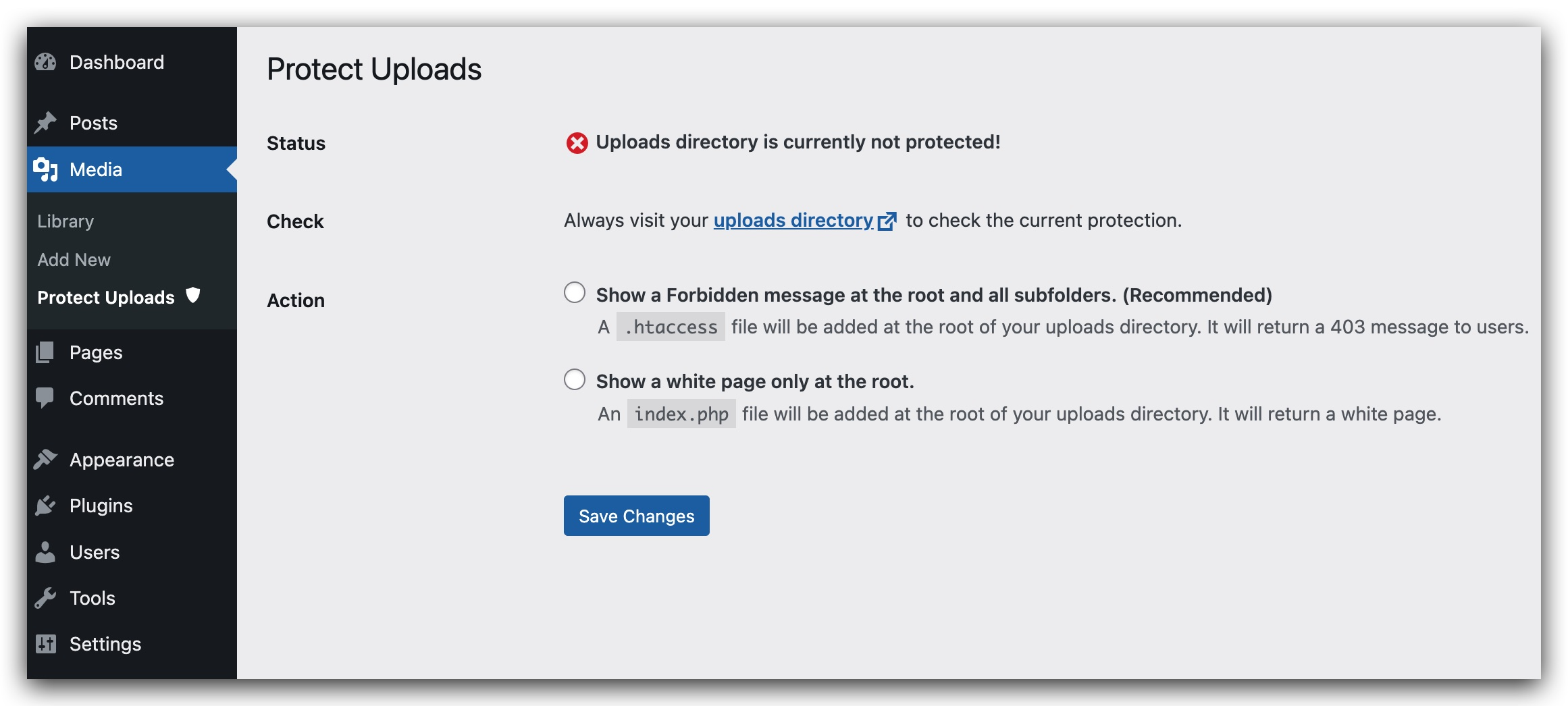
The Uploads Directory Protection plugin helps protect the files in your WordPress library by hiding them from public view. It does this by adding an index.php file or setting an htaccess file to return a 403 error when someone tries to access the directory. Note that the htaccess option may not be available depending on your server settings. The plugin is available in multiple languages.Screenshots
Frequently asked questions
What does the Protect uploads plugin do?
The Protect uploads plugin protects your WordPress uploads directory from being browsed by unauthorized users. It prevents people from listing all the files in your media library by directly accessing the uploads directory URL.
How does the plugin protect the uploads directory?
The plugin protects the directory by adding an index.php file to the root of your uploads directory or by setting an .htaccess file. The .htaccess file will return a 403 Forbidden Access error when someone tries to browse the directory.
Are there any server compatibility considerations for this plugin?
Yes, depending on your server settings, the .htaccess option for protection might be disabled. Users should be aware of this potential limitation.
What languages are supported by the Protect uploads plugin?
The Protect uploads plugin is available in English, Français, Español, and Italian.
Changelog
0.1
- Initial release
0.2
- Add security check to form in admin page.
- Add sidebar for admin page
- Add Italian translation (thanks to Marko97).
- Try to fix the wrong message saying that Protection is disabled eventhough it is actually working.
0.3
- Simplify UI admin.
- check presence of index.html.
- Remove option value managing current protection status.
- Reorganizing code and making it more modular and simple.
- Remove useless pieces.
0.4
- Fix potential security issues.
- Remove recursive loop that creates indexes.
0.5.2
- Removed unused css