

Enables the previous "classic" editor and the old-style Edit Post screen with TinyMCE, Meta Boxes, etc. Supports all…
About Animate It!
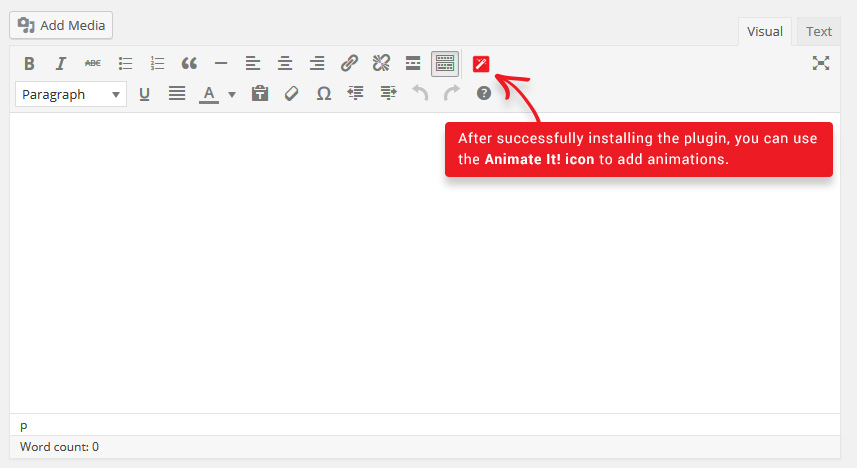
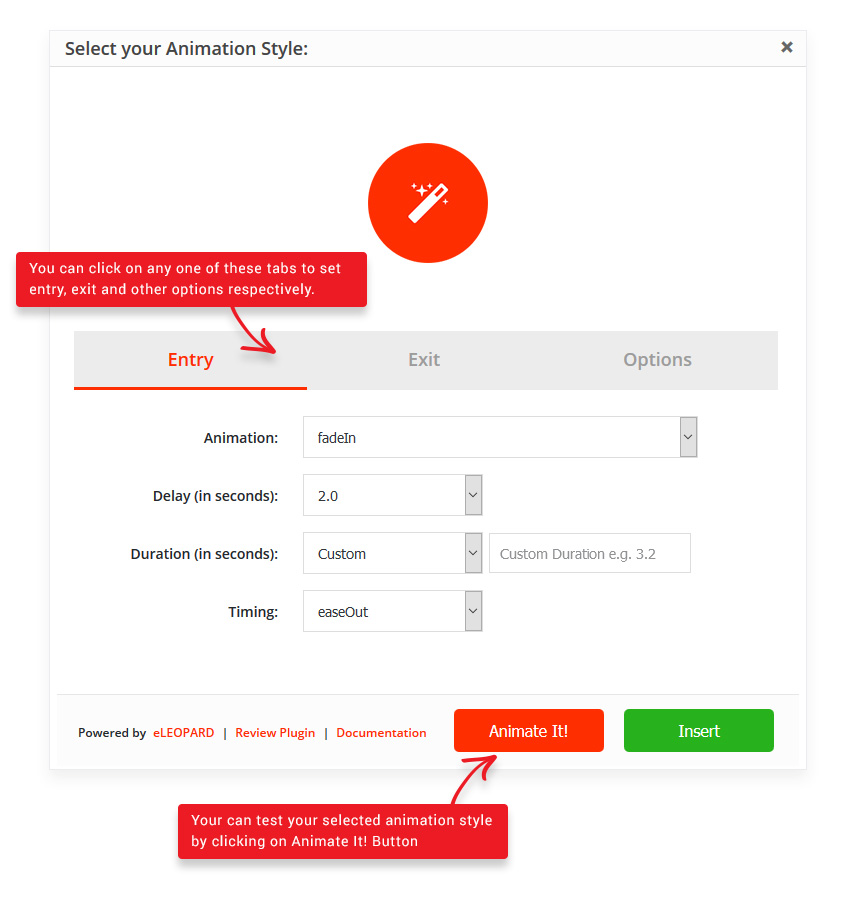
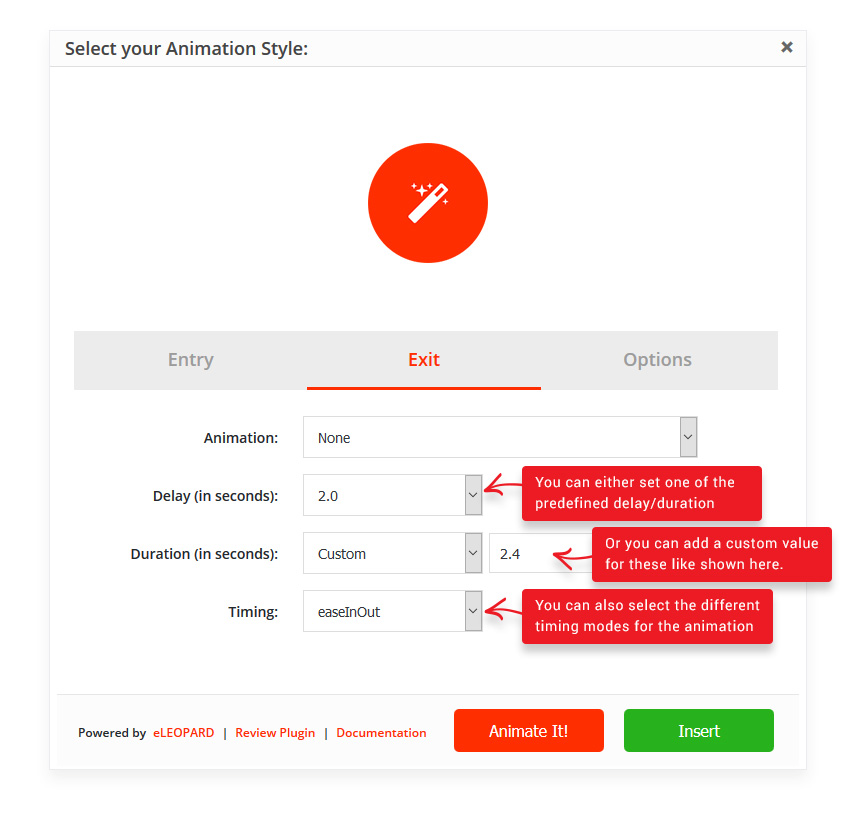
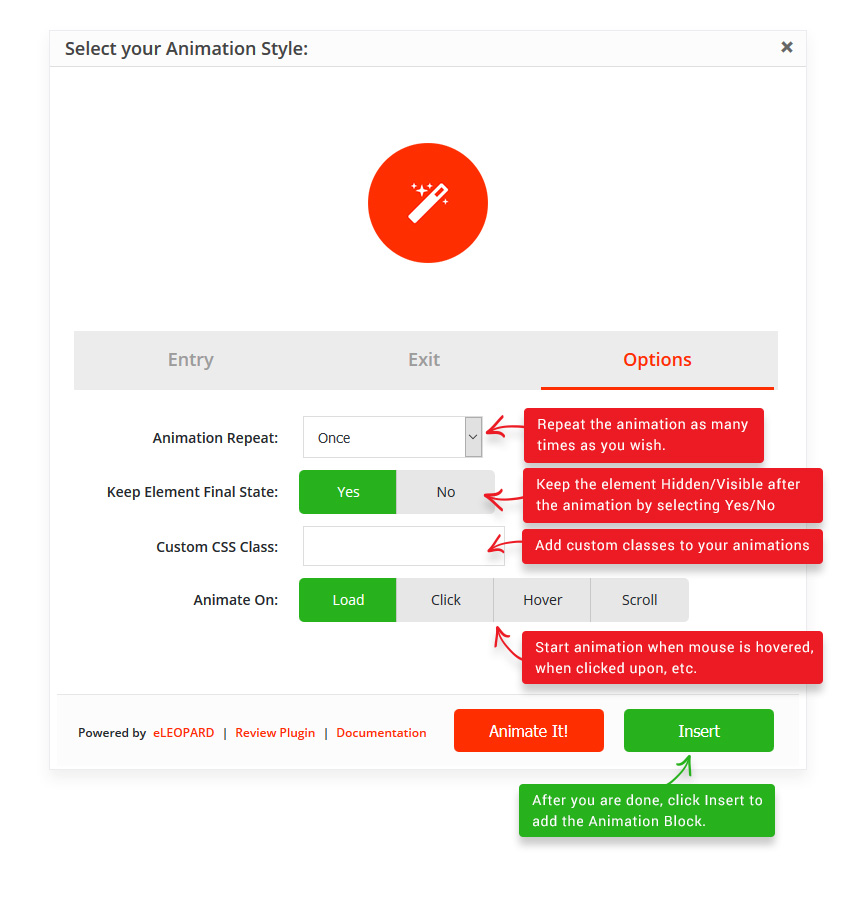
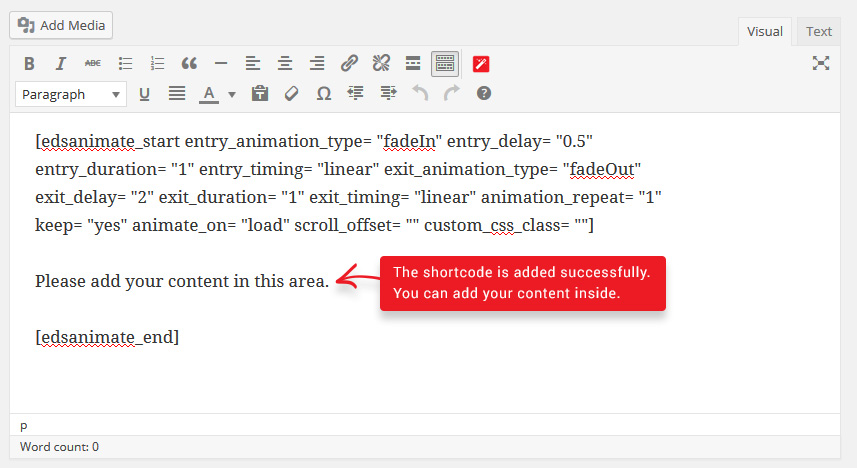
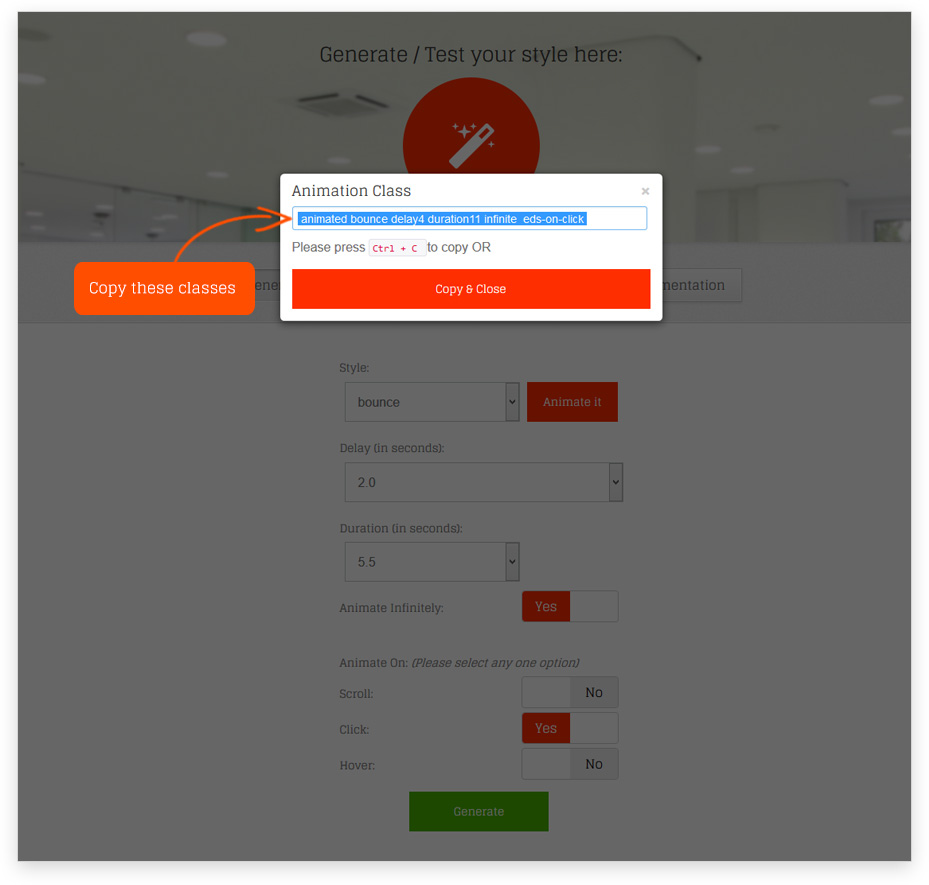
Add CSS3 animations to your content with the Animate It! plugin for WordPress. With over 50 different animations to choose from, you can apply animations to posts, widgets, and pages, and even control the duration and delay of the animations. The plugin also allows you to add animations on scroll, click, and hover, and you can customize the animations with custom CSS classes.Screenshots

Frequently asked questions
What are the key features of the Animate It! plugin?
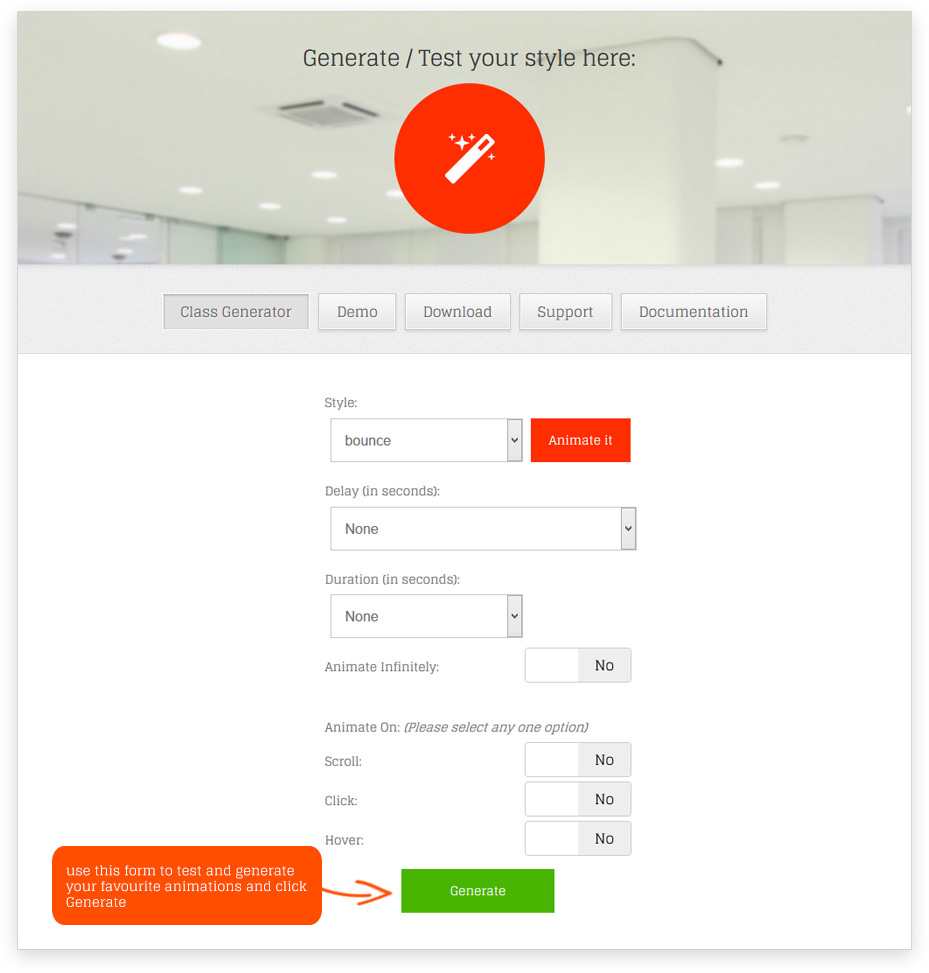
Some of the key features of the Animate It! plugin include allowing users to apply CSS3 animations on posts, widgets, and pages, providing 50+ entry, exit, and attention seeker animations, capability to apply animation on scroll, click, and hover, providing delay and duration features for precise animation control, allowing users to add animation on WordPress widgets using the Class Generator, option to add custom CSS classes to individual animation blocks, and support for Spanish and German languages.
Where can I find a demo and documentation for the Animate It! plugin?
You can find a demo of the Animate It! plugin at http://downloads.eleopard.in/animate-it-demo-wordpress/ and documentation at http://downloads.eleopard.in/animate-it-documentation-wordpress/.
What libraries are used for the CSS3 animations in the Animate It! plugin?
The CSS3 animations in the Animate It! plugin are from Animate.css (http://daneden.github.io/animate.css) and Animo.js (http://labs.bigroomstudios.com/libraries/animo-js).
Can I apply animations on other Gutenberg blocks using the Animate It! plugin?
Yes, the Animate It! plugin provides a custom Animate It! block to apply animations on other Gutenberg blocks.
Does the Animate It! plugin support smartphones and tablets?
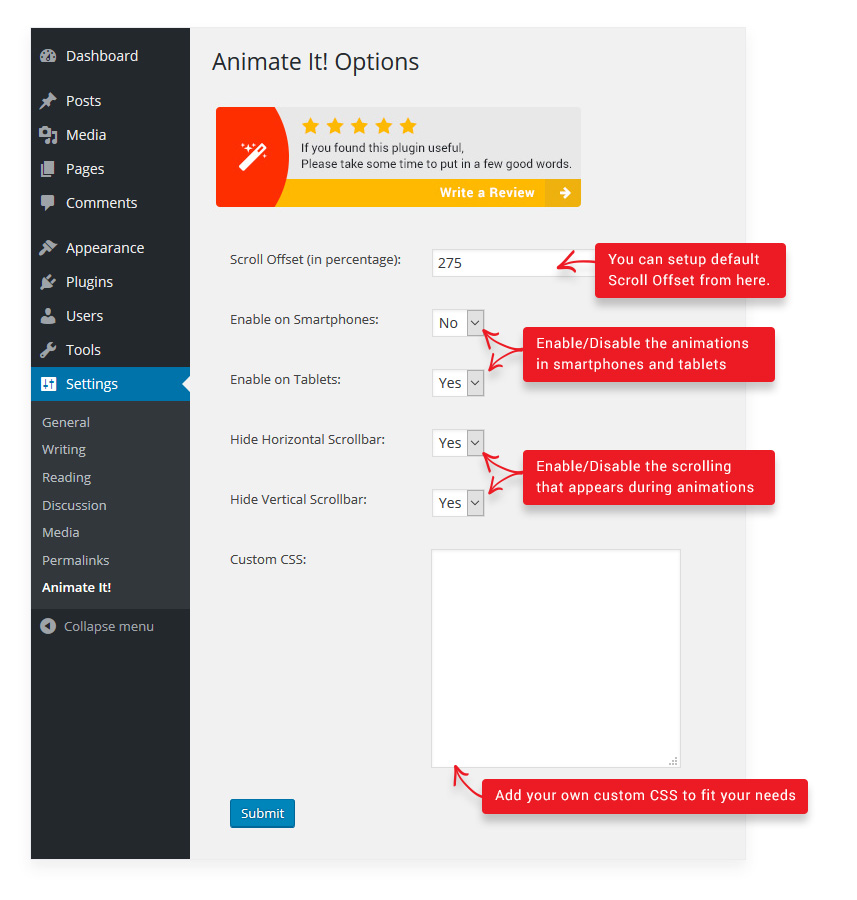
Yes, the Animate It! plugin provides options to enable or disable animations on smartphones and tablets.
Changelog
Version 3.0.3
- Tested up to version 6.5.2
Version 3.0.2
- Fixes related to compatibility with other plugins.
Version 3.0.1
- Fixes related to custom entry delay in Gutenberg block.
Version 3.0.0
- Added custom Animate It! block for Gutenberg editor.
Version 2.4.1
- Fixes related to mobile detect functionality
Version 2.4.0
- Security Fixes
Version 2.3.9
- Security Fixes
Version 2.3.8
- Security Fixes
Version 2.3.7
- Added link to Settings page in Plugin list page.
- Settings page updated
Version 2.3.6
- Security related fixes.
Version 2.3.5
- Security fixes for XSS related vulnerability.
Version 2.3.4
- Security fixes for XSS related vulnerability.
Version 2.3.3
- Minor Bug Fixes to avoid editor button overflow while using inline editor in Gutenberg.
Version 2.3.2
- Minor Bug Fixes related to animation using Class generator.
Version 2.3.1
- Minor Bug Fixes related to CSS
Version 2.3.0
- Added new CSS Animations. Thanks to http://ianlunn.github.io/Hover/
- Added support for loading custom CSS even if the animations are disabled on tablet or mobile devices.
Version 2.2.1
- Bug fixes for chrome 61+ version
Version 2.2.0
- Bug fixes for chrome 61+ version
Version 2.1.9
- Bug fixes for chrome 61+ version
Version 2.1.8
- Mobile_Detect class updated
Version 2.1.7
- Minor Bug Fix related to Settings page
Version 2.1.6
- Added spanish and german language support
Version 2.1.5
- Minor bug fixes.
Version 2.1.4
- Changes to avoid conflict with other animation scripts
Version 2.1.3
- Minor Bug Fixes related to on scroll animation
Version 2.1.2
- Minor Bug Fixes
Version 2.1.1
- Minor changes to handle load time delay
- Description updated
Version 2.1.0
- Text domain added
- Mobile_Detect class updated
Version 2.0.4
- Minor fixes to support older version and classes added using class generator
Version 2.0.3
- Minor fixes to support older version
Version 2.0.2
- Minor fixes to support infinite animation added using older version
Version 2.0.1
- Minor changes to handle higher load time
Version 2.0.0
- New Feature to create Entry Exit Animation sequence
- New Feature to provide custom delay and durations while generating shortcode
- New Feature to apply timing functions
- New Feature to iterate the animation n number of times
- Code optimization for tinymce popup
Version 1.4.4
- Bug fix related to the addition of animation classes on widgets
Version 1.4.3
- Some spelling correction.
Version 1.4.2
- New Feature that will allow user to add custom CSS for additional delay, duration etc.
Version 1.4.1
- Resolved bug related to nested shortcodes.
Version 1.4.0
- Resolved issue related to CSS.
- New feature that will allow user to add different scroll offset on individual animation blocks.
Version 1.3.3
- Resolved issue related to nested shortcodes.
Version 1.3.2
- Resolved issue related to infinite animation and on hover combination.
Version 1.3.1
- Resolved issue related to widget content update and save.
Version 1.3
- Capability to apply animation on Hover.
- Capability to apply animation on Click.
- Allow users to apply animation on WordPress Widgets.
Version 1.2.1
- Resolved an issue related to multiple declaration of mobile_detect.php class.
Version 1.2
- New options to add animation duration and infinite animation while applying an animation on WordPress Post, Page or widget.
Version 1.1
- New options added under Settings-> Animate It! to enable or disable animations on Smartphones and Tablets.
Version 1.0
- Initial public release.
