

Site Kit is a one-stop solution for WordPress users to use everything Google has to offer to make…
About CF7 Google Sheets Connector
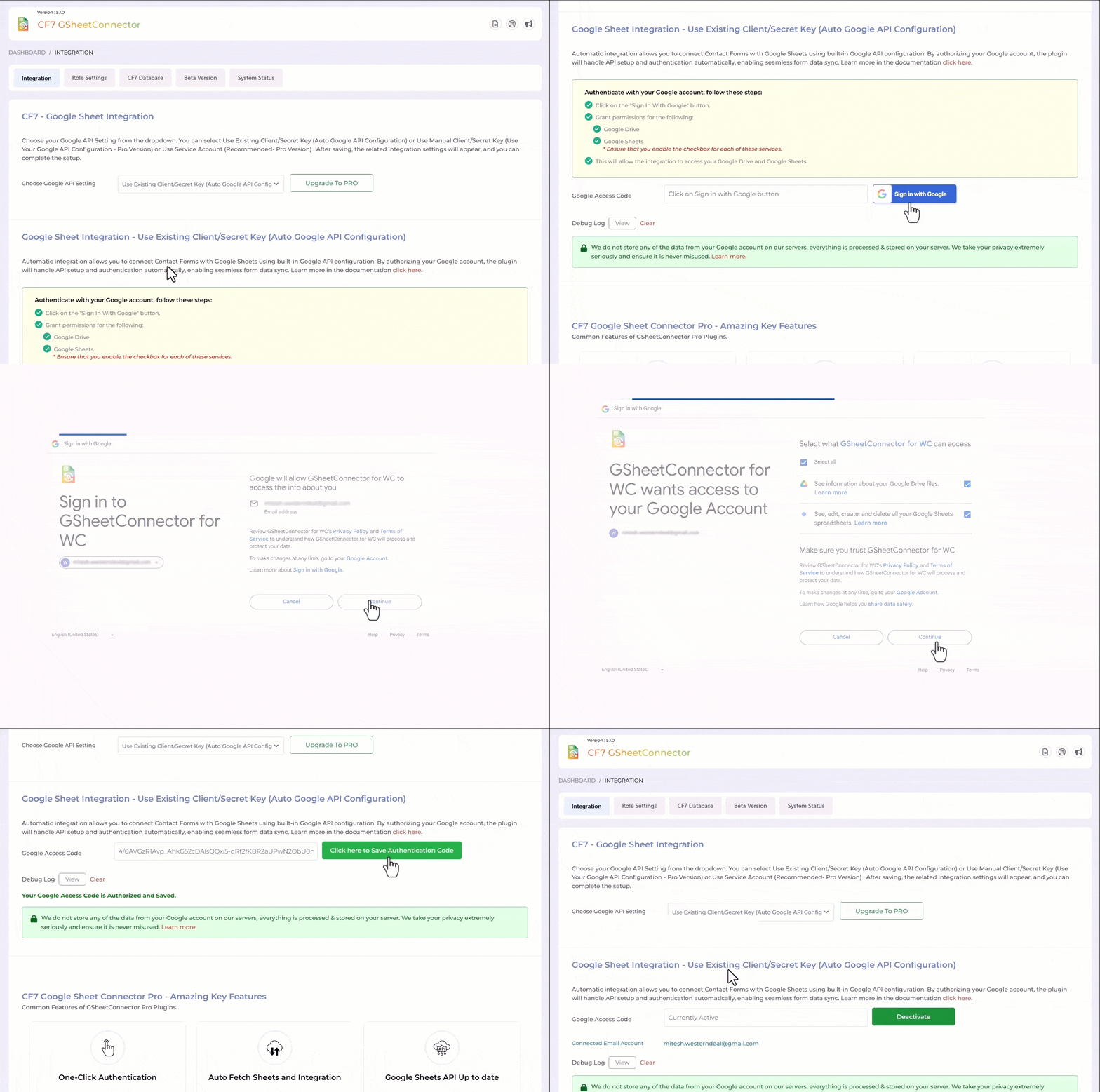
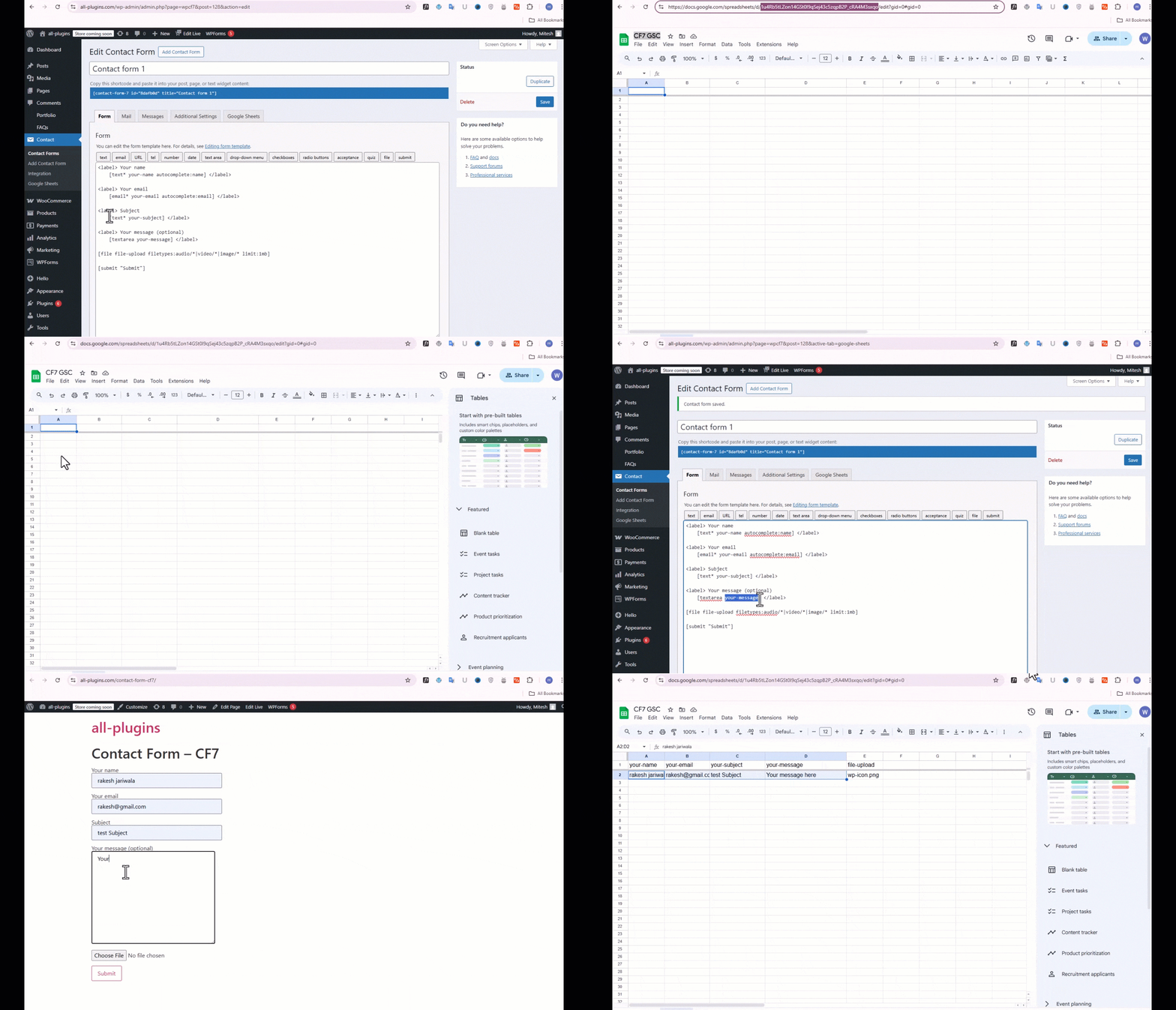
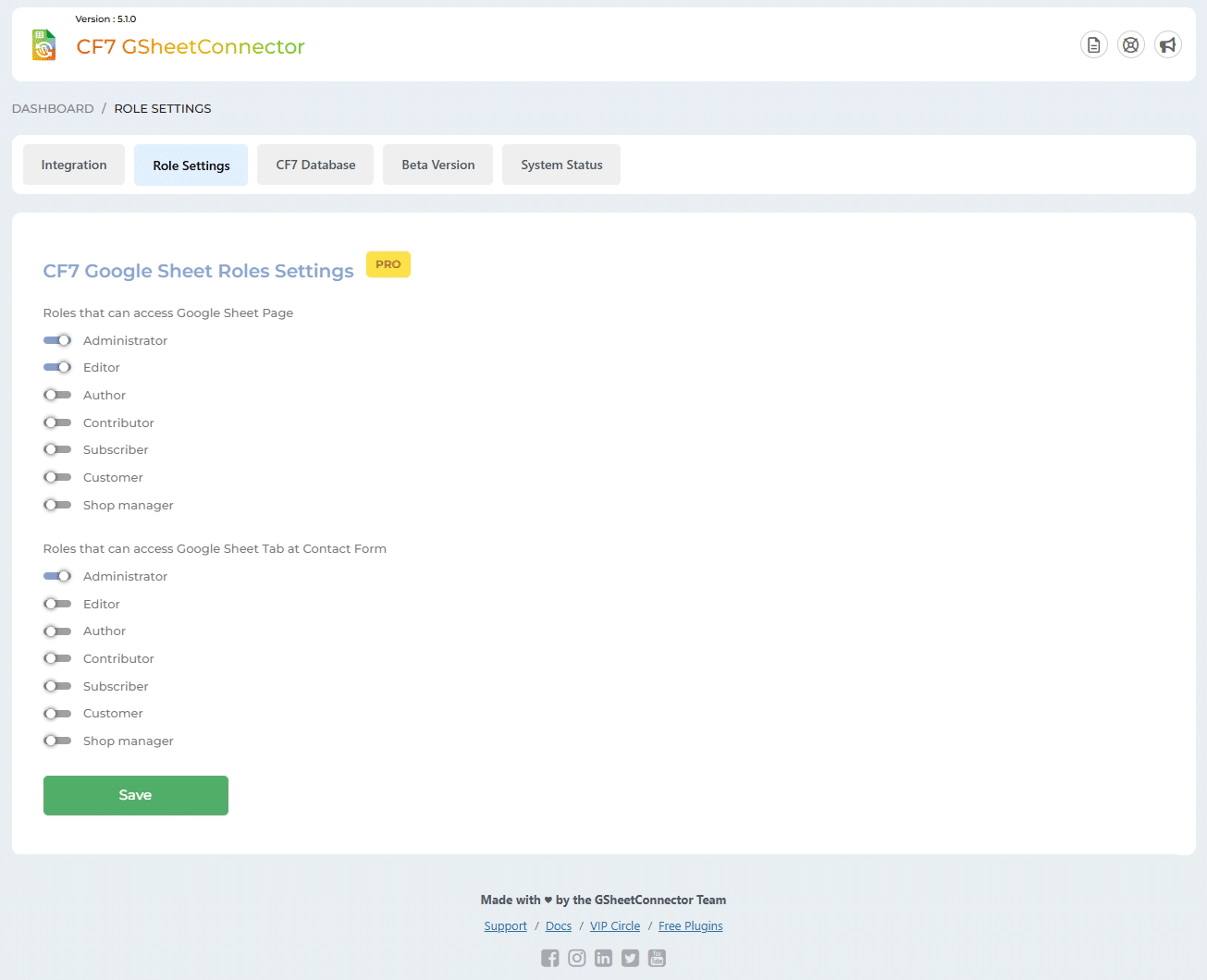
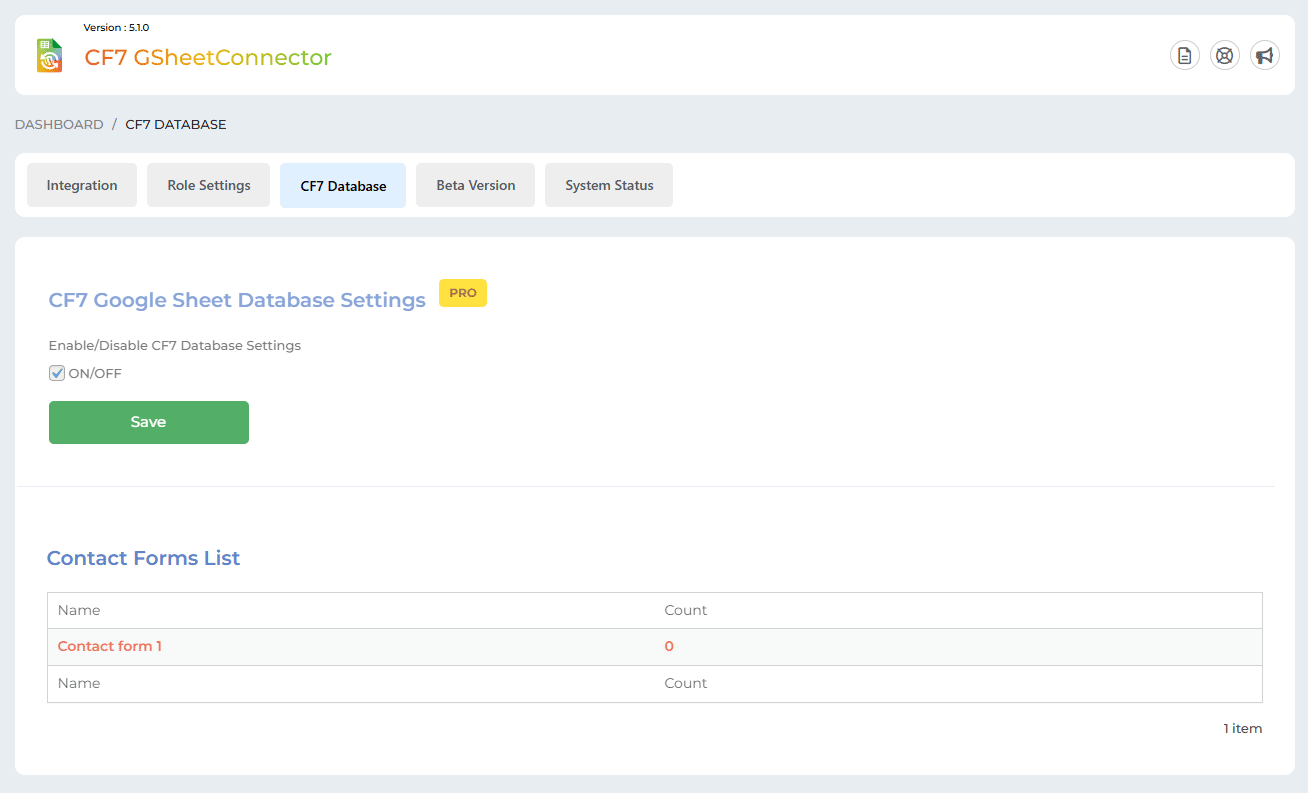
CF7 Google Sheet Connector is a popular WordPress plugin that connects Contact Form 7 forms on your website to Google Sheets. It automatically sends data submitted through the forms to Google Sheets, eliminating the need for manual entry. There is also a pro version available with additional features such as custom Google API integration settings and the ability to create a new sheet from plugin settings.Screenshots
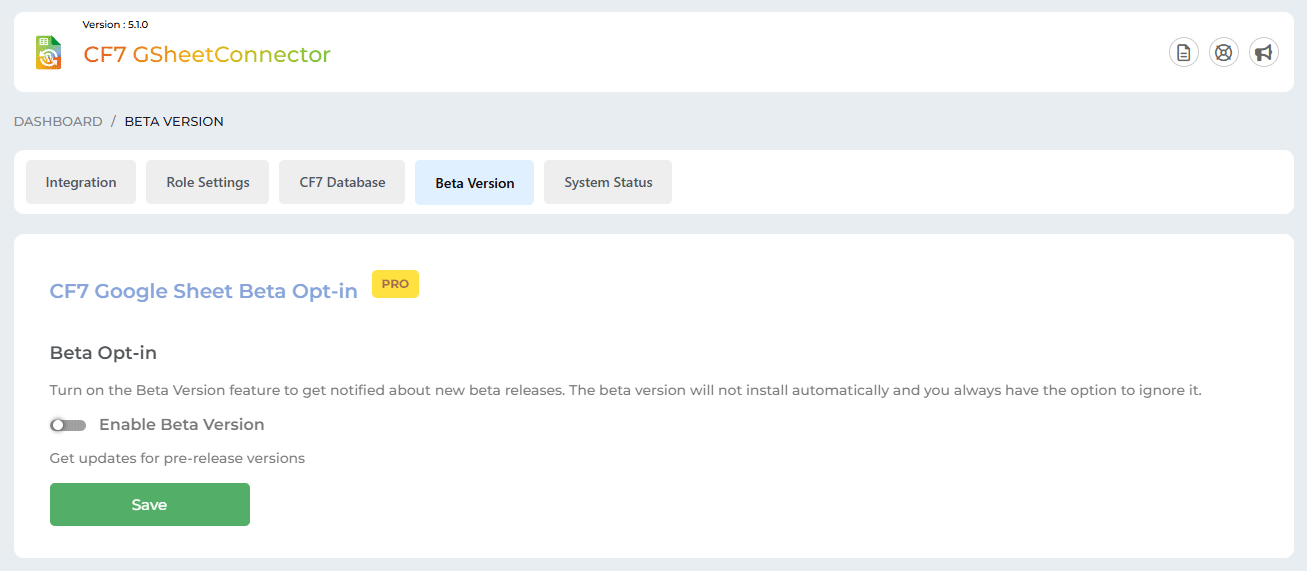
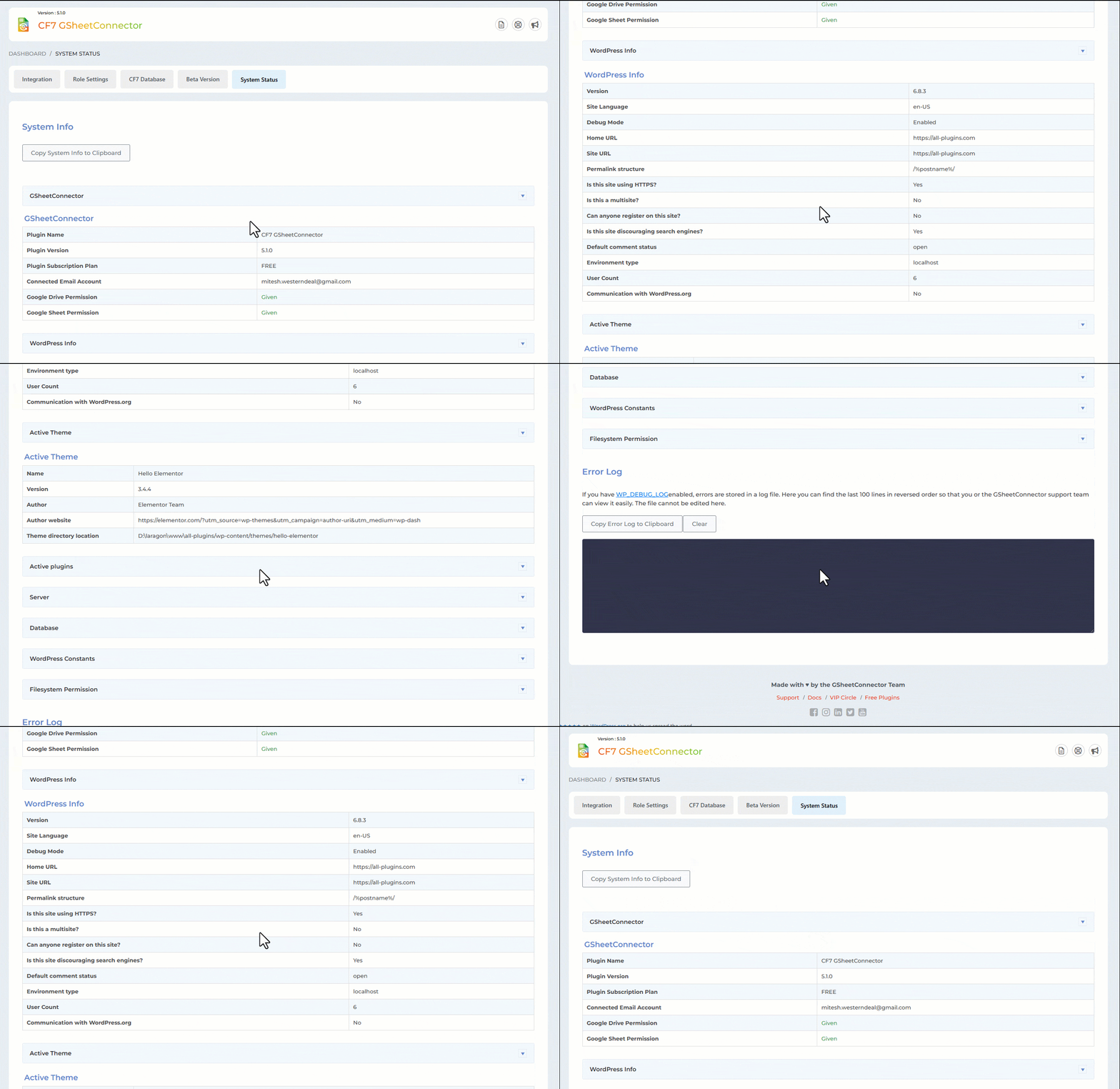
Frequently asked questions
What is CF7 Google Sheets Connector?
CF7 Google Sheets Connector is a WordPress plugin that acts as a bridge between Contact Form 7 forms and Google Sheets. It sends data submitted via Contact Form 7 forms directly to a Google Sheet.
How does the plugin work?
When a visitor submits data through a Contact Form 7 form on your website, the plugin automatically sends that data to a designated Google Sheet. You need to set up a Google Sheet and configure the plugin in your WordPress admin.
What are some of the PRO features available?
The PRO version includes features like custom Google API integration, the ability to create new sheets from plugin settings, and custom ordering of fields. It also allows using all special mail tags in headers and offers header and row color settings.
Changelog
5.0.19
(27-01-2025)
* Fixed: Minor UI changes.
5.0.18
(23-01-2025)
* Fixed: Vulnerabilities issues.
5.0.17
(18-12-2024)
* Added: Freemius integration.
* Added: Showcased the “Manual Method” button on the Integration tab.
* Added: Added “Requires By” in our plugin and “Required By” in the parent plugin.
5.0.16
(29-11-2024)
* Fixed: Alert displayed while moving to another page after saving settings.
* Fixed: Undefined error while clicking on “Copy to Clipboard” button.
5.0.15
(09-08-2024)
* Fixed: Fix the CSS conflict with the Contact Form 7 plugin.
5.0.14
(07-08-2024)
* Added: Display a notification when authentication expires.
5.0.13
(30-07-2024)
* Fixed: Google hasn’t verified this app error.
5.0.12
(26-06-2024)
* Security Improvements: Enhanced user input sanitization to prevent malicious code execution in connected Google Sheets.
5.0.11
(11-06-2024)
* Fixed: not allowing users to enter the administration screen.
5.0.10
(07-06-2024)
* Fixed: Vulnerabilities issues.
5.0.9
(09-04-2024)
* Added: UI changes.
5.0.8
(11-03-2024)
* Added : Added links for support,docs.
* Added : Showcasing PRO Features in Google Sheets tab.
5.0.7
(11-12-2023)
* Done UI changes for Tag list in Google Sheet Tab under Contact Form settings.
* Fixed : Resolved active plugins listing issue in system status tab.
5.0.6
(05-10-2023)
* Fixed : Resolved debugging view, open and close link systematically.
* Added : For user without Google Drive and Google Sheets permissions displayed error message.
5.0.5
(03-10-2023)
* Added: Get Code button has replaced with the Sign in with Google button.
* Added: For user without Google Drive and Google Sheets permissions authentication shows alert with message.
* Added: Redesigned System Status and Error Log for improved functionality and user experience.
* Fixed : Vulnerabilities issues.
5.0.4
(24-06-2023)
* Added: few more minor UI changes.
5.0.3
(04-05-2023)
* Added: minor UI changes.
5.0.2
(27-04-2023)
* Fixed : Vulnerabilities issues.
5.0.1
(23-02-2023)
* Added : Remove access permission from google account while deactivating authentication.
* Fixed : Make it compatible with plugin Smart Grid-Layout Design for Contact Form 7.
5.0.0
(05-08-2022)
* Updated: API Library to latest version 2.12.6 and Guzzle Library to version 7.4.3
* Migrated: OAuth OOB to alternative method as getting deprecated from 3rd October 2022.
4.9.2
(19-01-2022)
* Fixed: ’Line Break’ on textarea issue resolved.
4.9.1
- Fixed: Undefined index issue.
4.9
- Fixed issue with incorrect or expired auth code
- Fixed deactivation issue while adding incorrect and expired auth code.
- Fixed displaying of error while setting Contact Form initially.
4.8
- Fixed vulnerability issues.
- Added ‘Upgrade to PRO’ links.
- Added Google sheet link in settings.
- Updated Google API version to 2.10.1 and Guzzle Library to 7.3.0
- Did few UI changes.
4.7
- New: Displayed authenticated email id at the integration page.
- Fixed: Data not getting saved under exact column names.
- Fixed: composer functions to avoid clashing with other plugins.
4.6
- Updated API library to avoid conflicts with “Facebook for WordPress” plugin and others.
4.5
- Fixed saving of incorrect file name to the Google Sheet.
4.4
- Fixed the special mail tag issue due to WordPress Contact Form 7 5.2.2
4.3
- Fixed the special mail tag issue due to WordPress Contact Form 7 5.2.1
4.2
- Allow user to deactivate authentication.
- Fixed – conflicts error.
4.1
- Fixed displaying of single quote sign in front of numeric and date values.
4.0
- Upgrade Google APIs Client Library to version v4.
- CF7 input field names and header name can have capital letters, underscore, number and space.
- Fixed addition of backslash in front of apostrophes and quotation marks
3.0
- Update API Library.
- Allowed user to permanently close Google Sheet Connector Pro notice.
2.9
- Hide Google Sheet menu and settings as per user role contact form 7 edit capabilities.
2.8
- Fixed – Displaying of Google Sheet Connector notice to be dismissible.
2.7
- Done UI changes.
- Fixed – Not to delete authentication data when upgrade to Pro Version.
- Changed few classes and functions name to not get conflict when upgrade to pro Version
2.6
- Done UI changes at Google Sheet Tab under Contact Form settings.
2.5
- Removed Limitation
2.4
- Fixed – Connections of Contact Forms with Google Sheet.
- Added limitation to connect first 5 Contact Forms to Google Sheet.
2.3.1
- Fixed images not being displayed.
2.3
- Fixed integration issues.
- Fixed the functionality issues of limitations as per the last update.
2.2
- Done few UI changes and solved few bugs.
- Added a limitation for contact form to be connected with the Google Sheet.
2.1
- Added Google Sheet Connector dashboard widget for quick access to the contact form connected with Google Sheet.
- Added option to clear logs.
- Fixed – Multisite plugin activation issue.
2.0 ( 11/06/2018 )
- Fixed – Bypassing of CF7 built-in data validation.
1.9
- Fixed – Not fetching contact form data to google sheet.
1.8
- Fixed the hijacking( loading issue front-end form ) of page after submit actions.
- Integrated New Special Mail Tags ( including flamingo serial number ) with Spread Sheet without (_) underscores(Refer screenshot).
1.7 (26/08/2017)
- Integrated Special Mail Tags with Spread Sheet without (_)underscores(Refer screenshot).
- Fixed Date Format as per wordpress standards.
1.6
- Updated Google Spread Sheet Library
- Changed classes name for PHP Google Auth library.
- Delete all data on uninstallation of plugin.
1.5
- Fixed more class names due to conflict with other plugins.
- Fixed issue to send hidden fields via dynamic text extension.
- Added settings link on activation of plugin.
1.4
- Fixed 500 Internal Server Error if sheet name or tab name is not set.
1.3
- Added .pot file for easier translation.
1.2
- Updated plugin description etc.
1.1
- Fixed date format and display issues related to non-English dates.
- Fixed the class name due to conflict with other plugins.
1.0
- First public release
- Integrated Contact form 7 with Google sheets.

