

Site Kit is a one-stop solution for WordPress users to use everything Google has to offer to make…
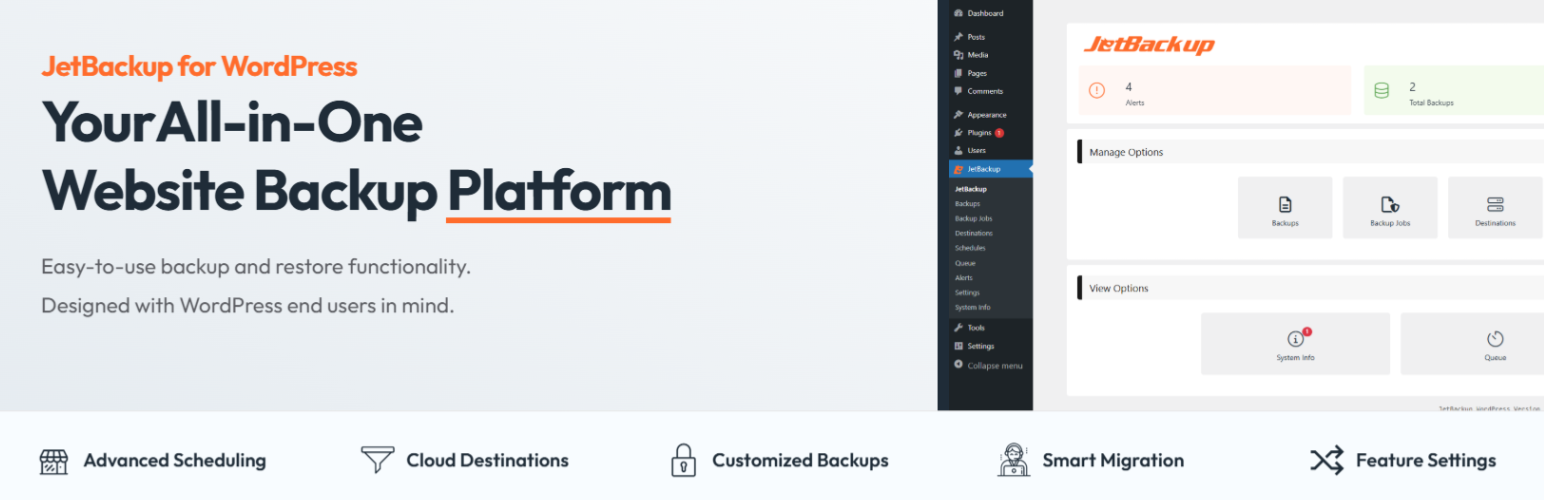
About JetBackup – WP Backup, Migrate & Restore
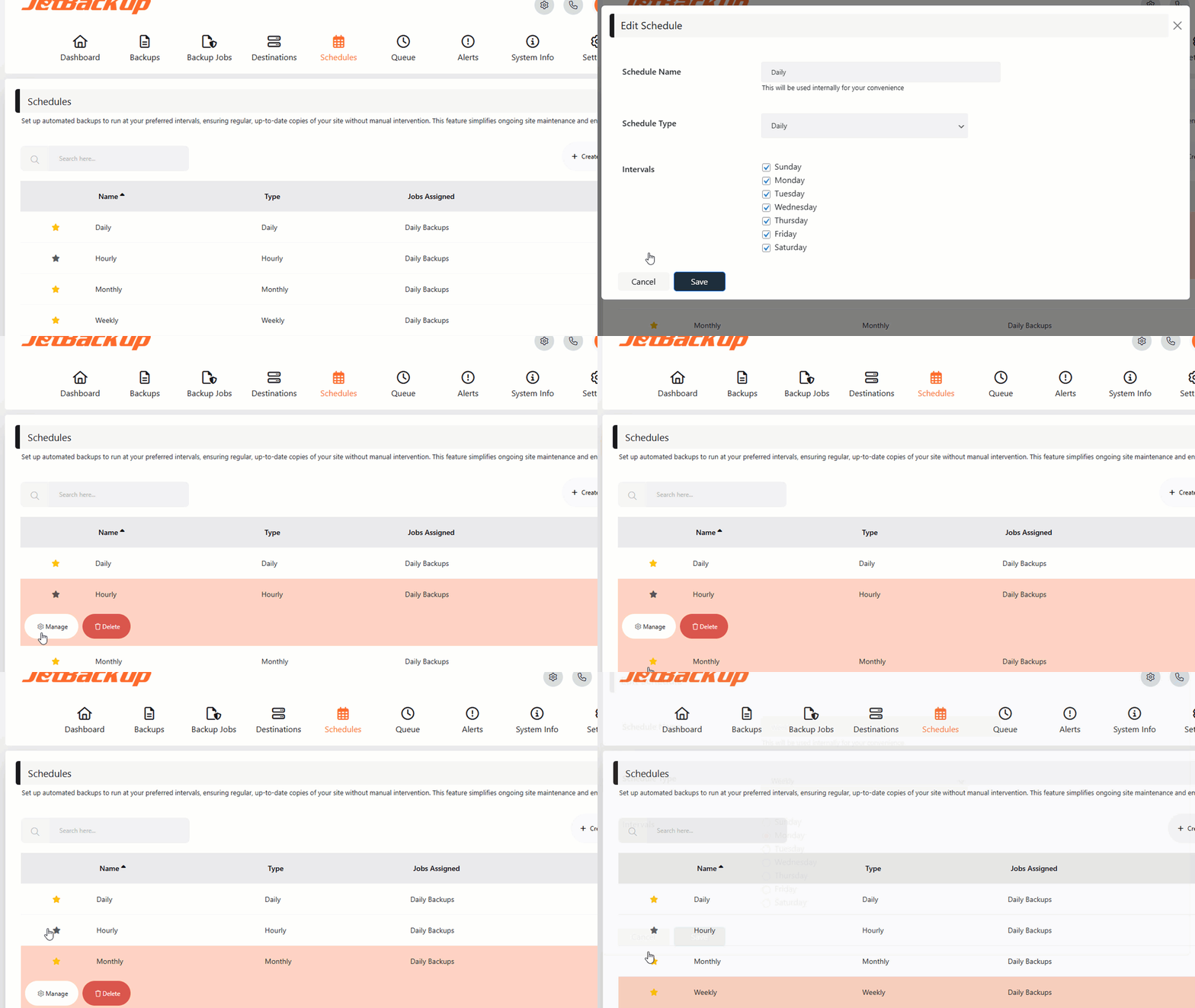
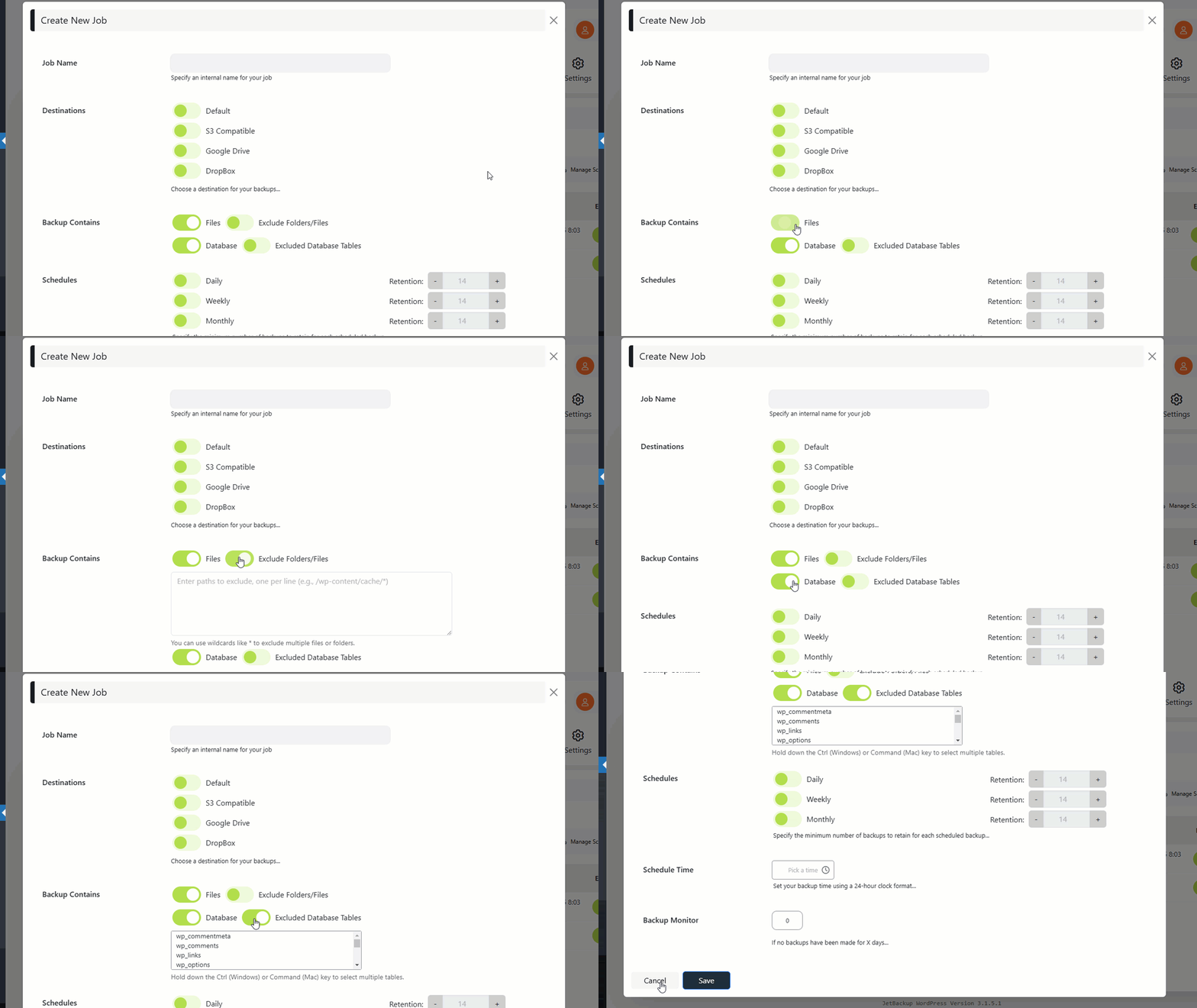
JetBackup is a comprehensive backup and migration solution for WordPress websites. With JetBackup, you can easily backup, restore, and migrate your website files and database. They offer both free and premium versions with additional features such as scheduled backups, cloud storage integration, and email notifications.Screenshots


Frequently asked questions
What is JetBackup?
JetBackup is the most complete backup and migration choice for WordPress. We offer the easiest way to backup, restore and migrate your WordPress based website or blog. You can backup/migrate your files, database or both.
Where can I download JetBackup premium versions?
You can download JetBackup premium versions here: https://www.jetbackup.com/jetbackup-for-wordpress.
What are the free features of JetBackup?
The free features of JetBackup include unlimited backup, backup files, database or both, unlimited restore, download backup, import backup, backup cancellation, manage backups, backup customization, live progress, and WordPress multisite/network support.
What are the premium features of JetBackup?
The premium features of JetBackup include website migration, scheduled backup, multiple scheduled profiles, upload to FTP/SFTP, import from FTP/SFTP, upload to Dropbox, import from Dropbox, upload to Google Drive, import from Google Drive, upload to Amazon S3, import from Amazon S3, mail notifications, customize backup naming, backup retention, cloud path, background mode, and emergency support.
What are the minimum requirements for JetBackup?
The minimum requirements for JetBackup are minimum PHP 7.4, zlib, curl, and minimum WordPress 6.
Changelog
2.0.9.15
- Fixed issues related to file restoration for improved stability
2.0.9.14
- Installation of the plugin is now blocked if the PHP version falls below the minimum required.
- Resolved an issue related to the syntax for exclusions.
- Updated the method for verifying the settings of alternative binary locations.
- Enhanced the validation process for tokens used in the web scheduler.
- The timing for the internal reloader now aligns with the PHP execution time.
- Addressed compatibility problems with IIS.
- Prevents the addition of multiple schedules that would conflict with each other’s retention periods.
2.0.9.11
- Enhanced security by ensuring appropriate permissions are set for the wp-config.php file.
- Implemented minor CSS adjustments for improved visual consistency and user experience.
2.0.9.9
- Implemented a randomized hash addition to both the backup folder and file names, enhancing overall security.
2.0.9.7
- Fixed unexpected behavior in the “Clear Actions” hook that caused settings to be reset.
2.0.9.6
- Resolved a database restoration failure occurring under specific conditions.
- Updated the core exclusion list for enhanced performance.
- Ensured compatibility with WordPress version 6.4.2.
- Addressed a connectivity issue with the OneDrive destination.
- Corrected a discrepancy in file CRC checksum calculations during backup processes.
- Resolved a file upload issue with Amazon S3 destinations.
- Fixed a scheduling error reporting incorrect dates upon initial configuration.
- Enhanced error handling for pCloud destinations.
- Implemented security enhancements for robust system protection.
- Refined the functionality of the ‘Clear Actions’ button in the settings page for improved user experience.
- Introduced a feature to manually set the php-cli path for greater customization.
- Added an option to completely clear all schedules from the database via the Settings page.
- Provided a facility to remove cron jobs from the Settings page for streamlined management.
- Adjusted system behavior to prevent unintended schedule triggers in the free tier.
2.0.8.7
- Fixed an issue with remote backups cleanup during retention check
- Added an option to override/disable PHP ini_set memory limit directive
- Fixed an issue with local backup not being deleted after uploaded to remote destination
- Fixed an issue with cron job looping if the backup job running time takes less than 60 seconds
- Display a notice if the local PHP version not equals to PHP CLI
- Improved handling of the json state file
- Fixed an issue with BOX Storage provider directory listing
- Fixed an issue with backup files integrity
- Fixed an issue with Google Drive destination not listing remote backups properly if upgraded from Legacy Backup-guard
- Improved backup performance times
- Use UTC time zone only across all scheduled tasks
2.0.7.5
- Add php cli & crontab contents to system info page
- Fixed some PHP 8.1 & 8.2 warning and notices
- Prevent DB/Domain migration if plugin is in the free tier (causes issues)
- Display error if conflicting plugins found
- Fixed an error causing backup to stuck on ‘generating tree’ in some edge cases
- Path to the manual cron is now shown in schedules page
- Add extra progress status protection while dumping DB
- Date/Time in the Backups page is incorrectly shown
- Fixed background cron protection inside Windows server environment
- Improved restore functionality when migrating domains
- Prevent restoring sg_action table
- Fixed an issue with scheduling when backup job runs less than a minute
2.0.6
- Fixed some issues with background cron jobs installations
- Added an option to clear the actions table from the settings page
- Make sure escapeshellcmd function exists before trying to use it
- Improvement for json decoding error handling
- Region drop-down broken for Amazon S3 cloud destination on Solo version
- WordPress 6.3 compatibility check
2.0.5.1
- Show last lines of the backup log in the GUI
- Disabled server load limit
- Fixed compatibility issue with update-checker-plugin causing fatal error in some edge cases
- Fixed an issue with updates for pro versions
- Improved background tasks
- Custom S3 Cloud destination appends amazonaws to endpoint
- Add more verbosity to emails if error occurs
- Backup statuses are now displayed in more accurate and convenient way (GUI)
- Improved scheduling and cron management
- Improved restore functionality
- Added Extract feature to be able to extract backups instead of restoring.
2.0.4
- Improvements for ‘awake’ functionality when backup/restore runs in chunks & reloads
- Updated plugin update checker to the new library
- Fix licensing issues when using subdomains & HTTPS
- Fixed some PHP warnings & Deprecation (PHP 8.2 compatibility)
- Show more errors and verbosity during a license check
- Keep the current PHP version as part of the backup metadata
- Added ability to force stop running restores
- Added tooltip progress when uploading to cloud destinations
- Improvements to restore functionality
- Updated Amazon S3 Library (Now supports PHP 8.2)
- Added more errors and verbosity for Google Cloud destination
- Fixed errors when uploading to BOX destination
- Added WordPress installation path in the system information
- Disallow forward slash in the backup destination folder name (Causing issues with some vendors)
- Fixed a security issue with the restore procedure
2.0.3
- Fix a restore issue with db prefix (doesn’t change in if different environment)
- Restore finalize action returns fatal error in some cases
- DB is not restored if archive name is changed (sgbp)
- More verbosity in bg_restore file
- Naming a backup with a quote (‘) breaks the restore function
- Restoring DB / Files only always generates a full restore
- Restore won’t start if old state file exists
- Backward compatibility for older sql backups
- DB Table names sometimes returned empty
- Backup doesn’t follow symlinks folders/files
- Add Ability to Hide License Key in the Settings field
2.0.2
- Fixed a bug causing backups/restore to freeze in some cases
- Fixed a bug causing backup archive file created in 0mb size
- Trim spaces during License Key validation
- Improved inputs sanitation and escaping
- Remove upgrade banner for Pro license
- Display an error in the backend if uploads folder is not accessible
- Fixed an issue when restoring DB backups from older versions (1.6 and lower)
2.0.0
- Plugin rebranding
- Bug fixes and improvements
1.7.0
- Improvement of core: Core functionalities have been improved
- Improvement of input and output operations
- Improvement of backup and restore speed
1.6.15
- Removed subscriber popup
1.6.14
- Improvement of “Readme” content
- Improvement of inputs: inputs were sanitized
- Improvement of escaped variables that were being printed
- Improvement of files: old versions were removed
- Bug fixed related to scheduling a backup
1.6.13
- Improvement of FTP/SFTP/FTP SSL: Information is encrypted now in more secure way
- Bug fixed related to Google Drive connection and backup to cloud
- Bug fixed related to icons in “Why upgrade?” page
1.6.12
- Improvement of libraries: Some javascript and css libraries are updated to be more secure
1.6.11
- Bug fixed related to security issues
1.6.10
- Bug fixed related to security issues
- Bug fixed related to exclude paths
1.6.9
- Improvement of backup process: Duplicated files are removed from backing up for better backup process
- Improvement of Dropbox: During authentication refresh token has been added
- Bug fixed related to import issues connected to server timeout
1.6.8.9
- Fix deprecated functions for php8.1
1.6.8.8
- Improvement of “Destination folder” in Cloud settings: Validation has been added
- Bug fixed related to deprecated warnings in functions.php file
- Bug fixed related to warnings that appear during scheduling backup
1.6.8.7
- Improvement of icons in Backups section
- Bug fixed related to conflicts with 3rd party plugins
- Bug fixed related to auto delete backup’s settings, backup retention and delete local backup after upload
1.6.8.6
- Bug fixed related to restore logic
1.6.8.5
- Improvement of banner
1.6.8.4
- Bug fixes
1.6.8.3
- Improvement of banner
1.6.8.2
- Improvement of banner for marketing purposes
1.6.8.1
- Bug fixed related to scheduled backups that didn’t run because of the path
1.6.8
- Improvement of silent restoration
- Improvement of restore: issues related to upload_path have been resolved
- Bug fixed related to responsiveness in ‘Why Upgrade’ section
1.6.7.1
- Code improvement of download mode check function
- Bug fixed related to displaying pCloud and Box clouds on the schedule page
- Bug fixed related to displaying pCloud and Box clouds in the whole plugin when they are not connected from the ‘Cloud’
1.6.7
- New feature: Timezone choosing opportunity has been added
- New feature: During yearly backup month and day choosing opportunity has been added
- Bug fixed related to 2 and more scheduled backups
- Bug fixed related to LiteSpeed warning
1.6.6.1
- Bug fixed related to not supported define array in PHP 5.6
1.6.6
- New feature: Upload chunk size is now visible in the log
- New feature: Download from dropbox chunk by chunk is added
- New feature: Minimum chunk size for Amazon S3 is changed to 5mb
- New feature: When background mode is enabled during backup, CPU usage is reduced
- Bug fixed related to error messages that user face when using “Gold” and “Silver” plans
- Bug fixed related to backup log total duration
1.6.5.1
- Bug fixed related to backup download
1.6.5
- Improvement of symlink download logic
- Bug fixed related to automatically signing out from JetBackup plugin
- Bug fixed related to failed restore, now we show warning notice
1.6.4
- New feature: New cloud integration with “Pcloud” is added
- New feature: New cloud integration with “Box” is added
- Bug fixed related to System Info and Services tabs
- Bug fixed related to “Migrate” button, which became inactive after some activity
1.6.3
- Bug fixed related to reloads were not working if alternate cron was on
1.6.2
- Bug fixed related to download via PHP
1.6.1
- Bug fixed related to conflict with WooCommerce Alepay Gateway plugin
- Bug fixed related to dashboard statistics widget that was not displaying sometimes
- Other minor improvements
1.6.0
- Bug fixed related to security issues
1.5.9
- Improvement of Schedules section, scheduled backups should work for both WP Cron’s enabled and disabled states
- Improvement of UI, popups are temporary disabled
- Improvement of plugin’s separate sections’ links, links are changing on page clicks
- Bug fixed related to Delete button, when bulk action is selected
1.5.8
- Deactivation survey removed
- PHP 8 related fixes
1.5.7
- Fix error message when no cloud is selected
- Fix localization issue
1.5.6
- Fixed bug related to connection timeout and blocking requests
1.5.5
- Banner improvement
1.5.4
- Improvement of restore, respective alert massage added when users try to make a restore
- Improvement of Cloud section, before trying to upload to cloud connection is checked
- Improvement of admin side
- Bug fixed related to backups with success with 0MB
- Bug fixed related to conflict with some themes with admin side functionality
1.5.3
- Bug fixed related to jQuery version to support WordPress upcoming version 5.6
1.5.2
- Added new option ‘ Upload to cloud chunk size ‘
- Bug fixed related to backup import issue
- Bug fixed related to button disabled issue
1.5.1
- Improvement of menu section, video tutorials are added in the admin panel
- Improvement of “Settings” section, info signs are added to make everything more understandable
- Bug fixed related to dashboard statistics
- Fixed PHP notices
1.5.0
- Fixed the database restore process failure which was caused by the backup tree file
1.4.9
- Fixed messages
1.4.8
- Bug fixed related to Dropbox connection issue
- Improvement for Import section
1.4.7
- Bug fixed related to the jQuery depreciation functionality
- Improvement of JetBackup sidebar menu
1.4.6
- “Send usage data” setting addition
- Support section improvement
1.4.5
- Fixed alert issue after clicking backup
- Minor fixes
1.4.4
- WordPress 5.5 Backup “Import” Issue Fix
- Improvement in JetBackup Admin Panel Architecture
1.4.3
- Admin Panel “Manual Backup” JS error fix on WordPress 5.5 version.
1.4.2
- Design changes in the Admin Panel of the plugin
- Download via PHP fix
- Bug fix during the Database restore process
- Fix of some PHP Warnings
- Code improvement
- Compatibility test with WordPress 5.5 version
1.4.1
- Security improvement
- Some environment checks were carried out which ensure that the plugin works seamlessly. The mentioned checks are necessary for the plugin to work as intended.
1.4.0
- Plugin security improvements
1.3.9
- Admin side bug fixed
1.3.8
- Bug fixed inside log files
1.3.7
- Download button improvement
1.3.6
- Option Name Change
1.3.5
- A possibility to close/dismiss the plugin admin panel banner
1.3.4
- Admin side improvement
1.3.3
- Fixed php warnings
1.3.2
- Multiple modal opening issue.
When pressing on backup button multiple times, many modals where opening.
Now, when pressing on the button only one backup will be implemented.
1.3.1
- Showing a confirmation alert When deleting multiple backups
1.3.0
- Fixed the closing issue with the “Execution timeout” banner
- Bug fixed related to Windows server
1.2.9
- The bug related to inprogress backup and restore was fixed.
1.2.8
- Bug fixed related to restore.
- Admin side design improvements
1.2.7
- Backup log improvements
1.2.6
- Bug fixed related to restore.
- Admin side design improvement.
1.2.5
- Admin side improvement
- Bug fixed related to restore
- Schedule backup improvement
1.2.4
- Bug fixed related to restore
- Bug fixed related to plugin deactivation
- Login issue fixed
1.2.3
- Backup import modal improvement
- Schedule improvement
- Delete backup improvement
- Bug fixes
1.2.2
- Admin side redesign
- Download via PHP settings
- Bug fixes
1.2.1
- Schedule bug fixed
- Settings save bug fixed
- Bug fixed related to CSS design conflict.
1.2.0
- Security improvements
- Amazon S3 bug fixed
1.1.89
- Halloween campaign
1.1.88
- Conflicts were resolved
1.1.87
- Issue with restore have been fixed
1.1.86
- Minor bug fixes and improvements
1.1.85
- Users now can specify custom name for manual backups
- PHP7 compatibility issues fixed
1.1.84
- Amazon conflict solved
- Other minor bug fixes and improvements
1.1.83
- Spanish translation added
- System information section added
1.1.82
- Bug fixes and improvements
1.1.81
- Google Drive conflict is solved
1.1.80
- Bug fixed which was causing login failure
- PHP7 compatibility issues fixed
1.1.79
- Direct curl calls removed
- OneDrive upload improved
1.1.78
- Christmas campaign
1.1.77
- Previous update bug fix
1.1.76
- Minor bug fixes and improvements
- Deactivation survey
1.1.75
- End Black Friday campaign
1.1.74
- Black Friday campaign
1.1.73
- Download from the cloud improved
- Other bug fixes & improvements
1.1.72
- Discount notice removed
1.1.71
- Bug fixes & improvements
1.1.70
- Now user will see alert about not saved settings.
- Other bug fixes & improvements
1.1.69
- Pro markers removed from plugin
- Issue with background mode solved
- Issue with not receiving mail notification when upload is failing solved
1.1.68
- Bug fixes and improvements
1.1.67
- Now you can set multiple email accounts for notifications
- OneDrive upload related issue was resolved
- Other improvements
1.1.66
- Symlink folder backup issue fixed
- Other bug fixes & improvements
1.1.65
- Minor bug fixes and improvements
1.1.64
- New exclude paths were added
- Migration improved
- Other improvements
1.1.63
- OneDrive bug fixes
- Other bug fixes & improvements
1.1.62
- External restore detection improved
- Migration improved
- Minor bug fixes and improvements
1.1.61
- Google Drive bug fixed
- Database prefix migration improved
- Restore related bug was resolved
- Minor bug fixes and improvements
1.1.60
- UI improvements
- JetBackup seal widget added
1.1.59
- JetBackup UI improvements
- Minor bug fixes and improvements
1.1.58
- External restore detection improved
- Automatic update checker bug fixed
- Option added to let customer show or hide backup statistics
- Archive restoration bug fixed
1.1.57
- Bug Fixing
1.1.56
- WordPress dashboard widget added
- JetBackup GUI improvements
- Any S3 cloud storage is supported
- Selective file restoration
- DB prefix migration related bugs were resolved
- The bug resolved for alerts before installing updates
- Other security & core improvements
1.1.55
- Selective restoration is supported for files or database
- Selective database tables backup is supported now
- External restoration improved
- Other UI improvements and fixes
1.1.54
- New option added in the settings to alert before updates
1.1.53
- Restore & migration with reloads
- New option for excluding database tables
- OneDrive upload related issue was resolved
- Backup log was improved
- Other bug fixes & improvements
1.1.52
- External restoration related bugs resolved
- Migration UI improved
- Skip JetBackup tables and don’t run migration on them
- “wp-content” directory detection related bug resolved
- OneDrive related problem was resolved
- New option added in the settings to specify number of rows dumped at once
1.1.51
- Reloading improved
- Backup importing improved
- Other minor improvements
1.1.50
- OneDrive cloud support added
- Security bug fixes
- Other minor improvements
1.1.49
- Disk free space related bug resolved
- Archive size is being written in the backup/restore log files
- Tracking reloads and writing a respective log in case method is being changed
- Other minor improvements
1.1.48
- Disk free space detection bug fixed
1.1.47
- Minor bug fixes and improvements
1.1.46
- Dropbox API updated
- Minor bug fixes and improvements
1.1.45
- Restoration was improved to override the files which were successfully extracted
- The issue related to the root directory was resolved
1.1.44
- Linked Amazon bucket name is shown in the settings section
- Custom exclude paths are supported
- The bug related to scheduler options was resolved
- The bug related to warning indicator was resolved
- Other improvements & fixes
1.1.43
- The bug related to Amazon services was resolved
- Remote FTP backup deletion support was added
- The bug related to the scheduler options saving was resolved
- The blank page issue was resolved
- The issue related to key file uploading was resolved
- Other optimizations and improvements
1.1.42
- Cloud retention added
- Multisite migration bug fixed
- Uninstall bug fixed
- Upload path bug fixed
1.1.41
- Security bug fixes
- Cloud destination folder saving issues
- Proper PHP version validation
- Fixed bug that reset DB after every update
- Removed restore method from backup log
1.1.40
- Database related bug was resolved for full backups
1.1.39
- Automatic updates logic added
- Multisite migration bug fixed
- Memory usage improved
1.1.38
- Bug Fixing
1.1.37
- Memory usage improved
- Database restoration improvement
1.1.36
- Migration logic updated
- Restore bug fixed
1.1.35
- External restore bug fixes
- Redirect bug fixed
- Database backup reloading bug fixed
1.1.33
- Secure and reliable restoration
- Charset and collate migration
- LightSpeed web server support
- Active user won’t be dropped after restoration
- Plugin update logic was improved
- The issue was resolved for cloud upload
- Other security fixes and optimizations
1.1.32
- Bug Fixing
1.1.31
- Code cleanup
- Reloading implementation during database backup
1.1.30
- Code cleanup
- Mail notification bug fixed
- Mail notification message improved
- Reloading implementation during restore
1.1.29
- Reloading logic changed
1.1.28
- Restore log improved
1.1.27
- Restore bug fixed
1.1.26
- Bug fixing
1.1.25
- Migration logic updated
1.1.24
- Bug fixing
1.1.23
- Backward compatibility
1.1.22
- Minor bug fixed
1.1.21
- Migration as a Premium feature
1.1.20
- Execution timeout message updated
- Google Drive bug fixed
- Amazon S3 upload bug fixed
- Amazon S3 credentials validation bug fixed
1.1.19
- SFTP connection added
- Code cleanup
- Migration logic improved
1.1.18
- SFTP connection method added
1.1.17
- FTP upload bug fixed
- Code cleanup
1.1.16
- Check added if reloadings possible
- Code cleanup
- Minor bug fix
1.1.15
- Reloading added to upload
- Option add to turn on/off reloadings
1.1.14
- Plugin update bug fixed
1.1.13
- Reloading logic improved
1.1.12
- Reloading added
1.1.11
- Conflict with BBpress solved
1.1.10
- DB upload to cloud visual bug fixed
1.1.9
- Schedule bug fixed
1.1.8
- Schedule bug fixed
- File read and write checks added
1.1.7
- Plugin update bug fixed
1.1.6
- Multiple schedule feature added
- Code cleanup
1.1.5
- User can choose name for backup files
- User can choose number of backups to keep on server
- User can choose folders and sub folders for cloud uploading
- User can directly import backups from cloud storages
- User can choose exact day for monthly and weekly scheduled backups
- Anonymous usage report removed
1.1.4
- Amazon S3 bug fixed to support php 5.3.3
1.1.3
- Delete local backup after upload option added
- Minor bug fixed
1.1.2
- Table name inside log file bug fixed
- Database string escape bug fixed
1.0.11
- Migration bug fixed
1.0.10
- Domain migration support
- IE file download support
1.0.9
- Schedule backup bug fixed
- Files count bug fixed
- Backup status bug fixed
- And some UI bugs fixed
1.0.8
- Code cleanup
1.0.7
- Custom backup logic improved
- Dropbox bug fix
- Security bug fix
1.0.6
- Dropbox autoload removed
- Minor bug fixes
1.0.5
- Minor bug fixes
1.0.4
- Auto reload removed for chunks
- Minor bug fixes
1.0.3
- Anonymous usage report added
- Minor bug fixes
1.0.2
- Added AJAX frequency option
- Minor bug fixes
1.0.1
- Show backup size
- Don’t allow multiple actions (backup/restore) at the same time
- Ask before closing import popup
- Changed spinner image
- Added review modal
1.0
- Initial commit.
JetBackup v.1.1.65

