

Site Kit is a one-stop solution for WordPress users to use everything Google has to offer to make…
About WP Reset – Most Advanced WordPress Reset Tool
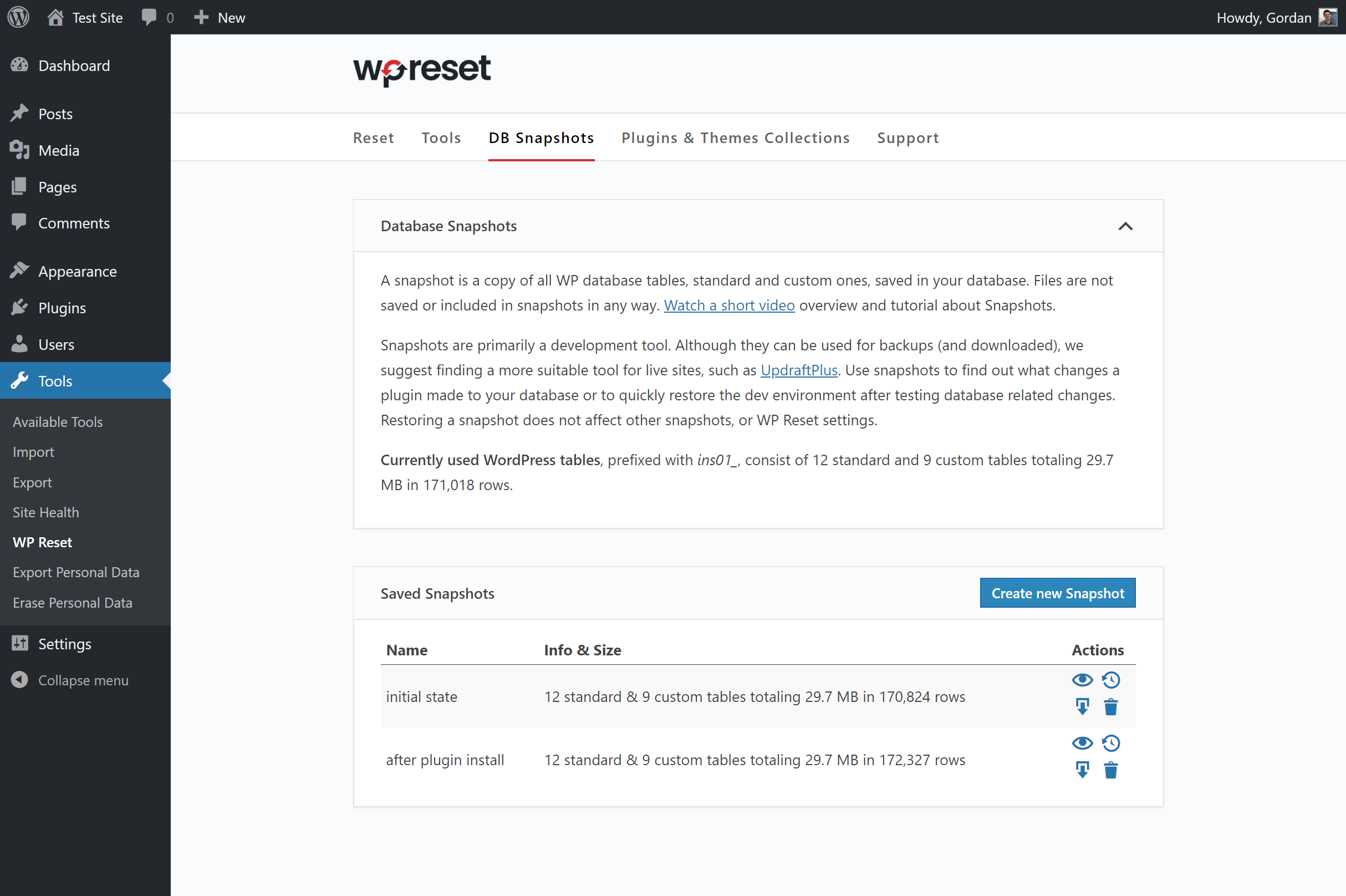
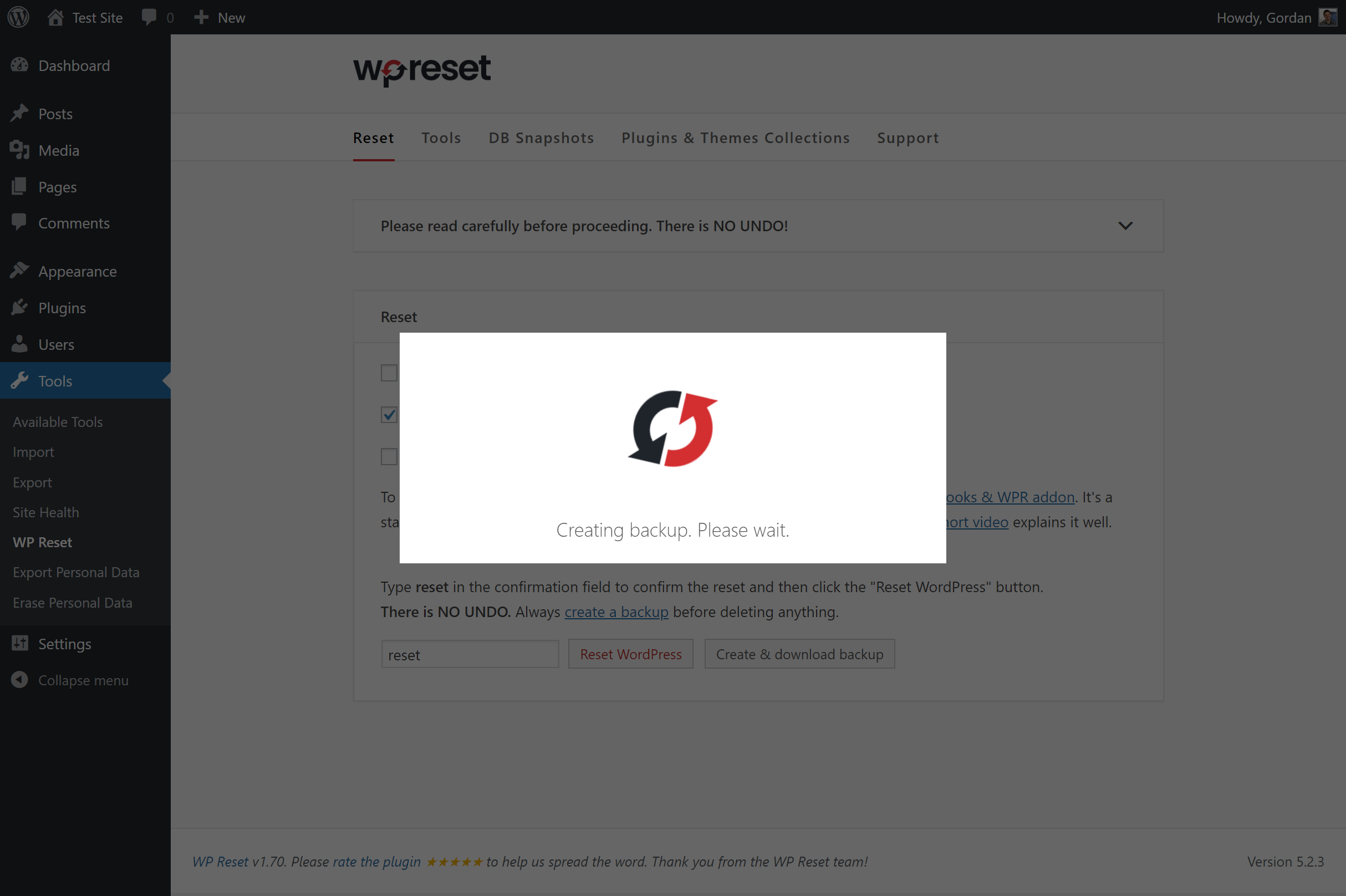
WP Reset is a plugin that allows you to quickly reset your WordPress site's database to its default installation values, without modifying any files. It is useful for developers as it speeds up testing and debugging by providing a quick way to reset settings and re-test code. It also has fail-safe mechanisms to prevent accidental data loss.Screenshots
Frequently asked questions
What does WP Reset do?
WP Reset quickly resets the site's database to the default installation values without modifying any files. It deletes all customizations and content, or just chosen parts like theme settings. WordPress Reset is fast and safe to use thanks to the built-in snapshots which provide 1-click restore functionality. It has multiple fail-safe mechanisms so you can never accidentally lose data. WP Reset is extremely helpful for plugin and theme developers. It speeds up testing & debugging by providing a quick way to reset settings and re-test code. It's the only WP development tool for non-developers that enables advanced reset.
How do I access the WP Reset admin page?
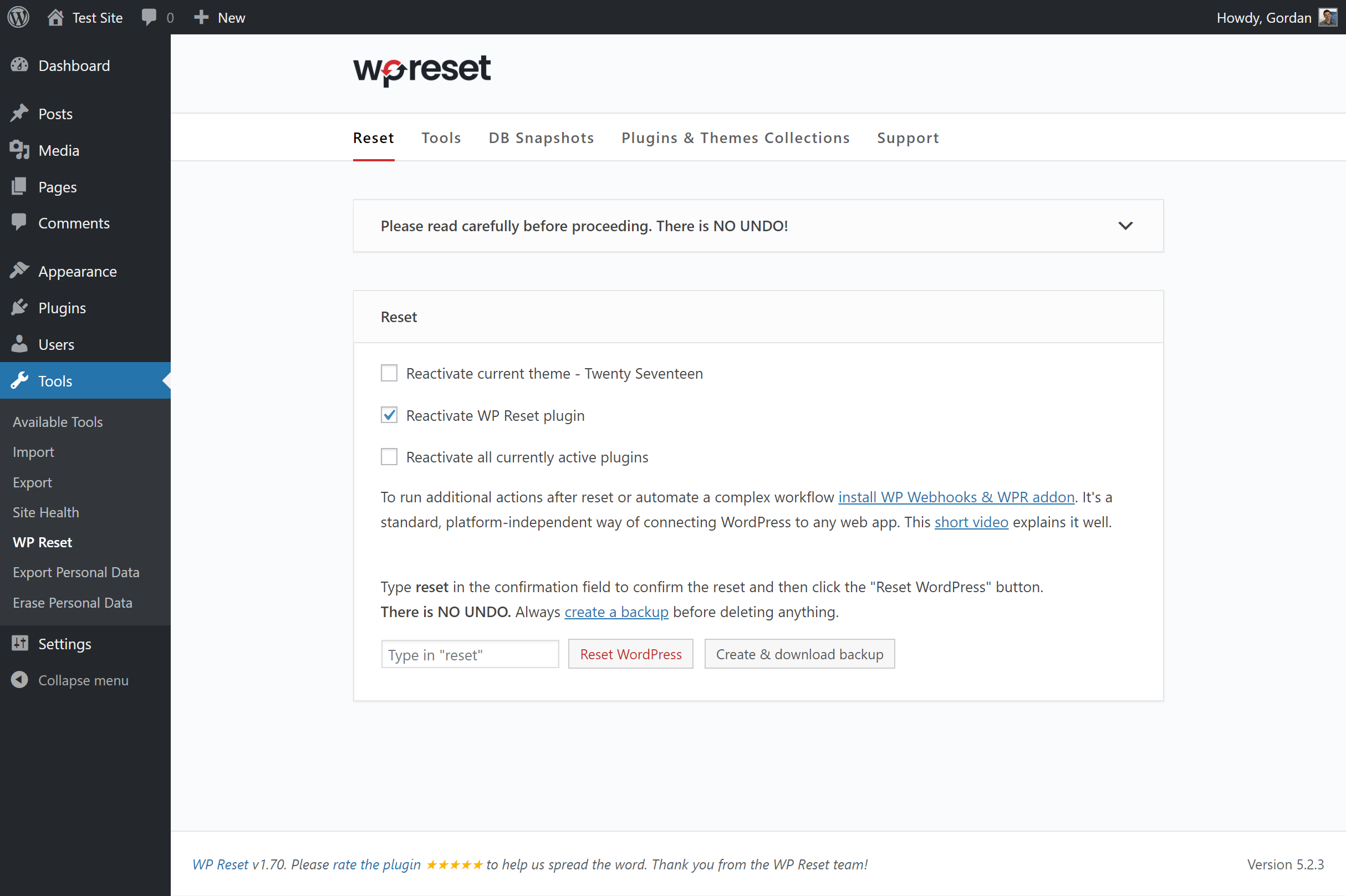
Access WP Reset admin page via the 'Tools' menu.
What will be deleted when I click the Reset button?
When you click the Reset button, all posts, pages, custom post types, comments, media entries, and users will be deleted. All default WP database tables and all custom database tables with the same prefix table prefix as the one defined in wp-config.php will also be deleted. However, media files, plugins, themes, and uploads will not be touched.
How can I undo a reset?
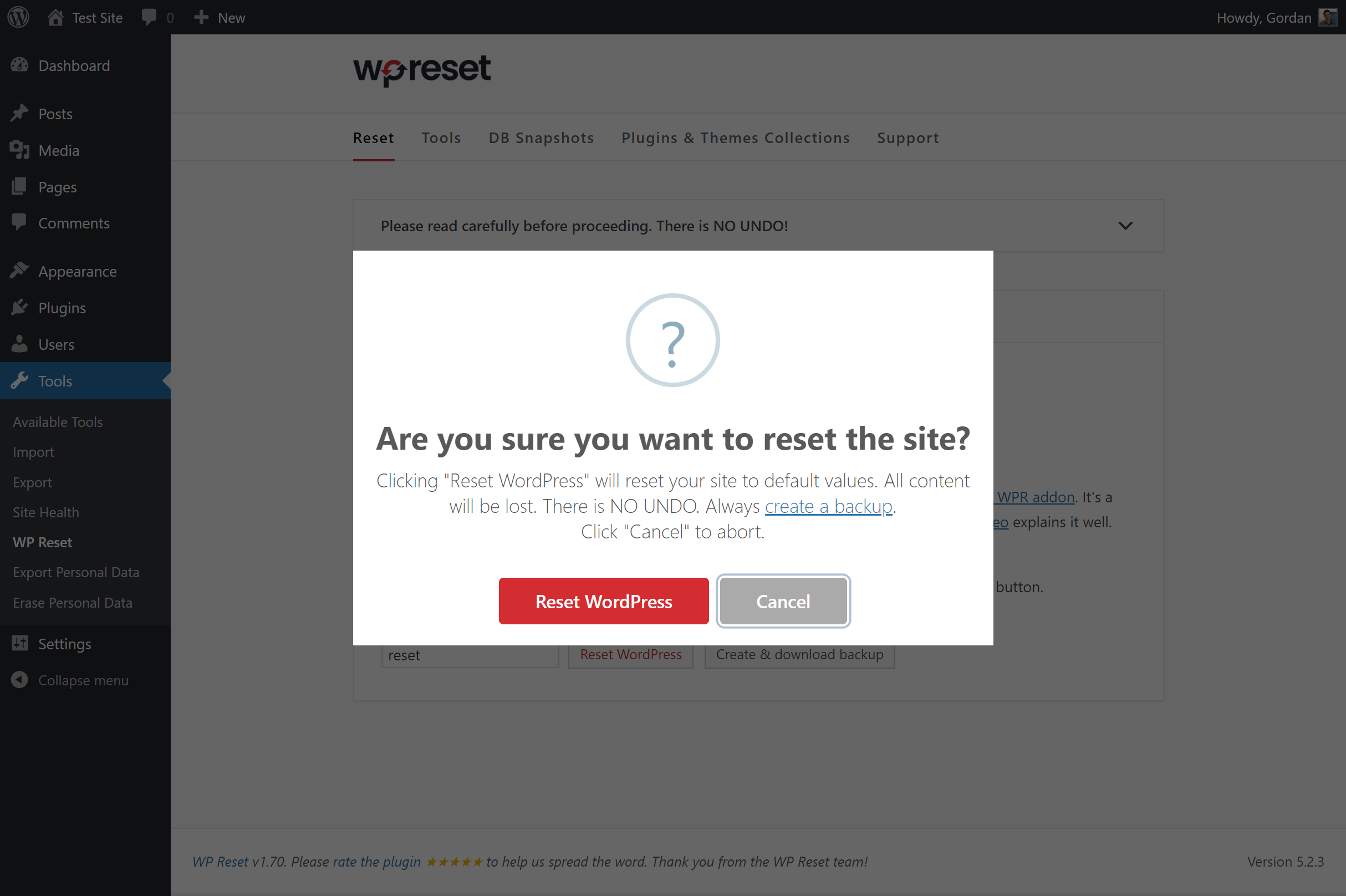
Before doing a reset, create a snapshot. After the reset is done, you can simply restore the snapshot to undo the reset.
Does WP Reset support WP-CLI?
Yes, WP Reset comes with full WP-CLI support. Help on WP-CLI commands is available via 'wp help reset'. By default, the commands have to be confirmed, but you can use the --yes option to skip confirmation. Please be careful when using WP Reset with WP-CLI and always make a snapshot or backup first.
Changelog
v2.06
- 2025/09/18
- Disabled license log
v2.05
- 2025/07/31
- Minor bug fixes and code improvements
v2.04
- 2024/10/24
- Minor bug fixes and code improvements
v2.03
- 2024/06/04
- Adjusted HTML escaping on translatable strings
- Fixed some unescaped HTML output
v2.02
- 2024/05/13
- Fixed license ajax security issue
v2.01
- 2024/04/16
- Completely unnecessary update we were forced to do
v2.00
- 2024/03/25
- More secure snapshot export filename
v1.99
- 2024/03/13
- PHP 8.2 compatibility fix
v1.98
- 2023/09/24
- RTL GUI fix
v1.97
- 2023/01/10
- minor GUI changes
- new prices
v1.96
- 2022/11/18
- security fixes
v1.95
- 2022/01/06
- security fixes
- fixed a CLI bug
- added ad for our WP Force SSL plugin
v1.93
- 2021/08/01
- reactivate plugins fix
v1.92
- 2021/07/28
- more fixes for the password issue when resetting on WP 5.8
v1.91
- 2021/07/24
- fixed password issue when resetting on WP 5.8
v1.90
- 2021/06/01
- security fixes
- cleaned up unused code
v1.86
- 2021/02/20
- fixed a small but nasty translation bug that prevented some users from resetting
v1.85
- 2021/01/30
- code clean-up
v1.84
- 2021/01/21
- added quick links button
- fixed some tooltips
- removed support for WP Webhooks
v1.82
- 2020/10/27
- removed auto activation for PRO version
v1.81
- 2020/10/07
- started adding better tooltips to all objects
- added promo campaign for WP 301 Redirects
v1.80
- 2020/04/17
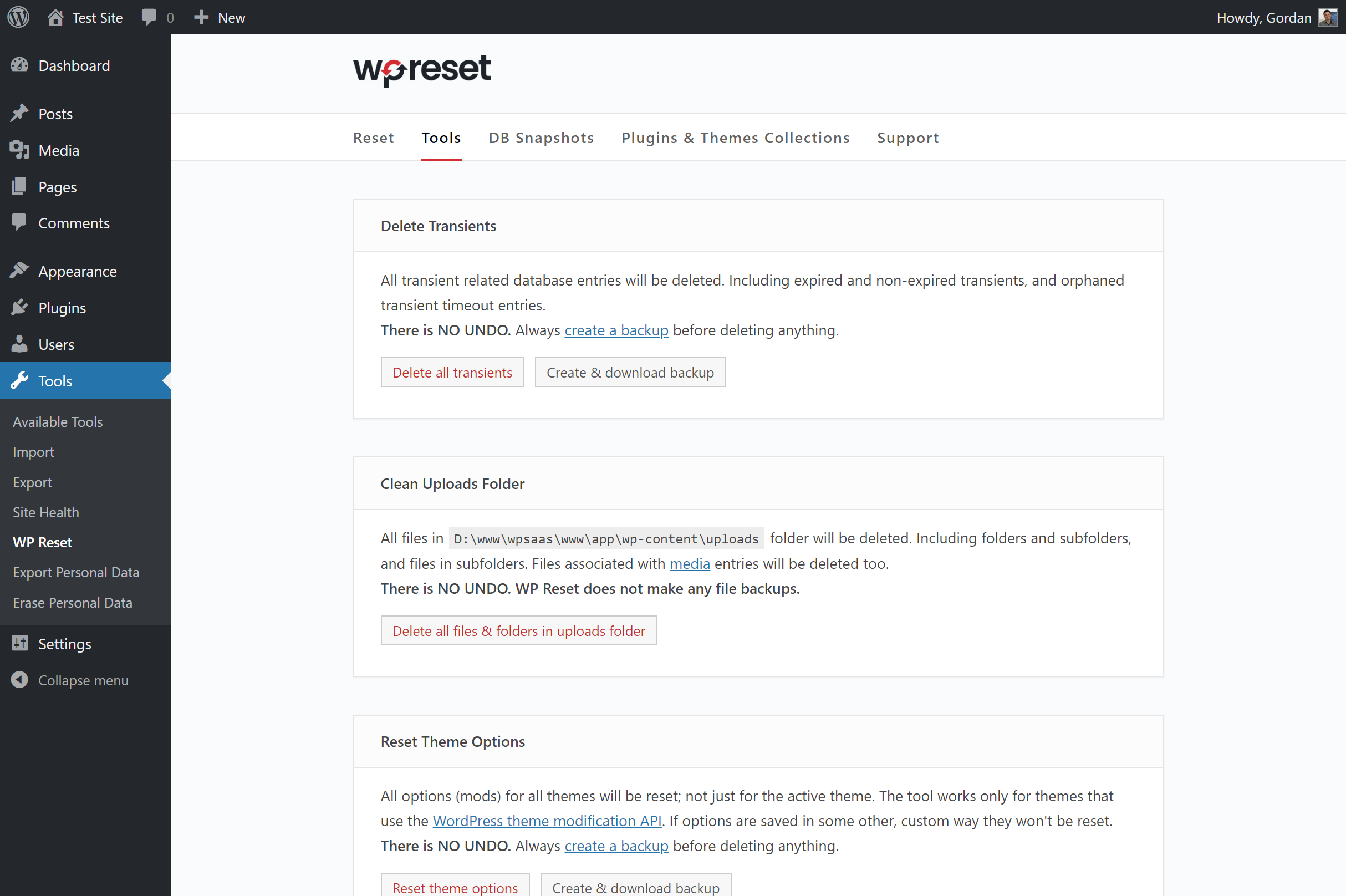
- new tool: Purge Cache
- new tool: Delete Local Data
- fixed “Delete all plugins” tool
- other minor bug fixes
- started selling WP Reset PRO
- 200,000 installs hit on 2020-03-07 with 1,560,000 downloads
v1.77
- 2019/12/25
- minor bug fixes
v1.75
- 2019/11/12
- bug fixes
- more GUI improvements
- updates for WP v5.3
- removed the 1-click backup tool in favor of snapshots – less confusing & same end result
- two huge bug fixes thanks to @markwill
- 1,241,470 downloads
v1.70
- 2019/09/27
- bug fixes
- completely new GUI
- added .htaccess file to protect snapshots and backups folder
- added 1-click backup feature
v1.65
- 2019/07/15
- bug fixes
v1.60
- 2019/04/15
- bug fixes
- new tool: Reset theme options
- added Product Hunt banner
- added actions (hooks) to all tools and snapshot actions; all action names start with “wp-reset-“
- removed features survey
- announced plugin & theme collections
v1.55
- 2019/03/25
- 100k users hit on 2019/01/15 with 560,300 downloads; 34 days for +10k & 71k downloads
- bug fixes
- support for WP Webhooks
- added features survey
v1.50
- 2019/01/08
- new tool: delete .htaccess file
- new WP-CLI command: wp reset delete htaccess
- 90k users hit on 2018/12/12 with 489,100 downloads; 27 days for +10k & 58k downloads
v1.45
- 2018/11/27
- new tool: truncate or drop custom DB tables
- truncate / drop tables tool added to WP-CLI
- all snapshot tools added to WP-CLI
- 80k users hit on 2018/11/15 with 430,800 downloads; 30 days for +10k & 57k downloads
v1.40
- 2018/10/24
- new tool: DB Snapshots
- rewrote code documentation for most functions
- some parts of Snapshots need refactoring
- 70k users hit on 2018/10/16 with 373,300 downloads; 30 days for +10k & 50k downloads
v1.35
- 2018/09/18
- sponsorship by IP Geolocation
- 60k users hit on 2018/09/16 with 323,300 downloads; 35 days for +10k
- added all tools to WP-CLI
- new tool: delete all files in uploads folder
v1.30
- 2018/08/27
- more code clean-up
- added new reset params to WP-CLI
- big GUI changes
- started adding various tools; delete transients, delete all plugins, delete all themes
- we hit 50,000 installations on 2018/08/11 with 274,000 downloads
v1.25
- 2018/07/30
- code clean-up
- post-reset options – reactivate plugin, themes & WP Reset
- added WP-MU warning till we make WP Reset fully compatible with it
- Tidy Repo notice
- added option to collapse boxes
- modified rating notice
v1.20
- 2018/07/09
- we hit 40k installations on 2018/06/26
- WP-CLI support via “wp reset” command
- new logo
- ask for rating notice
- GUI improvements
- code clean up
- preparations for further development and new features
v1.10
- 2018/05/09
- WebFactory took over development
- numerous bug fixes and improvements
- 30,000 installations; 199,000 downloads
v1.0
- 2016/05/16
- Initial release

