If you’re looking to breathe life into your WordPress website, you’ve come to the right place.
Welcome to the world of WordPress Animation Plugins, where static websites transform into dynamic and interactive experiences! These plugins have revolutionized the WordPress landscape, introducing an unparalleled level of creativity and engagement.
Why use WordPress plugins for animations, you ask? Well, they offer a simple way to enhance your website’s functionality, improve user experience, and make your site stand out from the crowd. This listicle explores the best WordPress Animation Plugins, showcasing their unique features and the benefits they bring to your site.
Table of Contents
What are WordPress Animation Plugins
WordPress animation plugins are tools that add animation effects to your WordPress website. These animations can make your site more visually appealing, engaging, and interactive for visitors. There are many different animation plugins available, with varying features and functionalities. Here’s a breakdown:
Why use them:
- Enhance Visual Appeal: Animations can add a touch of personality and flair to your website, making it stand out from the competition.
- Improve Engagement: Eye-catching animations can grab your visitors’ attention and keep them interested in exploring your site.
- Increase Interactivity: Animations can be used to create interactive elements on your site, such as buttons that hover or images that zoom in on a click.
Types of Animations:
- CSS Animations: These are lightweight animations created with CSS code. Many plugins offer pre-built CSS animations or allow you to create your own.
- JS Animations: More complex animations can be created with JavaScript libraries like GSAP. Some plugins integrate these libraries for more advanced effects.
- Lottie Animations: These are lightweight animations exported from Adobe After Effects. They offer smooth and complex animations without requiring a lot of code.
Choosing an Animation Plugin:
- Ease of Use: Consider your technical expertise. Some plugins offer drag-and-drop interfaces for easy animation creation, while others require more coding knowledge.
- Features: Decide what kind of animations you want to create. Some plugins offer basic effects like fades and slides, while others allow for more complex animations.
- Compatibility: Make sure the plugin is compatible with your WordPress theme and other plugins you’re using.
Best WordPress Animation Plugins
Here are some of the best WordPress animation plugins that you can try in 2026 and beyond.
1. Blocks Animation: CSS Animations for Gutenberg Blocks
Are you looking to bring life to your WordPress website with eye-catching animations? Look no further than Blocks Animation. This CSS Animation Plugin for Gutenberg Blocks will allow you to add a dynamic and interactive feel to your website in a simple yet sophisticated way.
It bridges the gap between static content and engaging, animated interfaces, making your website more appealing and lively to your visitors.
Features and Benefits
- Smooth Integration: The User Interface of Blocks Animation is so intuitive and native that it feels like a built-in feature of WordPress. You won’t even realize it’s an additional plugin. This ensures a smooth, seamless user experience.
- Broad Application: Blocks Animation allows you to apply CSS animations to all your Gutenberg blocks. This means you can animate any part of your website, from headers to footers, images, and texts, giving you complete control over your website’s look and feel.
- Customizable Settings: The plugin adds animation settings to every block in the Block Settings Sidebar, allowing you to customize each animation to your liking. This provides you with the flexibility to create a unique and personalized user experience for your visitors.
- Simple Installation: With a straightforward installation process, you can start using Blocks Animation right away. No need to worry about complicated setups or configurations.
- Enhanced User Engagement: With the use of animations, your website can become more interactive and engaging, potentially increasing user retention and interaction.
Pricing Structure
The plugin is free to use.
2. Greenshift – animation and page builder blocks
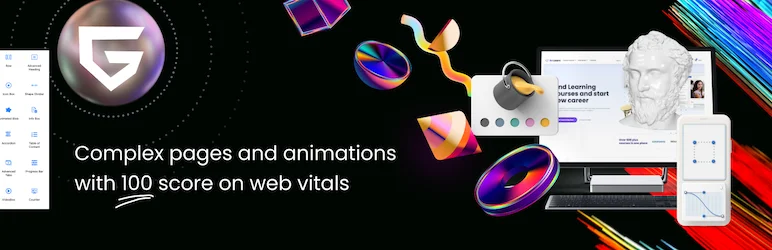
Greenshift is a highly optimized web creation tool and animation plugin for WordPress. It addresses the issue of low performance on Google tests with popular page builders, offering a solution that doesn’t utilize predefined styles, frameworks, icon fonts, or script libraries.
The plugin generates every asset on the fly and loads only when you use it. With Greenshift, you can surprise your visitors with high-end animations and transitions, creating styles like those seen on top-awarded websites, all without any code knowledge.
Features and Benefits
- A ready library of sections and layouts with FSE support
- SVG shape libraries for extended formatting to each block or animated dividers
- Advanced containers and rows to control every aspect of align, spacing, position, flexible position, responsive up to 4 breakpoints, flexbox, and CSS grid options
- Mobile smart scroll for sections to turn regular columns and blocks into scrollable items on mobiles or carousels
- Advanced sliders and tabs to convert any content into carousel/slider/tabs, even a regular gallery into an advanced 3D slider
- Dynamic blocks like animated headlines, countdown, counters, videos, tabs, togglers, Table of content, progress bars etc.
- Parent Hover transitions and background animations
- The benefits these features offer include the ability to create complex pages and animations without code skills, extended responsive options for mobile traffic, dynamic loading to save page performance on heavy pages, and high web vitals score due to unique conditional asset loading.
Pricing Structure
The plugin is free to use.
3. UiCore Animate
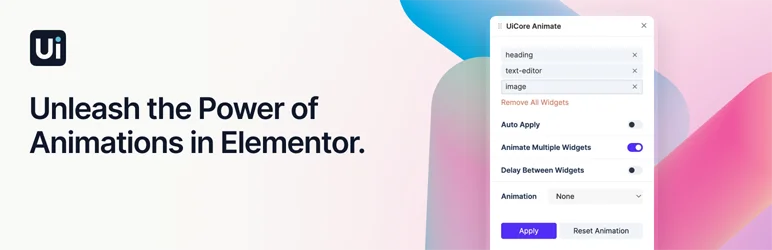
The UiCore Animate is the ultimate solution for bringing your WordPress website to life. This plugin enables you to easily infuse your site with engaging animations, enhancing user experience and making your widgets pop. If you’ve been searching for a user-friendly, efficient tool to create stunning animations, UiCore Animate is your answer.
Features and Benefits
- Animations Controller: Create eye-catching animations within seconds. The plugin allows you to auto-apply animation settings to your selected widgets, eliminating the tedious task of manually adding animations. You can even reset animations with just a few clicks. This feature not only saves time but also ensures your animations are consistent and professional.
- Multiple Widgets Animation: Animate multiple widgets simultaneously. With UiCore Animate, you can select multiple widgets, rearrange them, and set delays between items to create a seamless and professional look. This feature is ideal for creating complex animation sequences with minimal effort.
- Animation Styles: Choose from a wide range of presets to replace Elementor’s default animations. Whether you want your website to exude a playful vibe or appear sleek and professional, UiCore Animate has the perfect animations to suit your style.
- Smooth Scroll Feature: Enhance user experience with seamless navigation. Incorporate UiCore Animate’s smooth scroll feature to elevate user engagement as visitors effortlessly glide through your content. This feature creates a seamlessly navigable experience, enhancing the overall user interaction with your website.
- Page Transitions & Preloaders: Craft elegant user journeys with smooth and polished page transitions. Choose from various styles, implement globally, and customize speeds for a delightful browsing journey. With UiCore Animate, every click is a visually pleasing experience.
Pricing Structure
The plugin is free to use with premium version available additional cost.
4. LottieFiles – Lottie block for Gutenberg
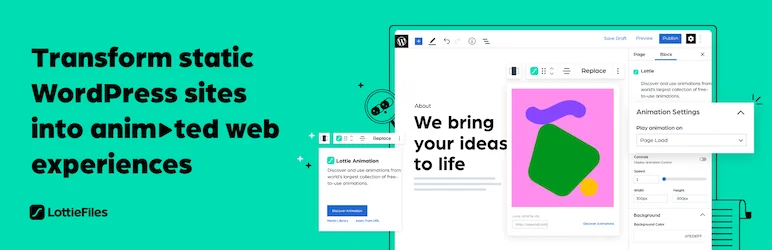
LottieFiles is a unique WordPress animation plugin that revitalizes your website’s design by introducing animated elements. By employing this plugin, you can turn your static website into an animated web experience, all within the Gutenberg Editor.
Whether you are a professional coder or a beginner, LottieFiles makes it easy to add over 50,000 free and ready-to-use Lottie animations to your site. No coding or design skills are required.
Features and Benefits
- Transform your website: LottieFiles helps you to convert your static website into a dynamic, animated web experience using the Gutenberg Editor. This feature enhances the overall user experience and increases visitors’ engagement.
- Extensive Animation Library: Access to over 50,000 free and ready-to-use Lottie animations. This vast selection allows you to choose the right animations that align with your brand and content.
- Access to Private files: This plugin provides access to your private files from LottieFiles, ensuring that your unique animations are safe and easy to retrieve.
- Insert Animation from URL: Another easy way to add animation is by inserting a Lottie animation from a URL.
- Save and Reuse: The plugin allows you to save and re-use animation data JSON files through the WordPress Media Library, promoting efficiency and consistency in your animations.
- Customization Options: Customize your Lottie animations directly within the Gutenberg Editor. You can adjust the background color, speed, play mode, and dimensions of the animation.
- Share your LottieFiles Account: You can share your LottieFiles account with other users, making collaboration easy.
Pricing Structure
LottieFiles for WordPress is a free plugin.
5. Maintenance & Coming Soon Redirect Animation
The Maintenance & Coming Soon Redirect Animation is a lightweight, powerful WordPress plugin designed for developers, designers, and site administrators. This plugin is an ideal solution for those who require a user-friendly, efficient way to manage website visibility during maintenance or before the site’s official launch.
It allows only users with administrator privileges to access the site, offering a filter hook to set the exact privilege. The plugin also provides an animated screen during maintenance mode or coming soon redirect, making the wait for your site more engaging and interesting for your visitors.
Features and Benefits
- Lightweight and easy to use: The plugin is designed to be user-friendly and doesn’t bog down your WordPress site.
- IP addresses whitelist: This feature is beneficial when you need to allow specific users, like a client’s entire office, to access the site while in maintenance mode without having to manage individual access keys.
- Access keys: The plugin creates a key on the user’s computer that will be checked when maintenance mode is active. The access key can be created and revoked with ease.
- Whitelisted User Roles and Users: This feature enables specific user roles and users to view the site even when it’s under maintenance.
- Animation: The animation feature adds a dynamic and engaging element to your maintenance or coming soon page, increasing visitor engagement and anticipation for the site launch.
- WP-CLI Commands: The plugin supports WP-CLI commands, making it easy to install, activate, deactivate, uninstall, and update the plugin via WP-CLI.
- Override other maintenance plugins: This plugin overrides any other maintenance plugin you use, ensuring that you’ll have a consistent, smooth user experience.
Pricing Structure
The plugin is free to use.
6. Animations for Blocks
Animations for Blocks is a dynamic WordPress plugin designed to inject life and movement into your website. It gives you the power to animate block editor blocks, making them come alive when they become visible to the user while scrolling. This plugin fills the gap for engaging, interactive content on your website, making it not just a site to visit but an experience to remember.
Features and Benefits
- Variety of Animation Types: With options such as fade, flip, slide, and zoom, you can choose how your blocks animate, adding a unique touch to your website.
- Variation Controls: Choose different directions for your animations, adding a level of unpredictability and fun to the user experience.
- Delay and Duration Settings: Customize when your animations start and how long they last, allowing you to perfectly time your animated content.
- Immediate Preview: See how your animations will look in real-time as you adjust the settings, saving you time and ensuring the finished product is exactly as you envisioned.
- Lightweight: The plugin adds a small stylesheet (2.8 kB) and script (5.2 kB) to the front end, as well as a script that initiates the animations (1.3 kB), ensuring your site speed isn’t compromised.
Pricing Structure
The plugin is free to use.
7. Animator – Scroll Triggered Animations
Add a dynamic touch to your WordPress website with Animator – Scroll Triggered Animations, a powerful plugin that breathes life into your content.
This plugin is an innovative solution to the challenge of creating compelling and engaging animations without extensive knowledge of coding. Whether you’re a seasoned web developer or a content creator with basic web skills, this plugin makes implementing CSS animations a breeze.
Features and Benefits
- User-Friendly: This plugin is designed to be easy to use, making it accessible for users with varying levels of web design expertise.
- Global Animation Control: You have the power to control your animations across your entire website from one central location.
- Preset Animations: Take advantage of over 25 preset animations available right out of the box, saving you time and effort.
- Custom Animation Builder: For those who want a unique touch, the plugin allows you to create your own CSS animations with the Custom Animation Builder.
- Framework-independent: This plugin works independently of any framework, providing flexibility and ensuring compatibility.
Pricing Structure
The plugin is free to use with the premium version starting from £19.99
8. Image Hover Effects Ultimate

Image Hover Effects Ultimate is a powerful WordPress plugin that brings your images to life with dynamic hover effects. This plugin not only elevates the visual appeal of your website but also enhances user engagement by offering interactive image displays.
Perfect for portfolio showcases, image galleries, or any website where images play a pivotal role, this plugin eliminates the need for complex Javascript coding, making it accessible even to those without any programming knowledge.
Features and Benefits
- Visual Composer Integration: It is built with Visual Composer extension, allowing you to easily add over 500 amazing hover effects without any scripting.
- Touch Enabled: The plugin supports touch navigation on mobile browsers, providing a seamless user experience on any touchscreen device.
- SEO-Friendly: The plugin allows you to create SEO-friendly hover effects, helping your website rank better in search engine results.
- eCommerce Solution: It is perfect for eCommerce websites where you can easily add hover effects to product images, providing customers with detailed product information.
- Clone Image Settings: This feature allows you to clone the settings of one image effect and apply it to other images, saving you valuable time.
- Live Preview: The plugin offers a live preview feature, allowing you to see your customizations in real-time.
Pricing Structure
Image Hover Effects Ultimate offers both a free version and a Pro version. The Pro version, priced at $29 for a single site, provides additional features like unlimited hover items, priority support, and lifetime updates.
9. Page Animations And Transitions
Page Animations And Transitions is a remarkable WordPress plugin designed to bring your website to life with stunning animation effects. This free-to-use plugin solves the issue of static pages by integrating dynamic and appealing visual transitions. Whether you aim to make a lasting first impression or create an engaging user experience, this plugin will elevate your website’s aesthetic appeal.
Features and Benefits
- Set Page In Animation Effect: This feature lets you choose the animation style your viewers will see when they load your webpage. The benefit is that you can create a unique and lasting impression right from the first interaction.
- Set Page Out Animation Effect: Similarly, you can choose the animation effect for when users leave your webpage. This helps create a smooth and visually pleasing ending to their visit.
- Set Page In/Out Animation Duration (Speed): You can adjust the speed of both the in and out animations, allowing you to control how long a user interacts with the animation.
Pricing Structure
As for the pricing, the Page Animations And Transitions plugin is entirely free, making it an ideal choice for those on a budget or just starting with their WordPress site.
10. Easy Textillate

As the digital landscape becomes increasingly visual, animation has become an integral part of web design. Easy Textillate, a WordPress Animation Plugin, offers a solution to this by allowing you to animate any text on your website effortlessly.
Whether it’s for posts, pages, or site widgets, Easy Textillate makes it possible to add a dynamic touch to your text without the need for advanced coding skills.
Features and Benefits
- Easy-to-Use Shortcodes: With Easy Textillate, you no longer need to grapple with scripts and style files. You can create eye-catching animations using simple shortcodes which can be pasted directly into your post.
- Utilizes Renowned Libraries: To ensure quality and reliability, Easy Textillate uses the following libraries textillate.js by Jordan Schroter, animate.css by Daniel Eden, and lettering.js by Dave Rupert. These libraries are known for their robust features, providing you with a wide range of animation styles to choose from.
- Versatility: The plugin offers flexibility as it can be used not only in posts and pages but also in site widgets. You can also use PHP code to add text animations directly in theme files.
- Enhances Website Appeal: By adding animated text, you can make your website more engaging and interactive, which can potentially increase dwell time and reduce bounce rate.
Pricing Structure
The plugin is free to use with the premium version available at additional cost.
11. Page scroll to id

Page scroll to id is a comprehensive WordPress plugin that replaces the default “jumping” behaviour of browsers with smooth scrolling animations. This is especially useful for single-page websites, in-page navigation, and back-to-top links, enhancing the user’s browsing experience by providing a seamless transition between different sections of a webpage.
Features and Benefits
- Adjustable scrolling animation duration and easing: With over 30 easing types, this feature allows you to customize the scrolling speed and transition style, enhancing the user experience on your website.
- Link and target highlighting: This feature utilizes ready-to-use CSS classes, helping users easily recognize and navigate between different sections of your webpage.
- Vertical and/or horizontal scrolling: This feature provides greater flexibility in navigation, making your website more user-friendly.
- Scrolling from/to different pages: This feature allows users to smoothly navigate to target IDs on page load, enhancing the user experience.
- Offset scrolling by pixels or element selectors with custom expressions: This feature allows greater customization in how much the page scrolls, enhancing accessibility and user interaction.
- Insert link and Target ID buttons in post visual editor: This feature simplifies the process of adding links and target IDs, saving time and effort for website administrators.
- Link-specific offset, scrolling duration, highlight target, etc.: This feature allows further customization for individual links, enhancing user interaction and experience.
Pricing Structure
The plugin is free to use.
12. Animated Rotating Words
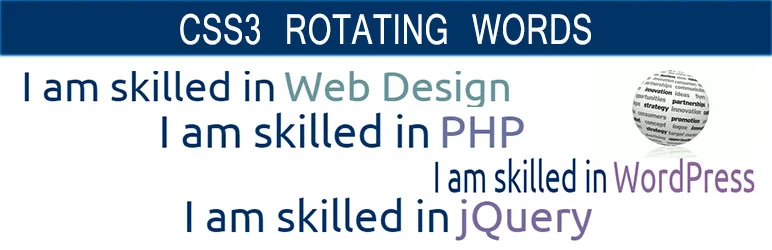
Introducing the CSS3 Rotating Words, a dynamic WordPress Animation Plugin that allows users to create engaging and attractive animated sentences.
The plugin solves the challenge of creating captivating, interactive content by offering a feature that interchanges random words in a sentence after a certain interval of time. The change happens smoothly with the help of CSS3 animation effects, making your website more interactive and appealing to visitors.
Features and Benefits
- Multiple Shortcodes: This feature provides the flexibility of using the plugin functionalities in different areas of your site. It simplifies the embedding process, making it user-friendly and efficient.
- AJAX Based: The AJAX foundation of the plugin ensures that the animations run smoothly without causing any lag on your website. It enhances the user experience by providing fast and efficient performance.
- Custom Animation Speed: This feature allows users to set the animation speed according to their need, making the animations more adaptable and personalized.
- CSS3 Animations: The plugin uses CSS3 to create smooth and visually appealing animations. It helps in making the website more engaging and interactive.
Pricing Structure
The plugin is free to use.
Final Word
The WordPress animation plugins offer exciting possibilities to invigorate your website, making it more interactive and engaging. Whether you aim to grow your audience, boost engagement, or establish authority in your niche, these plugins can help you achieve these goals.
They offer easy-to-use tools to animate different elements on your website, from text to images, without needing extensive coding skills. So why wait? Take the next step and breathe new life into your website with these dynamic plugins. As a pro tip, always ensure to keep your plugins updated and properly maintained for optimal performance and security.
FAQs
What are WordPress animation plugins?
WordPress animation plugins are tools designed to add dynamic animations to WordPress websites, enhancing their visual appeal and user experience.
How do WordPress animation plugins work?
These plugins typically offer a user-friendly interface for applying animation effects to various elements on a WordPress site, often utilizing CSS, JavaScript, or animation libraries like GSAP.
Are WordPress animation plugins easy to use for beginners?
Yes, many animation plugins for WordPress are designed with user-friendly interfaces, making it easy for beginners to add animations to their websites without extensive coding knowledge.
Can WordPress animation plugins slow down my website?
While some animation plugins may add additional load to a website, reputable plugins are often optimized for performance to minimize any negative impact on site speed.
What types of animations can I add with WordPress animation plugins?
WordPress animation plugins typically offer a range of animation effects, including fades, slides, zooms, rotations, and more, allowing for creative customization of website elements.
Are there any free WordPress animation plugins available?
Yes, there are several free WordPress animation plugins available in the official WordPress plugin repository, offering basic animation functionality without the need for a premium subscription.
Can I customize the animations created with WordPress animation plugins?
Yes, most WordPress animation plugins provide customization options such as animation duration, delay, easing functions, and more, allowing users to tailor animations to suit their website’s design and branding.
Are WordPress animation plugins compatible with all WordPress themes?
While most animation plugins are designed to work with a wide range of WordPress themes, compatibility may vary. It’s always a good idea to test a plugin with your chosen theme to ensure compatibility before fully implementing it on your website.
Do WordPress animation plugins offer support and updates?
Reputable WordPress animation plugins typically offer ongoing support and updates to ensure compatibility with the latest WordPress versions and provide assistance to users encountering issues or seeking guidance.


