

Import your demo content, widgets and theme settings with one click. Theme authors! Enable simple theme demo import…

About WP Help
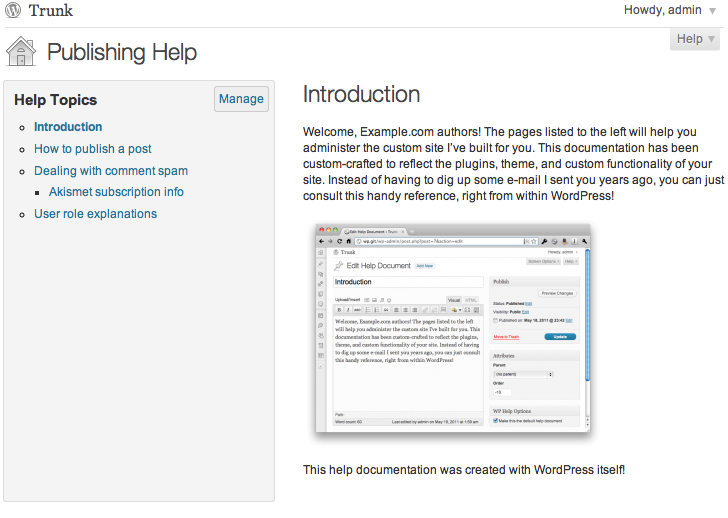
WP Help is a plugin for WordPress that allows site operators to create detailed documentation for their site's authors, editors, and contributors. The documentation is viewable in the WordPress admin and can be created, edited, and arranged using the power of WordPress. The plugin also allows users to pull in help documents from another WP Help install, making it perfect for WordPress multisite installs or consultants with multiple client installs.Screenshots
Frequently asked questions
What is WP Help?
WP Help is a WordPress plugin that allows site operators to create detailed, hierarchical documentation for site users. This documentation is viewable directly within the WordPress admin area. It leverages WordPress Custom Post Types for content creation and organization.
Who is WP Help for?
It is perfect for customized client sites and can eliminate the need for repeated instructional emails. It is designed for site operators to provide guidance to authors, editors, and contributors.
What new features does WP Help offer?
WP Help now allows users to pull in help documents from other WP Help installations. These documents will automatically update when the source documents change, including additions and deletions. This feature is ideal for WordPress multisite setups or consultants managing multiple client sites.
Changelog
1.7.0
- Block Editor (Gutenberg) support
- Video display improvements
- Smaller build
1.6.0
- CSS improvements (props @mrwweb).
- Switch from CoffeeScript to ES6 and Babel.
- Responsive styles.
1.5.4
- Bump supported WordPress version.
1.5.3
- Make add/manage buttons use proper permissions.
- Update styles.
- Bump minimum WordPress version.
1.5.2
- Make permissions more filterable.
1.5.1
- Fix a PHP error on the dashboard.
1.5.0
- Updated to Mark’s 2016 plugin framework for easier maintenance.
1.4.1
- More complete French translation.
1.4
- Added a Hebrew translation.
1.3
- Make the
wp_list_pages()call filterable. - Added Serbian, Turkish, and Japanese translations.
- Use a Dashicon for WordPress 3.8+.
- RTL CSS styles.
1.2
- New or updated translations for Gujarati, Norwegian, and Brazilian Portuguese.
- CSS fixes for WordPress 3.5.
- More robust AJAX saving when save events overlap.
1.1
- Feature: drag and drop reordering of the documents list.
- Feature: local /wp-admin/ links are rewritten when shared through the API so that they’re wp-admin-relative and thus work on the destination site.
- Improvement: more consistent cap checks, so plugins can consistently customize who can do what.
- Improvement: restore settings form to previous state when “cancel” is clicked.
- Bug fix: sort order is now synced.
1.0
- Feature: sync help documents from another WP Help install.
- Feature: rename the page title.
- Feature: rename the document list title.
- Feature: choose the location of the menu item (Dashboard submenu, or one of three top level positions).
- Feature: easier access to creation, editing, and management of documents.
- Feature: dashboard widget.
- Improvement: better UI for selecting the default document.
0.3
- Translation for: French. Squashes a PHP Notice. Add an action hook so people can add their own styles.
0.2
- Translations for: Bulgarian, German, Spanish, Mexican Spanish, Macedonian, Dutch, Brazilian Portuguese, and Russian.
0.1
- Initial version

