Order Categories and all custom taxonomies terms (hierarchically) using a Drag and Drop Sortable JavaScript capability.

About Hide Admin Notices
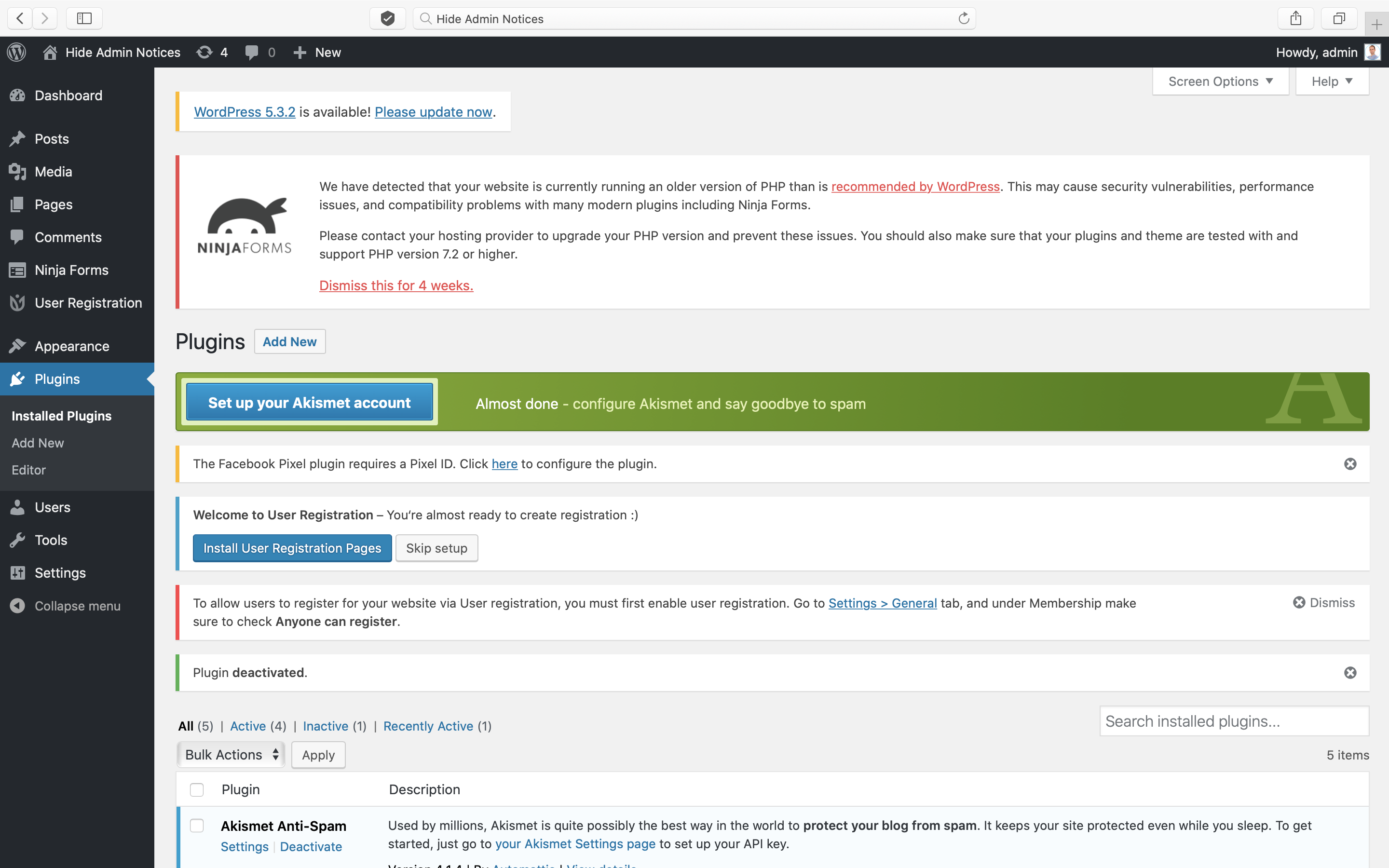
Hide Admin Notices is a WordPress plugin that hides all the notices, messages, and update nags that appear at the top of each page in the WordPress Dashboard. It allows you to reclaim screen space and focus on creating content. You can easily reveal hidden notices by clicking a button and hide them again with another click.Screenshots

Frequently asked questions
What does Hide Admin Notices do?
Hide Admin Notices hides all Notices, Messages, and Update Nags in your WordPress Dashboard. It helps declutter your admin pages so you can focus on content creation.
How do I use Hide Admin Notices?
After activating the plugin, a 'Show Notices' button will appear at the top right-hand corner of your admin pages, next to Screen Options. Click the button to reveal or hide notices.
What languages does Hide Admin Notices support?
Hide Admin Notices supports translations in English, Russian, German, Japanese, Italian, and Spanish.
Where can I get support for Hide Admin Notices?
If you have a problem, you can write a message in the WordPress Support Forum.
Changelog
2.1.0
- Report form update.
2.0.0
- Major rewrite!
- Prevent the flash of notices appearing on page load.
- Prevent notices that are “hidden” by default from being shown in the Hide Admin Notices panel.
- Hide the “Show Notices” tab when other Screen Options tabs are open.
- Stop hiding plugin update messages on the Plugins page.
- Stop hiding bulk action and plugin deactivated notices on Plugins page.
- Stop hiding notices such as “New user created”.
- Add a settings page to report issues with specific plugins.
- Add a background and border to the panel like Screen Options.
1.2.3
- WP 6.4 compatibility
1.2.2
- Excluding WP default update notices
1.2.1
- Donate link update
1.2.0
- New PontetLabs brand
- WP 5.9 compatibility
- Translations for Russian, German, Japanese, Spanish & Italian
- Mobile support
1.1.0
- WP 5.7 compatibility
- Formidable forms compatibility
- Custom twitter feeds compatibility
- WP Clone compatibility
- WP Staging compatibility
- Text update
- FR translation update
- Speed enhancement
1.0.3
- Ensure all notices display within panel
- Look for notices after page load
- Ignore notices that are not visible
- WooCommerce support
- JetPack support
- Language update
- WordPress 5.6 support
1.0.2
- Language update
1.0.1
- WordPress 5.5.3 support
- Change in author
- Readme update
1.0
- Initial release