Looking to combine the content power of WordPress with the eCommerce engine of Shopify? Whether you’re an agency building client storefronts or a developer creating custom online experiences, using the right Shopify WordPress plugin can be a game-changer.
Shopify may be a standalone platform, but the demand for seamless WordPress Shopify integration has surged, especially among businesses that want the best of both worlds. From embeddable buy buttons to full-scale headless setups, there’s a Shopify plugin for WordPress tailored to every use case.
In this post, we’ve curated the best tools to bridge the gap between Shopify’s product management and WordPress’s unmatched content flexibility—so you can streamline workflows, scale faster, and build smarter for your clients.
Table of Contents
What is a Shopify WordPress Plugin?
A Shopify WordPress plugin is a specialized tool that helps connect your Shopify store with your WordPress website. Instead of choosing between two powerful platforms, these plugins allow you to combine Shopify’s robust eCommerce features—like inventory, checkout, and payments—with WordPress’s rich content management system.
Whether it’s embedding individual products, displaying collections, or offering a full shopping cart experience, a Shopify plugin for WordPress gives you the flexibility to sell products directly on your WP-powered site without complex custom development or switching platforms.
Why You Need a Shopify Plugin for WordPress
If you’re managing both content and commerce, a Shopify plugin for WordPress becomes essential. WordPress is ideal for blogging, SEO, and dynamic content, while Shopify handles sales, payments, and inventory like a pro. A plugin bridges these two, saving you time and offering a seamless experience for site visitors.
Agencies and developers benefit from streamlined workflows, faster deployments, and reduced reliance on manual syncing. With the right plugin, you can showcase products, add “Buy Now” buttons, and even run Shopify checkout—all within your WordPress theme.
Best WordPress Shopify Plugins to Try
If you want to make the most of Shopify WordPress and bring it into action in the easiest possible manner, check out these Shopify plugins for WordPress that you can trust.
1. S2W-Import Shopify to WooCommerce
Looking for the best Shopify plugin for WordPress that enables seamless store migration? This Shopify WordPress plugin lets you easily integrate Shopify with WordPress using a direct API connection. With just a few clicks, your Shopify products, categories, and images are transferred to WooCommerce—maintaining structure and data integrity.
This Shopify plugin for WordPress is ideal for developers and agencies handling migrations, especially those working with high product volumes. It ensures smooth product syncing, variation mapping, and image transfers through AJAX-powered imports. Whether you’re consolidating platforms or seeking a flexible wordpress Shopify integration workflow, this plugin delivers fast, stable results without relying on third-party middleware. Designed for reliability and control, it’s a must-have for anyone serious about eCommerce migration.
Key Features
- Import unlimited products from Shopify, including titles, descriptions, images, and prices
- Preserve product variations like size, color, stock quantity during migration
- Control product import order using filters like title, creation date, or update timestamp
- Assign product status (published, pending, or draft) during import for better content management
- Migrate categories and assign products to WooCommerce taxonomies accurately
- Queue-based image imports prevent server overload and timeout errors
- Logs every step of the migration process for visibility and debugging
Ideal Use Cases
Perfect for agencies and developers offering wordpress Shopify integration services, eCommerce owners moving from Shopify to WooCommerce, or anyone needing to clone a Shopify store into WordPress without writing code.
Pros and Cons
| Pros | Cons |
|---|---|
| Easy two-step API setup to integrate Shopify with WordPress | Requires WooCommerce pre-installed |
| Supports complex product data and variations | The free version doesn’t support customer or order migration |
| AJAX import and queue system avoids server overload | Not a real-time syncing tool |
| Maintains taxonomy and product metadata | Initial setup may confuse non-technical users |
| Compatible with major WooCommerce extensions | Some advanced controls only available through code tweaks |
| Highly rated by users with stable updates and good support | Doesn’t include SEO redirect tools for post-migration URLs |
| Transparent logging and import visibility | No built-in multilingual support for imported content |
2. WP Shopify

WP Shopify offers a straightforward way to bring your Shopify product catalog into WordPress without compromising performance or design. Designed for developers and agencies who want to maintain a centralized content system in WordPress while showcasing products from Shopify, this plugin creates a seamless bridge between the two platforms.
The plugin uses shortcodes to embed collections and single product pages, helping you retain control over layout using native WordPress tools. For those seeking a minimal-code setup, WP Shopify delivers a lightweight yet efficient experience.
Whether you’re testing a hybrid model or exploring a simple shop integration, this tool provides a reliable method to integrate Shopify with WordPress. It’s one of the simplest ways to explore WordPress Shopify integration without relying on bulky connectors or heavy plugins.
Key Features
- Embed Shopify product collections using a simple shortcode
- Set dedicated product pages within WordPress using custom permalinks
- Redirect individual product links to the Shopify store automatically
- Customize layout styling using your own CSS
- Compatible with a wide range of WordPress themes
- Supports unlimited products via API-based fetch
- Minimal setup process with video-based documentation
Ideal Use Cases
Ideal for freelance developers and agencies wanting to quickly display Shopify products on a WordPress-powered blog, portfolio, or content-heavy site without needing a full Shopify-WooCommerce migration.
Pros and Cons
| Pros | Cons |
|---|---|
| Simple shortcode-based integration | No native cart or checkout system in WordPress |
| Lightweight and minimal setup | Requires CSS knowledge for layout changes |
| Great for content-first sites | Limited customization within product display |
| Easy redirect to Shopify product pages | Not suitable for complex eCommerce workflows |
| No need to sync inventory or orders | Doesn’t import reviews or customer data |
| Clean separation between WordPress content and Shopify sales | Redirect-based flow might affect SEO |
| Compatible with existing blog or news layouts | Basic UI compared to full Shopify plugins |
Did You Know?
WP Shopify doesn’t just list your products — it lets you customize your layout and product display within WordPress. Want to see how this looks with your current theme? Spin up a staging site instantly using InstaWP to preview the Shopify plugin for WordPress in real time.
3. ShopWP

ShopWP is a purpose-built Shopify WordPress plugin that empowers you to create a clean, branded eCommerce experience directly on your WordPress site. It allows agencies and developers to connect Shopify product data into WordPress seamlessly, enabling full product displays, buy buttons, and checkout options—all without iFrames.
With shortcode and block support, you can place Shopify products anywhere on your site. The plugin is lightweight, SEO-friendly, and works great for content-driven websites looking to integrate commerce without switching platforms. It’s especially valuable for teams who want to avoid the overhead of WooCommerce but still want a shop-like presence. If you’re searching for the best Shopify plugin for WordPress that balances usability and flexibility, ShopWP is worth considering before full WordPress Shopify integration.
Key Features
- Syncs Shopify product and collection data into WordPress
- Provides 10 shortcodes for versatile product display
- Built-in cart system with direct checkout support
- SEO-friendly integration with clean code and no iFrames
- Compatible with WordPress blocks for intuitive placement
- Allows simple “buy button” embeds on any page or post
- Minimal setup process; works with most themes out of the box
Ideal Use Cases
Perfect for agencies and solo creators looking to integrate Shopify with WordPress and retain full control over branding, cart experience, and checkout logic—without migrating to WooCommerce or investing in complex connectors.
Pros and Cons
| Pros | Cons |
|---|---|
| Clean product display without iFrames | Free version is discontinued after March 1, 2024 |
| Built-in cart system for user checkout | Some critical features are Pro-only |
| SEO-optimized integration | Requires upgrade for advanced layouts like carousels |
| Easy syncing of products and collections | Limited long-term use for free users |
| Flexible shortcodes and blocks | No built-in support for reviews or coupons |
| Custom checkout flow options | Subscription support only via paid extensions |
| Great for minimalist storefronts | Support restricted post-March 2024 for free users |
You can test ShopWP’s integration with your current theme before making it live. Use InstaWP to launch a temporary sandbox and experiment with Shopify WordPress plugin features like cart functionality and direct checkout—without touching your main site.
4. Import Shopify To WP
Import Shopify To WP is a simple, no-cost solution from the WPBeginner team that lets you transfer your entire Shopify store to WordPress. This Shopify WordPress plugin is designed for ease of use—requiring no technical skills and offering a guided process from start to finish.
You start by submitting your Shopify store details on shopifytowp.com, receiving a ZIP archive of your store data, and importing it directly into your WordPress dashboard.
Within minutes, your products, customers, and order data are available in WooCommerce. Whether you’re moving to WordPress for better flexibility or lower overhead, this Shopify plugin for WordPress ensures you don’t lose valuable store data during migration.
It’s a hassle-free tool that simplifies the WordPress Shopify integration process—especially for agencies looking to help clients move away from Shopify.
Key Features
- Easy-to-use guided migration from Shopify to WordPress
- Transfers products, customers, and orders in bulk
- Maintains relational data between products and customers
- Automatic generation of a WooCommerce-compatible format
- Import a ZIP archive directly from the WordPress dashboard
- Supports product images and media files
- Built by the trusted WPBeginner team
Ideal Use Cases
Ideal for developers or business owners who want to integrate Shopify with WordPress or move their Shopify store entirely to WooCommerce without paying for expensive migration tools or custom development.
Pros and Cons
| Pros | Cons |
|---|---|
| 100% free to use | No ongoing plugin updates (last updated 2 years ago) |
| Supports full store migration including orders and customers | No real-time sync or webhook features |
| Maintains relationships between orders and users | Limited customization during import |
| Built by WPBeginner, a trusted WordPress team | Requires manual ZIP upload process |
| Works without any coding required | One-time migration only—no syncing of future changes |
| Easy onboarding and documentation | Doesn’t support advanced metafield imports |
| No API setup required | Migration requires using external site (shopifytowp.com) |
.
5. Tidio
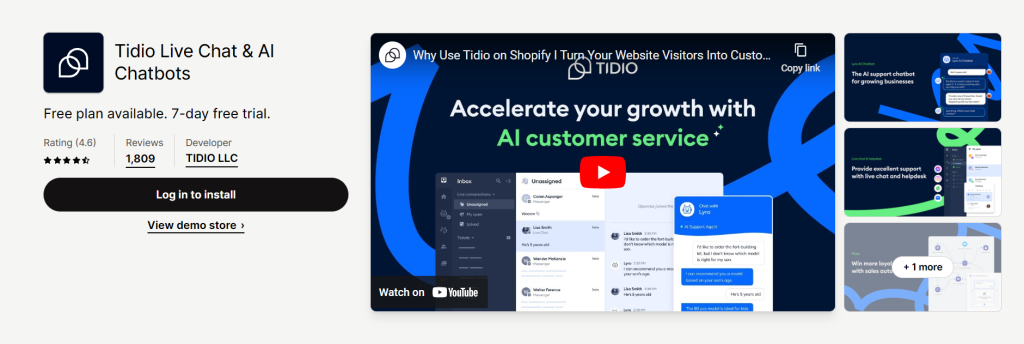
Tidio is a multichannel communication solution that acts as a Shopify WordPress plugin, designed to streamline customer service and boost user engagement. Whether you’re a WordPress developer looking for a reliable support plugin or a Shopify agency trying to improve client retention strategies, Tidio offers a plug-and-play live chat and chatbot experience that integrates seamlessly into your workflow.
With live chat, Messenger, email support, and AI-powered automation in one interface, it bridges the gap between real-time interaction and intelligent automation. Agencies seeking the best Shopify plugin for WordPress will find Tidio incredibly useful for adding an instant support layer to any eCommerce project—especially when used as part of a broader WordPress Shopify integration plan.
Key Features
- Unified live chat across email, Messenger, and website
- Customizable AI chatbots for lead generation and support
- Real-time visitor tracking and proactive chat triggers
- Multilingual support to serve global audiences
- Mobile app for on-the-go customer engagement
- Integration with WordPress, Shopify, and CRM tools
- Dashboard analytics for performance tracking and chat insights
Ideal Use Cases
Tidio is perfect for agencies building WooCommerce or Shopify storefronts that require direct, scalable communication tools without adding overhead. It’s ideal for support teams, product inquiry flows, and automated pre-sales interaction via WordPress or Shopify.
Pros and Cons
| Pros | Cons |
|---|---|
| Works on both Shopify and WordPress seamlessly | Limited automation features on the free plan |
| Combines live chat with chatbot automation | Custom chatbot flows have a learning curve |
| Mobile app and real-time alerts improve response time | Requires stable internet to stay connected |
| Multichannel support increases flexibility | Advanced analytics reserved for paid tiers |
| Easy to deploy on client sites | Chat widget design customizations are somewhat limited |
| Proactive visitor engagement helps convert leads | Occasional syncing issues between Shopify and WordPress |
| Works well with other tools like Mailchimp, HubSpot | Premium pricing may not suit every budget |
Want to preview how Tidio’s live chat looks before going live on a client site? With InstaWP, you can create a real-time sandbox of your WordPress site or WooCommerce store, integrate Shopify with WordPress, and test Tidio features without touching your production environment. It’s the fastest way to ensure full compatibility during setup.
6. Growave

Growave is an all-in-one Shopify plugin for WordPress agencies and developers who want to create more engaging e-commerce experiences. Designed to unify customer loyalty tools, product wishlists, reviews, and social login into a single solution, Growave simplifies the Shopify WordPress integration process.
Whether you’re building a feature-rich WooCommerce alternative or need to integrate Shopify with WordPress for advanced customer interaction, Growave helps businesses offer powerful functionality without the need for multiple plugins. As a top contender for the best Shopify plugin for WordPress, it saves development time and streamlines marketing automation by integrating loyalty and retention features directly into your client’s storefront.
Key Features
- Social login support for quick and secure user access
- Wishlist creation for improved UX and return visits
- Loyalty and rewards program to drive repeat sales
- User-generated reviews and photo galleries
- Instagram shop integration
- Automated emails to engage and retain users
- Fully customizable widgets to match store branding
Ideal Use Cases
Growave is perfect for Shopify stores embedded within WordPress sites, especially when agencies want to scale user engagement, add loyalty programs, and enable customer reviews—all through a single platform.
Pros and Cons
| Pros | Cons |
|---|---|
| Combines wishlist, reviews, loyalty, and login in one plugin | Advanced features are behind a paywall |
| Helps integrate Shopify with WordPress seamlessly | Learning curve for non-technical users |
| Highly customizable UI to match any theme | May be overkill for small, minimalist stores |
| Great for scaling e-commerce personalization | Slightly more complex than single-function plugins |
| Reliable customer support and documentation | Not natively installed on WordPress, uses embed |
| Easy social proof collection through user reviews | Pricing may limit usage for very small businesses |
| Automates key marketing workflows | Requires Shopify backend for full functionality |
Did You Know?
Want to test Growave’s loyalty or wishlist features in a staging environment? Use InstaWP to spin up a temporary WordPress site with Shopify integration capabilities. This lets you experiment with the plugin setup and UI customizations risk-free—before going live.
7. UpPromote

UpPromote is one of the best Shopify plugins for WordPress websites that want to add affiliate marketing capabilities without juggling multiple tools. Tailored for agencies and developers working with clients using WordPress and Shopify, this plugin offers a streamlined solution for managing affiliate programs—from recruiting to payment.
Whether you’re seeking to expand traffic or build an influencer network, UpPromote makes the Shopify WordPress integration seamless, empowering you to scale your brand through partner-based promotions. It’s an ideal tool to integrate Shopify with WordPress and convert happy customers into powerful revenue channels.
Key Features
- Affiliate registration and management portal
- Click, sale, and commission performance tracking
- Custom commission tiers for products or affiliate groups
- Marketing asset library for banners and links
- Integrated payment options for affiliate payouts
- Campaign-specific tracking codes and reports
- Coupon-based referral attribution for offline or influencer channels
Ideal Use Cases
UpPromote is perfect for WordPress-based agencies managing Shopify stores that want to run scalable affiliate programs for DTC brands, influencers, or niche content creators.
Pros and Cons
| Pros | Cons |
|---|---|
| All-in-one Shopify affiliate system with easy WordPress management | Takes time to learn advanced tracking setups |
| Great analytics and visual reporting dashboards | Pricing may be high for smaller shops |
| Fully customizable programs for segmented marketing | External dashboard for affiliates—not native to WordPress |
| Automates entire affiliate lifecycle | Not ideal for one-off referral campaigns |
| Excellent documentation and customer support | Some features require upgrading to higher tiers |
| Integrates well with coupon marketing strategies | Requires both Shopify and WordPress familiarity |
| Supports multiple payout methods for global affiliates | Not a native WordPress plugin, uses Shopify API sync |
8. Shopify Importer

Shopify Importer is a legacy Shopify WordPress plugin designed to bring your Shopify product catalog into WordPress in a basic yet functional way. Aimed at bloggers and content creators who want to talk about or feature products from their Shopify store on their WordPress site, this tool works by importing Shopify product exports into your WordPress blog or pages.
While not the most robust solution compared to newer options, it allows users to establish a light-touch Shopify plugin for WordPress workflow, especially useful for integrating products into long-form content or editorial-style layouts. It’s a minimal, no-frills approach to WordPress Shopify integration, helpful for content-driven ecommerce strategies.
Key Features
- Imports Shopify products into WordPress as posts or pages
- Includes all product fields as Custom Fields
- Imports Shopify product tags as WordPress tags
- Option to save products as published or drafts
- Option to create product vendors as categories
- Simple configuration with CSV import
- Lightweight plugin with no frontend styling interference
Ideal Use Cases
Ideal for bloggers who want to talk about or feature Shopify products in their WordPress blog posts, without needing a full eCommerce setup. Also suitable for editorial teams building product roundup articles using Shopify store data.
Pros and Cons
| Pros | Cons |
|---|---|
| Very lightweight and easy to use | Not actively maintained or updated |
| Useful for content-focused Shopify WordPress integration | No live sync or Shopify API connection |
| Great for content creators integrating products into blogs | Doesn’t support WooCommerce or cart functionality |
| Custom Fields give developers flexibility in display | Manual theme edits required to show product info |
| Imports vendors and tags for better categorization | Limited to product import only—no orders or customers |
| Works well for static product showcases | Outdated, may break on modern WordPress versions |
| Good fit for minimalist affiliate or catalog blogs | No official support or ongoing development |
9. Connect Products with Shopify

Connect Products with Shopify is a lightweight Shopify WordPress plugin that lets you automatically register products from your Shopify store as custom post types in WordPress. Ideal for those using the Shopify Starter Plan, this tool allows you to embed Shopify product listings and buy buttons via shortcode, while managing your store display from within WordPress.
It offers a simple way to maintain product data sync without requiring full eCommerce features, making it a great Shopify plugin for WordPress publishers who want to display products alongside editorial content. Seamless WordPress Shopify integration helps site owners showcase Shopify items in a way that feels native to their WordPress theme.
Key Features
- Automatically syncs product data from Shopify to WordPress custom posts
- Stores product title, price, image URL, and description in custom fields
- Maps Shopify tags and product types to WordPress taxonomies
- Allows product listings and buy buttons via shortcodes
- Compatible with Shopify Starter Plan
- Layout and button design are configurable via the plugin dashboard
- Supports manual shortcode styling for flexible visual integration
Ideal Use Cases
Perfect for minimalist WordPress sites, magazine-style blogs, or portfolios that want to integrate Shopify with WordPress without a full cart system. Especially useful for creators using Shopify’s $5 plan looking to display products within WordPress.
Pros and Cons
| Pros | Cons |
|---|---|
| Works with Shopify Starter Plan | No WooCommerce or cart system support |
| Easy shortcode-based display | The plugin UI may lack polish for non-tech users |
| Creates custom post types for products | Sync is not real-time, requires re-import |
| Lightweight and focused on simplicity | Plugin UI may lack polish for non-tech users |
| Buy button styling is editable | Advanced inventory features not included |
| Uses existing WordPress taxonomy structure | No built-in analytics or reporting |
| Affordable and low-barrier to entry | Requires some Shopify setup knowledge |
10. W2S – Migrate WooCommerce
W2S – Migrate WooCommerce to Shopify is one of the best Shopify plugins for WordPress when it comes to full-scale migration from WooCommerce. This robust Shopify WordPress plugin lets you transfer unlimited products, categories, tags, SKUs, and slugs from your WooCommerce store to Shopify with just a few clicks.
Designed to simplify the often complex process of switching eCommerce platforms, W2S ensures a smooth WordPress Shopify integration by relying on the official Shopify API for secure, accurate data handling. For WordPress developers and agencies managing migrations, it offers a practical way to integrate Shopify with WordPress in client projects.
Key Features
- Unlimited product migration from WooCommerce to Shopify
- Supports simple and variable product types
- Filters for product type, categories, and creation date
- Keeps original slugs and SKUs during transfer
- Import options include title, pricing, stock, tags, images, and status
- Choose Shopify product status: Active, Archived, or Draft
- Import logs with detailed status and product mapping
Ideal Use Cases
Best suited for WordPress site owners, developers, or agencies looking to migrate WooCommerce stores to Shopify without losing product data. Perfect for transitioning to Shopify’s hosted infrastructure while retaining product organization and SEO structure.
Pros and Cons
| Pros | Cons |
|---|---|
| Full control over import filters | No import for orders or customer data |
| Keeps product metadata like slug, SKU, and categories | Requires manual API setup |
| Completely free for unlimited migrations | Advanced automation available only in premium tools |
| Clean Shopify API usage ensures safe data handling | Not ideal for users unfamiliar with the Shopify API process |
| Excellent for one-time migrations | No real-time sync or updates after migration |
| Helpful documentation and video guides | May require testing in a staging environment |
| Logs allow debugging and monitoring of migration | No rollback feature for failed imports |
11. Shopify Connect for WooCommerce

Shopify Connect for WooCommerce is a clever Shopify WordPress plugin that bridges the power of Shopify’s backend with WooCommerce’s flexible frontend on WordPress. Instead of choosing one platform over the other, this plugin allows developers and store owners to enjoy the best of both worlds.
You manage your products, payments, and integrations through Shopify, while WooCommerce takes charge of content management and site display. If you’re seeking a unique way to integrate Shopify with WordPress without sacrificing functionality, this plugin offers a hybrid eCommerce setup worth testing.
Key Features
- Bridges Shopify’s backend with WooCommerce frontend
- Seamlessly connects Shopify inventory with WooCommerce store layout
- Leverages Shopify’s robust integrations (social selling, app store, etc.)
- Retains WooCommerce’s native WordPress advantages
- Ideal for sites prioritizing content and SEO but needing Shopify commerce tools
- Works with the official Shopify plugin for smoother coordination
- Simplifies the mashup of Shopify and WooCommerce ecosystems
Ideal Use Cases
A great choice for bloggers, niche site owners, or WordPress developers who want to maintain content flexibility with WordPress while using Shopify for commerce infrastructure. Especially useful for marketing-first websites that still want Shopify checkout and product management.
Pros and Cons
| Pros | Cons |
|---|---|
| Combines Shopify backend with WooCommerce frontend | The plugin has not been updated in years |
| Enables hybrid eCommerce setups | May have compatibility issues with newer WordPress versions |
| Retains WordPress SEO and blogging power | Minimal documentation and community support |
| Supports Shopify’s sales channels and integrations | Requires both Shopify and WooCommerce setups |
| Reduces the need for migration or platform switching | Not ideal for non-technical users |
| Let you customize the frontend via WooCommerce | No real-time sync tools or advanced mapping |
| Works well for marketing-heavy commerce sites | Risk of plugin abandonment due to inactivity |
Final Word
WordPress and Shopify don’t have to be rivals — they can complement each other beautifully when used strategically.
Whether you’re a developer building hybrid eCommerce solutions or an agency optimizing client workflows, integrating Shopify with WordPress unlocks the best of both ecosystems: Shopify’s powerful backend commerce engine and WordPress’s unmatched flexibility in content and customization.
From product syncing and affiliate management to live chat and loyalty programs, the right setup can help you build scalable, high-converting online stores. As always, test your configuration in a safe staging environment first to ensure compatibility and performance before going live.
FAQs
Can I use WordPress Shopify plugins if I already have an existing Shopify store?
Yes! WordPress Shopify plugins are designed to seamlessly integrate Shopify functionality into WordPress websites. Whether you’re starting from scratch or already have an established Shopify store, these plugins can enhance your online presence by leveraging the power of WordPress alongside Shopify’s e-commerce features.
Are WordPress Shopify plugins compatible with all WordPress themes?
Most WordPress Shopify plugins are compatible with a wide range of WordPress themes. However, it’s essential to check compatibility before installing a plugin, especially if you’re using a custom or heavily customized theme. Some plugins may require specific theme features or modifications to work correctly, so it’s always a good idea to review compatibility documentation or reach out to the plugin developer for assistance.
Can I customize the design and layout of my Shopify store integrated with WordPress?
Yes, one of the advantages of using WordPress Shopify plugins is the ability to customize the design and layout of your online store. You can use WordPress themes and page builders to create unique and visually appealing storefronts that reflect your brand identity. Additionally, many plugins offer customization options, allowing you to tailor the appearance of your Shopify store to suit your preferences.
Are there any additional costs associated with using WordPress Shopify plugins?
While some WordPress Shopify plugins may have a one-time or subscription-based cost, there are typically no additional fees for integrating Shopify functionality into WordPress. However, keep in mind that you’ll still need to pay for Shopify’s services, such as transaction fees and subscription plans, if you’re using their platform to process payments and manage your store’s backend. Be sure to review the pricing details of both the plugin and Shopify to understand any potential costs involved.
Can I migrate my existing WordPress or Shopify site to a WordPress site with Shopify integration?
Yes, it’s possible to migrate both WordPress and Shopify sites to a WordPress site with Shopify integration. Depending on your current setup, migration may involve different steps, such as exporting/importing content, setting up product listings, configuring payment gateways, and installing WordPress Shopify plugins. If you’re not familiar with the migration process, consider seeking assistance from experienced developers or utilizing migration services offered by plugin developers or third-party providers.
If I don’t have a Shopify store, can I still use WordPress Shopify plugins?
Unfortunately, no. WordPress Shopify plugins are specifically designed to integrate Shopify’s e-commerce functionality into WordPress websites. Without a Shopify store, these plugins won’t be able to connect to any Shopify backend, limiting their functionality. However, if you’re considering starting an online store, you can easily set up a Shopify store and then integrate it with your WordPress site using these plugins to enjoy the benefits of both platforms seamlessly.


