In the digital age, every restaurant needs a well-designed, user-friendly website, and a significant part of that is a clear, easily accessible menu. For those who use WordPress, this is where WordPress Restaurant Menu Plugins come in handy. This article will delve into the best of these plugins, providing comprehensive insights into their features, benefits, and pricing structures.
The importance of a restaurant’s online presence can’t be overstated. A well-structured, appealing online menu can increase visibility, drive customer engagement, and boost sales.
Continue reading to discover how these WordPress Restaurant Menu Plugins can transform your online presence, streamline your operations, and ultimately, enhance your customers’ dining experience. Prepare to dig into a veritable feast of information on the top menu plugins for WordPress.
Table of Contents
What are WordPress Restaurant Menu Plugins?
WordPress restaurant menu plugins are specifically designed to help restaurants, cafes, and other food-related businesses create and display their menus beautifully and effectively on their WordPress websites. Instead of simply listing menu items in a static page, these plugins offer a range of features to make the menu more engaging and user-friendly for potential customers.
Here’s a breakdown of what these plugins typically do:
Key Features and Functionalities:
- Easy Menu Creation: They provide intuitive interfaces, often with drag-and-drop functionality, to easily add menu sections (e.g., Appetizers, Main Courses, Desserts, Drinks), items, descriptions, prices, and even images.
- Categorization and Organization: You can organize your menu items into logical categories and subcategories, making it easy for visitors to navigate and find what they’re looking for.
- Visual Customization: Many plugins offer various layout options and customization features to match your restaurant’s branding and website design. This might include different display styles, font choices, color schemes, and more.
- Image Support: You can often add high-quality images to your menu items, making them more appealing and enticing.
- Price Management: Easily set and update prices for your menu items. Some plugins might even support variations in pricing (e.g., different sizes or add-ons).
- Special Offers and Promotions: Some plugins allow you to highlight special offers, daily specials, or seasonal items.
- Nutritional Information and Allergens: Certain plugins provide fields to include nutritional information, allergen warnings, and dietary restrictions for each menu item, catering to health-conscious customers.
- Print-Friendly Options: Many offer features to generate a printer-friendly version of your menu.
- Mobile Responsiveness: Ensuring the menu looks great and is easy to navigate on all devices (desktops, tablets, and smartphones) is a crucial feature.
- Integration with Other Plugins: Some plugins might integrate with online ordering systems, reservation plugins, or translation plugins.
- Online Ordering Capabilities (in some advanced plugins): More advanced restaurant menu plugins might even include features for taking online orders directly from the menu.
Best WordPress Restaurant Menu Plugins
Here are some of the best restaurant menu plugins that you can install on your WordPress-based restaurant site and streamline the menu navigation for your visitors.
1. Restaurant Menu

Restaurant Menu – Food Ordering System – Table Reservation plugin is a comprehensive solution for restaurant businesses. This plugin has the potential to transform a restaurant website into an online food ordering and table booking platform.
It comes with a user-friendly interface, requiring no coding skills, and allows you to create a restaurant menu, manage online food orders, and handle restaurant reservations without any hidden costs or commissions.
Want to speed up WordPress restaurant site development workflow? Install this plugin and create templates with InstaWP. You can now serve multiple clients with consistent quality and minimal effort.
Benefits of using this plugin:
- Simplicity: The plugin is incredibly easy to set up. Just follow the setup wizard, insert your food menu, and publish the ordering button.
- Cost-effective: It comes free of cost and doesn’t charge any commission or hidden fees for unlimited food orders and restaurant reservations.
- Comprehensive solution: This plugin caters to different needs of a restaurant business – from creating a visually appealing menu to managing online orders and bookings.
Key Features:
- Restaurant Menu: Offers a visual, drag and drop online menu editor. Supports customizing food menu items, uploading own images, and has a collection of food images available for use. It is suitable for any type of cuisine.
- Online Food Ordering: Provides a user-friendly, single-page checkout. It offers real-time order confirmation and fulfillment time. The plugin also includes options for different opening hours for pick-up and delivery, multiple delivery zones with different minimum order value/delivery fee, and supports cash, online payments, and more.
- Restaurant Booking System: Includes a simple restaurant reservation form and allows users to order food ahead for dining in.
- Additional Features: Alerts when the ordering app is not reachable and follow-ups call when the restaurant staff is not taking the orders. It also offers restaurant ordering stats, website analytics, delivery heatmaps, and a promotions engine with 11 templates, coupon support, and customer segmentation and targeting.
Pricing Structure
This plugin is available for free.
2. Restaurant Menu and Food Ordering
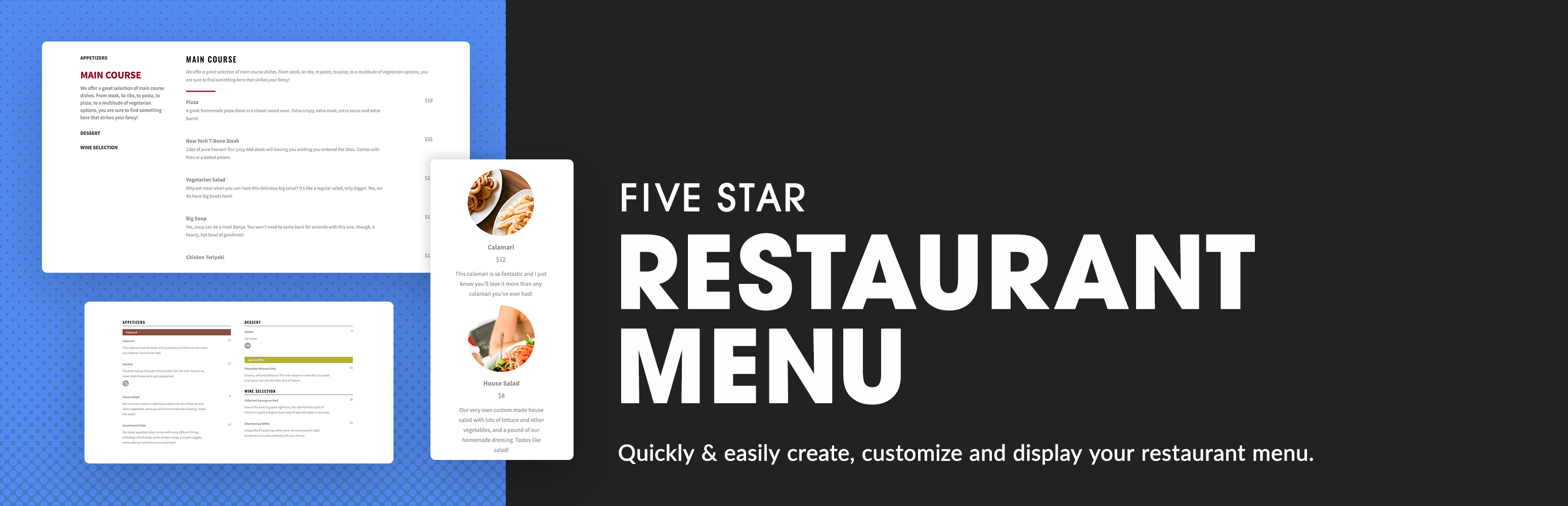
The Restaurant Menu and Food Ordering plugin is a comprehensive tool designed to enhance the online presence and functionality of your restaurant’s website. It allows you to create a responsive restaurant menu and even enables an online food ordering system.
Benefits of using this plugin include easy and quick menu updates, cost savings from reduced printing, and a more contactless experience for your customers. It also allows for the creation of QR codes for easy access to menus, making it ideal for modern dining establishments.
Key Features:
- The ability to create unlimited restaurant menus and menu items.
- Responsive layout that works well on all devices.
- The inclusion of Gutenberg blocks and shortcodes to add your restaurant menu to any page.
- The ability to add unique photos and prices to each food or drink menu item.
- An optional sidebar to display your sections for quick navigation.
- Full restaurant menu schema structured data automatically integrated for better search engine visibility.
- The ability to create a QR code for easy access to your online menu.
Pricing Structure
The Restaurant Menu and Food Ordering plugin offers different pricing structures depending on the features needed. The base plugin is free, while the premium and ultimate versions come at a cost, offering additional functionalities and features.
3. Stylish Price List

The Stylish Price List is a WordPress restaurant menu plugin that allows business owners to create aesthetically pleasing and functional menu lists for their restaurants. With this plugin, you can easily convert visitors into customers by displaying clear and organized information about your products and services.
Benefits of Using Stylish Price List Plugin:
- Enhances user experience by presenting a clear and organized menu.
- Increases sales by enabling customers to easily locate their desired products and services.
- Offers customization options to match your brand.
- Supports numerous languages.
- It’s mobile-friendly and responsive, ensuring a great experience on all devices.
- Keeps your website loading quickly and securely.
Key Features:
- Category Tab: This feature improves user experience by reducing clutter and adding clarity.
- Search & Filter: Allows users to easily find the products and services they want.
- Stunning Template Skins: Offers over 8+ styles to suit your website’s aesthetic.
- Drag & Drop: Helps in quick and organized price list creation.
- Branding & Styling: Allows customization of headings, category titles, and service titles in terms of font, colour, and type.
- Embed to Page: Allows easy addition to any page, with any theme and any page builder, using the shortcode feature.
- Fast & Secure: Keeps your website loading quickly and securely.
Pricing Structure
The plugin is free to use with premium features available at additional cost.
4. Restaurant Menu and Food Ordering
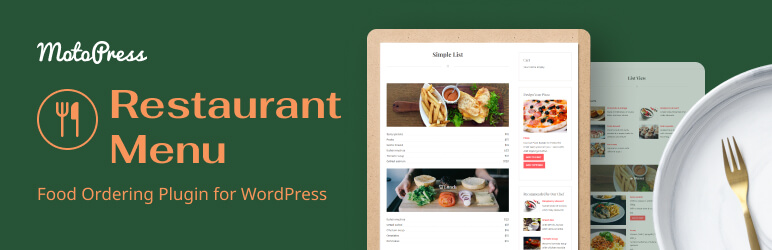
The MotoPress Restaurant Menu is a comprehensive WordPress plugin that transforms your restaurant or cafe website into a fully functional food ordering system.
Benefits of using the Restaurant Menu plugin:
- It allows you to create a categorized database of your menu items with different prices, offering a quick and straightforward ordering process for your customers.
- It has integrated e-commerce capabilities, enabling you to sell food and drinks online via PayPal or Cash on Delivery.
- It can be showcased on posts, pages, and sidebars, ensuring a perfect fit in any WordPress theme.
Key Features:
- Compatible with various restaurant types, including pizza, fast food, multipurpose restaurant menus, and any typical food and drink establishments.
- It offers extensions to transform the plugin into a robust food ordering and delivery software, including delivery and pickup services, a list of extra items available for purchase, and a shopping cart icon for your navigation menu.
- The plugin is responsive and mobile-friendly, allowing customers to easily view the menu and place orders.
- It provides a comprehensive menu item presentation, including title, description, photos, price, detailed nutrition information, attributes, tags, and a list of ingredients.
- It offers both simplified and detailed views of menu items.
- It provides categorically organized lists of meals, food, and drinks, along with child categories with descriptions.
- It includes customizable add-to-cart and buys buttons, currency settings, taxes, and tax rates.
- It enables the import and export of menus between different WordPress installations.
Pricing Structure
The MotoPress Restaurant Menu plugin is free to use. However, additional functionalities such as the food delivery plugin, toppings extension, and menu cart are available as paid add-ons.
5. Food Menu
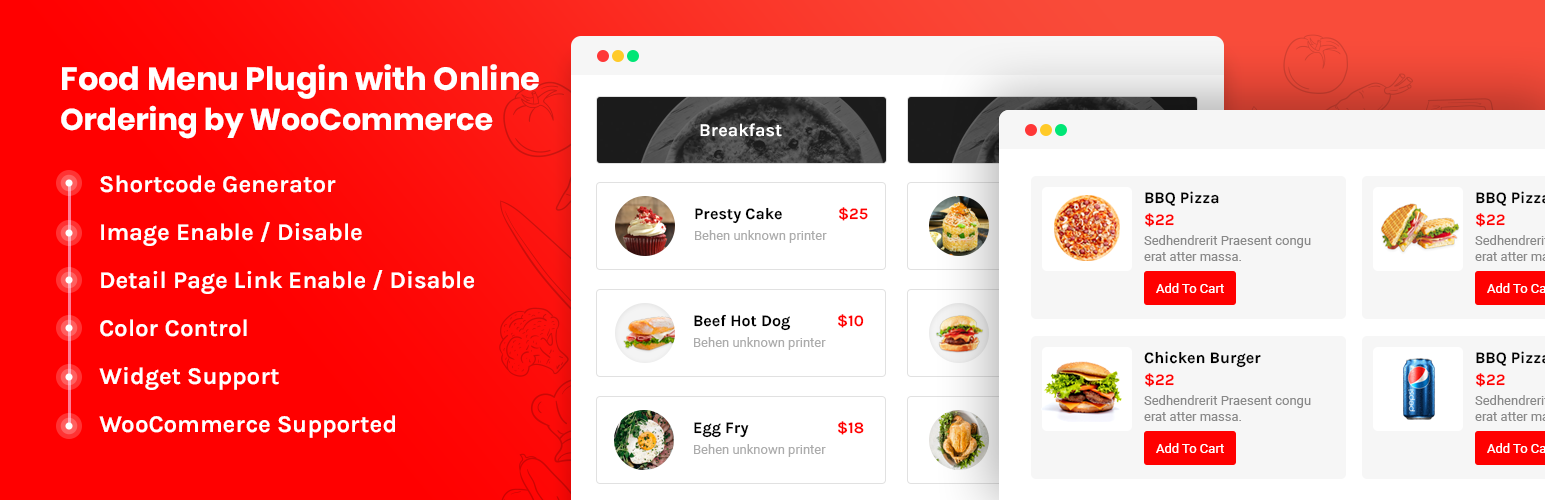
The Food Menu – Restaurant Menu & Online Ordering for WooCommerce is a WordPress plugin designed specifically for restaurants. It allows you to create, customize, and manage your restaurant’s menu on your website. Built on HTML5 and CSS3, this plugin is widget and shortcode ready, allowing it to be easily integrated into your website’s templates, pages, posts, and widgets.
The benefits of using the Food Menu plugin include an easy-to-use interface, extensive customization options, and integration with WooCommerce for online ordering capabilities. This greatly enhances the user experience of your site, providing an interactive and visually appealing menu for your patrons while simplifying the online ordering process.
Key Features:
- Fully Responsive: The plugin is designed to work seamlessly across all devices.
- Display Options: You can choose to display all food items, a single category, or multiple categories at a time.
- Currency Selection: The plugin includes a currency selection option, allowing you to display prices in your preferred currency.
- Custom Meta Fields: You can create custom metadata for your menu items.
- Custom CSS Option: This feature allows you to further customize the appearance of your menu.
- ShortCode: Shortcodes are included for easy integration into your site.
- Custom Detail Page Template: You can design custom detail pages for each menu item.
Pricing Structure
Pricing for the Food Menu plugin is not stated in the provided information. For pricing details, you are advised to visit the plugin’s official webpage or contact the plugin’s developers directly. A Pro version with additional features is also available.
6. Food Store
The Food Store is a WordPress plugin designed for online food delivery and pick-up services. It extends the core functionalities of WordPress and WooCommerce, providing a user-friendly, clutter-free environment.
It acts as a restaurant menu plugin, allowing you to convert your restaurant into an instant food ordering hub. You can display your available menu online and let your customers choose a suitable pick-up time.
Benefits of using this plugin:
- It helps centralize all your restaurant-related options while maintaining WooCommerce’s core features for cart and checkout setup, along with various payment gateways.
- It allows for easy setup of your food items using WooCommerce.
- You can tag your items with Veg or Non-Veg markings.
- It offers seamless selection of variable prices.
- You can display unlimited item add-ons to your customers.
- It’s fully responsive and optimized for mobile devices.
Key Features:
- Full compatibility with WooCommerce settings.
- Easy setup of food items using WooCommerce.
- Catalog Mode / Restaurant Menu enabling.
- Veg or Non-Veg markings for items.
- Easy selection of variable prices.
- Display of unlimited item add-ons.
- No usage of !important css to respect theme design.
- Full responsiveness and optimization for mobile devices.
- Hooks for customizability.
Pricing Structure
The Food Store offers several premium addons that can be purchased separately. These include:
- Food Store – Essentials
- Food Store – Store & Service Hours
- Food Store – WhatsApp Cart
- Food Store – Time Based Menu
- Food Store – Tips
- Food Store – Delivery Rates By ZipCode And Location
These premium addons can be browsed and purchased from the Food Store > Addons submenu from the WordPress Admin Dashboard.
7. WPPizza

The WPPizza plugin is an efficient tool designed specifically for WordPress restaurant websites. Although it was initially conceived for pizza delivery businesses, its flexibility allows it to cater to any restaurant type.
The benefits of using this plugin are numerous. It allows you to maintain your restaurant menu online and accept cash on delivery orders. It provides the ability to set categories, multiple prices per item, and descriptions. The plugin also comes with several inbuilt layouts including Default, Responsive, and Grid.
Key Features:
- Conceived for pizza delivery businesses but flexible enough to cater to any restaurant type.
- Ability to maintain your restaurant menu online and accept cash on delivery orders.
- Set categories, multiple prices per item, and descriptions.
- Several inbuilt layouts: Default, Responsive, Grid.
- New order notifications.
- Opening/Closing times per day.
- Allows tips/gratuities.
- Simple discounts.
- Multiple tax rates.
- Order reports.
There are also premium extensions available which include additional ingredients, delivery by post/zip code, cross-sells, pickup prices, pre-orders, stock management, coupons and discounts, timed menu, rewards, confirm/reject/notify, PDF invoices, mailing lists, auto-print, and Goodcom printers.
The plugin also provides additional payment gateways to process credit card payments instead of just “Cash on Delivery”. These include PayPal, Stripe, Authorize.net, Sofort, Rabobank, Sisow, Mollie, Marcadopago and more.
Pricing Structure
The basic version of WPPizza plugin is free to download and use, but there are premium extensions available for purchase.
8. WPCafe
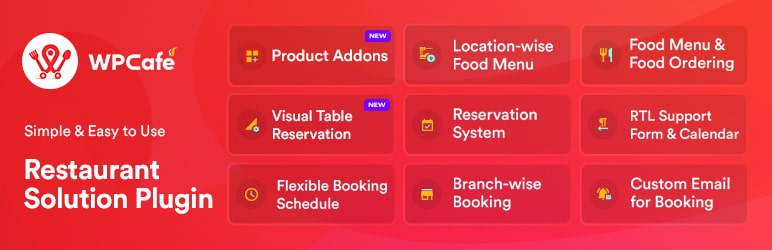
The WPCafe plugin is designed to create a comprehensive restaurant menu and online ordering system for WooCommerce. It includes a pickup/delivery system, advanced food menu creation, and restaurant and table reservation capabilities. This plugin is a comprehensive solution for restaurants, offering services for both online and offline operations.
Benefits of using the WPCafe plugin include:
- Comprehensive restaurant management: The plugin provides a thorough solution for managing any food ordering business. Its features allow for the streamlined management of restaurant operations, making it an essential tool for restaurant owners and managers.
- Diverse application: Not only is it suitable for restaurant owners and managers, but it can also be used by online food ordering system providers, food delivery system providers, cloud kitchen owners, and cafe owners and managers.
Key Features:
- Elementor Widgets: The plugin offers 14+ Elementor widgets, providing a range of customizable design options.
- Variety of Food Menu Styles: WPCafe offers 10+ food menu styles for its free version and 33+ styles for its Pro version.
- Reservation Management: Users can create and cancel reservations from the front-end, adding convenience for customers.
- Customizable Schedules: The plugin allows for the customization of schedules for early/late booking times, providing flexibility and efficiency in managing reservations.
- Detailed Sales Report: The WPCafe plugin provides detailed sales reports, helping businesses track and analyze their performance.
- Responsive Online Food Menu: The plugin creates a responsive online food menu, enhancing the customer’s browsing experience.
- Advanced Search and Filtering: The plugin offers advanced search and filtering options, allowing customers to easily navigate the restaurant’s offerings.
- Visual Table Reservation: Customers can visually reserve tables, enhancing user experience and streamlining the reservation process.
- Google Maps Food Store Location: The plugin integrates with Google Maps, making it easier for customers to locate the restaurant.
- Setting Minimum Order Amount: The plugin allows restaurants to set a minimum order amount, which can help increase average order values.
- Discount and Product Addons: WPCafe provides the option to offer discounts and product addons, enhancing customer satisfaction and potentially increasing sales.
Pricing Structure
The WPCafe plugin offers both free and premium versions. The premium version comes with additional features and functionalities that can further enhance the management and operations of the restaurant.
How Does WordPress Restaurant Menu Plugins Ease the Website Owner’s Tasks?
WordPress Restaurant Menu Plugins ease website owners’ tasks in several ways:
WordPress Restaurant Menu Plugins are specialized tools designed to help restaurant owners easily manage and display their menus on their WordPress websites. These plugins offer various features and functionalities tailored specifically for the food service industry, allowing restaurant owners to showcase their offerings in an attractive and user-friendly manner.
- Efficient Menu Management: These plugins provide intuitive interfaces for adding, updating, and organizing menus, making it easy for website owners to keep their restaurant’s offerings current without technical expertise.
- Customization Options: With a variety of customization options, owners can tailor menus to match their restaurant’s branding and style, ensuring a cohesive online presence.
- Enhanced User Experience: By presenting menus in visually appealing layouts and offering features like filtering and search, these plugins improve the user experience, leading to increased engagement and customer satisfaction.
- Time and Cost Savings: Automating menu updates and management tasks saves owners valuable time and reduces the need for hiring web developers or designers for frequent changes.
- Integration with Other Services: Many WordPress restaurant menu plugins integrate seamlessly with other services such as online ordering platforms or reservation systems, streamlining operations and providing a more cohesive online experience for customers.
Overall, these plugins simplify the process of managing restaurant menus online, allowing owners to focus on providing exceptional dining experiences rather than worrying about website maintenance.
When you look at the best WordPress restaurant menu plugins, it’s important to think about how these plugins can work with your restaurant pos system. A good POS system can make your restaurant run more smoothly by speeding up order processing, keeping track of inventory in real-time, and making customer service better.
Final Word
WordPress restaurant menu plugins are essential tools for modern restaurants, offering features that range from easy menu creation and updates, online food ordering and table reservations, to detailed analytics and promotional tools. As discussed, each plugin has its unique strengths and potential limitations. The best plugin for your restaurant depends on your specific needs and budget.
Whether you’re looking for a free plugin like Restaurant Menu – Food Ordering System – Table Reservation or a premium one like WPCafe, each offers unique features that can help enhance your restaurant’s online presence and operations.
We recommend trying out these plugins and seeing which one best fits your needs. Don’t forget to leave your feedback or share this blog with others in your network!
FAQs
What are WordPress Restaurant Menu Plugins?
WordPress Restaurant Menu Plugins are specialized tools designed to help restaurant owners easily manage and display their menus on their WordPress websites. These plugins offer various features tailored specifically for the food service industry.
How do WordPress Restaurant Menu Plugins benefit restaurant owners?
These plugins streamline menu management tasks, offer customization options to match the restaurant’s branding, enhance user experience with visually appealing layouts, and often integrate with other services such as online ordering platforms or reservation systems.
Are WordPress Restaurant Menu Plugins easy to use for non-technical users?
Yes, most WordPress Restaurant Menu Plugins are designed with intuitive interfaces, making it easy for restaurant owners to add, edit, and organize menu items without requiring extensive technical knowledge.
Can WordPress Restaurant Menu Plugins handle large menus with many items?
Yes, many plugins are capable of handling large menus with numerous items. They often provide features such as categorization, filtering, and search functionalities to help users navigate through extensive menus efficiently.
Do WordPress Restaurant Menu Plugins support mobile devices?
Absolutely! Most plugins are designed with responsive layouts, ensuring that menus display properly on all devices, including desktops, tablets, and smartphones, for a seamless user experience.
Are there any additional features offered by WordPress Restaurant Menu Plugins?
Yes, some plugins offer additional features such as online ordering integration, reservation management, nutritional information display, multilingual support, and SEO optimization tools to improve online visibility.
How can I choose the right WordPress Restaurant Menu Plugin for my restaurant?
Consider factors such as ease of use, customization options, compatibility with your website theme, additional features needed (like online ordering or reservation management), and user reviews when selecting the best plugin for your restaurant’s needs.
Do WordPress Restaurant Menu Plugins require any ongoing maintenance?
While most plugins are designed to be low-maintenance, regular updates and backups are recommended to ensure optimal performance and security. Check for plugin updates regularly and keep your WordPress installation up to date.


