Are you looking to enhance your WordPress website’s geolocation features? Look no further, because we have compiled a list of the best WordPress Google Maps plugins for you! These plugins will allow you to easily add and customize Google Maps on your website, whether you need to display multiple locations, create interactive maps, or manage store locations.
These plugins are not only user-friendly but also highly useful for WordPress developers. They provide customization options, integration with popular page builders, and advanced features that will help you create visually appealing and highly functional maps for your clients.
So, what are you waiting for? Enhance your website’s geolocation features with these amazing WordPress Google Maps plugins!
What are the Best WordPress Google Map Plugins?
If your WordPress site includes physical locations—like stores, offices, event venues, or service areas—adding an interactive map can significantly improve user experience and boost trust. That’s where WordPress Google Map plugins come in. These tools make it easy to embed dynamic, customizable maps without writing a line of code.
Whether you’re building a local business directory, a store locator, or a travel blog, the right plugin helps you display location data in a visually engaging, mobile-friendly format. Below, we’ve rounded up the best WordPress Google Map plugins that balance ease of use, performance, and customization—perfect for agencies, developers, and business site owners.
Best Google Map Plugins for WordPress
Here are some of the best WordPress Google map plugins that you can try in 2026 and beyond.
1. WP Go Maps (formerly WP Google Maps)
WP Go Maps is a Google Maps and Open Layers Map plugin that allows users to easily add customized maps, map blocks, and store locators to their WordPress posts and pages.
WP Go Maps is a user-friendly plugin that allows WordPress users to create and customize Google Maps for various purposes, such as contact page maps, routes, and maps showing delivery areas.
The plugin offers a range of features, including the ability to create Elementor maps, add map markers with descriptions and images, choose from various map themes, and add animations to map markers. The Pro version of WP Go Maps offers additional features, such as the ability to create multiple maps, add directions to markers, and filter markers by category.
Features
- Create customized Google Maps with markers, descriptions, images, and categories.
- Choose between Google Maps or Open Layers Maps.
- Easy to use with no coding required.
- Responsive maps that work well on any device.
- Elementor map block integration.
- Ability to add animations to map markers.
WP Go Maps is a valuable tool for WordPress developers as it allows them to easily add interactive and customized maps to their websites. With the ability to create Elementor maps and map blocks, developers can seamlessly integrate maps into their designs.
The plugin also offers advanced features, such as the ability to add directions, filter markers by category, and customize map marker icons, allowing developers to create highly functional and visually appealing maps for their clients.
2. Maps Widget for Google Maps
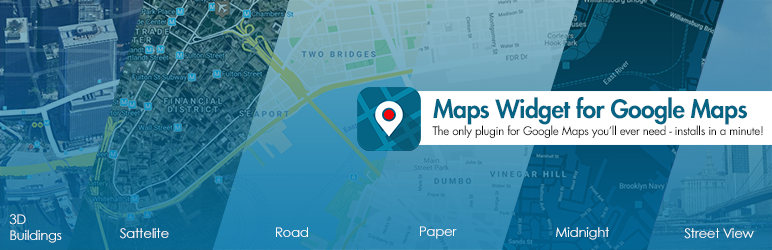
Maps Widget for Google Maps is a plugin that allows users to easily add Google Maps to their WordPress site. Maps Widget for Google Maps is a fast and easy-to-use plugin that allows users to add Google Maps to their WordPress site. It offers a variety of options for customizing the maps, including choosing map types, colors, and pin styles. The plugin also supports multiple pins and clustering, making it ideal for sites that need to display multiple locations on a map.
Features
- Easy setup and customization
- Fast loading with the Google Maps Static Maps API
- Multiple map types and color schemes
- Custom pin styles and icons
- Support for multiple pins and clustering
- Lightbox and in-place replacement for interactive maps
Maps Widget for Google Maps is useful for WordPress developers because it allows them to easily add and customize Google Maps on their client’s websites. The plugin’s fast loading time and customizable options make it a convenient tool for enhancing a site’s geolocation features. Additionally, the support for multiple pins and clustering helps display multiple locations on a single map.
3. Easy Google Maps
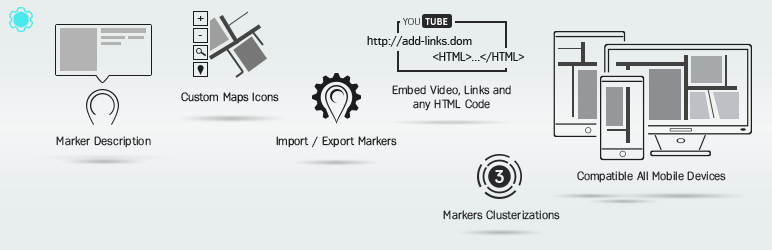
Easy Google Maps is a WordPress plugin that allows users to create and customize Google Maps on their website. Easy Google Maps is a plugin that allows users to easily create and customize Google Maps on their WordPress website.
It offers features such as unlimited map markers and locations, markers with media descriptions, fully responsive maps, customizable options, and the ability to add maps using shortcodes or PHP code. The plugin also supports the import and export of maps and markers, social share buttons, alternate routes, and various map styles.
Features
- Unlimited number of map markers and locations
- Map markers with media descriptions (text, images, video, email, phone)
- Fully responsive maps
- 100% customizable options
- Ability to add maps using shortcodes or PHP code
- Import and export of maps and markers
- Social share buttons, alternate routes, and various map styles
Easy Google Maps is a useful plugin for WordPress developers as it allows them to easily create and customize Google Maps on their websites. It offers a wide range of features and customization options, making it easy to integrate maps into contact pages, display routes, showcase real estate listings, and more.
The ability to add maps using shortcodes or PHP code also gives developers flexibility in how they incorporate maps into their websites. Overall, Easy Google Maps provides a user-friendly solution for enhancing geolocation features on WordPress sites.
4. MapPress Maps for WordPress

MapPress is a plugin that allows users to easily add interactive maps to their WordPress websites. It offers unlimited maps and markers and can be used with both the Gutenberg blocks and the classic editor.
The plugin also has a popup map editor for easy map creation and editing. Additional features are available with the MapPress Pro version, including custom icons, search and filter, and clustering.
Features
- Unlimited maps and markers
- Compatible with Gutenberg blocks and classic editor
- Popup map editor for easy map creation and editing
- MapPress Pro version offers additional features
- Custom icons
- Search and filter functionality
- Clustering
MapPress is a useful tool for WordPress developers as it allows them to easily enhance their websites with interactive maps. The plugin offers a user-friendly interface for map creation and editing, and the ability to add custom icons, search and filter functionality, and clustering. This can help developers create visually appealing and functional websites that incorporate geolocation features.
5. Interactive Geo Maps

Interactive Geo Maps is a plugin that allows users to create interactive maps with different regions and colored markers. It offers more than 250 vector maps, including world maps, continent maps, and single-country maps.
Users can create maps for various purposes such as displaying visited countries, office locations, projects, statistics, and more. The plugin is responsive and cross-device compatible, and it generates touch-enabled SVG maps that are embedded directly into HTML5 pages. It is compatible with all modern browsers and devices.
Features
- Create unlimited maps
- Color countries and add round colored markers
- Set hover color change and click actions
- Choose from different map projections
- Display HTML tooltips on hover
- Zoom controls and pan
Interactive Geo Maps is a useful tool for WordPress developers who want to enhance their websites with geolocation features. It allows developers to easily create interactive maps without the need for coding. The plugin offers a wide range of maps to choose from and provides customization options such as color settings and click actions.
It is also responsive and compatible with different devices and browsers. Overall, Interactive Geo Maps simplifies the process of adding interactive maps to WordPress websites, saving developers time and effort.
6. WP Store Locator
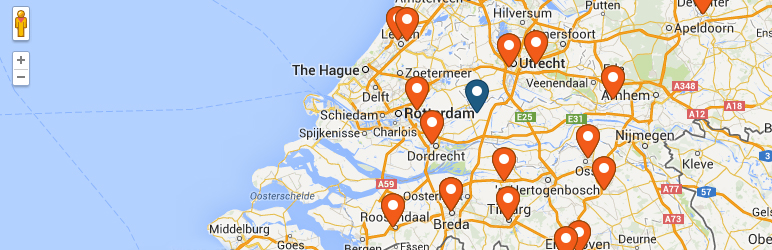
WP Store Locator is a location management system for WordPress sites. It allows users to manage an unlimited number of stores, customize map appearance, and provide custom labels for entry fields. It supports custom map styles, provides driving directions, and has multilingual compatibility.
Features
- Manage unlimited stores with extra details and custom metadata.
- Choose from nine retina-ready marker icons.
- Show driving distances in km or miles.
- Shortcodes for individual opening hours, addresses, or maps.
- Compatible with multilingual plugins like WPML and qTranslate X.
- Developer-friendly code with extensive filters to customize the look and feel.
WP Store Locator provides developers with a powerful and customizable solution for adding location management and geolocation features to their WordPress sites. It offers flexibility in terms of design, language support, and data management. The extensive filters and developer-friendly code make it easy to customize and integrate into any WordPress project.
Final Word
In conclusion, these WordPress Google Maps plugins offer a range of features and customization options to enhance geolocation features on websites. Whether it’s adding interactive maps with custom markers, creating Elementor maps and map blocks, or managing store locations, these plugins provide convenient solutions for WordPress developers.
They allow for easy integration of maps into websites, offer customization options for map appearance and functionality, and support features like clustering, directions, and filtering.
With their user-friendly interfaces and developer-friendly code, these plugins save time and effort in enhancing a site’s geolocation features. Overall, these plugins are valuable tools for WordPress developers looking to enhance their websites with geolocation capabilities.


